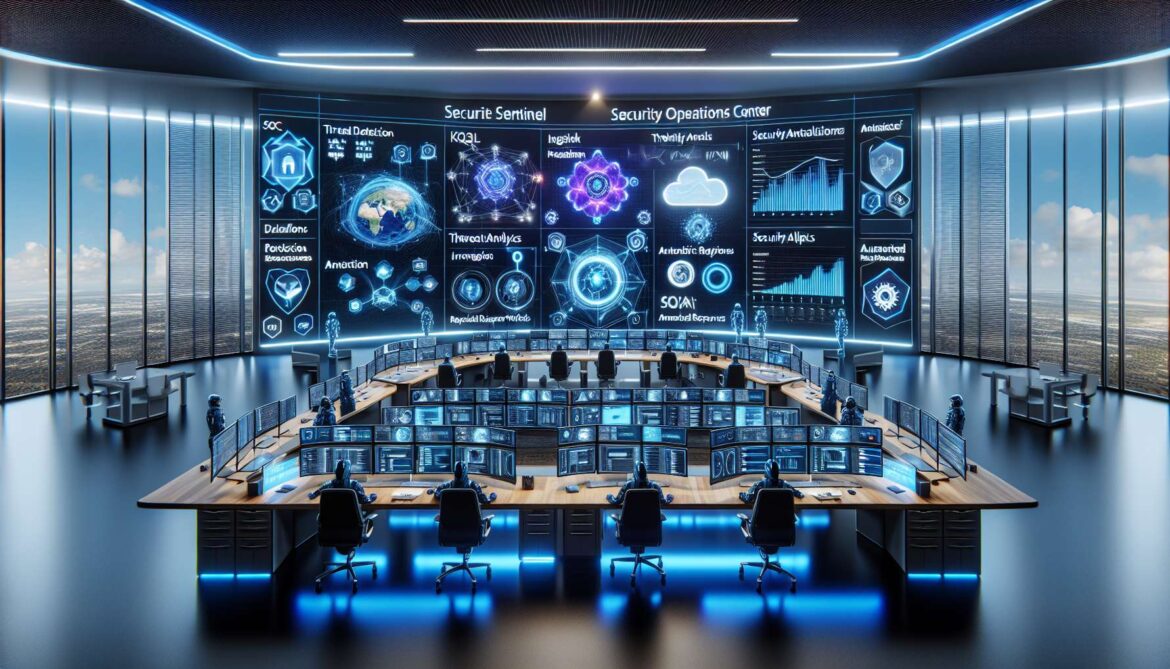
Microsoft Sentinel represents a paradigm shift in security operations, delivering cloud-native SIEM and SOAR capabilities that eliminate traditional infrastructure constraints while providing AI-powered threat detection and automated response at enterprise scale. As organizations face exponentially growing security data volumes and increasingly sophisticated attack patterns, Sentinel’s unified platform integrates data collection, threat detection, investigation, and automated remediation into a single solution. This comprehensive guide explores Sentinel architecture, automation strategies, playbook development, and production-ready implementations using Python, Node.js, and C# for building enterprise security orchestration workflows.
Understanding Microsoft Sentinel Architecture
Microsoft Sentinel operates as a cloud-native security information and event management platform built on Azure Monitor Log Analytics. The architecture consists of data connectors ingesting security telemetry from diverse sources, analytics rules detecting threats through machine learning and behavioral analysis, incident management orchestrating investigation workflows, and automation capabilities executing response actions. Unlike traditional SIEM solutions requiring significant infrastructure investment, Sentinel scales elastically based on data volume while maintaining consistent query performance across petabytes of security data.
The platform collects data through over 200 built-in connectors supporting Microsoft services, third-party security solutions, and custom integrations via APIs or syslog. Data flows into Log Analytics workspaces where Kusto Query Language enables rapid analysis across structured and unstructured logs. Sentinel applies detection logic through scheduled analytics rules, machine learning anomaly detection, and threat intelligence correlation. When threats are identified, incidents aggregate related alerts, enriching them with entity information, MITRE ATT&CK mappings, and investigation graphs showing attack relationships.
flowchart TD
    A[Data Sources] --> B[Data Connectors]
    B --> C[Log Analytics Workspace]
    C --> D[Analytics Rules]
    D --> E[Incidents Created]
    E --> F[Automation Rules]
    F --> G{Action Type?}
    G -->|Enrich| H[Run Enrichment Playbook]
    G -->|Notify| I[Run Notification Playbook]
    G -->|Remediate| J[Run Remediation Playbook]
    H --> K[Update Incident]
    I --> K
    J --> K
    K --> L[SOC Investigation]
    L --> M[Incident Resolution]

    N[Threat Intelligence] -.-> D
    O[Machine Learning] -.-> D
    P[Workbooks] -.-> C

    style A fill:#e1f5ff
    style E fill:#ffe1e1
    style G fill:#f5e1ff
    style M fill:#e1ffe1
Security orchestration automation and response capabilities distinguish Sentinel from traditional SIEM platforms. Automation rules provide lightweight incident handling for triage, assignment, and tagging operations. Playbooks built on Azure Logic Apps enable complex multi-step workflows integrating with ticketing systems, identity providers, firewalls, and cloud platforms. This hybrid automation approach balances simplicity for common scenarios with extensibility for sophisticated response orchestration requiring conditional logic, parallel execution, and error handling.
Implementing Sentinel with Python
Python provides excellent tooling for Sentinel automation through the Azure SDK and REST APIs. Here is a comprehensive implementation for managing Sentinel workspaces, analytics rules, and incident response:
from azure.identity import DefaultAzureCredential
from azure.mgmt.securityinsight import SecurityInsights
from azure.mgmt.loganalytics import LogAnalyticsManagementClient
import requests
import json

class SentinelManager:
    """Comprehensive Microsoft Sentinel management"""

    def __init__(self, subscription_id, resource_group, workspace_name):
        self.subscription_id = subscription_id
        self.resource_group = resource_group
        self.workspace_name = workspace_name
        self.credential = DefaultAzureCredential()

        self.sentinel_client = SecurityInsights(
            credential=self.credential,
            subscription_id=subscription_id
        )

        self.la_client = LogAnalyticsManagementClient(
            credential=self.credential,
            subscription_id=subscription_id
        )

    def enable_sentinel(self):
        """Enable Sentinel on Log Analytics workspace"""
        # Sentinel is enabled by creating any Sentinel resource
        onboarding_state = {
            "properties": {
                "customerManagedKey": False
            }
        }

        print(f"Enabling Sentinel on workspace: {self.workspace_name}")
        # Workspace automatically onboards when first Sentinel resource created
        return True

    def create_scheduled_analytics_rule(self, rule_config):
        """Create scheduled analytics rule for threat detection"""
        rule = {
            "kind": "Scheduled",
            "properties": {
                "displayName": rule_config["display_name"],
                "description": rule_config["description"],
                "severity": rule_config["severity"],
                "enabled": rule_config["enabled"],
                "query": rule_config["query"],
                "queryFrequency": rule_config["query_frequency"],
                "queryPeriod": rule_config["query_period"],
                "triggerOperator": rule_config["trigger_operator"],
                "triggerThreshold": rule_config["trigger_threshold"],
                "suppressionDuration": "PT5H",
                "suppressionEnabled": False,
                "tactics": rule_config.get("tactics", []),
                "techniques": rule_config.get("techniques", []),
                "alertRuleTemplateName": None,
                "incidentConfiguration": {
                    "createIncident": True,
                    "groupingConfiguration": {
                        "enabled": True,
                        "reopenClosedIncident": False,
                        "lookbackDuration": "PT5H",
                        "matchingMethod": "Selected",
                        "groupByEntities": ["Account", "Host"],
                        "groupByAlertDetails": [],
                        "groupByCustomDetails": []
                    }
                },
                "eventGroupingSettings": {
                    "aggregationKind": "SingleAlert"
                },
                "alertDetailsOverride": None,
                "customDetails": rule_config.get("custom_details", {}),
                "entityMappings": rule_config.get("entity_mappings", [])
            }
        }

        result = self.sentinel_client.alert_rules.create_or_update(
            resource_group_name=self.resource_group,
            workspace_name=self.workspace_name,
            rule_id=rule_config["rule_id"],
            alert_rule=rule
        )

        print(f"Created analytics rule: {rule_config['display_name']}")
        return result

    def create_automation_rule(self, automation_config):
        """Create automation rule for incident handling"""
        automation_rule = {
            "properties": {
                "displayName": automation_config["display_name"],
                "order": automation_config["order"],
                "triggeringLogic": {
                    "isEnabled": True,
                    "triggersOn": "Incidents",
                    "triggersWhen": automation_config["triggers_when"],
                    "conditions": automation_config.get("conditions", [])
                },
                "actions": automation_config["actions"]
            }
        }

        result = self.sentinel_client.automation_rules.create_or_update(
            resource_group_name=self.resource_group,
            workspace_name=self.workspace_name,
            automation_rule_id=automation_config["rule_id"],
            automation_rule=automation_rule
        )

        print(f"Created automation rule: {automation_config['display_name']}")
        return result

    def query_incidents(self, kql_filter=None):
        """Query incidents using KQL filter"""
        incidents = self.sentinel_client.incidents.list(
            resource_group_name=self.resource_group,
            workspace_name=self.workspace_name,
            filter=kql_filter
        )

        incident_list = []
        for incident in incidents:
            incident_list.append({
                "name": incident.name,
                "title": incident.title,
                "severity": incident.severity,
                "status": incident.status,
                "created_time": incident.created_time_utc,
                "incident_number": incident.incident_number
            })

        return incident_list

    def update_incident(self, incident_id, updates):
        """Update incident properties"""
        incident = self.sentinel_client.incidents.get(
            resource_group_name=self.resource_group,
            workspace_name=self.workspace_name,
            incident_id=incident_id
        )

        # Update properties
        for key, value in updates.items():
            setattr(incident, key, value)

        result = self.sentinel_client.incidents.create_or_update(
            resource_group_name=self.resource_group,
            workspace_name=self.workspace_name,
            incident_id=incident_id,
            incident=incident
        )

        print(f"Updated incident: {incident_id}")
        return result

    def add_incident_comment(self, incident_id, message):
        """Add comment to incident"""
        comment = {
            "properties": {
                "message": message
            }
        }

        result = self.sentinel_client.incident_comments.create_or_update(
            resource_group_name=self.resource_group,
            workspace_name=self.workspace_name,
            incident_id=incident_id,
            incident_comment_id=f"comment-{int(time.time())}",
            incident_comment=comment
        )

        return result

    def run_kql_query(self, query, timespan="P1D"):
        """Execute KQL query against workspace"""
        access_token = self.credential.get_token(
            "https://api.loganalytics.io/.default"
        ).token

        headers = {
            "Authorization": f"Bearer {access_token}",
            "Content-Type": "application/json"
        }

        workspace_id = self._get_workspace_id()

        url = f"https://api.loganalytics.io/v1/workspaces/{workspace_id}/query"

        payload = {
            "query": query,
            "timespan": timespan
        }

        response = requests.post(url, headers=headers, json=payload)
        response.raise_for_status()

        return response.json()

    def _get_workspace_id(self):
        """Get Log Analytics workspace ID"""
        workspace = self.la_client.workspaces.get(
            resource_group_name=self.resource_group,
            workspace_name=self.workspace_name
        )
        return workspace.customer_id

# Usage example
def deploy_sentinel_analytics():
    manager = SentinelManager(
        subscription_id="YOUR_SUBSCRIPTION",
        resource_group="YOUR_RG",
        workspace_name="YOUR_WORKSPACE"
    )

    # Enable Sentinel
    manager.enable_sentinel()

    # Create analytics rule for failed sign-ins
    failed_signin_rule = {
        "rule_id": "failed-signin-detection",
        "display_name": "Multiple Failed Sign-in Attempts",
        "description": "Detects multiple failed sign-in attempts from same user",
        "severity": "Medium",
        "enabled": True,
        "query": """
            SigninLogs
            | where ResultType != "0"
            | summarize FailedAttempts = count() by UserPrincipalName, IPAddress, bin(TimeGenerated, 5m)
            | where FailedAttempts >= 5
        """,
        "query_frequency": "PT5M",
        "query_period": "PT5M",
        "trigger_operator": "GreaterThan",
        "trigger_threshold": 0,
        "tactics": ["CredentialAccess"],
        "techniques": ["T1110"],
        "entity_mappings": [
            {
                "entityType": "Account",
                "fieldMappings": [
                    {"identifier": "FullName", "columnName": "UserPrincipalName"}
                ]
            },
            {
                "entityType": "IP",
                "fieldMappings": [
                    {"identifier": "Address", "columnName": "IPAddress"}
                ]
            }
        ]
    }

    manager.create_scheduled_analytics_rule(failed_signin_rule)

    # Create automation rule to assign incidents
    auto_assign_rule = {
        "rule_id": "auto-assign-high-severity",
        "display_name": "Auto-Assign High Severity Incidents",
        "order": 1,
        "triggers_when": "Created",
        "conditions": [
            {
                "conditionType": "Property",
                "conditionProperties": {
                    "propertyName": "IncidentSeverity",
                    "operator": "Equals",
                    "propertyValues": ["High"]
                }
            }
        ],
        "actions": [
            {
                "actionType": "ModifyProperties",
                "actionConfiguration": {
                    "status": "Active",
                    "owner": {
                        "objectId": "SECURITY_TEAM_AAD_OBJECT_ID",
                        "email": "security-team@company.com"
                    }
                }
            }
        ]
    }

    manager.create_automation_rule(auto_assign_rule)

    # Query recent incidents
    incidents = manager.query_incidents(
        kql_filter="properties/severity eq 'High'"
    )

    print(f"\nFound {len(incidents)} high severity incidents")
    for incident in incidents[:5]:
        print(f"  - {incident['title']} ({incident['severity']})")

deploy_sentinel_analytics()
References
- Microsoft Learn – What is Microsoft Sentinel SIEM?
- Microsoft Learn – Automation in Microsoft Sentinel
- Microsoft Learn – Automate Threat Response with Playbooks
- Microsoft Learn – Create and Manage Microsoft Sentinel Playbooks
- Microsoft Security – Microsoft Sentinel Cloud SIEM
- Infused Innovations – Cybersecurity Automation with Azure Sentinel
- KQLQuery – Sentinel Automation: Enriching Incidents with KQL Results
- Practical365 – Dipping Your Toes in Microsoft Sentinel Automation