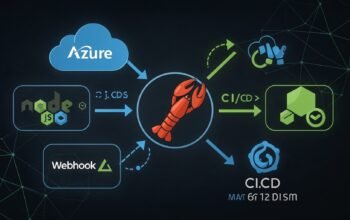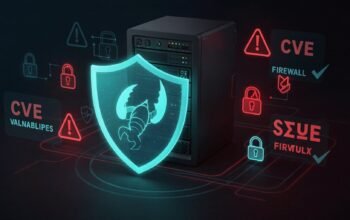
The modern software supply chain represents one of the most critical attack surfaces in enterprise security. With over 78,000 Azure DevOps pipelines executing monthly at Microsoft alone and countless organizations depending on open source components, third-party packages, and automated CI/CD workflows, adversaries have identified software development processes as lucrative targets for widespread compromise. Recent high-profile incidents including the SolarWinds attack affecting 18,000 organizations, the npm Shai-Hulud malware variants backdooring GitHub Actions runners, and the Log4j vulnerability demonstrate how supply chain compromises can achieve devastating impact with minimal attacker effort. Traditional perimeter-based security models that treat development infrastructure as trusted fail catastrophically in this landscape, where a single compromised dependency or malicious pipeline modification can inject backdoors into production systems serving millions of users.
This comprehensive guide explores enterprise-grade DevSecOps implementations that embed security controls throughout the entire software development lifecycle. We examine how to secure CI/CD pipelines using defense-in-depth strategies, implement software bill of materials for comprehensive dependency tracking, deploy automated vulnerability scanning with GitHub Advanced Security and Microsoft Defender for Cloud DevOps, establish secure artifact management with signature verification, and build continuous monitoring frameworks that correlate DevOps telemetry with broader security operations. The implementation patterns demonstrated through Python, Node.js, and C# examples enable organizations to operationalize secure software delivery at scale while maintaining development velocity.
Understanding Software Supply Chain Attack Vectors
Supply chain attacks exploit trust relationships inherent in modern software development. When organizations consume open source libraries, integrate third-party APIs, or deploy code through automated pipelines, they implicitly trust these components to function as intended. Adversaries weaponize this trust by injecting malicious code at strategic points where it propagates downstream to multiple victims. The attack surface spans multiple layers: source code repositories where attackers inject backdoors into legitimate projects, package registries where typosquatting and dependency confusion enable malicious package distribution, build systems where compromised CI/CD pipelines modify artifacts during compilation, and infrastructure-as-code templates that deploy vulnerable configurations into production environments.
The sophistication of supply chain attacks continues to evolve. Early attacks focused on simple typosquatting where adversaries registered package names similar to popular libraries hoping developers would mistype dependencies. Modern attacks demonstrate advanced capabilities including credential harvesting from CI/CD environments using tools like TruffleHog, self-propagation mechanisms that automatically republish compromised packages, persistent backdoor deployment through GitHub Actions runner modification, and destructive failsafes that trigger anti-forensics capabilities when detection occurs. The recent Shai-Hulud variant exemplifies this evolution, combining multi-cloud secret enumeration across AWS, GCP, and Azure with Azure DevOps exploitation and token recycling capabilities that extend operational lifetime even after primary credentials are revoked.
Organizations must understand that supply chain security extends beyond dependency management to encompass the entire code-to-cloud delivery pipeline. This includes source control security with branch protection and code review enforcement, secrets management preventing credential exposure in repositories and pipelines, build integrity ensuring artifacts match source code without tampering, deployment security validating infrastructure configurations before production rollout, and continuous monitoring detecting anomalous activities across the development ecosystem. Each layer requires specific controls that collectively establish defense-in-depth protection against sophisticated supply chain compromises.
Software Bill of Materials: Foundation for Transparency
Software Bill of Materials (SBOM) provides the foundational inventory necessary for effective supply chain risk management. An SBOM documents every component, library, and dependency included in an application, establishing transparency into the software composition that enables rapid vulnerability response. When critical vulnerabilities like Log4Shell are disclosed, organizations with comprehensive SBOMs can identify affected applications within minutes by querying their SBOM inventory rather than manually inspecting countless deployments. This capability transforms vulnerability management from reactive scrambling to systematic risk mitigation.
Two primary SBOM standards dominate enterprise adoption: SPDX (Software Package Data Exchange) and CycloneDX. SPDX, maintained by the Linux Foundation, originated as a license compliance tool and provides detailed documentation of package information, licensing data, copyright notices, and security references. The format excels at legal compliance use cases and regulatory requirements where comprehensive licensing information is mandatory. CycloneDX, developed by the OWASP Foundation, emerged from application security contexts with a primary focus on vulnerability management and supply chain component analysis. Its lightweight design optimizes for machine readability and integration with security tooling, making it particularly effective for automated vulnerability scanning workflows.
Both standards support JSON and XML formats with SPDX additionally offering YAML and tag-value representations while CycloneDX includes Protocol Buffers support. Organizations should select SBOM formats based on their primary use cases: SPDX for compliance-focused scenarios requiring detailed license tracking, CycloneDX for security-oriented workflows emphasizing vulnerability detection, or hybrid approaches maintaining both formats for comprehensive coverage. The critical requirement is generating SBOMs during build processes when all dependencies are present in their exact versions, creating accurate snapshots that reflect deployed software composition.
Microsoft provides the SBOM Tool that integrates with Azure Pipelines supporting SPDX 2.2 format generation. Third-party tools like Syft, CycloneDX CLI, and language-specific generators enable organizations to implement SBOM workflows regardless of technology stack. The following Python implementation demonstrates automated SBOM generation with vulnerability correlation:
import json
import subprocess
import requests
from typing import List, Dict, Optional
from datetime import datetime
import logging

class SBOMManager:
    """
    Comprehensive SBOM generation and vulnerability management system.
    Supports SPDX and CycloneDX formats with automated vulnerability scanning.
    """

    def __init__(self):
        logging.basicConfig(
            level=logging.INFO,
            format='%(asctime)s - %(name)s - %(levelname)s - %(message)s'
        )
        self.logger = logging.getLogger(__name__)

    def generate_sbom_spdx(
        self,
        project_path: str,
        output_file: str = "sbom.spdx.json",
        package_name: str = "MyApplication",
        package_version: str = "1.0.0"
    ) -> Dict:
        """
        Generate SPDX 2.2 format SBOM using Microsoft SBOM Tool.

        Args:
            project_path: Path to project directory
            output_file: Output filename for SBOM
            package_name: Name of the software package
            package_version: Version of the software package

        Returns:
            Generated SBOM data
        """
        self.logger.info(f"Generating SPDX SBOM for {package_name} v{package_version}")

        # Microsoft SBOM Tool command
        cmd = [
            "sbom-tool",
            "generate",
            "-b", project_path,
            "-bc", project_path,
            "-pn", package_name,
            "-pv", package_version,
            "-ps", "MyCompany",
            "-nsb", f"https://sbom.mycompany.com/{package_name}",
            "-m", output_file
        ]

        try:
            result = subprocess.run(cmd, capture_output=True, text=True, check=True)
            self.logger.info(f"SBOM generated successfully: {output_file}")

            # Load and return SBOM data
            with open(output_file, 'r') as f:
                sbom_data = json.load(f)

            return sbom_data

        except subprocess.CalledProcessError as e:
            self.logger.error(f"SBOM generation failed: {e.stderr}")
            raise

    def generate_sbom_cyclonedx(
        self,
        project_path: str,
        output_file: str = "sbom.cyclonedx.json",
        project_type: str = "python"
    ) -> Dict:
        """
        Generate CycloneDX format SBOM using Syft.

        Args:
            project_path: Path to project directory
            output_file: Output filename for SBOM
            project_type: Project type (python, nodejs, java, etc.)

        Returns:
            Generated SBOM data
        """
        self.logger.info(f"Generating CycloneDX SBOM for {project_type} project")

        # Syft command for CycloneDX generation
        cmd = [
            "syft",
            "packages",
            f"dir:{project_path}",
            "-o", f"cyclonedx-json={output_file}"
        ]

        try:
            result = subprocess.run(cmd, capture_output=True, text=True, check=True)
            self.logger.info(f"CycloneDX SBOM generated: {output_file}")

            with open(output_file, 'r') as f:
                sbom_data = json.load(f)

            return sbom_data

        except subprocess.CalledProcessError as e:
            self.logger.error(f"CycloneDX generation failed: {e.stderr}")
            raise

    def scan_sbom_vulnerabilities(
        self,
        sbom_file: str,
        scanner: str = "grype"
    ) -> List[Dict]:
        """
        Scan SBOM for known vulnerabilities using Grype or Trivy.

        Args:
            sbom_file: Path to SBOM file
            scanner: Vulnerability scanner to use (grype or trivy)

        Returns:
            List of vulnerability findings
        """
        self.logger.info(f"Scanning SBOM for vulnerabilities using {scanner}")

        if scanner == "grype":
            cmd = [
                "grype",
                f"sbom:{sbom_file}",
                "-o", "json"
            ]
        elif scanner == "trivy":
            cmd = [
                "trivy",
                "sbom",
                sbom_file,
                "-f", "json"
            ]
        else:
            raise ValueError(f"Unsupported scanner: {scanner}")

        try:
            result = subprocess.run(cmd, capture_output=True, text=True, check=True)
            vulnerabilities = json.loads(result.stdout)

            # Parse vulnerabilities based on scanner
            if scanner == "grype":
                vuln_list = self._parse_grype_results(vulnerabilities)
            else:
                vuln_list = self._parse_trivy_results(vulnerabilities)

            self.logger.info(f"Found {len(vuln_list)} vulnerabilities")
            return vuln_list

        except subprocess.CalledProcessError as e:
            self.logger.error(f"Vulnerability scanning failed: {e.stderr}")
            raise

    def _parse_grype_results(self, grype_output: Dict) -> List[Dict]:
        """Parse Grype vulnerability scan results."""
        vulnerabilities = []

        for match in grype_output.get("matches", []):
            vuln = {
                "id": match.get("vulnerability", {}).get("id"),
                "severity": match.get("vulnerability", {}).get("severity"),
                "package": match.get("artifact", {}).get("name"),
                "version": match.get("artifact", {}).get("version"),
                "fixed_version": match.get("vulnerability", {}).get("fix", {}).get("versions", []),
                "description": match.get("vulnerability", {}).get("description", ""),
                "cvss_score": match.get("vulnerability", {}).get("cvss", [{}])[0].get("metrics", {}).get("baseScore", 0)
            }
            vulnerabilities.append(vuln)

        return vulnerabilities

    def _parse_trivy_results(self, trivy_output: Dict) -> List[Dict]:
        """Parse Trivy vulnerability scan results."""
        vulnerabilities = []

        for result in trivy_output.get("Results", []):
            for vuln in result.get("Vulnerabilities", []):
                vulnerability = {
                    "id": vuln.get("VulnerabilityID"),
                    "severity": vuln.get("Severity"),
                    "package": vuln.get("PkgName"),
                    "version": vuln.get("InstalledVersion"),
                    "fixed_version": vuln.get("FixedVersion"),
                    "description": vuln.get("Description", ""),
                    "cvss_score": vuln.get("CVSS", {}).get("nvd", {}).get("V3Score", 0)
                }
                vulnerabilities.append(vulnerability)

        return vulnerabilities

    def generate_vulnerability_report(
        self,
        vulnerabilities: List[Dict],
        output_file: str = "vulnerability_report.json",
        severity_threshold: str = "MEDIUM"
    ) -> Dict:
        """
        Generate comprehensive vulnerability report with risk scoring.

        Args:
            vulnerabilities: List of vulnerability findings
            output_file: Output filename for report
            severity_threshold: Minimum severity to include

        Returns:
            Vulnerability report summary
        """
        severity_order = {"CRITICAL": 4, "HIGH": 3, "MEDIUM": 2, "LOW": 1, "UNKNOWN": 0}
        threshold_level = severity_order.get(severity_threshold.upper(), 0)

        # Filter by severity threshold
        filtered_vulns = [
            v for v in vulnerabilities
            if severity_order.get(v.get("severity", "UNKNOWN").upper(), 0) >= threshold_level
        ]

        # Calculate statistics
        severity_counts = {}
        for vuln in filtered_vulns:
            severity = vuln.get("severity", "UNKNOWN").upper()
            severity_counts[severity] = severity_counts.get(severity, 0) + 1

        # Identify packages with most vulnerabilities
        package_vulns = {}
        for vuln in filtered_vulns:
            pkg = vuln.get("package", "Unknown")
            package_vulns[pkg] = package_vulns.get(pkg, 0) + 1

        top_vulnerable_packages = sorted(
            package_vulns.items(),
            key=lambda x: x[1],
            reverse=True
        )[:10]

        report = {
            "scan_timestamp": datetime.utcnow().isoformat() + "Z",
            "total_vulnerabilities": len(vulnerabilities),
            "filtered_vulnerabilities": len(filtered_vulns),
            "severity_threshold": severity_threshold,
            "severity_breakdown": severity_counts,
            "top_vulnerable_packages": [
                {"package": pkg, "vulnerability_count": count}
                for pkg, count in top_vulnerable_packages
            ],
            "critical_findings": [
                v for v in filtered_vulns
                if v.get("severity", "").upper() == "CRITICAL"
            ][:20],
            "vulnerabilities": filtered_vulns
        }

        # Save report
        with open(output_file, 'w') as f:
            json.dump(report, f, indent=2)

        self.logger.info(f"Vulnerability report generated: {output_file}")
        self.logger.info(f"Total vulnerabilities: {len(filtered_vulns)}")
        self.logger.info(f"Severity breakdown: {severity_counts}")

        return report

    def upload_sbom_to_registry(
        self,
        sbom_file: str,
        registry_url: str,
        api_key: Optional[str] = None
    ) -> bool:
        """
        Upload SBOM to centralized registry for tracking.

        Args:
            sbom_file: Path to SBOM file
            registry_url: URL of SBOM registry
            api_key: API key for authentication

        Returns:
            True if upload succeeded
        """
        self.logger.info(f"Uploading SBOM to registry: {registry_url}")

        with open(sbom_file, 'r') as f:
            sbom_data = json.load(f)

        headers = {
            "Content-Type": "application/json"
        }

        if api_key:
            headers["Authorization"] = f"Bearer {api_key}"

        try:
            response = requests.post(
                registry_url,
                json=sbom_data,
                headers=headers,
                timeout=30
            )
            response.raise_for_status()

            self.logger.info("SBOM uploaded successfully")
            return True

        except requests.exceptions.RequestException as e:
            self.logger.error(f"SBOM upload failed: {e}")
            raise


# Example usage for CI/CD pipeline integration
if __name__ == "__main__":
    manager = SBOMManager()

    # Generate SPDX SBOM
    sbom_spdx = manager.generate_sbom_spdx(
        project_path="./my-application",
        package_name="MyApplication",
        package_version="2.1.0"
    )

    # Generate CycloneDX SBOM
    sbom_cyclonedx = manager.generate_sbom_cyclonedx(
        project_path="./my-application",
        project_type="python"
    )

    # Scan for vulnerabilities
    vulnerabilities = manager.scan_sbom_vulnerabilities(
        sbom_file="sbom.cyclonedx.json",
        scanner="grype"
    )

    # Generate vulnerability report
    report = manager.generate_vulnerability_report(
        vulnerabilities=vulnerabilities,
        severity_threshold="MEDIUM"
    )

    print(f"\nVulnerability Summary:")
    print(f"  Total: {report['total_vulnerabilities']}")
    print(f"  Critical: {report['severity_breakdown'].get('CRITICAL', 0)}")
    print(f"  High: {report['severity_breakdown'].get('HIGH', 0)}")
    print(f"  Medium: {report['severity_breakdown'].get('MEDIUM', 0)}")

    # Upload to SBOM registry
    manager.upload_sbom_to_registry(
        sbom_file="sbom.cyclonedx.json",
        registry_url="https://sbom.mycompany.com/api/upload"
    )
Securing CI/CD Pipelines with Defense-in-Depth
CI/CD pipelines represent high-value targets for attackers due to their privileged access to source code, production credentials, and deployment mechanisms. A compromised pipeline can inject backdoors into every build, exfiltrate intellectual property through modified artifact uploads, or pivot into production infrastructure using service principals with excessive permissions. Organizations must implement defense-in-depth strategies that secure pipelines across multiple layers: access control restricting who can modify pipeline definitions, secrets management preventing credential exposure, build isolation ensuring compromised builds cannot affect other workloads, artifact integrity validating outputs match source inputs, and audit logging capturing all pipeline activities for investigation.
Pipeline security begins with strict access controls that enforce least privilege and separation of duties. Pipeline definitions stored as YAML in source control should require pull request reviews before modifications merge to protected branches. Service connections granting pipelines access to Azure subscriptions, Kubernetes clusters, or artifact repositories must use workload identity federation with short-lived tokens rather than long-lived service principal secrets. Variable groups containing sensitive configuration should implement approval gates requiring manual authorization before pipelines can access protected values. Organizations should separate build and release pipelines ensuring developers who can modify build logic cannot directly deploy to production without additional approvals.
Secrets management requires comprehensive controls preventing credential exposure throughout the pipeline lifecycle. GitHub Advanced Security secret scanning with push protection blocks developers from committing secrets to repositories, scanning both current code and historical commits for exposed credentials including API keys, connection strings, and private keys. Azure Key Vault integration enables pipelines to retrieve secrets at runtime without storing them in pipeline variables or logs. Organizations should rotate service principal credentials regularly, implement credential validity checks that identify whether exposed secrets remain active, and configure audit logging that tracks all secret access for anomaly detection.
The following Mermaid diagram illustrates a comprehensive secure CI/CD pipeline architecture:
flowchart TD
    A[Developer Commit] --> B{Secret Scanning
Push Protection}
    B -->|Secrets Detected| C[Block Push
Alert Developer]
    B -->|Clean| D[Code Review
Required]
    D --> E{Branch Protection
Approval}
    E -->|Approved| F[Trigger CI Pipeline]

    F --> G[Isolated Build Agent
Ephemeral Environment]
    G --> H[Dependency Scanning
SBOM Generation]
    H --> I[SAST CodeQL Analysis]
    I --> J[Container Scan
Vulnerability Check]

    J --> K{Security Gate
Quality Check}
    K -->|Failed| L[Block Build
Create Alert]
    K -->|Passed| M[Sign Artifact
Generate Provenance]

    M --> N[Upload to Artifact Registry
Signature Verification]
    N --> O{Release Approval
Manual Gate}
    O -->|Approved| P[Retrieve Secrets
from Key Vault]
    P --> Q[Deploy to Staging
Infrastructure Scan]
    Q --> R[Integration Tests
Security Validation]
    R --> S{Production Gate
Final Approval}
    S -->|Approved| T[Deploy to Production
Audit Logging]

    T --> U[Continuous Monitoring
Threat Detection]
    U --> V[SIEM Integration
Correlation Analysis]

    style C fill:#ffcdd2
    style L fill:#ffcdd2
    style M fill:#c8e6c9
    style T fill:#c8e6c9
    style B fill:#fff9c4
    style K fill:#fff9c4
    style S fill:#fff9c4
Implementing GitHub Advanced Security for Azure DevOps
GitHub Advanced Security for Azure DevOps extends enterprise-grade security scanning capabilities to Azure Repos, providing secret scanning with push protection, dependency scanning for vulnerable packages, and CodeQL-powered code scanning for identifying application vulnerabilities. The platform integrates directly into Azure DevOps workflows, enabling security analysis without disrupting developer productivity. Secret scanning automatically detects over 200 secret patterns including AWS credentials, Azure connection strings, GitHub tokens, and database passwords across repository history, alerting security teams when credentials are exposed.
Push protection elevates secret scanning from detection to prevention by blocking commits containing secrets before they reach remote repositories. When developers attempt to push code containing detected secrets, the push fails with detailed remediation guidance explaining which secret was detected and how to remove it. Organizations can configure bypass policies for specific scenarios requiring documented justification, ensuring security teams maintain visibility into all secret exposures even when developers override protection. Secret validity checks enhance prioritization by automatically querying service providers to determine whether detected secrets remain active, allowing teams to focus remediation efforts on credentials that still pose risk.
Code scanning using CodeQL performs deep semantic analysis of source code to identify security vulnerabilities including SQL injection, cross-site scripting, authentication bypass, insecure deserialization, and path traversal attacks. CodeQL queries are continuously updated by GitHub security researchers and community contributors, providing detection for emerging vulnerability patterns without requiring manual rule maintenance. Organizations can customize scanning by adding private CodeQL queries tailored to their specific security requirements, frameworks, or coding standards. Results integrate into pull request workflows, automatically commenting on proposed changes that introduce vulnerabilities and blocking merges until issues are resolved.
The following Node.js implementation demonstrates automated Advanced Security management:
const axios = require('axios');
const fs = require('fs').promises;

class AdvancedSecurityManager {
    /**
     * Manager for GitHub Advanced Security operations in Azure DevOps.
     * Handles secret scanning, code scanning, and dependency analysis.
     */
    constructor(organization, project, token) {
        this.organization = organization;
        this.project = project;
        this.token = token;
        this.baseUrl = `https://dev.azure.com/${organization}/${project}`;

        this.axiosInstance = axios.create({
            headers: {
                'Authorization': `Basic ${Buffer.from(':' + token).toString('base64')}`,
                'Content-Type': 'application/json'
            }
        });
    }

    async enableAdvancedSecurityForRepo(repositoryId) {
        /**
         * Enable GitHub Advanced Security for a specific repository.
         */
        console.log(`Enabling Advanced Security for repository: ${repositoryId}`);

        const url = `${this.baseUrl}/_apis/management/enableAdvancedSecurity`;

        try {
            const response = await this.axiosInstance.post(url, {
                repositoryId: repositoryId,
                enableSecretScanning: true,
                enablePushProtection: true,
                enableDependencyScanning: true,
                enableCodeScanning: true
            });

            console.log('Advanced Security enabled successfully');
            return response.data;
        } catch (error) {
            console.error('Error enabling Advanced Security:', error.message);
            throw error;
        }
    }

    async getSecretScanningAlerts(repositoryId) {
        /**
         * Retrieve secret scanning alerts for a repository.
         */
        const url = `${this.baseUrl}/_apis/alert/repositories/${repositoryId}/alerts`;

        try {
            const response = await this.axiosInstance.get(url, {
                params: {
                    alertType: 'secret',
                    state: 'active'
                }
            });

            const alerts = response.data.value || [];
            console.log(`Found ${alerts.length} active secret scanning alerts`);

            return alerts.map(alert => ({
                id: alert.alertId,
                severity: alert.severity,
                state: alert.state,
                secretType: alert.title,
                introducedDate: alert.introducedDate,
                repository: repositoryId,
                isValid: alert.validationStatus === 'Active'
            }));
        } catch (error) {
            console.error('Error retrieving secret scanning alerts:', error.message);
            throw error;
        }
    }

    async getCodeScanningAlerts(repositoryId, branch = 'main') {
        /**
         * Retrieve code scanning alerts from CodeQL analysis.
         */
        const url = `${this.baseUrl}/_apis/alert/repositories/${repositoryId}/alerts`;

        try {
            const response = await this.axiosInstance.get(url, {
                params: {
                    alertType: 'code',
                    ref: `refs/heads/${branch}`,
                    state: 'active'
                }
            });

            const alerts = response.data.value || [];
            console.log(`Found ${alerts.length} code scanning alerts on ${branch}`);

            return alerts.map(alert => ({
                id: alert.alertId,
                severity: alert.severity,
                ruleId: alert.rule?.id,
                ruleName: alert.rule?.name,
                category: alert.rule?.category,
                description: alert.title,
                location: alert.physicalLocation,
                state: alert.state,
                firstDetectedDate: alert.firstDetectedDate
            }));
        } catch (error) {
            console.error('Error retrieving code scanning alerts:', error.message);
            throw error;
        }
    }

    async getDependencyScanningResults(repositoryId) {
        /**
         * Retrieve dependency scanning results showing vulnerable packages.
         */
        const url = `${this.baseUrl}/_apis/alert/repositories/${repositoryId}/alerts`;

        try {
            const response = await this.axiosInstance.get(url, {
                params: {
                    alertType: 'dependency',
                    state: 'active'
                }
            });

            const alerts = response.data.value || [];
            console.log(`Found ${alerts.length} vulnerable dependencies`);

            return alerts.map(alert => ({
                id: alert.alertId,
                severity: alert.severity,
                packageName: alert.dependency?.package,
                currentVersion: alert.dependency?.version,
                vulnerableRange: alert.dependency?.vulnerableVersionRange,
                recommendedVersion: alert.dependency?.firstPatchedVersion,
                cvssScore: alert.cvssScore,
                cveIds: alert.cveIds || []
            }));
        } catch (error) {
            console.error('Error retrieving dependency scanning results:', error.message);
            throw error;
        }
    }

    async dismissAlert(alertId, dismissalReason, comment) {
        /**
         * Dismiss a security alert with justification.
         */
        const url = `${this.baseUrl}/_apis/alert/alerts/${alertId}`;

        try {
            await this.axiosInstance.patch(url, {
                state: 'dismissed',
                dismissalReason: dismissalReason,
                comment: comment
            });

            console.log(`Alert ${alertId} dismissed: ${dismissalReason}`);
            return true;
        } catch (error) {
            console.error('Error dismissing alert:', error.message);
            throw error;
        }
    }

    async generateSecurityReport(repositoryId, outputFile) {
        /**
         * Generate comprehensive security report for a repository.
         */
        console.log(`Generating security report for repository: ${repositoryId}`);

        const [secretAlerts, codeAlerts, depAlerts] = await Promise.all([
            this.getSecretScanningAlerts(repositoryId),
            this.getCodeScanningAlerts(repositoryId),
            this.getDependencyScanningResults(repositoryId)
        ]);

        const report = {
            generatedAt: new Date().toISOString(),
            repository: repositoryId,
            summary: {
                secretAlerts: secretAlerts.length,
                codeAlerts: codeAlerts.length,
                dependencyAlerts: depAlerts.length,
                totalAlerts: secretAlerts.length + codeAlerts.length + depAlerts.length,
                criticalFindings: [
                    ...secretAlerts.filter(a => a.severity === 'critical'),
                    ...codeAlerts.filter(a => a.severity === 'error'),
                    ...depAlerts.filter(a => a.severity === 'critical')
                ].length
            },
            secretScanning: {
                alerts: secretAlerts,
                activeSecrets: secretAlerts.filter(a => a.isValid).length,
                bySecretType: this._groupBy(secretAlerts, 'secretType')
            },
            codeScanning: {
                alerts: codeAlerts,
                byCategory: this._groupBy(codeAlerts, 'category'),
                bySeverity: this._groupBy(codeAlerts, 'severity')
            },
            dependencyScanning: {
                alerts: depAlerts,
                criticalVulnerabilities: depAlerts.filter(a => a.cvssScore >= 9.0),
                bySeverity: this._groupBy(depAlerts, 'severity')
            }
        };

        await fs.writeFile(outputFile, JSON.stringify(report, null, 2));
        console.log(`Security report saved to: ${outputFile}`);

        return report;
    }

    _groupBy(array, key) {
        return array.reduce((result, item) => {
            const group = item[key] || 'unknown';
            result[group] = (result[group] || 0) + 1;
            return result;
        }, {});
    }

    async configureCodeQLPipeline(repositoryId, branch = 'main') {
        /**
         * Configure automated CodeQL scanning in Azure Pipelines.
         * Returns YAML pipeline configuration.
         */
        const pipelineYaml = `
trigger:
  branches:
    include:
      - ${branch}

pr:
  branches:
    include:
      - ${branch}

pool:
  vmImage: 'ubuntu-latest'

steps:
- task: AdvancedSecurity-Codeql-Init@1
  displayName: 'Initialize CodeQL'
  inputs:
    languages: 'javascript,python,csharp'
    enableAutomaticCodeQLInstall: true

- task: AdvancedSecurity-Dependency-Scanning@1
  displayName: 'Dependency Scanning'

- script: |
    # Build application
    npm install
    npm run build
  displayName: 'Build Application'

- task: AdvancedSecurity-Codeql-Analyze@1
  displayName: 'Perform CodeQL Analysis'

- task: AdvancedSecurity-Publish@1
  displayName: 'Publish Security Results'
  inputs:
    failOnAlert: true
    blockOnAlertSeverity: 'error'
`;

        console.log('CodeQL pipeline configuration generated');
        return pipelineYaml;
    }
}

// Example usage
async function main() {
    const manager = new AdvancedSecurityManager(
        'myorganization',
        'myproject',
        process.env.AZURE_DEVOPS_TOKEN
    );

    const repositoryId = 'my-application-repo';

    // Enable Advanced Security
    await manager.enableAdvancedSecurityForRepo(repositoryId);

    // Get security alerts
    const secretAlerts = await manager.getSecretScanningAlerts(repositoryId);
    const codeAlerts = await manager.getCodeScanningAlerts(repositoryId);
    const depAlerts = await manager.getDependencyScanningResults(repositoryId);

    console.log('\nSecurity Alert Summary:');
    console.log(`  Secret Alerts: ${secretAlerts.length}`);
    console.log(`  Code Alerts: ${codeAlerts.length}`);
    console.log(`  Dependency Alerts: ${depAlerts.length}`);

    // Generate comprehensive report
    const report = await manager.generateSecurityReport(
        repositoryId,
        'security-report.json'
    );

    console.log('\nCritical Findings:', report.summary.criticalFindings);

    // Generate CodeQL pipeline configuration
    const pipelineConfig = await manager.configureCodeQLPipeline(repositoryId);
    await fs.writeFile('azure-pipelines-security.yml', pipelineConfig);
}

main().catch(console.error);
Artifact Signing and Supply Chain Provenance
Artifact integrity verification ensures deployed software matches approved source code without tampering during build or distribution processes. Digital signatures using cryptographic keys provide tamper-evident seals proving artifacts originate from trusted build systems. Organizations should implement artifact signing workflows that generate signatures during build processes, store signatures alongside artifacts in registries, and verify signatures before deployment. This establishes chain of custody proving that production deployments contain only code that passed security gates and originated from authorized build infrastructure.
Supply chain provenance documents the complete build context including source repository commit hash, build system identity, build parameters, dependency versions, and timestamps. The SLSA (Supply-chain Levels for Software Artifacts) framework defines progressive levels of provenance assurance from basic version tracking to hermetically sealed builds with unforgeable attestations. Organizations should target SLSA Level 3 or higher for production systems, requiring signed provenance statements generated by hardened build platforms that prevent tampering. Azure Pipelines supports provenance generation through integration with Sigstore and in-toto attestation frameworks.
Container image signing using Docker Content Trust or Sigstore Cosign enables organizations to enforce policies requiring signature verification before images deploy to Kubernetes clusters. Azure Container Registry supports artifact signatures with Azure Key Vault integration for cryptographic operations. Organizations should configure admission controllers that reject unsigned images or images signed by unauthorized keys, preventing deployment of potentially compromised containers. This defense-in-depth approach complements vulnerability scanning by ensuring even images passing security scans originated from authorized sources.
C# Implementation for Enterprise DevOps Security
Organizations with .NET-based DevOps tooling can leverage comprehensive C# implementations for security automation. The following example demonstrates artifact verification and provenance validation:
using System;
using System.Collections.Generic;
using System.IO;
using System.Linq;
using System.Net.Http;
using System.Security.Cryptography;
using System.Text;
using System.Text.Json;
using System.Threading.Tasks;
using Azure.Security.KeyVault.Keys;
using Azure.Security.KeyVault.Keys.Cryptography;
using Azure.Identity;

public class ArtifactSecurityManager
{
    private readonly HttpClient _httpClient;
    private readonly CryptographyClient _cryptoClient;

    public ArtifactSecurityManager(string keyVaultUrl, string keyName)
    {
        _httpClient = new HttpClient();

        var keyClient = new KeyClient(
            new Uri(keyVaultUrl),
            new DefaultAzureCredential()
        );

        var key = keyClient.GetKey(keyName);
        _cryptoClient = new CryptographyClient(key.Value.Id, new DefaultAzureCredential());
    }

    public async Task SignArtifactAsync(
        string artifactPath,
        Dictionary buildMetadata)
    {
        Console.WriteLine($"Signing artifact: {artifactPath}");

        // Calculate artifact hash
        string artifactHash;
        using (var sha256 = SHA256.Create())
        using (var stream = File.OpenRead(artifactPath))
        {
            var hashBytes = await sha256.ComputeHashAsync(stream);
            artifactHash = Convert.ToBase64String(hashBytes);
        }

        // Create provenance statement
        var provenance = new ProvenanceStatement
        {
            ArtifactHash = artifactHash,
            ArtifactName = Path.GetFileName(artifactPath),
            BuildTimestamp = DateTime.UtcNow,
            SourceRepository = buildMetadata.GetValueOrDefault("repository", ""),
            CommitHash = buildMetadata.GetValueOrDefault("commit", ""),
            BuildId = buildMetadata.GetValueOrDefault("buildId", ""),
            BuildAgent = buildMetadata.GetValueOrDefault("agent", ""),
            Dependencies = buildMetadata.GetValueOrDefault("dependencies", "")
        };

        // Serialize provenance for signing
        var provenanceJson = JsonSerializer.Serialize(provenance);
        var provenanceBytes = Encoding.UTF8.GetBytes(provenanceJson);

        // Sign provenance using Azure Key Vault
        var signResult = await _cryptoClient.SignDataAsync(
            SignatureAlgorithm.RS256,
            provenanceBytes
        );

        var signature = new ArtifactSignature
        {
            Provenance = provenance,
            Signature = Convert.ToBase64String(signResult.Signature),
            SignatureAlgorithm = "RS256",
            SignedAt = DateTime.UtcNow
        };

        // Save signature file
        var signaturePath = $"{artifactPath}.signature";
        var signatureJson = JsonSerializer.Serialize(signature, new JsonSerializerOptions
        {
            WriteIndented = true
        });
        await File.WriteAllTextAsync(signaturePath, signatureJson);

        Console.WriteLine($"Signature created: {signaturePath}");
        return signature;
    }

    public async Task VerifyArtifactAsync(
        string artifactPath,
        string signaturePath)
    {
        Console.WriteLine($"Verifying artifact: {artifactPath}");

        // Load signature
        var signatureJson = await File.ReadAllTextAsync(signaturePath);
        var signature = JsonSerializer.Deserialize(signatureJson);

        // Recalculate artifact hash
        string currentHash;
        using (var sha256 = SHA256.Create())
        using (var stream = File.OpenRead(artifactPath))
        {
            var hashBytes = await sha256.ComputeHashAsync(stream);
            currentHash = Convert.ToBase64String(hashBytes);
        }

        // Verify hash matches
        if (currentHash != signature.Provenance.ArtifactHash)
        {
            Console.WriteLine("VERIFICATION FAILED: Artifact hash mismatch");
            return false;
        }

        // Verify signature
        var provenanceJson = JsonSerializer.Serialize(signature.Provenance);
        var provenanceBytes = Encoding.UTF8.GetBytes(provenanceJson);
        var signatureBytes = Convert.FromBase64String(signature.Signature);

        var verifyResult = await _cryptoClient.VerifyDataAsync(
            SignatureAlgorithm.RS256,
            provenanceBytes,
            signatureBytes
        );

        if (verifyResult.IsValid)
        {
            Console.WriteLine("VERIFICATION SUCCESS: Artifact signature valid");
            Console.WriteLine($"  Build ID: {signature.Provenance.BuildId}");
            Console.WriteLine($"  Commit: {signature.Provenance.CommitHash}");
            Console.WriteLine($"  Built at: {signature.Provenance.BuildTimestamp}");
            return true;
        }
        else
        {
            Console.WriteLine("VERIFICATION FAILED: Invalid signature");
            return false;
        }
    }

    public async Task ScanContainerImageAsync(
        string imageName,
        string imageTag)
    {
        Console.WriteLine($"Scanning container image: {imageName}:{imageTag}");

        // Integration with vulnerability scanning service
        var scanRequest = new
        {
            image = $"{imageName}:{imageTag}",
            scanType = "comprehensive"
        };

        var requestContent = new StringContent(
            JsonSerializer.Serialize(scanRequest),
            Encoding.UTF8,
            "application/json"
        );

        var response = await _httpClient.PostAsync(
            "https://scanner.example.com/api/scan",
            requestContent
        );

        response.EnsureSuccessStatusCode();

        var resultJson = await response.Content.ReadAsStringAsync();
        var scanResult = JsonSerializer.Deserialize(resultJson);

        Console.WriteLine($"Scan complete: {scanResult.Vulnerabilities.Count} vulnerabilities found");
        Console.WriteLine($"  Critical: {scanResult.Vulnerabilities.Count(v => v.Severity == "critical")}");
        Console.WriteLine($"  High: {scanResult.Vulnerabilities.Count(v => v.Severity == "high")}");

        return scanResult;
    }

    public bool ValidateProvenancePolicy(
        ProvenanceStatement provenance,
        ProvenancePolicy policy)
    {
        Console.WriteLine("Validating provenance against policy");

        var violations = new List();

        // Check authorized repositories
        if (policy.AllowedRepositories.Any() &&
            !policy.AllowedRepositories.Contains(provenance.SourceRepository))
        {
            violations.Add($"Repository not authorized: {provenance.SourceRepository}");
        }

        // Check build age
        var buildAge = DateTime.UtcNow - provenance.BuildTimestamp;
        if (buildAge > policy.MaxBuildAge)
        {
            violations.Add($"Build too old: {buildAge.TotalHours:F1} hours");
        }

        // Check authorized build agents
        if (policy.AllowedBuildAgents.Any() &&
            !policy.AllowedBuildAgents.Contains(provenance.BuildAgent))
        {
            violations.Add($"Build agent not authorized: {provenance.BuildAgent}");
        }

        if (violations.Any())
        {
            Console.WriteLine("POLICY VALIDATION FAILED:");
            foreach (var violation in violations)
            {
                Console.WriteLine($"  - {violation}");
            }
            return false;
        }

        Console.WriteLine("POLICY VALIDATION SUCCESS");
        return true;
    }
}

public class ProvenanceStatement
{
    public string ArtifactHash { get; set; }
    public string ArtifactName { get; set; }
    public DateTime BuildTimestamp { get; set; }
    public string SourceRepository { get; set; }
    public string CommitHash { get; set; }
    public string BuildId { get; set; }
    public string BuildAgent { get; set; }
    public string Dependencies { get; set; }
}

public class ArtifactSignature
{
    public ProvenanceStatement Provenance { get; set; }
    public string Signature { get; set; }
    public string SignatureAlgorithm { get; set; }
    public DateTime SignedAt { get; set; }
}

public class ProvenancePolicy
{
    public List AllowedRepositories { get; set; } = new List();
    public List AllowedBuildAgents { get; set; } = new List();
    public TimeSpan MaxBuildAge { get; set; } = TimeSpan.FromDays(7);
}

public class VulnerabilityScanResult
{
    public string ImageName { get; set; }
    public List Vulnerabilities { get; set; } = new List();
}

public class Vulnerability
{
    public string Id { get; set; }
    public string Severity { get; set; }
    public string Package { get; set; }
    public string Description { get; set; }
}
Continuous Security Monitoring and Threat Detection
DevOps security monitoring extends beyond static analysis to include runtime detection of malicious activities targeting development infrastructure. Azure DevOps audit streaming with Microsoft Sentinel integration enables organizations to forward pipeline execution logs, repository access events, and configuration changes to SIEM platforms for correlation with broader security telemetry. Security teams can create detection rules identifying suspicious patterns such as unauthorized pipeline modifications, unusual service connection usage, privileged access escalation, and anomalous artifact downloads that may indicate reconnaissance or data exfiltration attempts.
Organizations should implement automated response workflows triggered by high-severity DevOps security events. When audit logs indicate potential compromise, playbooks can automatically disable compromised service principals, revoke pipeline permissions, quarantine affected repositories, and notify security operations teams through Microsoft Teams or PagerDuty. This automated containment minimizes dwell time, preventing attackers from establishing persistence or moving laterally before security teams can investigate. The integration of DevOps logs with endpoint detection, identity protection, and cloud security posture management enables detection of sophisticated attack chains where DevOps compromise represents one stage in multi-phase operations.
Microsoft Defender for Cloud DevOps Security provides specialized capabilities for securing development environments including posture management that identifies security misconfigurations, code-to-cloud traceability mapping code changes to deployed resources, and integration with GitHub Advanced Security for unified vulnerability management. Organizations should enable Defender for Cloud DevOps connector for comprehensive visibility spanning Azure DevOps, GitHub, and Azure resources, ensuring security teams understand relationships between code vulnerabilities, pipeline compromises, and production infrastructure risks.
Conclusion
Securing the software supply chain requires comprehensive strategies that embed security controls throughout development, build, and deployment processes. Organizations that successfully implement DevSecOps achieve significant reductions in security incidents while maintaining development velocity through automation and intelligent risk management. The combination of SBOM transparency, GitHub Advanced Security scanning, artifact signing with provenance validation, and continuous monitoring creates defense-in-depth protection against sophisticated supply chain attacks targeting the code-to-cloud pipeline.
Effective implementation demands cultural transformation alongside technical controls. Development teams must embrace security as a shared responsibility rather than an afterthought, security teams must provide tooling that enables rather than impedes productivity, and leadership must prioritize supply chain security investments recognizing that compromised development infrastructure threatens entire business operations. Organizations should approach DevSecOps as a continuous improvement journey, progressively enhancing capabilities through incremental deployments that demonstrate value while building organizational expertise in secure software delivery practices.
References
- Microsoft Learn – Cloud Security Benchmark DevOps Security
- Microsoft Secure Future Initiative – Protect Software Supply Chain
- Microsoft Learn – Secret Scanning for GitHub Advanced Security
- Microsoft Learn – Code Scanning for GitHub Advanced Security
- Microsoft Learn – DevOps Environment Posture Management
- OWASP CycloneDX – Bill of Materials Standard
- Sonatype – Choosing SBOM Standards: SPDX vs CycloneDX
- SBOM Generator – Quick Start Guide
- Mend.io – Shai-Hulud Supply Chain Attack Analysis
- Sumo Logic – Secure CI/CD Pipelines from Supply Chain Attacks
- GitHub Advanced Security Documentation
- GitHub Docs – About Secret Scanning