Single agents demonstrate impressive capabilities for focused tasks, but complex business processes often require coordination among multiple specialized agents working together. Multi-agent orchestration enables sophisticated workflows where each agent handles specific domains while collaborating to achieve larger objectives that no single agent could accomplish alone.
Azure AI Foundry provides comprehensive multi-agent orchestration capabilities through three primary patterns: Connected Agents for direct agent-to-agent delegation, Agent-to-Agent (A2A) protocol for cross-platform interoperability, and Multi-Agent Workflows for structured long-running processes. This article explores these patterns with production-ready implementations across Python, Node.js, and C#.
Understanding Multi-Agent Orchestration Patterns
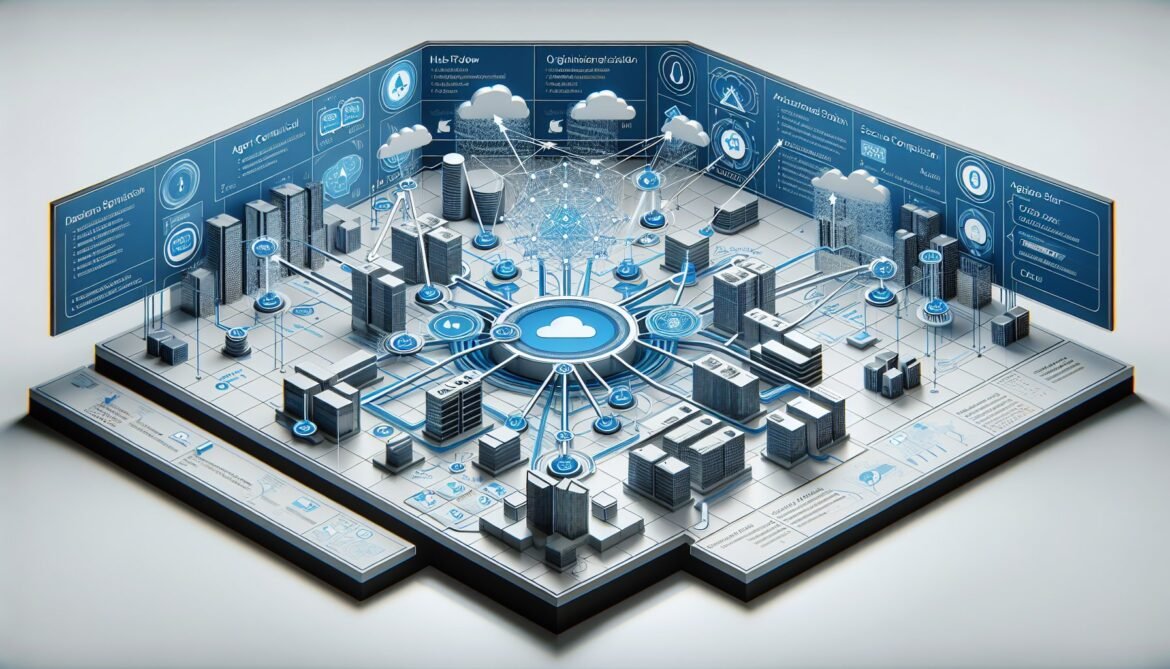
Multi-agent systems solve problems through decomposition, specialization, and coordination. Rather than building a monolithic agent attempting to handle all tasks, you create focused agents each optimized for specific responsibilities. An orchestrator coordinates their efforts, routing work to appropriate specialists and combining results into coherent outcomes.
This approach mirrors human organizational structures. Customer service teams do not assign one person to handle all customer interactions from initial contact through complex technical troubleshooting and billing reconciliation. Instead, specialized roles handle first contact, technical support, account management, and escalations. Agents coordinate through defined handoff protocols and shared context.
The benefits of multi-agent orchestration include improved accuracy through specialization where each agent focuses on tasks matching its training and capabilities, better maintainability through modular design enabling independent updates to specialist agents without affecting the entire system, increased scalability by parallelizing work across multiple agents handling concurrent requests, and enhanced reliability through redundancy and fallback strategies when specialist agents fail or become unavailable.
Organizations like Gainsight leverage multi-agent orchestration for complex renewals management. Their system coordinates specialized agents handling contract analysis, customer engagement tracking, pricing optimization, and proposal generation. Each agent contributes its expertise while an orchestrator manages the overall renewal workflow with defined goals, guardrails, and handoffs.
Connected Agents: Direct Delegation Pattern
Connected Agents represent the simplest multi-agent pattern where a primary agent calls specialized sub-agents as tools. This pattern eliminates custom orchestration code while enabling intelligent task delegation based on request content.
The architecture involves a primary orchestrator agent that analyzes user requests and determines which specialist agents should handle specific subtasks. Specialist agents expose themselves as callable tools with semantic descriptions explaining their capabilities. The orchestrator invokes specialists through standard function calling, passing relevant context and parameters. Specialists execute their focused tasks and return results to the orchestrator. The orchestrator synthesizes specialist outputs into final user responses.
Consider a customer support scenario with separate agents for order lookup, refund processing, and product recommendations. The primary support agent analyzes customer inquiries, determines which specialists are needed, invokes them with appropriate context, and constructs helpful responses combining specialist insights.
Implementing Connected Agents in Azure AI Foundry starts by creating specialist agents. Each specialist is a standard AzureAIAgent with specific instructions and potentially unique tool access. For example, an order lookup agent connects to order databases, while a refund processing agent interfaces with payment systems.
The orchestrator agent registers specialists as plugins. In Python, create a plugin class that wraps specialist agent invocations. Each plugin method corresponds to a specialist agent, with descriptions explaining when to invoke that specialist. The orchestrator agent includes this plugin during creation, making specialists available through automatic function calling.
When users interact with the orchestrator, it analyzes requests using its language model capabilities. If a request requires specialist knowledge, the model generates a function call to the appropriate plugin method. Semantic Kernel invokes the plugin which forwards the request to the specialist agent. The specialist processes the request using its focused capabilities and returns results. The orchestrator receives specialist output and incorporates it into the final response to the user.
This pattern works seamlessly with existing Semantic Kernel concepts from Part 3. Specialists are simply agents invoked through the plugin system. The main difference is that plugin functions call other agents rather than executing local code or API calls.
In C#, the implementation follows similar patterns using strongly-typed plugin classes. Define methods decorated with KernelFunction attributes that invoke specialist agents. Each method creates or retrieves the specialist agent, forwards the request with relevant context, and returns the specialist’s response. The orchestrator agent registers these plugins and automatically invokes them based on user queries.
Node.js implementations use JavaScript’s flexibility for dynamic agent invocation. Define plugin functions that maintain references to specialist agents, invoke them asynchronously, and return results. TypeScript provides type safety for plugin interfaces and specialist agent contracts.
Agent-to-Agent Protocol: Cross-Platform Interoperability
The Agent-to-Agent (A2A) protocol enables standardized communication between agents across different platforms, cloud providers, and organizational boundaries. Announced by Google and adopted by Microsoft in May 2025, A2A represents an industry shift toward interoperable agent ecosystems rather than proprietary silos.
A2A defines standard interfaces for agents to exchange goals, manage state, invoke actions, and return results with security and observability built into the protocol. Agents complying with A2A specifications can collaborate regardless of whether they run on Azure AI Foundry, Google Vertex AI, SAP Joule, or other platforms supporting the protocol.
The protocol architecture includes agent endpoints that expose A2A-compatible interfaces, request/response messaging following A2A specifications, authentication using industry standards like OAuth2 and mutual TLS, and observability through standardized logging and telemetry. Microsoft contributes actively to the A2A working group on GitHub, helping refine specifications and tooling.
Azure AI Foundry supports A2A through multiple integration points. Foundry Agent Service includes an A2A API head enabling external orchestrators to invoke Foundry-hosted agents without custom integration code. Semantic Kernel provides A2A client libraries for discovering and invoking remote A2A agents. The unified SDK supports A2A alongside MCP and OpenAPI for maximum interoperability. Foundry Tools catalog allows registering A2A endpoints as callable tools for agents.
Multi-cloud orchestration becomes straightforward with A2A. An Azure-based customer service agent can collaborate with a logistics agent running on Google Cloud, a billing agent on SAP systems, and an inventory agent on partner infrastructure. Each agent exposes A2A endpoints allowing cross-platform communication with enterprise-grade security and governance.
Implementing A2A in Python uses Semantic Kernel’s A2A support. First, expose your Azure AI Foundry agent as an A2A endpoint. This typically involves configuring the agent with A2A capabilities in the Foundry portal or through SDK configuration. The agent becomes discoverable and invocable through standard A2A protocols.
Consuming external A2A agents involves creating an A2A client that discovers available agents through registry or direct endpoint configuration. The client handles protocol communication including request formatting, authentication, and response parsing. Register A2A agents as Semantic Kernel plugins allowing automatic invocation during orchestrator execution.
The Semantic Kernel sample repository includes Python examples demonstrating A2A agent collaboration for travel planning scenarios. Two local agents coordinate using A2A protocol for itinerary planning and currency conversion without custom orchestration code. These samples provide working references for implementing A2A patterns.
C# A2A implementation uses the A2AHostAgent abstraction in Semantic Kernel. Create host agents wrapping Azure AI Foundry agents and expose them through ASP.NET Core endpoints. The framework handles A2A protocol details including multi-turn conversations and context handoffs. Remote agent consumption follows similar patterns with A2A clients discovering and invoking external agents through plugin registration.
Security considerations for A2A include authentication through Microsoft Entra ID, OAuth2, or custom credentials depending on agent hosting platforms. Transport security uses mutual TLS ensuring encrypted communication and mutual authentication. Azure API Management applies policies and runtime guardrails to all A2A tool calls providing governance and observability. Audit logging captures all cross-agent communication for compliance and troubleshooting.
Multi-Agent Workflows: Structured Orchestration
Multi-Agent Workflows provide stateful orchestration layers for complex, long-running processes requiring coordination across multiple specialized agents over extended periods. This pattern suits scenarios like customer onboarding spanning days with multiple approval steps, financial transaction processing with sequential validation stages, and supply chain automation coordinating logistics across multiple organizations.
Workflows manage context persistence across agent invocations, error recovery with automatic retries and compensation logic, long-running durability surviving system restarts and failures, and human-in-the-loop approvals for sensitive operations. Unlike Connected Agents where orchestration happens through function calling, workflows define explicit state machines describing process flows.
Azure AI Foundry provides workflow capabilities through both visual designers in the Foundry portal and VS Code extension, plus code-first APIs for programmatic workflow definition. Workflows integrate seamlessly with Foundry Agent Service for managed hosting and observability.
Workflow architecture defines states representing process stages like new customer registration, identity verification, account provisioning, and activation complete. Transitions specify conditions moving between states based on agent outputs or external events. Agent invocations at each state execute specialized processing with defined inputs and expected outputs. Error handlers define fallback behaviors and compensation actions when agents fail or return unexpected results.
The visual workflow designer enables low-code workflow creation. Developers drag agents onto the canvas, connect them with transition logic, configure state management, and deploy directly to Foundry Agent Service. This approach suits business users and developers preferring graphical tools over code.
Code-first workflow definition provides maximum flexibility for complex orchestration logic. Workflows defined in code integrate into CI/CD pipelines, support version control, and enable sophisticated conditional logic difficult to express graphically.
Python workflow implementation uses workflow libraries integrated with Semantic Kernel and Foundry Agent Service. Define workflow classes describing states, transitions, and agent invocations. The workflow engine manages execution including state persistence, error recovery, and long-running durability.
A customer onboarding workflow might define states for application received, identity verified, credit checked, account created, and onboarding complete. Each state invokes specialized agents for identity verification using document analysis, credit checking through financial service integration, and account provisioning in customer databases. Transitions move between states based on agent success or failure with retry logic for transient errors.
C# workflow implementation leverages the Durable Functions extension for Foundry Agent Service. Durable Functions provide battle-tested workflow orchestration with built-in state management, automatic checkpointing, and replay capabilities. Define workflow orchestrator functions that coordinate agent invocations using durable patterns like fan-out/fan-in, chaining, and human interaction.
State persistence happens automatically through Durable Functions infrastructure. The framework checkpoints workflow state after each activity completion. If the workflow process crashes or restarts, execution resumes from the last checkpoint without data loss or duplicate processing.
Human-in-the-loop integration pauses workflow execution awaiting human approvals or inputs. The workflow sends notifications through configured channels like email, Teams, or custom webhook endpoints. Human responses resume workflow execution with approved or rejected status affecting subsequent processing paths.
Choosing the Right Orchestration Pattern
Selecting appropriate orchestration patterns depends on specific use case requirements. Connected Agents work well for relatively simple delegation where a primary agent routes to a few specialists, synchronous operations completing within seconds or minutes, scenarios where agents share the same hosting environment, and situations where simple function calling provides sufficient orchestration.
Use Connected Agents for customer support routing queries to product, billing, and technical specialists, report generation combining data from multiple analytical agents, and content creation where writing, editing, and formatting agents collaborate on documents.
A2A protocol suits cross-platform integration requiring agents on different clouds or platforms, organizational boundaries where agents belong to different companies or departments, heterogeneous technology stacks with agents built using different frameworks, and enterprise federation where central IT provides shared agent services to business units.
Use A2A for supply chain coordination across partners using different systems, financial services integration connecting banking, payment, and regulatory systems, and multi-vendor solutions combining best-of-breed agents from different providers.
Multi-Agent Workflows handle long-running processes spanning hours, days, or weeks, complex state management requiring persistence across many steps, regulatory compliance needing audit trails and approval gates, error recovery requiring sophisticated compensation and retry logic, and human-in-the-loop operations mixing automated processing with human decision-making.
Use workflows for customer onboarding with identity verification and approval steps, loan processing with credit checks and underwriting reviews, procurement workflows from requisition through purchasing and receiving, and incident management coordinating detection, triage, remediation, and post-mortem analysis.
Hybrid approaches combine patterns. A workflow orchestrates high-level process stages while Connected Agents handle detailed processing within each stage. A2A enables workflow stages to invoke external agents across organizational boundaries. This layered orchestration provides both structured process management and flexible specialist coordination.
State Management and Context Sharing
Effective multi-agent coordination requires careful state management and context sharing. Agents must access relevant information while avoiding context pollution from irrelevant data.
Conversation threads provide state management for Connected Agents using Azure AI Foundry. Each specialist agent can maintain its own thread for deep conversations or share threads with orchestrators for integrated context. Thread sharing enables specialists to access prior conversation history when invoked, providing continuity across handoffs.
Shared state objects enable cross-agent data exchange. The orchestrator maintains a context object containing information like customer identifiers, transaction details, and intermediate results. When invoking specialists, the orchestrator passes relevant context portions. Specialists update context with their processing results for use by subsequent agents or final response generation.
Foundry IQ integration enhances context sharing through centralized knowledge access. Multiple agents ground their reasoning against the same enterprise knowledge bases including SharePoint documents, database content, and web sources. Foundry IQ enforces security ensuring agents only access information permitted for the requesting user, maintaining data governance across multi-agent systems.
Memory capabilities now in public preview enable agents to retain context across sessions beyond conversation threads. Agent memory persists key facts, preferences, and outcomes from previous interactions. When agents collaborate, shared memory provides long-term context enriching their coordination beyond immediate conversation history.
Cache strategies optimize context management costs and performance. Frequently accessed data cached near agents reduces repeated retrieval overhead. Time-to-live policies prevent stale data from persisting indefinitely. Cache invalidation ensures agents work with current information when underlying data changes.
Error Handling in Multi-Agent Systems
Multi-agent systems introduce additional failure modes beyond single-agent scenarios. Specialist agents may become unavailable, network issues can interrupt cross-agent communication, and inconsistent state can arise from partial failures in multi-step processes.
Timeout management prevents indefinite waits for specialist responses. Configure appropriate timeouts based on expected specialist processing times. Orchestrators should handle timeout exceptions gracefully, potentially retrying with exponential backoff or invoking fallback specialists.
Circuit breaker patterns prevent cascading failures. If a specialist consistently fails or times out, the circuit breaker trips preventing further invocations for a cooldown period. This protects the overall system from repeated failures while giving the specialist time to recover. When the circuit closes, the orchestrator resumes normal specialist invocation.
Compensation logic handles partial failures in multi-step processes. If an error occurs after some specialists have completed successfully, compensation actions reverse their effects maintaining system consistency. For example, if account provisioning fails after identity verification succeeded, compensation logic marks the identity verification as pending reuse rather than leaving orphaned verified identities.
Fallback strategies provide degraded functionality when specialists fail. Primary specialists may have backup specialists with reduced capabilities. If the preferred product recommendation agent fails, a simpler rule-based recommender might provide basic suggestions. Users receive some assistance even when optimal processing is unavailable.
Dead letter queues capture failed operations for manual review and retry. When all automatic retry attempts exhaust without success, the operation moves to a dead letter queue with full context preserved. Operations teams can diagnose issues, fix underlying problems, and manually reprocess failed operations.
Performance Optimization for Multi-Agent Systems
Multi-agent coordination can introduce latency from sequential specialist invocations and network communication overhead. Several strategies optimize multi-agent system performance.
Parallel specialist invocation executes independent specialists concurrently rather than sequentially. If an orchestrator needs product recommendations and shipping estimates, both specialists can process simultaneously. The orchestrator waits for all parallel invocations to complete then synthesizes results. This can significantly reduce total processing time when specialists do not depend on each other’s outputs.
Agent co-location reduces network latency by deploying frequently collaborating agents in the same region or availability zone. Azure deployment options enable geographic co-location while maintaining redundancy and disaster recovery capabilities. Measure cross-agent communication latencies and co-locate agents with high interaction volumes.
Result caching prevents redundant specialist invocations for identical requests. If multiple user queries trigger the same specialist with identical inputs, cache the first response for reuse on subsequent requests. Implement appropriate cache invalidation based on data freshness requirements and specialist characteristics.
Batch processing amortizes overhead across multiple operations. Rather than invoking a specialist once per user request, collect requests over a time window and batch process them together. This works well for specialists performing expensive operations like complex database queries or external API calls with rate limits.
Asynchronous processing decouples user response times from specialist processing durations. Orchestrators can return immediate acknowledgments to users while specialists process asynchronously. Results deliver through callbacks, polling, or push notifications when processing completes. This improves perceived responsiveness for operations requiring lengthy specialist processing.
Security and Governance in Multi-Agent Architectures
Multi-agent systems expand security surfaces and governance requirements. Each specialist agent represents a potential attack vector or compliance concern requiring careful management.
Least privilege access ensures each specialist agent has only the minimum permissions required for its function. Order lookup agents access read-only order data without payment processing capabilities. Refund processing agents modify payment records but cannot access customer personal information beyond what’s necessary for refund operations. This containment limits breach impact if any single agent is compromised.
Identity propagation maintains user context across multi-agent workflows. When an orchestrator invokes a specialist on behalf of a user, the specialist should verify that user’s permissions rather than acting with the orchestrator’s elevated privileges. Azure AI Foundry supports identity passthrough ensuring specialists respect user permissions through Entra ID integration.
Audit logging captures all cross-agent communication for security analysis and compliance reporting. Log entries include user identity, orchestrator agent, invoked specialist, input parameters, results returned, and timestamps. These logs enable threat detection, compliance audits, and troubleshooting of multi-agent interactions.
Content filtering applies at orchestrator and specialist levels. Input validation prevents malicious requests from reaching specialists. Output filtering ensures specialists do not leak sensitive information through their responses. Azure AI Content Safety integrates with Foundry Agent Service providing automated filtering with customizable policies.
Rate limiting prevents abuse and manages costs across multi-agent systems. Implement per-user limits on orchestrator invocations and per-agent limits on specialist access. This prevents single users from consuming excessive resources and protects specialists from overload when orchestrators fan out requests.
Testing Multi-Agent Systems
Testing multi-agent systems requires strategies beyond single-agent testing due to coordination complexity and emergent behaviors from agent interactions.
Unit testing individual specialists in isolation verifies each agent performs its designated function correctly. Mock external dependencies and focus on specialist logic. These tests run quickly and provide fast feedback during specialist development.
Integration testing verifies orchestrator and specialist coordination. Create test scenarios covering common workflows and edge cases. Verify orchestrators invoke appropriate specialists for various inputs, specialists receive correct context and parameters, results flow properly from specialists to orchestrators, and error conditions propagate and handle gracefully.
End-to-end testing exercises complete multi-agent workflows from user input through final response. These tests validate that the overall system solves actual use cases correctly. Include happy path scenarios plus error cases like specialist failures, network issues, and invalid inputs.
Chaos engineering introduces failures deliberately to verify resilience. Kill random specialist agents during test runs, inject network latency or timeouts, simulate partial failures in multi-step workflows, and verify the system degrades gracefully rather than catastrophically failing.
Performance testing measures multi-agent system throughput and latency under load. Simulate realistic user traffic patterns and measure response times, specialist utilization, error rates, and resource consumption. Identify bottlenecks and validate that performance meets requirements before production deployment.
Observability and Monitoring
Multi-agent systems require comprehensive observability to understand behavior, diagnose issues, and optimize performance. Azure AI Foundry provides integrated monitoring capabilities through Azure Monitor and Application Insights.
Distributed tracing tracks requests across agent boundaries. Each user request receives a correlation ID that flows through orchestrator and all specialist invocations. Trace views show the complete request path including timing for each agent, enabling bottleneck identification and performance analysis.
Metrics collection provides quantitative system health indicators. Track orchestrator invocation counts, specialist invocation rates, success and failure rates per specialist, average latency per agent, token consumption by agent, and concurrent user sessions. Dashboards visualize these metrics for operations teams.
Log aggregation collects logs from all agents into centralized storage. Query logs across agent boundaries to understand multi-agent interactions. Structured logging with consistent fields enables automated analysis and alerting on error patterns.
Alerting notifies operations teams of issues requiring attention. Configure alerts for specialist failure rates exceeding thresholds, orchestrator response times degrading beyond SLAs, error patterns indicating systematic problems, and unusual usage patterns suggesting abuse or attack.
Foundry Control Plane centralizes observability, security signals, and governance capabilities. The unified portal provides visibility across all agents, workflows, and tools in your Foundry deployment. This single pane of glass simplifies multi-agent system management compared to fragmented monitoring across different tools.
What’s Next: Business Automation Patterns
Part 5 of this series explores specific business automation patterns leveraging multi-agent orchestration for customer service, document processing, and data analysis. These patterns demonstrate how to apply orchestration concepts to real-world scenarios with complete working implementations.
Customer service automation coordinates agents for inquiry routing, knowledge retrieval, case management, and escalation handling. Document processing orchestrates extraction, validation, classification, and routing across specialized agents. Data analysis workflows combine collection, transformation, analysis, and visualization agents producing comprehensive insights from raw data.
Each pattern includes architecture diagrams, complete code implementations, deployment guidance, and performance optimization strategies. The patterns serve as templates you can adapt for your specific business requirements.
References
- Microsoft Azure Blog – Introducing Microsoft Agent Framework
- Microsoft Tech Community – Introducing Multi-Agent Orchestration in Foundry Agent Service
- Microsoft Cloud Blog – Empowering multi-agent apps with the open Agent2Agent protocol
- Microsoft Tech Community – Foundry Agent Service at Ignite 2025
- Microsoft Azure Blog – Build and scale AI agents with Microsoft Foundry
- InfoQ – Azure AI Foundry Agent Service GA Introduces Multi-Agent Orchestration
- Medium – The Complete A2A + Azure AI Foundry + Semantic Kernel Blueprint
- Microsoft Learn – Add an A2A agent endpoint to Foundry Agent Service