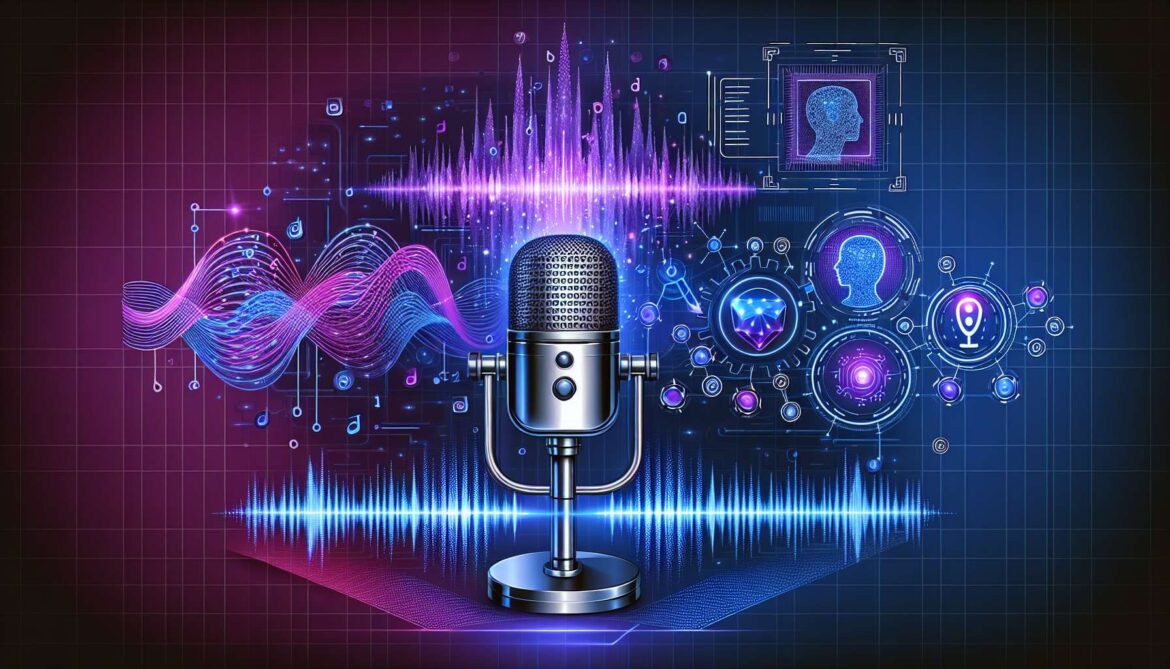
Voice cloning has evolved from science fiction into practical technology that anyone can deploy on consumer hardware. After exploring various AI technologies, I built TTS Forge as a complete end-to-end pipeline for training custom text-to-speech models that replicate your own voice. This open-source project demonstrates that you don’t need enterprise infrastructure or massive datasets to create production-quality voice cloning systems.
Why Voice Cloning Matters in 2024
The voice cloning landscape has transformed dramatically. XTTS v2 enables voice replication from just 6 seconds of audio, while fine-tuned models require only 10-15 minutes of training data to achieve natural-sounding results. This democratization opens practical applications across multiple domains.
Content creators use voice cloning for consistent narration across long-form projects. Individuals with degenerative conditions preserve their voices before losing them. Developers build personalized AI assistants that speak in familiar voices. The technology addresses real problems with tangible solutions.
The Technical Architecture
TTS Forge implements a four-phase pipeline that transforms raw audio recordings into trained voice models capable of generating natural speech from arbitrary text input.
graph LR
    A[Voice Recording] --> B[Dataset Preparation]
    B --> C[Model Training]
    C --> D[Inference & Synthesis]

    A --> A1[Interactive Recording System]
    A --> A2[Quality Checks]
    A --> A3[Metadata Tracking]

    B --> B1[Audio Normalization]
    B --> B2[Silence Trimming]
    B --> B3[Resampling to 22050Hz]
    B --> B4[Train/Val Split]

    C --> C1[XTTS v2 Fine-tuning]
    C --> C2[VITS Training]
    C --> C3[TensorBoard Monitoring]

    D --> D1[Interactive Mode]
    D --> D2[Batch Processing]
    D --> D3[Zero-Shot Cloning]

    style A fill:#e1f5ff
    style B fill:#fff4e1
    style C fill:#ffe1f5
    style D fill:#e1ffe8
Phase 1: Voice Recording System
The recording module provides an interactive interface for capturing voice samples. Rather than requiring professional recording equipment, the system works with standard USB microphones and guides users through optimal recording practices.
# Node.js implementation for audio capture
const recorder = require('node-record-lpcm16');
const fs = require('fs');
const path = require('path');

class VoiceRecorder {
    constructor(outputDir, sampleRate = 22050) {
        this.outputDir = outputDir;
        this.sampleRate = sampleRate;
        this.currentSample = 0;
        this.metadata = [];
    }

    async recordSample(text, duration = 10) {
        const filename = `sample_${String(this.currentSample).padStart(4, '0')}.wav`;
        const filepath = path.join(this.outputDir, filename);

        console.log(`\nRecording: "${text}"`);
        console.log('Press ENTER to start recording...');

        await this.waitForEnter();

        const recording = recorder.record({
            sampleRate: this.sampleRate,
            channels: 1,
            audioType: 'wav'
        });

        const fileStream = fs.createWriteStream(filepath);
        recording.stream().pipe(fileStream);

        setTimeout(() => {
            recording.stop();
            this.metadata.push({ filename, text, duration });
            this.currentSample++;
            console.log(`Saved: ${filename}`);
        }, duration * 1000);
    }

    saveMetadata() {
        const metadataPath = path.join(this.outputDir, 'metadata.txt');
        const content = this.metadata
            .map(m => `${m.filename}|${m.text}`)
            .join('\n');
        fs.writeFileSync(metadataPath, content);
    }

    waitForEnter() {
        return new Promise(resolve => {
            process.stdin.once('data', () => resolve());
        });
    }
}

// Usage
const recorder = new VoiceRecorder('./datasets/raw_audio');
await recorder.recordSample("The quick brown fox jumps over the lazy dog", 5);
The Python version in TTS Forge uses sounddevice for cross-platform audio capture with automatic quality validation. Each recording includes metadata linking audio files to their transcription text, essential for training supervised models.
Phase 2: Dataset Preparation Pipeline
Raw recordings require standardization before training. The preparation pipeline performs audio normalization, resampling, silence trimming, and validation checks.
# Python dataset preparation
import librosa
import soundfile as sf
import numpy as np
from pathlib import Path

class DatasetPreparator:
    def __init__(self, input_dir, output_dir, target_sr=22050):
        self.input_dir = Path(input_dir)
        self.output_dir = Path(output_dir)
        self.target_sr = target_sr
        self.output_dir.mkdir(parents=True, exist_ok=True)

    def process_audio(self, audio_path):
        # Load audio
        audio, sr = librosa.load(audio_path, sr=None)

        # Resample if needed
        if sr != self.target_sr:
            audio = librosa.resample(audio, orig_sr=sr, target_sr=self.target_sr)

        # Normalize audio
        audio = self.normalize_audio(audio)

        # Trim silence
        audio = self.trim_silence(audio)

        return audio

    def normalize_audio(self, audio, target_db=-20):
        # RMS normalization
        rms = np.sqrt(np.mean(audio**2))
        target_rms = 10**(target_db/20)
        audio = audio * (target_rms / rms)

        # Peak normalization to prevent clipping
        max_val = np.max(np.abs(audio))
        if max_val > 0.95:
            audio = audio * (0.95 / max_val)

        return audio

    def trim_silence(self, audio, threshold_db=-40):
        # Trim leading and trailing silence
        trimmed, _ = librosa.effects.trim(
            audio,
            top_db=abs(threshold_db)
        )
        return trimmed

    def create_dataset(self):
        wavs_dir = self.output_dir / 'wavs'
        wavs_dir.mkdir(exist_ok=True)

        metadata = []

        for i, audio_file in enumerate(sorted(self.input_dir.glob('*.wav'))):
            # Process audio
            audio = self.process_audio(audio_file)

            # Save processed audio
            output_filename = f'audio_{str(i).zfill(4)}.wav'
            output_path = wavs_dir / output_filename
            sf.write(output_path, audio, self.target_sr)

            # Read corresponding text
            text = self.get_transcription(audio_file)
            metadata.append(f'{output_filename}|{text}')

        # Split train/validation (90/10)
        split_idx = int(len(metadata) * 0.9)
        train_metadata = metadata[:split_idx]
        val_metadata = metadata[split_idx:]

        # Save metadata files
        self.save_metadata('metadata_train.txt', train_metadata)
        self.save_metadata('metadata_val.txt', val_metadata)

        return len(metadata)
The preparation phase converts diverse recording conditions into standardized training data. Audio normalization ensures consistent volume levels across samples. Silence trimming removes dead air that would confuse the model during training. The 90/10 train-validation split enables monitoring for overfitting during the training process.
Phase 3: Model Training with XTTS v2
TTS Forge supports two training approaches. XTTS v2 fine-tuning adapts a pretrained multilingual model to your voice, requiring less data and training time. VITS training builds a model from scratch, offering more control but demanding more computational resources.
// C# training orchestration
using System;
using System.Diagnostics;
using System.IO;
using System.Text.Json;

public class XTTSTrainer
{
    private readonly string datasetPath;
    private readonly string outputPath;
    private readonly int numEpochs;
    private readonly int batchSize;

    public XTTSTrainer(string datasetPath, string outputPath,
                       int numEpochs = 10, int batchSize = 2)
    {
        this.datasetPath = datasetPath;
        this.outputPath = outputPath;
        this.numEpochs = numEpochs;
        this.batchSize = batchSize;
    }

    public async Task Train()
    {
        // Prepare configuration
        var config = new TrainingConfig
        {
            DatasetPath = datasetPath,
            OutputPath = outputPath,
            NumEpochs = numEpochs,
            BatchSize = batchSize,
            GradientAccumulation = 8,
            LearningRate = 5e-6,
            MixedPrecision = true,
            SaveCheckpointSteps = 500
        };

        // Save config
        var configPath = Path.Combine(outputPath, "training_config.json");
        await File.WriteAllTextAsync(configPath,
            JsonSerializer.Serialize(config, new JsonSerializerOptions
            {
                WriteIndented = true
            }));

        // Launch training process
        var process = new Process
        {
            StartInfo = new ProcessStartInfo
            {
                FileName = "python",
                Arguments = $"scripts/train_xtts.py --config {configPath}",
                RedirectStandardOutput = true,
                RedirectStandardError = true,
                UseShellExecute = false,
                CreateNoWindow = false
            }
        };

        process.OutputDataReceived += (sender, args) =>
        {
            if (args.Data != null)
            {
                Console.WriteLine(args.Data);
                LogTrainingProgress(args.Data);
            }
        };

        process.Start();
        process.BeginOutputReadLine();
        await process.WaitForExitAsync();
    }

    private void LogTrainingProgress(string output)
    {
        // Parse training metrics
        if (output.Contains("loss:"))
        {
            // Extract and log loss values
            var metrics = ParseMetrics(output);
            File.AppendAllText(
                Path.Combine(outputPath, "training_log.txt"),
                $"{DateTime.Now:yyyy-MM-dd HH:mm:ss} - {output}\n"
            );
        }
    }
}

public class TrainingConfig
{
    public string DatasetPath { get; set; }
    public string OutputPath { get; set; }
    public int NumEpochs { get; set; }
    public int BatchSize { get; set; }
    public int GradientAccumulation { get; set; }
    public double LearningRate { get; set; }
    public bool MixedPrecision { get; set; }
    public int SaveCheckpointSteps { get; set; }
}
XTTS v2 training on an NVIDIA RTX A1000 6GB GPU takes 2-6 hours depending on dataset size. The model uses mixed precision training to fit within 6GB VRAM constraints. Gradient accumulation simulates larger batch sizes without exceeding memory limits. TensorBoard integration provides real-time monitoring of loss curves and generated audio samples.
graph LR
    A[Input Text] --> B[Text Encoder]
    B --> C[GPT Model]
    C --> D[Mel-Spectrogram Decoder]
    D --> E[Vocoder]
    E --> F[Audio Output]

    G[Speaker Reference] --> H[Speaker Encoder]
    H --> C

    style A fill:#e1f5ff
    style F fill:#e1ffe8
    style C fill:#ffe1f5
Phase 4: Inference and Speech Generation
Once trained, the model generates speech from arbitrary text while maintaining your voice characteristics. The inference system supports both interactive testing and batch processing for production workflows.
# Python inference implementation
from TTS.api import TTS
import soundfile as sf

class VoiceGenerator:
    def __init__(self, model_path, speaker_wav, language='en'):
        self.model_path = model_path
        self.speaker_wav = speaker_wav
        self.language = language
        self.tts = self.load_model()

    def load_model(self):
        # Load fine-tuned model
        tts = TTS(model_path=self.model_path, gpu=True)
        return tts

    def generate(self, text, output_path):
        # Generate speech
        self.tts.tts_to_file(
            text=text,
            file_path=output_path,
            speaker_wav=self.speaker_wav,
            language=self.language
        )
        return output_path

    def interactive_mode(self):
        print("Interactive Voice Generation")
        print("Enter 'quit' to exit\n")

        sample_num = 0
        while True:
            text = input("Enter text to synthesize: ").strip()

            if text.lower() == 'quit':
                break

            if not text:
                continue

            output_path = f'output_{sample_num:04d}.wav'
            self.generate(text, output_path)

            print(f"Generated: {output_path}")
            sample_num += 1

    def batch_generate(self, texts, output_dir):
        results = []
        for i, text in enumerate(texts):
            output_path = f'{output_dir}/batch_{i:04d}.wav'
            self.generate(text, output_path)
            results.append({
                'text': text,
                'audio': output_path
            })
        return results

# Usage
generator = VoiceGenerator(
    model_path='training_output/best_model.pth',
    speaker_wav='datasets/processed/wavs/audio_0001.wav',
    language='en'
)

# Interactive testing
generator.interactive_mode()

# Batch processing
texts = [
    "Welcome to our podcast episode.",
    "Today we'll discuss voice cloning technology.",
    "Thank you for listening."
]
generator.batch_generate(texts, 'outputs/')
Hardware Requirements and Performance
TTS Forge demonstrates that professional voice cloning doesn’t require enterprise hardware. Testing on an NVIDIA RTX A1000 6GB laptop GPU validated the entire pipeline from recording through inference.
- GPU Memory: 4-6GB VRAM sufficient for training with batch size 2
- Training Time: 5-10 seconds per iteration, 2-6 hours total for 10 epochs
- Inference Speed: 3-5 seconds to generate 10 seconds of audio
- Dataset Size: Minimum 10 minutes of audio, recommended 20-30 minutes
- Storage: 10-20GB for datasets, models, and generated outputs
The mixed precision training enabled by PyTorch’s automatic mixed precision reduces memory usage by 40-50% compared to full precision training. Gradient accumulation allows effective batch sizes larger than what fits in GPU memory by accumulating gradients across multiple forward passes before updating weights.
Practical Applications and Use Cases
Voice cloning technology addresses real-world problems across multiple domains. Content creators generate consistent narration for long-form projects without recording everything in single sessions. Individuals with degenerative conditions preserve their voices before losing them to disease. Developers build personalized AI assistants that speak in familiar voices rather than generic synthetic speech.
Audiobook producers use voice cloning to maintain narrator consistency across multi-book series. Educational content creators generate multilingual versions of their materials using cloned voices. Accessibility applications provide customized text-to-speech for individuals who have lost their ability to speak.
Comparing Training Approaches: XTTS vs VITS
TTS Forge supports both XTTS v2 fine-tuning and VITS training from scratch. Each approach offers distinct tradeoffs in data requirements, training time, and output quality.
XTTS v2 fine-tuning adapts a pretrained multilingual model to your voice. This requires only 10-15 minutes of audio and trains in 2-4 hours. The pretrained model already understands phonetics, prosody, and naturalness, so fine-tuning focuses on voice characteristics. Zero-shot cloning with XTTS works immediately with 6-10 seconds of reference audio, though quality improves significantly with fine-tuning.
VITS training builds a model from scratch using your data exclusively. This requires 20-30 minutes of audio and 6-12 hours of training. The resulting model generates speech only in your voice with no multilingual capabilities unless trained on multiple languages. VITS offers more control over model architecture but demands more data and computational resources.
Recording Best Practices for Quality Results
The quality of your training data directly impacts the quality of generated speech. Following proven recording practices ensures the best possible results from your trained model.
Record in a quiet environment with minimal background noise. Use a quality USB condenser microphone positioned 6-8 inches from your mouth. Maintain consistent distance and volume throughout all recordings. Speak naturally at your normal pace without rushing or over-enunciating.
Avoid filler words like “um” and “uh” in your recordings. Take breaks every 20-30 samples to maintain vocal consistency. Record diverse content covering different phonemes, emotions, and speaking styles. The model learns from variety in your training data.
Sample texts should include questions, statements, and exclamations. Include numbers, dates, and technical terminology if your use case requires them. The dataset preparation pipeline handles audio normalization and cleanup, but clean source recordings always produce better results.
Monitoring Training Progress
TTS Forge integrates TensorBoard for real-time training monitoring. Launch TensorBoard during training to visualize loss curves, listen to generated samples, and verify model convergence.
# Launch TensorBoard monitoring
tensorboard --logdir training_output

# View in browser
# Navigate to http://localhost:6006
Watch the training loss decrease over time. Validation loss should follow training loss without diverging significantly, which indicates overfitting. Listen to generated samples at different checkpoints to hear quality improvements. Stop training when validation loss plateaus or begins increasing despite decreasing training loss.
Integration Patterns for Production Systems
TTS Forge provides the training pipeline, but production deployments require additional infrastructure for serving generated speech at scale.
// Node.js REST API for voice generation
const express = require('express');
const { spawn } = require('child_process');
const fs = require('fs').promises;
const path = require('path');

const app = express();
app.use(express.json());

class VoiceAPI {
    constructor(modelPath, speakerWav) {
        this.modelPath = modelPath;
        this.speakerWav = speakerWav;
    }

    async generateSpeech(text, language = 'en') {
        const outputPath = path.join('outputs', `${Date.now()}.wav`);

        return new Promise((resolve, reject) => {
            const process = spawn('python', [
                'scripts/inference.py',
                '--model_path', this.modelPath,
                '--speaker_wav', this.speakerWav,
                '--text', text,
                '--language', language,
                '--output_path', outputPath
            ]);

            let errorOutput = '';
            process.stderr.on('data', (data) => {
                errorOutput += data.toString();
            });

            process.on('close', (code) => {
                if (code === 0) {
                    resolve(outputPath);
                } else {
                    reject(new Error(errorOutput));
                }
            });
        });
    }
}

const voiceAPI = new VoiceAPI(
    'training_output/best_model.pth',
    'datasets/processed/wavs/audio_0001.wav'
);

app.post('/api/synthesize', async (req, res) => {
    try {
        const { text, language } = req.body;

        if (!text) {
            return res.status(400).json({ error: 'Text required' });
        }

        const audioPath = await voiceAPI.generateSpeech(
            text,
            language || 'en'
        );

        const audioBuffer = await fs.readFile(audioPath);

        res.set({
            'Content-Type': 'audio/wav',
            'Content-Length': audioBuffer.length
        });

        res.send(audioBuffer);

        // Cleanup
        await fs.unlink(audioPath);

    } catch (error) {
        console.error('Generation error:', error);
        res.status(500).json({ error: error.message });
    }
});

app.listen(3000, () => {
    console.log('Voice API listening on port 3000');
});
This REST API wraps the TTS Forge inference system, enabling integration with web applications, mobile apps, and other services. Production deployments should implement caching, request queuing, and horizontal scaling to handle concurrent requests efficiently.
Ethical Considerations and Responsible Use
Voice cloning technology carries significant ethical responsibilities. Always obtain explicit consent before cloning someone’s voice. Clearly disclose when audio content uses cloned voices rather than original recordings. Never use voice cloning for impersonation, fraud, or deception.
Consider implementing technical safeguards like watermarking generated audio to enable detection of synthetic speech. Respect intellectual property rights and privacy concerns when training on voice data. The technology enables beneficial applications, but thoughtful deployment prevents misuse.
Future Enhancements and Development Roadmap
TTS Forge demonstrates a working voice cloning pipeline, but several enhancements would improve usability and capabilities. A web interface for recording and dataset management would lower barriers to entry. Real-time streaming inference would enable conversational applications. Multi-speaker training would allow switching between different voices in the same model.
Emotion control mechanisms would enable generating speech with specific emotional characteristics. Prosody transfer would copy speaking style from reference audio while maintaining the cloned voice identity. These enhancements build on the existing foundation to expand use cases and improve quality.
Getting Started with TTS Forge
The complete TTS Forge codebase lives on GitHub with detailed documentation covering installation, recording, training, and inference. The repository includes sample scripts, configuration files, and troubleshooting guides.
Clone the repository and follow the quickstart guide to record your first dataset. The interactive recording script guides you through capturing quality voice samples. Run the dataset preparation pipeline to standardize your recordings. Start training with the provided configuration optimized for consumer GPUs. Test your trained model with the interactive inference mode.
The entire pipeline from raw recordings to deployed model takes 4-8 hours including training time. The results demonstrate that professional voice cloning no longer requires enterprise resources or specialized expertise.
Technical Resources and References
- TTS Forge GitHub Repository
- Coqui XTTS v2 – Hugging Face Model Card
- Coqui TTS XTTS Documentation
- Coqui TTS Framework and Training Code
- XTTS: Massively Multilingual Zero-Shot Text-to-Speech (Research Paper)
- Top AI Voice Cloning Tools in 2024 – Resemble AI
- ElevenLabs Voice Cloning Technology Overview
- 15 Best Voice Cloning APIs – Tavus
Voice cloning technology continues evolving rapidly. TTS Forge provides a practical foundation for understanding and deploying these systems on accessible hardware. The complete pipeline from recording through inference demonstrates that creating custom voice models no longer requires specialized expertise or enterprise infrastructure.