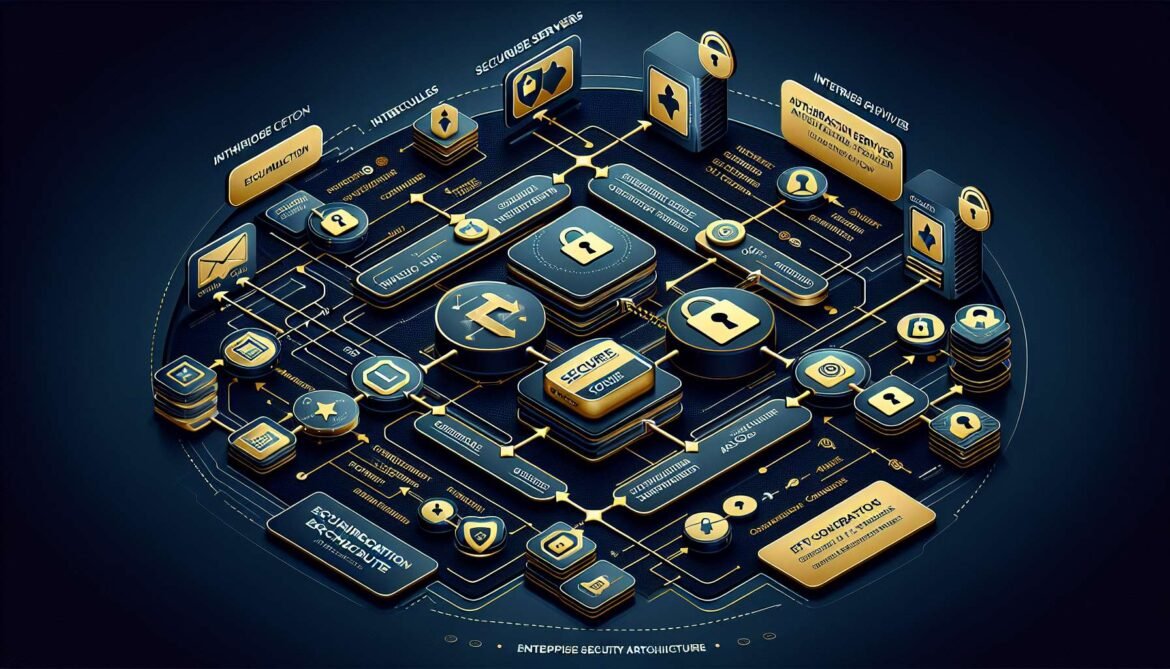
Moving MCP servers from development prototypes to enterprise production requires addressing authentication, authorization, monitoring, and scalability. This comprehensive guide explores enterprise integration patterns that transform basic MCP servers into robust, secure, production-ready systems. The patterns demonstrated here reflect lessons learned from companies deploying MCP at scale, including insights from Microsoft, AWS, Cloudflare, and other organizations building production MCP infrastructure.
Enterprise MCP deployments face unique challenges. Organizations must integrate with existing identity providers, enforce role-based access control, maintain audit logs for compliance, scale horizontally to handle variable load, and monitor system health across distributed deployments. The MCP specification evolved significantly in 2025 to address these requirements, introducing OAuth 2.1 support, protected resource metadata, and clear separation between resource servers and authorization servers.
Authentication and Authorization with OAuth 2.1
The June 2025 MCP specification update formalized OAuth 2.1 as the standard authentication mechanism. This enables MCP servers to integrate with enterprise identity providers like Auth0, Okta, Azure AD, and WorkOS. The specification mandates PKCE for all clients, implements protected resource metadata for discovery, and requires resource indicators to prevent token misuse.
MCP servers act as OAuth resource servers, validating tokens issued by external authorization servers. This separation of concerns allows security teams to centralize identity management while application teams focus on business logic. The authorization server handles user authentication, token issuance, and lifecycle management. The MCP server validates tokens and enforces authorization policies based on scopes and claims.
# Protected Resource Metadata (/.well-known/oauth-protected-resource)
{
  "resource": "https://api.example.com/mcp",
  "authorization_servers": ["https://auth.example.com"],
  "bearer_methods_supported": ["header"],
  "scopes_supported": ["mcp:read", "mcp:write", "mcp:admin"],
  "jwks_uri": "https://api.example.com/.well-known/jwks.json"
}
Implementing token validation requires verifying JWT signatures, checking expiration times, validating audience claims, and enforcing scope requirements. Production implementations should cache public keys, implement token revocation checks, rate limit validation requests, and log all authorization decisions for audit purposes.
Role-Based Access Control Implementation
Enterprise deployments require fine-grained access control beyond simple authentication. RBAC maps user roles to specific permissions, controlling which tools users can invoke and which resources they can access. The implementation extracts roles from JWT claims, maps roles to permissions, validates permissions before tool execution, and audits all access decisions.
# Python example with role-based tool access
from fastmcp import FastMCP, Context
from fastmcp.exceptions import ToolError
from typing import Set

mcp = FastMCP("EnterpriseServer")

# Role-to-permission mapping
ROLE_PERMISSIONS = {
    "admin": {"create_user", "delete_user", "read_data", "write_data"},
    "editor": {"read_data", "write_data"},
    "viewer": {"read_data"}
}

def check_permission(required_permission: str, user_roles: Set[str]) -> bool:
    """Check if user has required permission based on roles."""
    for role in user_roles:
        if required_permission in ROLE_PERMISSIONS.get(role, set()):
            return True
    return False

@mcp.tool()
async def create_user(username: str, email: str, ctx: Context) -> dict:
    """Create a new user account (requires admin role)."""
    # Extract roles from JWT claims in context
    user_roles = set(ctx.session.auth_claims.get("roles", []))

    if not check_permission("create_user", user_roles):
        raise ToolError(
            "Insufficient permissions: admin role required",
            code="PERMISSION_DENIED"
        )

    # Create user logic here
    return {"username": username, "email": email, "created": True}
Monitoring and Observability
Production MCP servers require comprehensive monitoring covering performance metrics, error rates, authentication failures, and resource utilization. Implement structured logging with JSON output, distributed tracing for request correlation, metrics collection for dashboards, and alerting for anomalous conditions.
# Node.js monitoring with OpenTelemetry
import { trace, metrics } from '@opentelemetry/api';
import { NodeSDK } from '@opentelemetry/sdk-node';
import { PrometheusExporter } from '@opentelemetry/exporter-prometheus';

const sdk = new NodeSDK({
  metricReader: new PrometheusExporter({ port: 9464 }),
  serviceName: 'mcp-server'
});

sdk.start();

const tracer = trace.getTracer('mcp-server');
const meter = metrics.getMeter('mcp-server');

const toolCallCounter = meter.createCounter('tool_calls_total');
const toolDuration = meter.createHistogram('tool_duration_ms');

server.setRequestHandler(CallToolRequestSchema, async (request) => {
  const span = tracer.startSpan('tool_call');
  const startTime = Date.now();

  try {
    span.setAttribute('tool.name', request.params.name);
    const result = await executeTool(request);

    toolCallCounter.add(1, { tool: request.params.name, status: 'success' });
    return result;
  } catch (error) {
    span.recordException(error);
    toolCallCounter.add(1, { tool: request.params.name, status: 'error' });
    throw error;
  } finally {
    const duration = Date.now() - startTime;
    toolDuration.record(duration, { tool: request.params.name });
    span.end();
  }
});
Scaling and Load Balancing
Horizontal scaling enables MCP servers to handle variable load. Deploy multiple server instances behind load balancers, implement health check endpoints, use session affinity for stateful connections, and scale based on metrics like CPU utilization and request rate. For HTTP transport with SSE, implement sticky sessions to maintain persistent connections. For stateless operations, round-robin load balancing works effectively.
Deployment Architectures
Enterprise deployments typically use containerized architectures with orchestration platforms. Deploy to Kubernetes for maximum flexibility, Azure Container Apps for managed scaling, AWS ECS or Fargate for AWS-native deployments, or Cloud Run for serverless execution. Use infrastructure as code with Terraform or ARM templates, implement CI/CD pipelines for automated deployment, configure auto-scaling policies, and establish disaster recovery procedures.
graph TB
    subgraph "Client Layer"
        C1[Claude Desktop]
        C2[VS Code]
        C3[Custom Clients]
    end

    subgraph "API Gateway"
        G[Load Balancer]
        A[Auth Middleware]
        R[Rate Limiting]
    end

    subgraph "MCP Servers"
        S1[Server Instance 1]
        S2[Server Instance 2]
        S3[Server Instance 3]
    end

    subgraph "Identity"
        IDP[Identity Provider]
        AS[Authorization Server]
    end

    subgraph "Data Layer"
        DB[(Database)]
        CACHE[Redis Cache]
    end

    subgraph "Observability"
        LOG[Log Aggregation]
        MON[Metrics]
        TRACE[Tracing]
    end

    C1 --> G
    C2 --> G
    C3 --> G

    G --> A
    A --> R
    R --> S1
    R --> S2
    R --> S3

    A --> AS
    AS --> IDP

    S1 --> DB
    S2 --> DB
    S3 --> DB

    S1 --> CACHE
    S2 --> CACHE
    S3 --> CACHE

    S1 --> LOG
    S1 --> MON
    S1 --> TRACE
Security Best Practices
Implement defense-in-depth with multiple security layers. Use TLS for all communications, validate all inputs rigorously, implement rate limiting per user, sanitize outputs to prevent injection, rotate secrets regularly, maintain security patches, conduct regular audits, and implement DDoS protection. Follow OWASP guidelines and conduct penetration testing before production deployment.
Compliance and Audit Logging
Enterprise deployments must satisfy compliance requirements like SOC 2, ISO 27001, and industry-specific regulations. Implement comprehensive audit logging capturing user identity, timestamp, operation performed, parameters provided, result returned, and authorization decisions. Store logs in tamper-evident systems, retain logs per compliance requirements, enable log analysis and alerting, and provide audit reports for compliance teams.
Conclusion
Enterprise MCP integration requires careful attention to authentication, authorization, monitoring, scaling, and security. The patterns demonstrated in this guide provide a foundation for production deployments. Organizations should adapt these patterns to their specific requirements, regulatory environment, and existing infrastructure. The next article explores integrating MCP servers with Azure AI Foundry and Claude, demonstrating how enterprise MCP servers connect to major AI platforms.
References
- MCP Authorization Specification
- Auth0 – Introduction to MCP and Authorization
- AWS – Authentication on MCP
- Cloudflare – MCP Authorization Guide
- Descope – Diving Into MCP Authorization Specification
- WorkOS – MCP Authorization in 5 OAuth Specs
- Stytch – OAuth for MCP Explained
- Aaron Parecki – OAuth for Model Context Protocol
- Christian Posta – MCP Authorization Spec Enterprise Analysis
- Auth0 – MCP Spec Updates June 2025