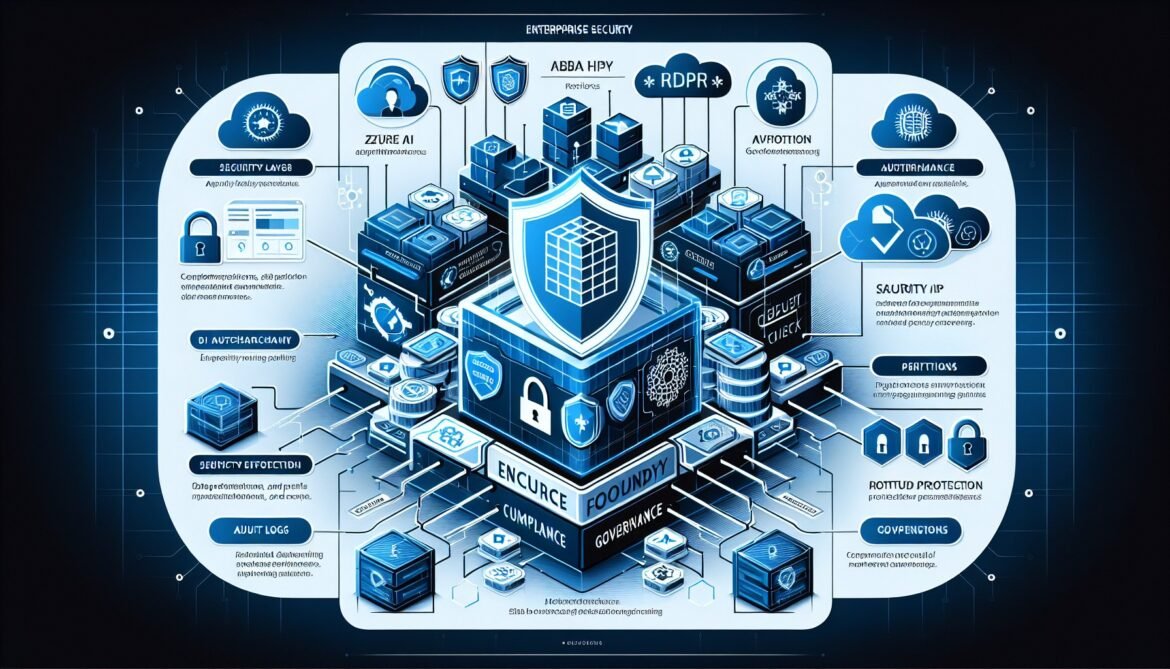
Enterprise agentic AI deployments must meet rigorous security and compliance requirements protecting sensitive data, ensuring regulatory adherence, and maintaining organizational governance standards. This article provides comprehensive guidance for securing Azure AI Foundry agent systems and achieving compliance with industry regulations including GDPR, HIPAA, ISO 27001, and SOC 2. Implementation patterns cover role-based access control, data protection strategies, audit logging, security testing, and regulatory compliance frameworks based on Microsoft security baselines and enterprise best practices.
Organizations operating in regulated industries face heightened scrutiny requiring demonstrable security controls and compliance documentation. Healthcare providers must satisfy HIPAA requirements for protected health information. Financial institutions need SOX compliance for financial data handling. European organizations require GDPR compliance for personal data processing. Azure AI Foundry provides comprehensive security capabilities and compliance certifications enabling organizations to meet these requirements while deploying agentic AI systems at scale.
Role-Based Access Control Implementation
Azure role-based access control provides granular permissions management controlling who can access agent systems and what actions they can perform. RBAC implementation follows the principle of least privilege granting users minimum permissions required for their responsibilities. Azure AI Foundry defines pre-built roles aligned with common organizational responsibilities including Owner with full access to all resources and operations, Contributor with ability to create and manage resources but not grant access to others, Reader with view-only access to resources and configurations, and Azure AI User with permissions to use deployed agents and models without administrative capabilities.
Implementation begins by identifying organizational roles and mapping them to Azure RBAC roles. Data scientists require Contributor access creating and training models. Application developers need Azure AI User access integrating agents into applications. Operations teams require Reader access monitoring system health without modification capabilities. Administrators need Owner access managing security policies and user permissions.
Assign roles at appropriate scope levels. Resource-level assignments grant permissions to specific agent deployments or models. Resource group assignments provide access to all resources within a group. Subscription-level assignments affect all resources across the subscription. Use narrowest scope meeting requirements preventing broader access than necessary.
Microsoft Entra ID integration provides identity management for user authentication and authorization. Configure Entra ID as the identity provider for Azure AI Foundry resources. Implement multi-factor authentication requiring additional verification beyond passwords. Configure conditional access policies enforcing security requirements like device compliance, network location restrictions, or session timeouts based on risk assessments.
Managed identities eliminate stored credentials for agent authentication to Azure services. System-assigned managed identities create identities tied to specific agent deployments automatically deleted when deployments are removed. User-assigned managed identities create standalone identities shared across multiple resources providing flexibility for complex scenarios. Configure managed identities for agents accessing Azure Storage, Key Vault, databases, or other services. Assign appropriate RBAC roles to managed identities granting minimum permissions required.
Custom role definitions address organization-specific requirements not met by built-in roles. Define custom roles specifying exact permissions required for specialized responsibilities. For example, create an Agent Operator role with permissions to start, stop, and monitor agents without ability to modify configurations or access training data. Use JSON role definitions specifying allowed actions and scope constraints. Test custom roles thoroughly ensuring they provide required access without unintended permissions.
Regular access reviews verify permissions remain appropriate over time. Audit role assignments quarterly identifying users with excessive permissions or inactive accounts retaining access. Implement automated processes removing permissions when employees change roles or leave the organization. Document access decisions maintaining audit trail for compliance purposes.
Data Protection and Privacy
Protecting sensitive data throughout its lifecycle remains paramount for enterprise AI systems. Azure AI Foundry implements comprehensive data protection controls covering data at rest, in transit, and during processing. Understanding data handling enables organizations to implement appropriate protections meeting regulatory requirements.
Data residency controls determine where data is stored and processed. Azure AI Foundry supports deployment-type configurations controlling data geographic location. Standard deployments process data in the region where resources are created. DataZone deployments allow processing anywhere within specified data zones like the United States or European Union while storing data at rest in customer-designated geography. Global deployments enable worldwide processing optimizing performance but requiring careful consideration for data sovereignty requirements.
Encryption protects data confidentiality. Azure automatically encrypts data at rest using Microsoft-managed keys. Enable customer-managed keys for additional control over encryption operations. Store encryption keys in Azure Key Vault with access restricted through RBAC and audit logging. Rotate keys regularly following organizational security policies. Implement bring-your-own-key scenarios when regulations require maintaining control over encryption key material.
Data in transit protection uses TLS 1.2 or higher encrypting communications between agents, clients, and Azure services. Configure minimum TLS versions preventing use of deprecated protocols with known vulnerabilities. Use certificate pinning for critical connections preventing man-in-the-middle attacks. Implement mutual TLS authentication when additional security is required for service-to-service communication.
Data minimization reduces exposure by limiting data collection and retention. Process only data necessary for agent functionality. Implement data anonymization removing personally identifiable information before processing when possible. Use pseudonymization replacing identifying information with pseudonyms maintaining data utility while reducing privacy risks. Configure data retention policies automatically deleting data when no longer needed for operational or legal requirements.
Azure AI Foundry data handling varies by service type. Azure OpenAI and other Azure Direct Models do not use customer data for model training or improvement without explicit permission. Prompts and completions remain under customer control. Fine-tuned models are available exclusively to training customers. Temporary storage for asynchronous operations is logically isolated between customers. Analysis results are stored 24 hours for retrieval then automatically deleted unless customers explicitly delete them earlier using provided APIs.
Document Intelligence processes documents extracting text and structure. Documents and results are temporarily stored in Azure Storage in the same region as the resource. Storage is shared across customers in the region with logical isolation through subscription credentials. Training data for custom models remains in customer-controlled Azure Blob Storage. Implement blob lifecycle policies automatically deleting processed documents after specified periods.
Privacy impact assessments identify and mitigate privacy risks. Document what personal data agents process, why processing is necessary, how data is protected, and retention periods. Assess risks to data subjects and implement controls reducing risks to acceptable levels. Maintain assessment documentation demonstrating due diligence for regulatory compliance.
Regulatory Compliance Frameworks
Azure AI Foundry supports multiple compliance certifications and attestations. The platform maintains certifications including ISO 27001 for information security management, SOC 2 Type 2 for security and availability controls, and regional compliance frameworks. Organizations inherit these certifications when using Azure services reducing burden for achieving their own compliance objectives.
GDPR compliance for European personal data requires implementing appropriate technical and organizational measures. Document legal bases for processing personal data such as consent, contract performance, legal obligation, or legitimate interests. Implement data subject rights enabling individuals to access their data, request corrections, obtain data portability, and exercise right to erasure. Use Azure AI Foundry data deletion APIs supporting erasure requests. Maintain processing records documenting what personal data is processed, purposes, categories of data subjects, recipients, and retention periods. Designate a data protection officer for organizations meeting GDPR thresholds. Implement data protection by design and default considering privacy throughout agent development lifecycle.
HIPAA compliance for healthcare protected health information requires business associate agreements with Microsoft. Azure AI Foundry supports HIPAA compliance for text-based inputs when proper safeguards are implemented. Configure deployments in HIPAA-compliant regions typically United States locations. Implement encryption at rest and in transit. Enable audit logging tracking all PHI access. Configure access controls limiting PHI exposure to authorized personnel. Use de-identification or anonymization techniques where possible reducing compliance scope. Avoid sending PHI in image form to services like DALL-E unless compliance is separately verified. Implement breach notification procedures meeting HIPAA requirements. Maintain documentation demonstrating HIPAA compliance for audits and assessments.
ISO 27001 compliance demonstrates information security management. Implement security controls from the ISO 27001 control framework covering organizational security policies, asset management, access control, cryptography, operations security, communications security, system acquisition, supplier relationships, incident management, business continuity, and compliance. Document security policies and procedures. Conduct regular risk assessments. Maintain security incident logs. Perform internal audits verifying control effectiveness. Pursue formal ISO 27001 certification if required by customers or industry regulations.
SOC 2 compliance demonstrates controls for security, availability, processing integrity, confidentiality, and privacy. Engage qualified auditors performing SOC 2 Type 2 examinations. Implement control activities addressing trust services criteria. Maintain evidence of control operations over specified time periods typically six months or one year. Obtain SOC 2 reports providing assurance to customers and partners.
Microsoft Purview Compliance Manager provides assessment tools for regulatory compliance. Access pre-built assessment templates for regulations like GDPR, HIPAA, ISO 27001, and industry-specific requirements. Complete assessment activities documenting control implementations. Generate compliance scores indicating readiness. Use compliance reports demonstrating adherence during audits and customer due diligence.
Audit Logging and Monitoring
Comprehensive audit logging provides accountability and enables security investigations. Azure Monitor and Azure Activity Log capture administrative operations on Azure AI Foundry resources. Enable diagnostic settings sending logs to Log Analytics workspaces, Storage Accounts, or Event Hubs for analysis and retention. Capture control plane operations including resource creation, configuration changes, role assignments, and deletion operations.
Application-level logging captures agent operations. Implement structured logging in agent code recording significant events including user requests, specialist agent invocations, function calls, external API calls, and error conditions. Include correlation IDs linking related log entries across distributed systems. Avoid logging sensitive data like customer inputs or responses protecting privacy while maintaining operational visibility.
Azure AI Foundry provides observability capabilities for deployed agents. Monitor model invocation counts, token consumption, response times, and error rates. Track agent conversations and decision chains understanding agent behavior. Use tracing capabilities following requests through multi-agent workflows identifying performance bottlenecks or error sources.
Log retention policies balance operational needs against storage costs and regulatory requirements. Regulatory compliance may mandate minimum retention periods ranging from months to years depending on industry and jurisdiction. Implement tiered storage moving older logs to cheaper storage tiers while maintaining accessibility. Archive logs exceeding operational retention periods to long-term storage for compliance purposes. Implement secure deletion ensuring archived logs are permanently destroyed when retention periods expire.
Security information and event management integrates logs across systems. Microsoft Sentinel provides cloud-native SIEM capabilities ingesting logs from Azure AI Foundry and other sources. Implement correlation rules detecting security incidents spanning multiple systems. Create automated response playbooks taking action when threats are detected. Maintain incident response documentation recording security events and remediation actions.
Log analysis detects anomalous patterns indicating security issues or operational problems. Query logs identifying unusual access patterns, failed authentication attempts, or privilege escalation attempts. Implement anomaly detection using machine learning identifying deviations from baseline behavior. Alert security teams when suspicious activities are detected enabling rapid investigation and response.
Security Testing and Validation
Proactive security testing identifies vulnerabilities before attackers exploit them. Implement multiple testing approaches covering different vulnerability categories and attack vectors.
Vulnerability scanning identifies known security issues in dependencies and configurations. Use Azure Security Center and Microsoft Defender for Cloud scanning Azure resources for misconfigurations and vulnerabilities. Implement software composition analysis scanning application dependencies for known vulnerabilities with CVE identifiers. Configure automated scanning in deployment pipelines preventing vulnerable code from reaching production. Prioritize vulnerability remediation based on severity and exploitability. Track remediation progress ensuring timely fixes for critical issues.
Penetration testing simulates real-world attacks identifying security weaknesses. Engage qualified security professionals conducting ethical hacking exercises against agent systems. Test authentication and authorization controls, input validation, API security, data protection mechanisms, and network defenses. Document findings with severity ratings and remediation recommendations. Retest after fixes verifying effectiveness. Conduct penetration testing annually or after significant system changes.
Red teaming specifically targets AI systems with adversarial testing. Azure AI Red Teaming Agent provides capabilities testing AI models for security vulnerabilities including prompt injection attempts, jailbreak techniques, harmful content generation, data leakage, and model manipulation. Implement continuous red teaming integrating security testing throughout development lifecycle. Document attack techniques and defensive measures building organizational knowledge.
Content safety controls prevent harmful outputs. Azure AI Content Safety provides filtering detecting hate speech, violence, self-harm, and sexual content. Configure severity thresholds blocking content exceeding acceptable risk levels. Implement multi-layer filtering applying controls at input processing, model interaction, and output generation stages. Test content filters thoroughly ensuring they catch prohibited content without excessive false positives impacting legitimate usage.
Input validation prevents injection attacks and ensures data quality. Validate all user inputs against expected formats and ranges. Sanitize inputs removing potentially malicious content before processing. Implement rate limiting preventing abuse through excessive requests. Use parameterized queries preventing SQL injection when agents access databases. Escape outputs preventing cross-site scripting when agents generate web content.
Governance and Policy Enforcement
Organizational governance establishes rules and processes ensuring consistent security and compliance practices. Azure Policy provides declarative controls enforcing organizational standards across Azure resources.
Built-in policy definitions address common governance requirements. Apply policies enforcing encryption requirements, network isolation, diagnostic logging, and tag compliance. Enable policy definitions specific to Azure AI Foundry controlling model deployments, access configurations, and data handling. Use Azure landing zone AI policies implementing comprehensive policy sets following Microsoft recommendations.
Custom policy definitions implement organization-specific requirements. Create policies restricting which AI models can be deployed, enforcing specific network configurations, requiring certain security controls, or mandating specific tags for resource categorization. Test policies in audit mode before enforcing them preventing unintended impacts on existing workloads. Document policy rationale and exceptions maintaining governance transparency.
Policy compliance monitoring tracks adherence to governance standards. View compliance dashboards showing policy violations across subscriptions and resource groups. Generate compliance reports for audit purposes. Implement remediation tasks automatically fixing non-compliant resources where possible. Create exception processes for legitimate deviations from policies maintaining flexibility while preserving governance.
Microsoft Entra Agent ID provides centralized agent inventory and management. Register all agents in Entra Agent ID maintaining complete visibility across the organization. Enforce access controls preventing unauthorized agent deployment. Monitor policy compliance across registered agents. Implement agent lifecycle management including approval processes, version control, and decommissioning procedures.
What’s Next: Real-World Case Studies
Part 8 concludes this series with detailed real-world case studies from organizations successfully deploying agentic AI systems using Azure AI Foundry. These case studies provide complete implementation stories including business challenges, architectural decisions, deployment approaches, quantified outcomes, and lessons learned from production operations offering practical guidance for your own implementations.