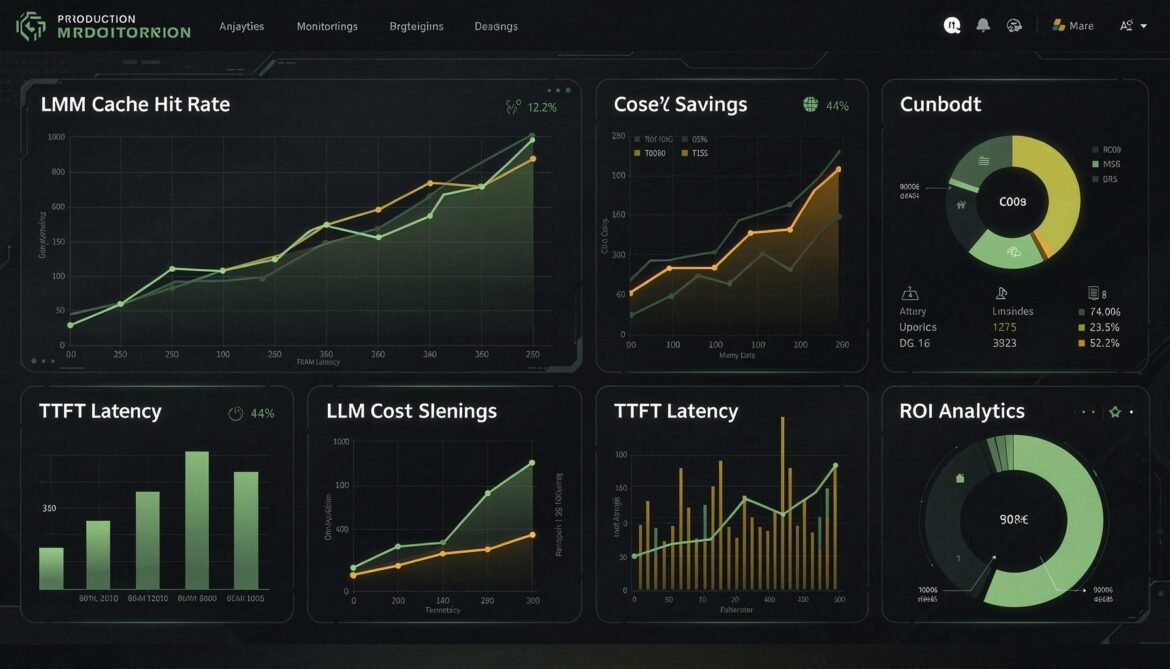
You have now shipped prompt caching across Claude Sonnet 4.6, GPT-5.4, and Gemini 3.1 Pro, built a semantic cache layer on Redis, engineered your context for maximum stability, and optionally wrapped everything in a unified gateway. The final step is making sure you can actually see what is working, catch what is breaking, and communicate the value of all of it to the people who pay the infrastructure bills.
This part covers the full production monitoring stack for LLM caching: the metrics that matter and how to collect them, TTFT measurement methodology, cache regression detection, a complete OpenTelemetry-based observability setup, and a ROI calculation framework you can use in quarterly reviews.
The Metrics That Actually Matter
Not all caching metrics are equally useful. Start with these four before adding anything else.
Cache hit rate is the percentage of requests where at least one cached token was served. This is your primary health indicator. A healthy cache hit rate depends on your application, but for a well-structured enterprise chatbot with a large stable system prompt, rates above 60 percent are achievable within the first hour of traffic. Rates below 20 percent usually signal a structural problem: dynamic content in static zones, short prompts below the minimum threshold, or traffic volume too low for entries to stay warm.
Token cache efficiency measures what fraction of total input tokens were served from cache, not just whether a cache hit occurred. A request might be a “hit” with only 500 of 8,000 input tokens cached. Token efficiency tells you whether your cache breakpoints are positioned to cover the expensive portions of your prompt.
Time-to-first-token (TTFT) measures latency from sending the request to receiving the first output token. Cached requests skip KV computation for the cached prefix, which directly reduces TTFT on long prompts. This is the user-facing latency improvement that caching delivers, and it is often more compelling to stakeholders than cost savings.
Cost delta is the difference between what you actually paid and what you would have paid without caching. This requires tracking both actual token costs (using cached and non-cached rates) and the counterfactual full-price cost for the same requests. Without both numbers, you cannot calculate real savings.
flowchart LR
    subgraph Primary["Primary Metrics - Track Always"]
        M1["Cache Hit Rate\n% requests with any cached tokens"]
        M2["Token Cache Efficiency\n% of input tokens from cache"]
        M3["TTFT p50 / p95\nms to first output token"]
        M4["Cost Delta USD\nActual vs without-cache cost"]
    end
    subgraph Secondary["Secondary Metrics - Track for Debugging"]
        M5["Cache Creation Tokens\nper request over time"]
        M6["Cache Miss Rate by\nPrompt Zone"]
        M7["Cache Entry Age\nat time of hit"]
        M8["Semantic Cache\nFalse Positive Rate"]
    end
    style Primary fill:#166534,color:#fff
    style Secondary fill:#1e3a5f,color:#fff
OpenTelemetry-Based Metrics Collection
OpenTelemetry is the right foundation for LLM observability in 2026. It gives you vendor-neutral instrumentation, native support in Grafana, Datadog, Azure Monitor, and every major observability platform, and a consistent model for traces, metrics, and logs in a single SDK.
npm install @opentelemetry/sdk-node @opentelemetry/api @opentelemetry/sdk-metrics @opentelemetry/exporter-prometheus// telemetry/llm-metrics.js
import { MeterProvider, PeriodicExportingMetricReader } from '@opentelemetry/sdk-metrics';
import { PrometheusExporter } from '@opentelemetry/exporter-prometheus';
// Prometheus exporter - scrape at /metrics on port 9464
const exporter = new PrometheusExporter({ port: 9464 }, () =>
console.log('[Telemetry] Prometheus metrics available at http://localhost:9464/metrics')
);
const meterProvider = new MeterProvider({
readers: [new PeriodicExportingMetricReader({ exporter, exportIntervalMillis: 15000 })],
});
const meter = meterProvider.getMeter('llm-cache-monitor', '1.0.0');
// Core counters
export const requestCounter = meter.createCounter('llm_requests_total', {
description: 'Total LLM requests',
});
export const cacheHitCounter = meter.createCounter('llm_cache_hits_total', {
description: 'Requests where cached tokens were used',
});
// Token histograms
export const inputTokenHistogram = meter.createHistogram('llm_input_tokens', {
description: 'Input tokens per request',
boundaries: [128, 512, 1024, 2048, 4096, 8192, 16384, 32768],
});
export const cachedTokenHistogram = meter.createHistogram('llm_cached_tokens', {
description: 'Cached tokens per request',
boundaries: [0, 128, 512, 1024, 2048, 4096, 8192, 16384],
});
export const tokenEfficiencyHistogram = meter.createHistogram('llm_token_cache_efficiency', {
description: 'Fraction of input tokens served from cache (0-1)',
boundaries: [0, 0.1, 0.2, 0.3, 0.4, 0.5, 0.6, 0.7, 0.8, 0.9, 1.0],
});
// Latency histograms
export const ttftHistogram = meter.createHistogram('llm_ttft_ms', {
description: 'Time to first token in milliseconds',
boundaries: [50, 100, 200, 400, 800, 1500, 3000, 6000, 12000],
});
export const totalLatencyHistogram = meter.createHistogram('llm_total_latency_ms', {
description: 'Total request latency in milliseconds',
boundaries: [100, 250, 500, 1000, 2000, 4000, 8000, 15000, 30000],
});
// Cost gauges (updated as observable callbacks)
let _totalActualCostUsd = 0;
let _totalSavingsUsd = 0;
export function recordCost(actualUsd, savingsUsd) {
_totalActualCostUsd += actualUsd;
_totalSavingsUsd += savingsUsd;
}
meter.createObservableGauge('llm_cumulative_cost_usd', {
description: 'Cumulative actual LLM cost in USD',
}).addCallback(result => result.observe(_totalActualCostUsd));
meter.createObservableGauge('llm_cumulative_savings_usd', {
description: 'Cumulative cost savings from caching in USD',
}).addCallback(result => result.observe(_totalSavingsUsd));
// Core recording function - call this after every LLM request
export function recordRequest({ provider, cacheHit, inputTokens, cachedTokens,
outputTokens, ttftMs, totalMs, actualCostUsd, savingsUsd }) {
const attrs = { provider };
requestCounter.add(1, attrs);
if (cacheHit) cacheHitCounter.add(1, attrs);
inputTokenHistogram.record(inputTokens, attrs);
cachedTokenHistogram.record(cachedTokens, attrs);
const efficiency = inputTokens > 0 ? cachedTokens / inputTokens : 0;
tokenEfficiencyHistogram.record(efficiency, attrs);
if (ttftMs) ttftHistogram.record(ttftMs, attrs);
totalLatencyHistogram.record(totalMs, attrs);
recordCost(actualCostUsd, savingsUsd);
}
TTFT Measurement
TTFT measurement requires streaming responses. Without streaming, you only know when the full response arrived, which conflates model generation time with network delivery time. With streaming, you capture the timestamp of the first chunk, which represents when the model started producing output after finishing the KV prefill phase.
// ttft-measurement.js
import Anthropic from '@anthropic-ai/sdk';
import { recordRequest } from './telemetry/llm-metrics.js';

const client = new Anthropic({ apiKey: process.env.ANTHROPIC_API_KEY });

export async function streamWithTTFT({ system, messages, model = 'claude-sonnet-4-6' }) {
  const requestStart = performance.now();
  let ttftMs = null;
  let fullContent = '';

  // Use streaming to capture TTFT accurately
  const stream = await client.messages.stream({
    model,
    max_tokens: 2048,
    system,
    messages,
  });

  for await (const chunk of stream) {
    // First text delta = first output token = TTFT
    if (ttftMs === null && chunk.type === 'content_block_delta' && chunk.delta?.text) {
      ttftMs = performance.now() - requestStart;
    }
    if (chunk.type === 'content_block_delta' && chunk.delta?.text) {
      fullContent += chunk.delta.text;
      // Stream to client here if needed
    }
  }

  const finalMessage = await stream.getFinalMessage();
  const totalMs = performance.now() - requestStart;
  const usage = finalMessage.usage;

  const cachedTokens = usage.cache_read_input_tokens || 0;
  const inputTokens = usage.input_tokens + cachedTokens;
  const savingsUsd = (cachedTokens / 1e6) * (3.0 - 0.30); // standard minus cache read rate

  recordRequest({
    provider: 'claude',
    cacheHit: cachedTokens > 0,
    inputTokens,
    cachedTokens,
    outputTokens: usage.output_tokens,
    ttftMs,
    totalMs,
    actualCostUsd: (usage.input_tokens / 1e6) * 3.0
      + (cachedTokens / 1e6) * 0.30
      + ((usage.cache_creation_input_tokens || 0) / 1e6) * 3.75
      + (usage.output_tokens / 1e6) * 15.0,
    savingsUsd,
  });

  return { content: fullContent, ttftMs, totalMs, usage, cacheHit: cachedTokens > 0 };
}
Cache Regression Detection
Cache regression happens when your hit rate drops unexpectedly. The most common causes are a prompt change that introduced dynamic content into a static zone, a deployment that invalidated all cached entries, a traffic pattern shift where requests arrive too infrequently to stay warm, or a code change that altered prompt serialisation order.
Regression is silent unless you are watching for it. Users do not experience errors, they just experience higher latency and you pay higher token costs. By the time someone notices the bill, days of savings may already be lost.
// cache-regression-detector.js

export class CacheRegressionDetector {
  constructor({
    windowMinutes = 15,
    baselineWindowMinutes = 60,
    hitRateDropThreshold = 0.15,   // Alert if hit rate drops by 15+ percentage points
    efficiencyDropThreshold = 0.20, // Alert if token efficiency drops by 20+ points
    minRequestsForBaseline = 50,
  } = {}) {
    this.windowMinutes = windowMinutes;
    this.baselineWindowMinutes = baselineWindowMinutes;
    this.hitRateDropThreshold = hitRateDropThreshold;
    this.efficiencyDropThreshold = efficiencyDropThreshold;
    this.minRequestsForBaseline = minRequestsForBaseline;
    this.events = [];
  }

  record({ cacheHit, inputTokens, cachedTokens, timestamp = Date.now() }) {
    this.events.push({ cacheHit, inputTokens, cachedTokens, timestamp });
    // Keep 24h of data
    const cutoff = Date.now() - 24 * 60 * 60 * 1000;
    this.events = this.events.filter(e => e.timestamp > cutoff);
  }

  _statsForWindow(windowMs) {
    const cutoff = Date.now() - windowMs;
    const events = this.events.filter(e => e.timestamp > cutoff);
    if (events.length === 0) return null;

    const hits = events.filter(e => e.cacheHit).length;
    const totalInput = events.reduce((s, e) => s + e.inputTokens, 0);
    const totalCached = events.reduce((s, e) => s + e.cachedTokens, 0);

    return {
      requestCount: events.length,
      hitRate: hits / events.length,
      tokenEfficiency: totalInput > 0 ? totalCached / totalInput : 0,
    };
  }

  check() {
    const recent = this._statsForWindow(this.windowMinutes * 60 * 1000);
    const baseline = this._statsForWindow(this.baselineWindowMinutes * 60 * 1000);

    if (!recent || !baseline || baseline.requestCount < this.minRequestsForBaseline) {
      return { status: 'insufficient_data' };
    }

    const alerts = [];

    const hitRateDrop = baseline.hitRate - recent.hitRate;
    if (hitRateDrop > this.hitRateDropThreshold) {
      alerts.push({
        type: 'HIT_RATE_REGRESSION',
        severity: hitRateDrop > 0.30 ? 'critical' : 'warning',
        message: `Cache hit rate dropped from ${(baseline.hitRate * 100).toFixed(1)}% to ${(recent.hitRate * 100).toFixed(1)}%`,
        delta: hitRateDrop,
        possibleCauses: [
          'Dynamic content added to a static prompt zone',
          'Prompt serialisation order changed',
          'Traffic volume dropped below cache warm threshold',
          'Recent deployment invalidated cache entries',
        ],
      });
    }

    const efficiencyDrop = baseline.tokenEfficiency - recent.tokenEfficiency;
    if (efficiencyDrop > this.efficiencyDropThreshold) {
      alerts.push({
        type: 'TOKEN_EFFICIENCY_REGRESSION',
        severity: 'warning',
        message: `Token cache efficiency dropped from ${(baseline.tokenEfficiency * 100).toFixed(1)}% to ${(recent.tokenEfficiency * 100).toFixed(1)}%`,
        delta: efficiencyDrop,
        possibleCauses: [
          'Cache breakpoints moved closer to end of prompt',
          'Large dynamic content injected before cache breakpoints',
          'Cached content shortened below minimum token threshold',
        ],
      });
    }

    return {
      status: alerts.length > 0 ? 'degraded' : 'healthy',
      alerts,
      recent,
      baseline,
    };
  }

  // Call this on a schedule (e.g., every 5 minutes)
  async checkAndAlert(notifyFn) {
    const result = this.check();
    if (result.status === 'degraded') {
      for (const alert of result.alerts) {
        console.error(`[CacheAlert][${alert.severity.toUpperCase()}] ${alert.message}`);
        await notifyFn?.(alert);
      }
    }
    return result;
  }
}
Grafana Dashboard Configuration
With Prometheus collecting your metrics via OpenTelemetry, you can build a Grafana dashboard that gives instant visibility into cache health. Here are the key panels and the PromQL queries behind them.
flowchart LR
    subgraph Dashboard["Grafana Dashboard - LLM Cache Health"]
        direction TB
        P1["Cache Hit Rate\nby Provider\nrate(llm_cache_hits_total) /\nrate(llm_requests_total)"]
        P2["Token Cache Efficiency\np50 / p95\nhistogram_quantile on\nllm_token_cache_efficiency"]
        P3["TTFT Comparison\nCached vs Uncached\nhistogram_quantile on\nllm_ttft_ms by cache_hit label"]
        P4["Cost Savings Rate\nUSD per hour\nrate(llm_cumulative_savings_usd)\n* 3600"]
        P5["Cache Regression Alert\nFiring / Resolved\nCustom alerting rule"]
        P6["Requests per Provider\nVolume over time\nrate(llm_requests_total)\nby provider"]
    end
    style Dashboard fill:#1e1e2e,color:#cdd6f4
# grafana-alerts.yaml
# Paste into Grafana Alerting > Alert Rules

groups:
  - name: llm_cache_health
    interval: 1m
    rules:

      # Alert when hit rate drops below 30% over 15 minutes
      - alert: LLMCacheHitRateLow
        expr: |
          (
            rate(llm_cache_hits_total[15m]) /
            rate(llm_requests_total[15m])
          ) < 0.30
        for: 5m
        labels:
          severity: warning
        annotations:
          summary: "LLM cache hit rate is below 30%"
          description: "Provider {{ $labels.provider }} hit rate is {{ $value | humanizePercentage }}"

      # Alert on sharp hit rate regression vs 1-hour baseline
      - alert: LLMCacheRegressionDetected
        expr: |
          (
            rate(llm_cache_hits_total[15m]) /
            rate(llm_requests_total[15m])
          )
          <
          (
            rate(llm_cache_hits_total[1h]) /
            rate(llm_requests_total[1h])
          ) - 0.15
        for: 5m
        labels:
          severity: critical
        annotations:
          summary: "LLM cache regression detected"
          description: "Hit rate dropped more than 15 percentage points vs 1h baseline for {{ $labels.provider }}"

      # Alert when TTFT p95 exceeds 5 seconds
      - alert: LLMHighTTFT
        expr: histogram_quantile(0.95, rate(llm_ttft_ms_bucket[10m])) > 5000
        for: 5m
        labels:
          severity: warning
        annotations:
          summary: "LLM p95 TTFT exceeds 5 seconds"
          description: "Provider {{ $labels.provider }} p95 TTFT is {{ $value }}ms"
ROI Calculation Framework
Accurate ROI calculation requires separating three cost components: what you actually paid, what you would have paid without any caching, and the infrastructure overhead of running the caching layer itself (Redis, embedding API calls for semantic caching, operational time).
// roi-calculator.js

export class CachingROICalculator {
  constructor() {
    this.periods = []; // Array of daily/weekly snapshots
  }

  recordPeriod({
    label,                    // e.g. "2026-04-01"
    totalRequests,
    promptCacheHits,
    promptCacheReadTokens,
    promptCacheCreationTokens,
    promptCacheStandardTokens, // non-cached input tokens
    outputTokens,
    semanticCacheHits,
    avgCostPerLLMCallUsd,      // average cost of a full LLM call
    provider,                  // 'claude' | 'openai' | 'gemini'
    // Infrastructure costs
    redisHourlyRateUsd = 0.08, // e.g. Azure Cache for Redis Basic C1
    embeddingCallsCount = 0,
    embeddingCostPerCallUsd = 0.00002, // text-embedding-3-small per call
  }) {
    const rates = {
      claude:  { input: 3.0,  cacheRead: 0.30,  cacheWrite: 3.75, output: 15.0 },
      openai:  { input: 2.50, cacheRead: 0.625, cacheWrite: 2.50, output: 20.0 },
      gemini:  { input: 2.00, cacheRead: 0.50,  cacheWrite: 2.00, output: 18.0 },
    }[provider] || { input: 2.50, cacheRead: 0.625, cacheWrite: 2.50, output: 20.0 };

    // What you actually paid
    const actualLLMCost =
      (promptCacheStandardTokens / 1e6) * rates.input +
      (promptCacheCreationTokens / 1e6) * rates.cacheWrite +
      (promptCacheReadTokens / 1e6) * rates.cacheRead +
      (outputTokens / 1e6) * rates.output;

    // What you would have paid without any caching
    const allInputTokens = promptCacheStandardTokens + promptCacheReadTokens + promptCacheCreationTokens;
    const withoutPromptCacheCost =
      (allInputTokens / 1e6) * rates.input +
      (outputTokens / 1e6) * rates.output;

    // Semantic cache savings: avoided LLM calls entirely
    const semanticCacheSavings = semanticCacheHits * avgCostPerLLMCallUsd;

    // Full cost without any caching
    const fullUncachedCost = withoutPromptCacheCost + semanticCacheSavings;

    // Infrastructure overhead
    const redisHoursInPeriod = 24; // daily period
    const redisCost = redisHourlyRateUsd * redisHoursInPeriod;
    const embeddingCost = embeddingCallsCount * embeddingCostPerCallUsd;
    const infrastructureCost = redisCost + embeddingCost;

    const promptCacheSavings = withoutPromptCacheCost - actualLLMCost;
    const totalGrossSavings = promptCacheSavings + semanticCacheSavings;
    const netSavings = totalGrossSavings - infrastructureCost;
    const roi = infrastructureCost > 0
      ? ((netSavings / infrastructureCost) * 100)
      : null;

    const snapshot = {
      label,
      provider,
      totalRequests,
      promptCacheHitRate: totalRequests > 0
        ? ((promptCacheHits / totalRequests) * 100).toFixed(1) + '%'
        : '0%',
      semanticCacheHitRate: totalRequests > 0
        ? ((semanticCacheHits / totalRequests) * 100).toFixed(1) + '%'
        : '0%',
      costs: {
        actualLLMUsd: actualLLMCost.toFixed(4),
        withoutCachingUsd: fullUncachedCost.toFixed(4),
        infrastructureUsd: infrastructureCost.toFixed(4),
        grossSavingsUsd: totalGrossSavings.toFixed(4),
        netSavingsUsd: netSavings.toFixed(4),
      },
      roi: roi !== null ? roi.toFixed(1) + '%' : 'N/A',
      savingsBreakdown: {
        fromPromptCaching: promptCacheSavings.toFixed(4),
        fromSemanticCaching: semanticCacheSavings.toFixed(4),
      },
    };

    this.periods.push(snapshot);
    return snapshot;
  }

  getSummary() {
    if (this.periods.length === 0) return null;

    const totalGross = this.periods.reduce(
      (s, p) => s + parseFloat(p.costs.grossSavingsUsd), 0
    );
    const totalNet = this.periods.reduce(
      (s, p) => s + parseFloat(p.costs.netSavingsUsd), 0
    );
    const totalInfra = this.periods.reduce(
      (s, p) => s + parseFloat(p.costs.infrastructureUsd), 0
    );
    const totalRequests = this.periods.reduce((s, p) => s + p.totalRequests, 0);

    return {
      periods: this.periods.length,
      totalRequests,
      totalGrossSavingsUsd: totalGross.toFixed(4),
      totalNetSavingsUsd: totalNet.toFixed(4),
      totalInfrastructureCostUsd: totalInfra.toFixed(4),
      overallROI: totalInfra > 0
        ? ((totalNet / totalInfra) * 100).toFixed(1) + '%'
        : 'N/A',
      avgNetSavingsPerRequest: totalRequests > 0
        ? (totalNet / totalRequests).toFixed(6)
        : '0',
    };
  }

  printReport() {
    const summary = this.getSummary();
    if (!summary) return;

    console.log('\n===== Caching ROI Report =====');
    console.log(`Periods analysed:       ${summary.periods}`);
    console.log(`Total requests:         ${summary.totalRequests.toLocaleString()}`);
    console.log(`Gross savings:          $${summary.totalGrossSavingsUsd}`);
    console.log(`Infrastructure cost:    $${summary.totalInfrastructureCostUsd}`);
    console.log(`Net savings:            $${summary.totalNetSavingsUsd}`);
    console.log(`Overall ROI:            ${summary.overallROI}`);
    console.log(`Avg saving per request: $${summary.avgNetSavingsPerRequest}`);

    console.log('\nPeriod Breakdown:');
    this.periods.forEach(p => {
      console.log(`  ${p.label}: net $${p.costs.netSavingsUsd} | ROI ${p.roi} | prompt hit ${p.promptCacheHitRate} | semantic hit ${p.semanticCacheHitRate}`);
    });
  }
}
A/B Testing Cache Configurations
Before committing to a caching architecture change, run a controlled A/B test. Split traffic between your current configuration and the new one, collect metrics separately for each cohort, and compare hit rates, TTFT, and cost deltas after enough volume has accumulated.
// cache-ab-test.js
export class CacheABTest {
  constructor({ name, trafficSplitPercent = 50 }) {
    this.name = name;
    this.trafficSplitPercent = trafficSplitPercent;
    this.cohorts = {
      control: { requests: 0, hits: 0, totalCachedTokens: 0, totalInputTokens: 0, totalCostUsd: 0 },
      variant: { requests: 0, hits: 0, totalCachedTokens: 0, totalInputTokens: 0, totalCostUsd: 0 },
    };
  }

  assignCohort(requestId) {
    // Deterministic assignment based on request ID hash
    const hash = requestId.split('').reduce((h, c) => (h * 31 + c.charCodeAt(0)) | 0, 0);
    return Math.abs(hash) % 100 < this.trafficSplitPercent ? 'variant' : 'control';
  }

  record(cohort, { cacheHit, inputTokens, cachedTokens, costUsd }) {
    const c = this.cohorts[cohort];
    c.requests++;
    c.totalInputTokens += inputTokens;
    c.totalCachedTokens += cachedTokens;
    c.totalCostUsd += costUsd;
    if (cacheHit) c.hits++;
  }

  getResults() {
    const results = {};
    for (const [name, c] of Object.entries(this.cohorts)) {
      results[name] = {
        requests: c.requests,
        hitRate: c.requests > 0 ? ((c.hits / c.requests) * 100).toFixed(1) + '%' : '0%',
        tokenEfficiency: c.totalInputTokens > 0
          ? ((c.totalCachedTokens / c.totalInputTokens) * 100).toFixed(1) + '%'
          : '0%',
        avgCostPerRequest: c.requests > 0 ? (c.totalCostUsd / c.requests).toFixed(6) : '0',
        totalCostUsd: c.totalCostUsd.toFixed(4),
      };
    }

    const ctrl = this.cohorts.control;
    const vari = this.cohorts.variant;
    const costDelta = ctrl.requests > 0 && vari.requests > 0
      ? ((ctrl.totalCostUsd / ctrl.requests) - (vari.totalCostUsd / vari.requests)).toFixed(6)
      : null;

    return {
      testName: this.name,
      trafficSplit: `${100 - this.trafficSplitPercent}% control / ${this.trafficSplitPercent}% variant`,
      cohorts: results,
      avgCostDeltaPerRequest: costDelta
        ? (parseFloat(costDelta) > 0 ? `Variant saves $${costDelta}` : `Variant costs $${Math.abs(parseFloat(costDelta))} more`)
        : 'Insufficient data',
    };
  }
}
Making the Business Case
The ROI numbers from the calculator above tell one part of the story. For a business case presentation, you need to translate them into terms that resonate beyond the engineering team.
Frame token cost savings as a percentage of total AI infrastructure spend, not just as absolute dollars. “We reduced our LLM token costs by 62 percent” lands better than “$3,200 saved last month.” It also makes the savings portable when the conversation shifts to scaling projections.
Frame TTFT improvements as user experience gains. A drop from 800ms to 250ms average TTFT in a copilot product is the difference between a tool that feels fast and one that feels slow. User retention data from similar products shows measurable engagement drops above 500ms TTFT. Connect latency numbers to engagement metrics your product team already tracks.
Frame cache regression detection as risk reduction. Before this monitoring existed, a prompt change could silently double your daily AI spend with no alert until someone checked the bill. Quantify how much a 24-hour undetected regression would cost at your current request volume, then present the monitoring investment against that downside risk.
| Metric | Engineering Frame | Business Frame |
|---|---|---|
| 62% reduction in cached token costs | Cache read vs standard input rate delta | 62% reduction in LLM infrastructure spend |
| 550ms TTFT improvement (p95) | KV prefill skipped for cached prefix | Faster response = higher user engagement |
| 80% semantic cache hit rate | 8 in 10 requests skip LLM entirely | 80% of queries served at near-zero marginal cost |
| Regression detection in 5 minutes | Alert on hit rate delta vs baseline | Caps maximum cost exposure from prompt changes |
Series Summary
This series has covered the complete production caching stack from first principles through deployment monitoring. Here is a concise recap of each part and the key decision each one answers.
- Part 1: What prompt caching is and why it matters. Establishes the two types (prefix and semantic), the cost math, and where caching has the highest impact.
- Part 2: Claude Sonnet 4.6 with Node.js. Explicit
cache_controlbreakpoints, TTL options, multi-breakpoint strategies, and cost tracking. - Part 3: GPT-5.4 with C#. Automatic caching, static-first prompt structure, Tool Search for agent token reduction, and full metrics instrumentation.
- Part 4: Gemini 3.1 Pro and Flash-Lite with Python. Implicit vs explicit caching modes, storage cost accounting, Vertex AI deployment, and TTL strategy.
- Part 5: Semantic caching with Redis 8.6. Vector embedding-based similarity matching, threshold tuning, cache invalidation strategies, and layered architecture combining both caching types.
- Part 6: Context engineering strategies. Static-first architecture, composable prompt assembly, cache-aware RAG pipeline design, prompt versioning, and cache pre-warming on deployment.
- Part 7: Unified AI gateway in Node.js. Provider adapters, routing strategies, fallback handling, cross-provider metrics, and session management.
- Part 8: Production monitoring and ROI. OpenTelemetry metrics, TTFT measurement via streaming, cache regression detection, Grafana alert rules, ROI calculation, and A/B testing cache configurations.
References
- OpenTelemetry – “JavaScript SDK Documentation” (https://opentelemetry.io/docs/languages/js/)
- Anthropic – “Prompt Caching Documentation” (https://docs.anthropic.com/en/docs/build-with-claude/prompt-caching)
- OpenAI – “Introducing GPT-5.4” (https://openai.com/index/introducing-gpt-5-4/)
- Google DeepMind – “Gemini 3.1 Pro” (https://blog.google/innovation-and-ai/models-and-research/gemini-models/gemini-3-1-pro/)
- DasRoot – “Caching Strategies for LLM Responses 2026” (https://dasroot.net/posts/2026/02/caching-strategies-for-llm-responses/)
- arXiv – “Don’t Break the Cache: Prompt Caching for Long-Horizon Agentic Tasks” (https://arxiv.org/html/2601.06007v1)
- Grafana – “Alerting Documentation” (https://grafana.com/docs/grafana/latest/alerting/)