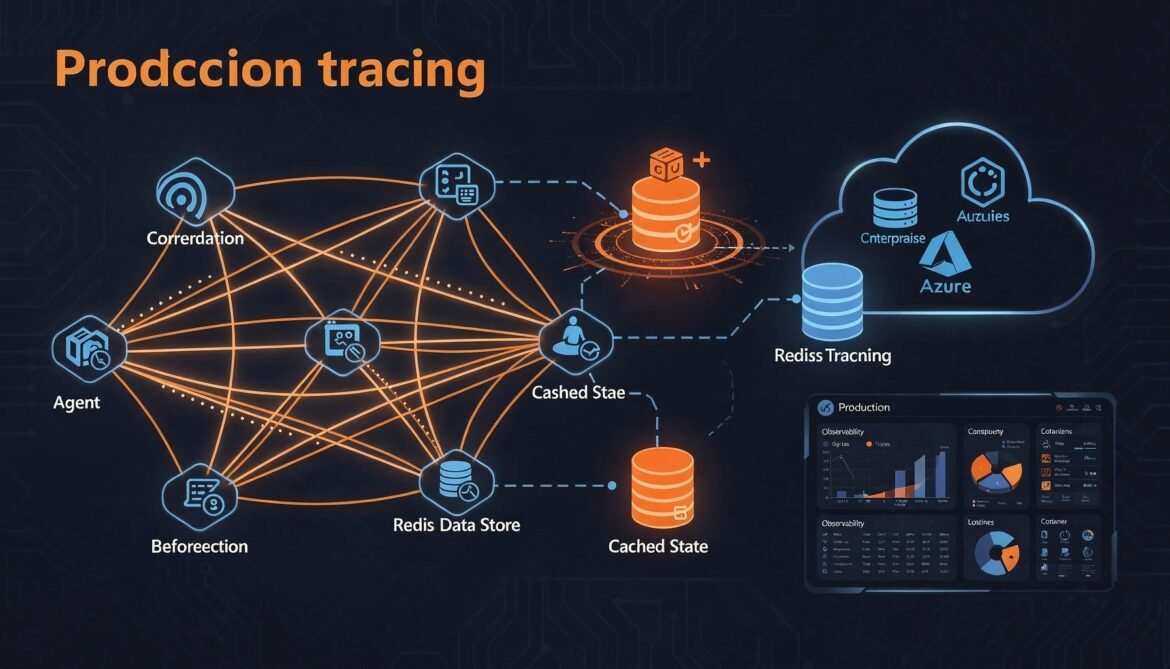
Parts 1 through 7 built a complete, secured, multi-agent system using A2A and MCP. Everything works on a single machine with in-memory state. This final part takes it to production: distributed tracing across agent hops, structured logging that correlates MCP tool calls with the A2A task that triggered them, a Redis-backed task store for horizontal scaling, and a deployment pattern on Azure Container Apps.
These are not optional polish steps. Without observability you cannot debug failures that span three agents. Without persistent state you cannot scale beyond one instance. Without a deployment pattern you have a prototype, not a product.
The Production Readiness Gaps
Before adding anything, here is an honest list of what the current implementation is missing for production:
- Observability: no distributed traces, no metrics, no structured logs that span agent hops
- Persistent state: in-memory task store is lost on restart and cannot be shared across instances
- Horizontal scaling: SSE connections are pinned to a single instance
- Deployment: no container definitions, no health checks, no environment management
- Graceful degradation: no circuit breakers, no timeout enforcement at the task level
Distributed Tracing with OpenTelemetry
The hardest debugging problem in multi-agent systems is tracing a failure across multiple agents. When a task fails in the Procurement Agent, was the problem caused by a bad input from the Orchestrator, a timeout in the ERP MCP server, or an internal logic error? Without a trace that spans all three, you are guessing.
OpenTelemetry is the standard solution. It propagates a trace context through every hop so that one trace in your observability platform shows the complete end-to-end picture.
npm install @opentelemetry/sdk-node @opentelemetry/auto-instrumentations-node \
  @opentelemetry/exporter-trace-otlp-http @opentelemetry/sdk-trace-base \
  @opentelemetry/api
// src/instrumentation.js - load this before everything else
import { NodeSDK } from "@opentelemetry/sdk-node";
import { getNodeAutoInstrumentations } from "@opentelemetry/auto-instrumentations-node";
import { OTLPTraceExporter } from "@opentelemetry/exporter-trace-otlp-http";
import { Resource } from "@opentelemetry/resources";
import {
SEMRESATTRS_SERVICE_NAME,
SEMRESATTRS_SERVICE_VERSION,
} from "@opentelemetry/semantic-conventions";
const exporter = new OTLPTraceExporter({
url: process.env.OTEL_EXPORTER_OTLP_ENDPOINT || "http://localhost:4318/v1/traces",
});
const sdk = new NodeSDK({
resource: new Resource({
[SEMRESATTRS_SERVICE_NAME]: process.env.SERVICE_NAME || "inventory-agent",
[SEMRESATTRS_SERVICE_VERSION]: process.env.SERVICE_VERSION || "1.0.0",
}),
traceExporter: exporter,
instrumentations: [
getNodeAutoInstrumentations({
"@opentelemetry/instrumentation-fs": { enabled: false },
}),
],
});
sdk.start();
process.on("SIGTERM", () => sdk.shutdown());// server.js - first import must be instrumentation
import "./src/instrumentation.js";
import express from "express";
// ... rest of importsPropagating Trace Context Across A2A Hops
Auto-instrumentation handles HTTP spans automatically, but you still need to propagate the W3C trace context headers so spans in different agents attach to the same root trace. Update the A2A client to inject these headers on every outgoing request:
// src/a2aClient.js - trace-aware headers and spans

import { context, propagation, trace } from "@opentelemetry/api";

async _headers(agentUrl) {
  const token   = await this._tokenManager.getToken(this._scopeMap[agentUrl] || "");
  const headers = {
    "Content-Type":  "application/json",
    "Authorization": `Bearer ${token}`,
  };
  // Inject W3C traceparent + tracestate
  propagation.inject(context.active(), headers);
  return headers;
}

async sendTask(agentUrl, taskId, message, pushNotification = null) {
  const tracer = trace.getTracer("a2a-client");
  return tracer.startActiveSpan(
    `a2a tasks/send -> ${new URL(agentUrl).hostname}`,
    async (span) => {
      span.setAttributes({ "a2a.task_id": taskId, "a2a.agent_url": agentUrl });
      try {
        const params = { id: taskId, message };
        if (pushNotification) params.pushNotification = pushNotification;

        const response = await fetch(agentUrl, {
          method:  "POST",
          headers: await this._headers(agentUrl),
          body:    this._rpcBody("tasks/send", params),
        });

        const data = await response.json();
        if (data.error) throw new Error(`A2A error ${data.error.code}: ${data.error.message}`);
        span.setStatus({ code: 1 });
        return data.result;
      } catch (err) {
        span.recordException(err);
        span.setStatus({ code: 2, message: err.message });
        throw err;
      } finally {
        span.end();
      }
    }
  );
}
On the receiving agent, extract the incoming trace context in middleware so all child spans connect back to the originating trace:
// src/middleware/traceContext.js

import { context, propagation, trace } from "@opentelemetry/api";

export function extractTraceContext(req, res, next) {
  const parentContext = propagation.extract(context.active(), req.headers);

  context.with(parentContext, () => {
    const tracer = trace.getTracer("a2a-server");
    tracer.startActiveSpan(
      `a2a.${req.body?.method || "request"} [${req.body?.params?.id || ""}]`,
      (span) => {
        span.setAttributes({
          "a2a.method":     req.body?.method,
          "a2a.task_id":    req.body?.params?.id,
          "a2a.agent_name": process.env.SERVICE_NAME || "agent",
        });
        req.activeSpan = span;
        res.on("finish", () => {
          span.setStatus({ code: res.statusCode < 400 ? 1 : 2 });
          span.end();
        });
        next();
      }
    );
  });
}
With propagation in place, a single trace in Azure Monitor, Jaeger, or Tempo spans the entire workflow:
gantt
    title Distributed Trace - Supply Chain Workflow (trace ID: 4bf92f35...)
    dateFormat x
    axisFormat %Lms

    section Orchestrator
    Workflow root span           :0, 1800
    delegate inventory check     :10, 900
    delegate procurement         :950, 1790

    section Inventory Agent
    a2a tasks/send               :50, 850
    MCP get_low_stock_items      :200, 600

    section Procurement Agent
    a2a tasks/send               :1000, 1750
    MCP create_purchase_order    :1100, 1500
    MCP send_po_notification     :1520, 1720
Structured Logging with Trace Correlation
npm install pino// src/logger.js
import pino from "pino";
import { trace } from "@opentelemetry/api";
const base = pino({
level: process.env.LOG_LEVEL || "info",
formatters: { level: (label) => ({ level: label }) },
timestamp: pino.stdTimeFunctions.isoTime,
base: {
service: process.env.SERVICE_NAME || "a2a-agent",
version: process.env.SERVICE_VERSION || "1.0.0",
},
});
function withTrace(data = {}) {
const spanCtx = trace.getActiveSpan()?.spanContext();
if (!spanCtx) return data;
return { ...data, traceId: spanCtx.traceId, spanId: spanCtx.spanId };
}
export const logger = {
info: (msg, data) => base.info(withTrace(data), msg),
warn: (msg, data) => base.warn(withTrace(data), msg),
error: (msg, data) => base.error(withTrace(data), msg),
debug: (msg, data) => base.debug(withTrace(data), msg),
};Every log line in production carries the trace and span IDs automatically:
{
  "level": "info",
  "time": "2026-03-13T07:12:44.231Z",
  "service": "inventory-agent",
  "traceId": "4bf92f3577b34da6a3ce929d0e0e4736",
  "spanId": "00f067aa0ba902b7",
  "taskId": "task-abc-001",
  "skus": ["SKU-12345", "SKU-67890"],
  "msg": "Querying inventory database via MCP"
}
Redis-Backed Task Store
The in-memory task store from Part 3 works perfectly on one instance. The moment you run two instances behind a load balancer, tasks created on instance A are invisible to instance B. Replace it with Redis so any instance can read and write any task.
npm install ioredis// src/taskStoreRedis.js
import Redis from "ioredis";
const redis = new Redis({
host: process.env.REDIS_HOST || "localhost",
port: parseInt(process.env.REDIS_PORT || "6379"),
password: process.env.REDIS_PASSWORD || undefined,
tls: process.env.REDIS_TLS === "true" ? {} : undefined,
keyPrefix: "a2a:task:",
retryStrategy: (times) => Math.min(times * 100, 3000),
});
const TASK_TTL_SECONDS = 60 * 60 * 24; // 24 hours
const TERMINAL_STATES = new Set(["completed", "failed", "canceled"]);
// In-memory SSE subscriber map - local to each instance
const sseSubscribers = new Map();
// Redis pub/sub channel for broadcasting state updates across instances
const publisher = redis;
const subscriber = redis.duplicate();
await subscriber.subscribe("a2a:events");
subscriber.on("message", (channel, raw) => {
const event = JSON.parse(raw);
broadcastLocalSse(event.taskId, event);
});
export async function createTask(taskId, initialMessage, pushNotification = null) {
const task = {
id: taskId,
status: { state: "submitted", timestamp: new Date().toISOString() },
messages: [initialMessage],
artifacts: [],
pushNotification,
history: [{ state: "submitted", timestamp: new Date().toISOString() }],
};
await redis.setex(taskId, TASK_TTL_SECONDS, JSON.stringify(task));
sseSubscribers.set(taskId, new Set());
return task;
}
export async function getTask(taskId) {
const raw = await redis.get(taskId);
return raw ? JSON.parse(raw) : null;
}
export async function updateTaskState(taskId, newState, message = null) {
const task = await getTask(taskId);
if (!task) throw new Error(`Task ${taskId} not found`);
const timestamp = new Date().toISOString();
task.status = { state: newState, timestamp };
if (message) task.messages.push(message);
task.history.push({ state: newState, timestamp });
await redis.setex(taskId, TASK_TTL_SECONDS, JSON.stringify(task));
const event = { type: "taskStatusUpdate", taskId, status: { ...task.status, message } };
await publisher.publish("a2a:events", JSON.stringify(event));
}
export async function addArtifact(taskId, artifact, lastChunk = true) {
const task = await getTask(taskId);
if (!task) throw new Error(`Task ${taskId} not found`);
task.artifacts.push(artifact);
await redis.setex(taskId, TASK_TTL_SECONDS, JSON.stringify(task));
const event = { type: "taskArtifactUpdate", taskId, artifact: { ...artifact, lastChunk } };
await publisher.publish("a2a:events", JSON.stringify(event));
}
export function addSseClient(taskId, callback) {
if (!sseSubscribers.has(taskId)) sseSubscribers.set(taskId, new Set());
sseSubscribers.get(taskId).add(callback);
}
export function removeSseClient(taskId, callback) {
sseSubscribers.get(taskId)?.delete(callback);
}
export function isTerminal(state) {
return TERMINAL_STATES.has(state);
}
function broadcastLocalSse(taskId, event) {
const clients = sseSubscribers.get(taskId);
if (!clients) return;
for (const send of clients) {
try { send(event); } catch { clients.delete(send); }
}
}The key design here is that Redis pub/sub handles cross-instance SSE broadcasting. When instance A updates a task state, it publishes to the a2a:events channel. Every instance, including A, receives the message and broadcasts it to any locally-connected SSE clients. This means SSE clients can connect to any instance and still receive all updates regardless of which instance processes the task.
flowchart LR
    C1[Client SSE\nconnected to Instance A]
    C2[Client SSE\nconnected to Instance B]

    subgraph InstanceA["Instance A"]
        IA[Task Handler\nprocessing task-001]
    end

    subgraph InstanceB["Instance B"]
        IB[SSE Manager\nlocal subscribers]
    end

    subgraph Redis
        RDB[(Task State\nRedis Hash)]
        PUB[Pub/Sub\na2a:events channel]
    end

    IA -->|setex task-001| RDB
    IA -->|publish event| PUB
    PUB -->|message| InstanceA
    PUB -->|message| InstanceB
    InstanceA -->|write SSE| C1
    InstanceB -->|write SSE| C2
Task Timeout Enforcement
Long-running tasks that never complete or fail can leak Redis keys and leave SSE clients hanging. A timeout wrapper ensures every task resolves within a configurable deadline:
// src/taskRunner.js

import { updateTaskState, isTerminal, getTask } from "./taskStoreRedis.js";
import { processTask } from "./taskHandler.js";
import logger from "./logger.js";

const DEFAULT_TIMEOUT_MS = parseInt(process.env.TASK_TIMEOUT_MS || "300000"); // 5 minutes

export async function runTaskWithTimeout(taskId, timeoutMs = DEFAULT_TIMEOUT_MS) {
  const timeoutHandle = setTimeout(async () => {
    const task = await getTask(taskId);
    if (!task || isTerminal(task.status.state)) return;

    logger.warn("Task timed out, marking as failed", { taskId, timeoutMs });
    await updateTaskState(taskId, "failed", {
      role:  "agent",
      parts: [{ type: "text", text: `Task exceeded timeout of ${timeoutMs / 1000}s and was terminated.` }],
    });
  }, timeoutMs);

  try {
    await processTask(taskId);
  } finally {
    clearTimeout(timeoutHandle);
  }
}
Health Check and Readiness Probe
Azure Container Apps and Kubernetes both use health and readiness probes to decide when to route traffic to an instance. A meaningful health check verifies both the HTTP server and the Redis connection:
// src/routes/health.js

import { Router } from "express";
import redis from "../taskStoreRedis.js"; // export the redis client

const router = Router();

router.get("/health", async (req, res) => {
  const checks = { status: "ok", redis: "unknown", uptime: process.uptime() };

  try {
    await redis.ping();
    checks.redis = "ok";
  } catch (err) {
    checks.redis = "error";
    checks.status = "degraded";
  }

  const httpStatus = checks.status === "ok" ? 200 : 503;
  res.status(httpStatus).json(checks);
});

// Readiness - returns 503 until MCP and Redis are connected
router.get("/ready", async (req, res) => {
  try {
    await redis.ping();
    res.json({ ready: true });
  } catch {
    res.status(503).json({ ready: false, reason: "Redis not connected" });
  }
});

export default router;
Containerization
# Dockerfile

FROM node:22-alpine AS base
WORKDIR /app
COPY package*.json ./
RUN npm ci --omit=dev

FROM base AS production
COPY src ./src
COPY mcp-servers ./mcp-servers
COPY server.js .

# Run as non-root user
RUN addgroup -S agent && adduser -S agent -G agent
USER agent

EXPOSE 3000

# Health check for Docker / Container Apps
HEALTHCHECK --interval=30s --timeout=10s --start-period=15s --retries=3 \
  CMD wget -qO- http://localhost:3000/health || exit 1

CMD ["node", "--import", "./src/instrumentation.js", "server.js"]
Azure Container Apps Deployment
Azure Container Apps is the right deployment target for A2A agents. It handles scaling to zero, HTTP-triggered scaling, secrets management via Key Vault references, and built-in DAPR integration if you later want distributed actor support.
# 1. Create the Container Apps environment
az containerapp env create \
  --name a2a-agents-env \
  --resource-group a2a-rg \
  --location eastus

# 2. Create Azure Cache for Redis
az redis create \
  --name a2a-redis \
  --resource-group a2a-rg \
  --location eastus \
  --sku Basic \
  --vm-size C0

# 3. Deploy the Inventory Agent
az containerapp create \
  --name inventory-agent \
  --resource-group a2a-rg \
  --environment a2a-agents-env \
  --image your-registry.azurecr.io/inventory-agent:latest \
  --target-port 3000 \
  --ingress external \
  --min-replicas 1 \
  --max-replicas 10 \
  --scale-rule-name http-scaling \
  --scale-rule-type http \
  --scale-rule-http-concurrency 50 \
  --secrets \
    redis-password=keyvaultref:https://your-kv.vault.azure.net/secrets/redis-password \
    api-token=keyvaultref:https://your-kv.vault.azure.net/secrets/api-token \
    azure-client-secret=keyvaultref:https://your-kv.vault.azure.net/secrets/client-secret \
  --env-vars \
    SERVICE_NAME=inventory-agent \
    SERVICE_VERSION=1.0.0 \
    REDIS_HOST=a2a-redis.redis.cache.windows.net \
    REDIS_PORT=6380 \
    REDIS_TLS=true \
    REDIS_PASSWORD=secretref:redis-password \
    API_TOKEN=secretref:api-token \
    AZURE_CLIENT_SECRET=secretref:azure-client-secret \
    OTEL_EXPORTER_OTLP_ENDPOINT=https://your-otel-collector.example.com/v1/traces \
    TASK_TIMEOUT_MS=300000
The AGENT_URL environment variable for each deployed agent should point to its Container Apps ingress URL. The orchestrator's scope map uses these URLs for token acquisition and routing:
// orchestrator - production configuration
const scopeMap = {
  "https://inventory-agent.your-env.eastus.azurecontainerapps.io": "api://inventory-agent/.default",
  "https://procurement-agent.your-env.eastus.azurecontainerapps.io": "api://procurement-agent/.default",
};
Production Architecture Overview
flowchart TD
    subgraph AzureContainerApps["Azure Container Apps Environment"]
        subgraph OrchestratorCA["Orchestrator (1-5 replicas)"]
            OA1[Instance 1]
            OA2[Instance 2]
        end

        subgraph InventoryCA["Inventory Agent (1-10 replicas)"]
            IA1[Instance 1]
            IA2[Instance 2]
        end

        subgraph ProcurementCA["Procurement Agent (1-5 replicas)"]
            PA1[Instance 1]
        end
    end

    subgraph SharedInfra["Shared Infrastructure"]
        REDIS[(Azure Cache\nfor Redis)]
        ACR[Azure Container\nRegistry]
        KV[Azure Key Vault\nSecrets]
        AM[Azure Monitor\nTraces + Logs]
        ENTRA[Microsoft Entra ID\nJWT + OAuth2]
    end

    OA1 -->|A2A + JWT| IA1
    OA2 -->|A2A + JWT| IA2
    OA1 -->|A2A + JWT| PA1

    IA1 -->|task state| REDIS
    IA2 -->|task state| REDIS
    REDIS -->|pub/sub SSE events| IA1
    REDIS -->|pub/sub SSE events| IA2

    OA1 -->|OTLP traces| AM
    IA1 -->|OTLP traces| AM
    PA1 -->|OTLP traces| AM

    KV -->|secrets| OrchestratorCA
    KV -->|secrets| InventoryCA
    ENTRA -->|JWKS| InventoryCA
    ENTRA -->|tokens| OrchestratorCA
Production Runbook: Debugging a Failed Task
With observability in place, here is the exact process for debugging a task that failed in production:
Step 1: Find the trace. Get the Task ID from the error report or the client. Search Azure Monitor logs for that Task ID:
// Azure Monitor Log Analytics query
traces
| where customDimensions.taskId == "task-abc-001"
| order by timestamp asc
| project timestamp, cloud_RoleName, message, customDimensions
Step 2: Get the trace ID from the first log entry and open the distributed trace. In Azure Monitor Application Insights, navigate to the trace. You will see every span across the Orchestrator, Inventory Agent, and any MCP tool calls, with timing and error details on each.
Step 3: Check the task state in Redis directly if needed.
redis-cli -h a2a-redis.redis.cache.windows.net -p 6380 --tls -a $REDIS_PASSWORD \
  GET "a2a:task:task-abc-001" | python3 -m json.tool
Step 4: Check the audit log for the RBAC decision if the failure was a 403.
traces
| where customDimensions.taskId == "task-abc-001"
| where customDimensions.rpcError == "-32001"
| project timestamp, customDimensions.agentId, customDimensions.scopes, customDimensions.detectedSkill
Complete Production Checklist
Before calling your A2A system production-ready, verify every item across all eight parts of this series:
- Agent Cards served at
/.well-known/agent.jsonand signed with RS256 - All A2A endpoints behind TLS 1.3 (mTLS for high-security environments)
- JWT verification using JWKS endpoint with issuer and audience validation
- RBAC enforced per skill with minimum required OAuth2 scopes
- Rate limiting on all task endpoints
- Structured audit logging on every request including access denials
- OpenTelemetry instrumentation with W3C trace context propagation across all agents
- Trace correlation in all structured log entries
- Task state persisted to Redis with TTL and pub/sub cross-instance SSE broadcasting
- Task timeout enforcement with automatic failure on deadline exceeded
- Health and readiness probes that verify downstream dependencies
- Containerized with non-root user and Docker health check
- Secrets stored in Azure Key Vault, never in environment files
- MCP connections established before accepting A2A traffic, with graceful shutdown
- HTTP-triggered autoscaling configured on Container Apps
Series Complete
Over eight parts, we built a complete enterprise multi-agent system from protocol fundamentals to production deployment. Here is the full path we covered:
- Part 1: What is A2A, why it exists, and how it compares to MCP
- Part 2: Agent Cards, JSON-RPC message formats, task lifecycle, and SSE streaming
- Part 3: Complete A2A agent server in Node.js
- Part 4: The same agent server in Python (FastAPI) and C# (ASP.NET Core)
- Part 5: Orchestrator with Agent Card fetching, skill-based routing, and multi-turn handling
- Part 6: JWT verification, OAuth2 client credentials, mTLS, RBAC, and Agent Card signing
- Part 7: MCP and A2A together in a unified agentic stack
- Part 8: OpenTelemetry tracing, structured logging, Redis scaling, and Azure deployment
Everything in this series targets the A2A specification as it stands in March 2026 at version 0.3. The protocol is still evolving under Linux Foundation governance. The GitHub repository at github.com/a2aproject/A2A is the authoritative source for specification updates, and the community is active. If you find gaps or have improvements, contributions are open.
References
- A2A Protocol - Official Specification (https://a2a-protocol.org/latest/specification/)
- GitHub - A2A Protocol Repository, Linux Foundation (https://github.com/a2aproject/A2A)
- OpenTelemetry - Node.js Getting Started (https://opentelemetry.io/docs/languages/js/getting-started/nodejs/)
- Microsoft Learn - Azure Container Apps Overview (https://learn.microsoft.com/en-us/azure/container-apps/overview)
- Microsoft Learn - Azure Cache for Redis (https://learn.microsoft.com/en-us/azure/azure-cache-for-redis/cache-overview)
- GitHub - ioredis: Redis client for Node.js (https://github.com/redis/ioredis)
- Pino - Fast Node.js Logger (https://getpino.io/)
- W3C - Trace Context Specification (https://www.w3.org/TR/trace-context/)