Parts 2 and 3 covered episodic memory (what happened) and semantic memory (what is known). Procedural memory is the third type: how things are done. It is the layer that allows an agent to record a successful approach, store it durably, and recall it the next time a similar problem appears. Without it, agents are permanently stuck rediscovering the same solutions. With it, they compound experience into genuine skill.
This part builds a complete procedural memory system in C# using PostgreSQL as the backing store. The implementation records tool execution sequences, labels them with outcomes, and retrieves the most relevant past approaches at query time using both structured matching and semantic similarity.
What Procedural Memory Stores
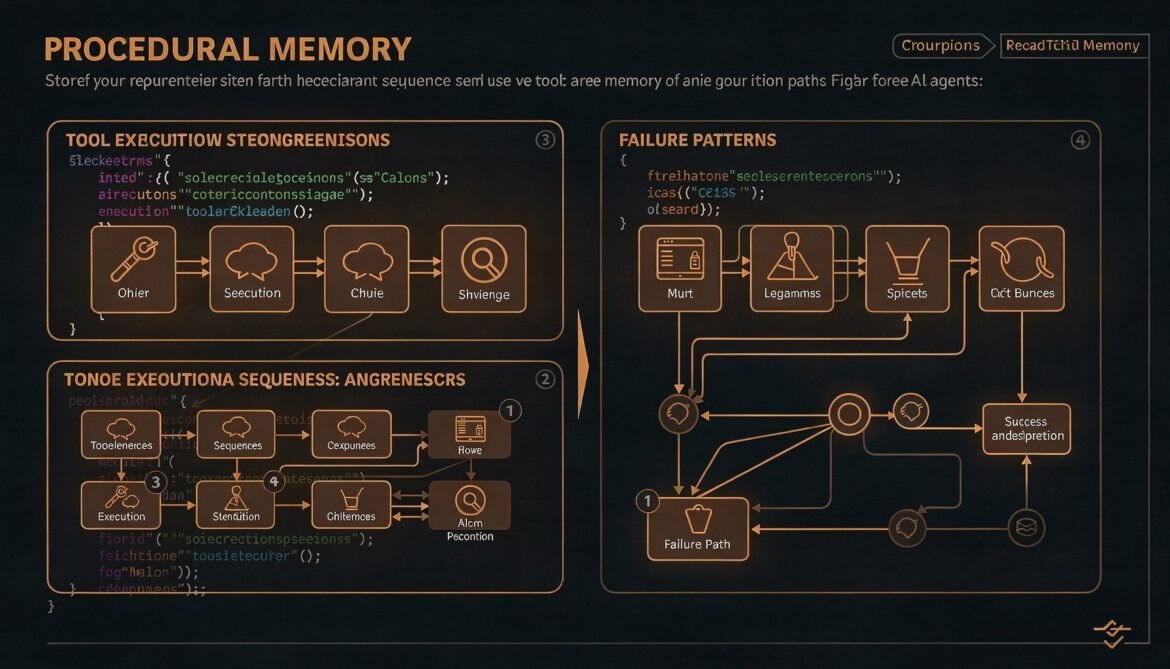
A procedural memory record captures three things: the situation that triggered an action sequence, the sequence of actions taken, and the outcome. This is sometimes called a “procedure” or “playbook.” When the agent encounters a new situation, it searches for past procedures that match the current context and uses them to inform its approach.
Concrete examples of procedural memories for a software engineering agent:
- “When diagnosing a slow API endpoint, the sequence read_logs then query_slow_queries then check_index_usage reliably identifies the root cause within three steps.”
- “Attempting to run database migrations before stopping dependent services causes a deadlock. Always stop services first.”
- “For TypeScript projects, running tsc –noEmit before any refactor catches breaking changes that unit tests miss.”
These are not facts about the world (that is semantic memory). They are learned operational patterns that make the agent more effective at its job.
Database Schema
The procedural memory schema stores the full action sequence as JSONB alongside a text description of the situation and outcome. The embedding column indexes the situation description for similarity retrieval.
CREATE EXTENSION IF NOT EXISTS vector;

CREATE TABLE procedural_memories (
  id UUID PRIMARY KEY DEFAULT gen_random_uuid(),
  tenant_id TEXT NOT NULL,
  agent_id TEXT NOT NULL,

  -- What situation triggered this procedure
  situation_description TEXT NOT NULL,
  situation_embedding vector(1536),

  -- The sequence of actions taken
  action_sequence JSONB NOT NULL,

  -- What happened as a result
  outcome TEXT NOT NULL,
  outcome_type TEXT NOT NULL,   -- 'success' | 'partial_success' | 'failure'
  success_score FLOAT NOT NULL DEFAULT 0.0,

  -- Usage tracking
  use_count INTEGER NOT NULL DEFAULT 0,
  last_used_at TIMESTAMPTZ,

  -- Metadata
  tags TEXT[] DEFAULT '{}',
  source_session_id UUID,
  created_at TIMESTAMPTZ NOT NULL DEFAULT now(),
  updated_at TIMESTAMPTZ NOT NULL DEFAULT now()
);

CREATE INDEX idx_procedural_tenant_agent
  ON procedural_memories (tenant_id, agent_id, success_score DESC);

CREATE INDEX idx_procedural_embedding
  ON procedural_memories USING hnsw (situation_embedding vector_cosine_ops)
  WITH (m = 16, ef_construction = 64);

CREATE INDEX idx_procedural_tags
  ON procedural_memories USING gin (tags);

CREATE INDEX idx_procedural_outcome_type
  ON procedural_memories (tenant_id, agent_id, outcome_type, success_score DESC);
flowchart TD
subgraph Record["Recording a Procedure"]
Sit["Situation description\n(natural language)"]
Seq["Action sequence\n(tool name, input, output summary)"]
Out["Outcome + success score"]
Sit & Seq & Out --> PM[("procedural_memories\nPostgreSQL + pgvector")]
end
subgraph Retrieve["Retrieving at Query Time"]
Q["New situation description"]
QE["Embed situation"]
VS["Vector similarity search\n+ outcome_type = success filter"]
Top["Top matching procedures\nranked by similarity * success_score"]
Q --> QE --> VS --> Top
PM --> VS
end
subgraph Apply["Applying to Current Task"]
Top --> CtxInject["Inject procedure steps\ninto agent system prompt"]
CtxInject --> Agent["Agent uses past\napproach as starting point"]
end
style Record fill:#1e3a5f,color:#fff
style Retrieve fill:#166534,color:#fff
style Apply fill:#713f12,color:#fff
C# Procedural Memory Client
The client is implemented as a .NET class library targeting .NET 8, using Npgsql for PostgreSQL access and the OpenAI .NET SDK for embeddings.
// ProceduralMemory.cs
using System.Text.Json;
using Npgsql;
using OpenAI.Embeddings;

namespace AgentMemory.Procedural;

public record ActionStep(
    int Step,
    string Tool,
    JsonElement Input,
    string OutputSummary
);

public record ProceduralMemoryRecord(
    Guid Id,
    string SituationDescription,
    List<ActionStep> ActionSequence,
    string Outcome,
    string OutcomeType,
    float SuccessScore,
    int UseCount,
    string[] Tags,
    DateTime CreatedAt
);

public record ProcedureMatch(
    ProceduralMemoryRecord Record,
    float Similarity,
    float RelevanceScore
);

public class ProceduralMemoryClient
{
    private readonly NpgsqlDataSource _db;
    private readonly EmbeddingClient _embeddings;
    private readonly string _tenantId;
    private readonly string _agentId;

    public ProceduralMemoryClient(
        string connectionString,
        string openAiApiKey,
        string tenantId,
        string agentId)
    {
        _db = NpgsqlDataSource.Create(connectionString);
        _embeddings = new EmbeddingClient("text-embedding-3-small", openAiApiKey);
        _tenantId = tenantId;
        _agentId = agentId;
    }

    public async Task<Guid> RecordProcedureAsync(
        string situationDescription,
        List<ActionStep> actionSequence,
        string outcome,
        string outcomeType,
        float successScore,
        string[]? tags = null,
        Guid? sourceSessionId = null,
        CancellationToken ct = default)
    {
        var embedding = await EmbedAsync(situationDescription, ct);
        var embeddingLiteral = FormatVector(embedding);
        var actionJson = JsonSerializer.Serialize(actionSequence);
        var id = Guid.NewGuid();

        await using var conn = await _db.OpenConnectionAsync(ct);
        await using var cmd = conn.CreateCommand();
        cmd.CommandText = @"
            INSERT INTO procedural_memories
              (id, tenant_id, agent_id, situation_description, situation_embedding,
               action_sequence, outcome, outcome_type, success_score, tags, source_session_id)
            VALUES
              (@id, @tenantId, @agentId, @situation, @embedding::vector,
               @actions::jsonb, @outcome, @outcomeType, @score, @tags, @sessionId)";

        cmd.Parameters.AddWithValue("id", id);
        cmd.Parameters.AddWithValue("tenantId", _tenantId);
        cmd.Parameters.AddWithValue("agentId", _agentId);
        cmd.Parameters.AddWithValue("situation", situationDescription);
        cmd.Parameters.AddWithValue("embedding", embeddingLiteral);
        cmd.Parameters.AddWithValue("actions", actionJson);
        cmd.Parameters.AddWithValue("outcome", outcome);
        cmd.Parameters.AddWithValue("outcomeType", outcomeType);
        cmd.Parameters.AddWithValue("score", successScore);
        cmd.Parameters.AddWithValue("tags", tags ?? Array.Empty<string>());
        cmd.Parameters.AddWithValue("sessionId", (object?)sourceSessionId ?? DBNull.Value);

        await cmd.ExecuteNonQueryAsync(ct);
        return id;
    }

    public async Task<List<ProcedureMatch>> RetrieveRelevantAsync(
        string situationDescription,
        int topK = 5,
        float minSimilarity = 0.72f,
        string outcomeFilter = "success",
        CancellationToken ct = default)
    {
        var embedding = await EmbedAsync(situationDescription, ct);
        var embeddingLiteral = FormatVector(embedding);

        await using var conn = await _db.OpenConnectionAsync(ct);
        await using var cmd = conn.CreateCommand();

        var outcomeClause = outcomeFilter == "all" ? "" : "AND outcome_type = @outcomeType";

        cmd.CommandText = $@"
            SELECT id, situation_description, action_sequence, outcome,
                   outcome_type, success_score, use_count, tags, created_at,
                   1 - (situation_embedding <=> @embedding::vector) AS similarity
            FROM procedural_memories
            WHERE tenant_id = @tenantId
              AND agent_id = @agentId
              {outcomeClause}
              AND 1 - (situation_embedding <=> @embedding::vector) >= @minSim
            ORDER BY situation_embedding <=> @embedding::vector
            LIMIT @topK";

        cmd.Parameters.AddWithValue("tenantId", _tenantId);
        cmd.Parameters.AddWithValue("agentId", _agentId);
        cmd.Parameters.AddWithValue("embedding", embeddingLiteral);
        cmd.Parameters.AddWithValue("minSim", minSimilarity);
        cmd.Parameters.AddWithValue("topK", topK);
        if (outcomeFilter != "all")
            cmd.Parameters.AddWithValue("outcomeType", outcomeFilter);

        var matches = new List<ProcedureMatch>();
        await using var reader = await cmd.ExecuteReaderAsync(ct);

        while (await reader.ReadAsync(ct))
        {
            var actionJson = reader.GetString(reader.GetOrdinal("action_sequence"));
            var actions = JsonSerializer.Deserialize<List<ActionStep>>(actionJson)!;
            var similarity = reader.GetFloat(reader.GetOrdinal("similarity"));
            var successScore = reader.GetFloat(reader.GetOrdinal("success_score"));

            var record = new ProceduralMemoryRecord(
                Id: reader.GetGuid(reader.GetOrdinal("id")),
                SituationDescription: reader.GetString(reader.GetOrdinal("situation_description")),
                ActionSequence: actions,
                Outcome: reader.GetString(reader.GetOrdinal("outcome")),
                OutcomeType: reader.GetString(reader.GetOrdinal("outcome_type")),
                SuccessScore: successScore,
                UseCount: reader.GetInt32(reader.GetOrdinal("use_count")),
                Tags: (string[])reader.GetValue(reader.GetOrdinal("tags")),
                CreatedAt: reader.GetDateTime(reader.GetOrdinal("created_at"))
            );

            matches.Add(new ProcedureMatch(record, similarity, similarity * successScore));
        }

        _ = IncrementUseCountsAsync(matches.Select(m => m.Record.Id).ToList());
        return matches.OrderByDescending(m => m.RelevanceScore).ToList();
    }

    public string FormatForContext(List<ProcedureMatch> matches)
    {
        if (!matches.Any()) return string.Empty;

        var sb = new System.Text.StringBuilder();
        sb.AppendLine("\n--- Relevant procedures from past experience ---");

        foreach (var (match, index) in matches.Select((m, i) => (m, i + 1)))
        {
            var r = match.Record;
            sb.AppendLine($"\nProcedure {index} (relevance: {match.RelevanceScore:F2}, used {r.UseCount}x):");
            sb.AppendLine($"Situation: {r.SituationDescription}");
            sb.AppendLine("Steps taken:");
            foreach (var step in r.ActionSequence)
                sb.AppendLine($"  {step.Step}. {step.Tool}: {step.OutputSummary}");
            sb.AppendLine($"Outcome: {r.Outcome}");
        }

        sb.AppendLine("--- End of past procedures ---\n");
        return sb.ToString();
    }

    private async Task IncrementUseCountsAsync(List<Guid> ids)
    {
        try
        {
            await using var conn = await _db.OpenConnectionAsync();
            await using var cmd = conn.CreateCommand();
            cmd.CommandText = @"
                UPDATE procedural_memories
                SET use_count = use_count + 1,
                    last_used_at = now(),
                    updated_at = now()
                WHERE id = ANY(@ids)";
            cmd.Parameters.AddWithValue("ids", ids.ToArray());
            await cmd.ExecuteNonQueryAsync();
        }
        catch { }
    }

    private async Task<float[]> EmbedAsync(string text, CancellationToken ct)
    {
        var result = await _embeddings.GenerateEmbeddingAsync(
            text[..Math.Min(text.Length, 8000)], cancellationToken: ct);
        return result.Value.ToFloats().ToArray();
    }

    private static string FormatVector(float[] v) =>
        $"[{string.Join(",", v.Select(x => x.ToString("G")))}]";
}
Recording Procedures After an Agent Run
The agent records a procedure at the end of each completed task. The key is that it records the full action sequence, not just the final result. The sequence is what makes the procedure useful for future retrieval.
// AgentRunner.cs - simplified agent loop with procedural memory recording
public class AgentRunner
{
    private readonly ProceduralMemoryClient _procedural;
    private readonly List<ActionStep> _currentSequence = new();
    private string _situationDescription = string.Empty;

    public AgentRunner(ProceduralMemoryClient procedural)
    {
        _procedural = procedural;
    }

    public void BeginTask(string situationDescription)
    {
        _situationDescription = situationDescription;
        _currentSequence.Clear();
    }

    // Call this after each tool execution
    public void RecordStep(string tool, object input, string outputSummary)
    {
        _currentSequence.Add(new ActionStep(
            Step: _currentSequence.Count + 1,
            Tool: tool,
            Input: JsonSerializer.SerializeToElement(input),
            OutputSummary: outputSummary
        ));
    }

    // Call this when the task is complete
    public async Task CompleteTaskAsync(
        string outcome,
        bool success,
        float successScore,
        string[] tags,
        Guid sessionId)
    {
        if (_currentSequence.Count == 0) return;

        await _procedural.RecordProcedureAsync(
            situationDescription: _situationDescription,
            actionSequence: _currentSequence.ToList(),
            outcome: outcome,
            outcomeType: success ? "success" : "failure",
            successScore: successScore,
            tags: tags,
            sourceSessionId: sessionId
        );
    }
}
Integrating Procedural Memory at Session Start
Before the agent begins working on a task, retrieve relevant past procedures and inject them into the system prompt so the LLM can use them to plan its approach.
// Usage in a .NET agent service
public async Task<string> HandleTaskAsync(
    string taskDescription,
    Guid sessionId,
    CancellationToken ct = default)
{
    // Retrieve matching past procedures
    var procedures = await _procedural.RetrieveRelevantAsync(
        situationDescription: taskDescription,
        topK: 3,
        minSimilarity: 0.72f,
        outcomeFilter: "success",
        ct: ct
    );

    var proceduralContext = _procedural.FormatForContext(procedures);

    var systemPrompt = $"""
        You are a production AI agent that learns from experience.
        You have access to past procedures that worked in similar situations.
        Use them as a starting point but adapt as needed for the current context.
        {proceduralContext}
        """;

    // Begin tracking current task
    _runner.BeginTask(taskDescription);

    // ... run agent loop, recording each tool call via _runner.RecordStep() ...
    // ... at end of task, call _runner.CompleteTaskAsync() ...

    return result;
}
sequenceDiagram
participant U as User
participant AR as AgentRunner
participant PM as ProceduralMemoryClient
participant DB as PostgreSQL + pgvector
participant LLM as Claude Sonnet 4.6
U->>AR: HandleTask("Diagnose slow API endpoint")
AR->>PM: RetrieveRelevantAsync(situation, topK=3)
PM->>DB: vector similarity search + outcome_type=success
DB-->>PM: top 3 matching procedures
PM-->>AR: List of ProcedureMatch
AR->>AR: FormatForContext(procedures)
AR->>LLM: system(procedural context) + task
LLM-->>AR: "Step 1: read_logs..."
AR->>AR: RecordStep("read_logs", input, summary)
LLM-->>AR: "Step 2: query_slow_queries..."
AR->>AR: RecordStep("query_slow_queries", input, summary)
AR->>AR: CompleteTaskAsync(outcome, success=true, score=0.9)
AR->>PM: RecordProcedureAsync(situation, sequence, outcome)
PM->>DB: INSERT with embedding vector
Success Score Calculation
The success score is a float from 0.0 to 1.0 that factors into relevance ranking at retrieval time. Here is a simple but effective scoring approach for a software engineering agent:
| Factor | Score contribution |
|---|---|
| Task completed without errors | +0.4 |
| User confirmed result was correct | +0.3 |
| Completed in fewer steps than average | +0.2 |
| No tool retries required | +0.1 |
| Task failed or required human intervention | -0.5 (floor at 0.1) |
You can also use the LLM to evaluate its own procedure after completion. A short self-assessment prompt asking the model to score how well its approach worked gives a richer signal than heuristics alone, at a small additional token cost.
Pruning and Superseding Stale Procedures
Procedures can become outdated. A deployment procedure that worked six months ago might be wrong after a system migration. Run a weekly job that flags procedures with low use counts and low success scores for review, and automatically deletes procedures that have not been used in 180 days with a success score below 0.5.
public async Task PruneStaleProceduralMemoriesAsync(CancellationToken ct = default)
{
    await using var conn = await _db.OpenConnectionAsync(ct);
    await using var cmd = conn.CreateCommand();
    cmd.CommandText = @"
        DELETE FROM procedural_memories
        WHERE tenant_id = @tenantId
          AND agent_id = @agentId
          AND (last_used_at IS NULL OR last_used_at < now() - INTERVAL '180 days')
          AND success_score < 0.5
        RETURNING id";
    cmd.Parameters.AddWithValue("tenantId", _tenantId);
    cmd.Parameters.AddWithValue("agentId", _agentId);

    await using var reader = await cmd.ExecuteReaderAsync(ct);
    int count = 0;
    while (await reader.ReadAsync(ct)) count++;
    Console.WriteLine($"Pruned {count} stale procedural memories");
}
What Is Next
Part 5 tackles memory consolidation: the background process that compresses episodic memory into semantic memory over time. This is what prevents the episodic store from growing to unmanageable size while preserving the knowledge contained in it, implemented as a Node.js background worker.
References
- Npgsql – “.NET PostgreSQL Driver Documentation” (https://www.npgsql.org/doc/index.html)
- pgvector – “Open-Source Vector Similarity Search for PostgreSQL” (https://github.com/pgvector/pgvector)
- OpenAI – “Embeddings API Documentation” (https://platform.openai.com/docs/guides/embeddings)
- Anthropic – “Claude Tool Use Documentation” (https://docs.anthropic.com/en/docs/build-with-claude/tool-use)
- Microsoft – “C# 12 Language Features” (https://learn.microsoft.com/en-us/dotnet/csharp/whats-new/csharp-12)