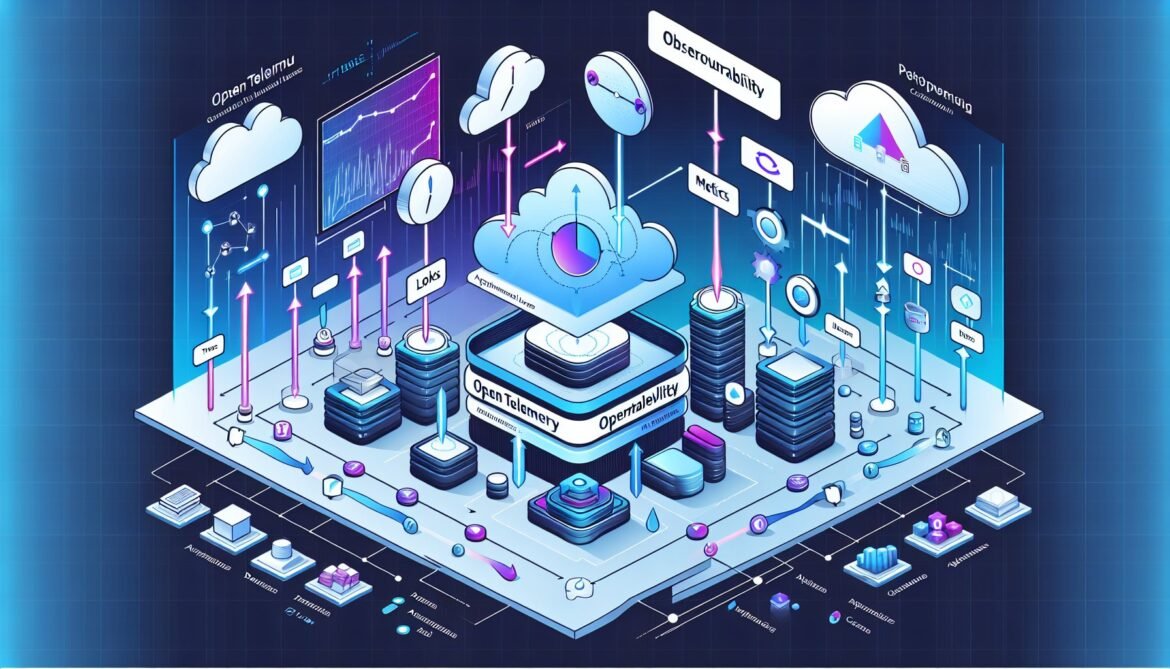
Modern distributed systems demand comprehensive observability to maintain reliability, performance, and user experience. Azure Monitor has evolved from proprietary Application Insights SDKs to embrace OpenTelemetry, the vendor-neutral observability framework that has become the industry standard. This shift represents more than a technical migration path. It signals Microsoft’s commitment to open standards while providing developers with portable, future-proof instrumentation strategies.
This article establishes the foundational concepts you need to understand before implementing OpenTelemetry with Azure Monitor. We cover what OpenTelemetry is, why Azure adopted it, how the architecture works, and what benefits you gain from this approach compared to legacy monitoring solutions.
What is OpenTelemetry?
OpenTelemetry is a Cloud Native Computing Foundation (CNCF) project that provides a unified set of APIs, SDKs, and tools for generating, collecting, and exporting telemetry data. The project emerged from the merger of OpenCensus (Google) and OpenTracing (Uber) in 2019, combining the best aspects of both frameworks into a single, comprehensive observability standard.
Unlike proprietary monitoring solutions that lock you into specific vendors, OpenTelemetry provides vendor-neutral instrumentation. You instrument your application once using OpenTelemetry APIs, then configure exporters to send data to any compatible backend including Azure Monitor, Prometheus, Jaeger, Grafana, or commercial observability platforms.
The Three Pillars of Observability
OpenTelemetry standardizes three telemetry signals that together provide comprehensive system observability:
Traces represent the journey of requests through distributed systems. A trace captures the complete execution path, timing, and context as a request flows across services, databases, message queues, and external APIs. Each trace consists of spans, where each span represents a unit of work with timing information, attributes, and parent-child relationships.
Metrics provide aggregated numerical measurements over time. They answer questions like “how many requests per second,” “what’s the 95th percentile latency,” or “how much memory is consumed.” OpenTelemetry supports counters (monotonically increasing values), gauges (current values), histograms (value distributions), and summary statistics.
Logs capture discrete events and messages from application execution. While OpenTelemetry provides a unified log data model, it takes a different approach than traces and metrics. Rather than replacing existing logging libraries, OpenTelemetry bridges them by enriching log entries with trace context, allowing correlation between logs and distributed traces.
OpenTelemetry Architecture and Components
Understanding OpenTelemetry’s architecture helps you make informed decisions about instrumentation strategies and deployment patterns. The framework consists of several key components that work together to collect and export telemetry.
Core Components
The OpenTelemetry ecosystem comprises multiple layers that handle different aspects of telemetry collection:
graph TB
    subgraph Application
        A[Application Code] --> B[OpenTelemetry API]
        B --> C[OpenTelemetry SDK]
    end

    subgraph Instrumentation
        D[Auto Instrumentation] --> C
        E[Manual Instrumentation] --> B
        F[Instrumentation Libraries] --> C
    end

    subgraph Processing
        C --> G[Trace Provider]
        C --> H[Meter Provider]
        C --> I[Logger Provider]

        G --> J[Span Processor]
        H --> K[Metric Reader]
        I --> L[Log Processor]
    end

    subgraph Export
        J --> M[Exporter]
        K --> M
        L --> M
        M --> N[Azure Monitor]
        M --> O[Other Backends]
    end

    style A fill:#68217a
    style N fill:#0078d4
    style B fill:#f2711c
    style C fill:#f2711c
OpenTelemetry API provides the interfaces developers use to instrument code. This layer remains stable across versions, ensuring that your instrumentation code doesn’t break when the SDK implementation changes. The API defines how to create spans, record metrics, and emit logs without coupling to specific implementation details.
OpenTelemetry SDK implements the API specification and handles the actual data collection, processing, and export. The SDK manages context propagation, sampling decisions, batching, and retry logic. Each language has its own SDK implementation (JavaScript, Python, .NET, Java, Go, Ruby) that follows the same specification.
Instrumentation Libraries provide automatic telemetry collection for popular frameworks and libraries. Rather than manually creating spans for every HTTP request or database query, instrumentation libraries do this automatically. For example, the HTTP instrumentation library automatically creates spans for incoming and outgoing HTTP requests with appropriate attributes.
Exporters send collected telemetry to observability backends. Exporters transform OpenTelemetry’s internal data model into backend-specific formats and handle transmission details like authentication, retry logic, and batching. Azure Monitor provides custom exporters that map OpenTelemetry data to Application Insights schemas.
Context Propagation
One of OpenTelemetry’s most powerful features is automatic context propagation across service boundaries. When a request enters your system, OpenTelemetry creates a trace context containing unique identifiers (trace ID and span ID). This context propagates automatically through your code and across network boundaries using standardized headers like W3C Trace Context.
Context propagation ensures that all telemetry from a single request across multiple services shares the same trace ID, enabling end-to-end distributed tracing. You can see the complete request flow from frontend through multiple backend services, message queues, and databases all correlated into a single trace.
The OpenTelemetry Collector
The OpenTelemetry Collector is an optional but powerful component that receives, processes, and exports telemetry data. While applications can export directly to backends, the collector provides several advantages:
- Centralized configuration for multiple applications
- Protocol translation between different telemetry formats
- Data enrichment and transformation
- Load balancing and retry logic
- Multi-backend export with a single ingestion point
The collector follows a pipeline architecture with receivers, processors, and exporters:
flowchart LR
    A[Application 1] --> R1[OTLP Receiver]
    B[Application 2] --> R1
    C[Application 3] --> R2[Prometheus Receiver]

    R1 --> P1[Batch Processor]
    R2 --> P1
    P1 --> P2[Attributes Processor]
    P2 --> P3[Filter Processor]

    P3 --> E1[Azure Monitor Exporter]
    P3 --> E2[Prometheus Exporter]
    P3 --> E3[Logging Exporter]

    E1 --> Backend1[Application Insights]
    E2 --> Backend2[Prometheus Server]

    style A fill:#68217a
    style Backend1 fill:#0078d4
    style R1 fill:#2185d0
    style R2 fill:#2185d0
    style E1 fill:#21ba45
    style E2 fill:#21ba45
    style E3 fill:#21ba45
Why Azure Monitor Adopted OpenTelemetry
Microsoft’s decision to embrace OpenTelemetry represents a strategic shift in how Azure approaches observability. Understanding the rationale behind this move helps appreciate the benefits and plan migration strategies.
Addressing Legacy SDK Limitations
The original Application Insights SDKs provided excellent observability but came with inherent constraints. Each SDK was language-specific, requiring separate development and maintenance for .NET, Node.js, Python, and Java. Feature parity across languages proved difficult to maintain, with some languages receiving capabilities months or years after others.
Vendor lock-in presented another challenge. Applications instrumented with Application Insights SDKs couldn’t easily switch to alternative observability platforms without significant code changes. This limitation conflicted with modern cloud-native principles that emphasize portability and multi-cloud strategies.
Benefits of OpenTelemetry Integration
By adopting OpenTelemetry, Azure Monitor gains several strategic advantages:
Industry-Standard Instrumentation: OpenTelemetry is backed by the Cloud Native Computing Foundation and supported by major technology companies including Google, Microsoft, Amazon, and observability vendors. This broad industry support ensures long-term viability and continuous improvement.
Vendor Neutrality: Applications instrumented with OpenTelemetry can export to Azure Monitor today and switch to different backends tomorrow without code changes. This flexibility reduces vendor lock-in concerns and makes Azure Monitor more attractive to enterprise customers evaluating multi-cloud strategies.
Broader Ecosystem: The OpenTelemetry community provides hundreds of instrumentation libraries for frameworks, databases, and third-party services. Azure benefits from this ecosystem without maintaining separate instrumentation for every technology.
Improved Performance: OpenTelemetry SDKs are designed for high-performance scenarios with efficient batching, sampling, and resource management. Benchmarks show OpenTelemetry often outperforms legacy SDKs in high-throughput applications.
Unified Telemetry Model: Rather than separate mechanisms for traces, metrics, and logs, OpenTelemetry provides a cohesive framework. This unification simplifies instrumentation and improves correlation between different telemetry signals.
Azure Monitor OpenTelemetry Distro
While OpenTelemetry provides vendor-neutral APIs and SDKs, configuring everything from scratch requires understanding multiple components and their interactions. The Azure Monitor OpenTelemetry Distro simplifies this complexity by providing a pre-configured OpenTelemetry distribution optimized for Azure Monitor.
What’s in the Distro?
The Azure Monitor Distro bundles several components into a single package:
- OpenTelemetry SDK configured for Azure Monitor
- Azure Monitor exporters for traces, metrics, and logs
- Common instrumentation libraries pre-installed and configured
- Default sampling strategies and resource detection
- Offline storage for reliability during network outages
This bundling reduces the initial setup to a single function call rather than configuring multiple providers, processors, and exporters. For most applications, the distro’s defaults provide production-ready observability with minimal configuration.
Included Automatic Instrumentation
The distro automatically instruments common scenarios without additional code:
- HTTP client and server requests
- Database operations (SQL Server, PostgreSQL, MongoDB, Redis, MySQL)
- Message queue operations (Azure Service Bus, RabbitMQ, Kafka)
- Azure SDK calls
- Framework-specific instrumentation (ASP.NET Core, Express, Flask, FastAPI)
This automatic instrumentation means that basic observability works immediately after initialization. The distro captures incoming requests, outgoing dependencies, and exceptions without manual span creation.
How the Distro Maps to Application Insights
OpenTelemetry uses terminology and data models that differ from Application Insights. The Azure Monitor Distro handles this mapping automatically:
graph LR
    subgraph OpenTelemetry
        OT1[Span - Server]
        OT2[Span - Client]
        OT3[Metric]
        OT4[LogRecord]
        OT5[Exception Event]
    end

    subgraph Application Insights
        AI1[Request]
        AI2[Dependency]
        AI3[Custom Metric]
        AI4[Trace]
        AI5[Exception]
    end

    OT1 --> AI1
    OT2 --> AI2
    OT3 --> AI3
    OT4 --> AI4
    OT5 --> AI5

    style OT1 fill:#f2711c
    style OT2 fill:#f2711c
    style OT3 fill:#f2711c
    style OT4 fill:#f2711c
    style OT5 fill:#f2711c
    style AI1 fill:#0078d4
    style AI2 fill:#0078d4
    style AI3 fill:#0078d4
    style AI4 fill:#0078d4
    style AI5 fill:#0078d4
This automatic mapping ensures that existing Application Insights experiences like Application Map, Performance views, and Failures blade continue working with OpenTelemetry-instrumented applications.
Telemetry Data Flow in Azure Monitor
Understanding how telemetry flows from application to Azure Monitor helps troubleshoot issues and optimize performance. The complete path involves several stages:
From Application to Azure Monitor
When your application performs an instrumented operation, the following sequence occurs:
- Signal Generation: The application code or instrumentation library creates a span, records a metric, or emits a log entry.
- Context Enrichment: The SDK adds context like resource attributes (service name, host name, deployment environment), trace context (trace ID, span ID, parent span ID), and semantic conventions.
- Sampling Decision: The SDK applies sampling rules to determine whether to export this telemetry. Sampling reduces data volume while maintaining statistical significance.
- Processor Pipeline: Registered processors can modify, filter, or enrich telemetry before export.
- Batching: The exporter accumulates telemetry into batches to reduce network overhead and improve throughput.
- Export to Azure Monitor: The Azure Monitor exporter sends batches to the Application Insights ingestion endpoint using the connection string.
- Data Processing: Azure Monitor ingests the data, processes it through analytics pipelines, and makes it available for querying.
Offline Storage and Reliability
The Azure Monitor Distro includes offline storage that persists telemetry locally when network connectivity fails or the ingestion endpoint is unavailable. This feature ensures telemetry isn’t lost during temporary outages or deployment restarts.
When connectivity restores, the exporter automatically uploads stored telemetry to Azure Monitor. This reliability feature operates transparently without application code changes.
Key Differences from Legacy Application Insights
Migrating from Application Insights SDKs to OpenTelemetry involves understanding several fundamental differences in approach and capabilities.
Initialization Pattern
Legacy Application Insights used explicit SDK initialization with configuration objects. OpenTelemetry follows a different pattern where initialization must occur before importing instrumented libraries. This requirement ensures instrumentation can properly patch modules during import.
For Node.js applications, this means creating a separate instrumentation file and using the –require flag to load it before the main application. For .NET applications, initialization occurs in Program.cs using dependency injection patterns.
Semantic Conventions
OpenTelemetry defines semantic conventions that standardize attribute names and values across different technologies. For example, HTTP status codes use “http.response.status_code” rather than vendor-specific names. These conventions ensure consistency when analyzing telemetry from different services and technologies.
While Application Insights had similar conventions, they were Microsoft-specific. OpenTelemetry semantic conventions are industry-wide standards maintained by the community and evolve through formal specification processes.
W3C Trace Context by Default
OpenTelemetry uses W3C Trace Context as the standard context propagation format by default. Legacy Application Insights used a proprietary format initially and added W3C support later. This standardization improves interoperability with third-party services and observability tools.
When to Use OpenTelemetry vs Legacy SDKs
While Microsoft recommends OpenTelemetry for new applications, certain scenarios might justify continuing with legacy SDKs temporarily:
Use OpenTelemetry when:
- Starting new application development
- Building multi-cloud or cloud-agnostic applications
- Requiring vendor-neutral instrumentation
- Needing access to the latest OpenTelemetry instrumentation libraries
- Planning future migration to alternative observability platforms
Consider legacy SDKs when:
- Existing applications that work well and don’t require new features
- Teams lacking capacity for migration work
- Using Application Insights features not yet available in OpenTelemetry distro
- Very old framework versions unsupported by OpenTelemetry
However, Microsoft has marked legacy SDKs as feature-complete, meaning they receive only critical bug fixes without new capabilities. This support model makes migration planning important for long-term application maintenance.
Supported Languages and Platforms
Azure Monitor currently provides OpenTelemetry distros for four major language ecosystems:
- .NET: Supports ASP.NET Core, console applications, worker services, and Azure Functions. Available through the Azure.Monitor.OpenTelemetry.AspNetCore and Azure.Monitor.OpenTelemetry.Exporter NuGet packages.
- Node.js: Supports Express, Fastify, and other Node.js frameworks. Available through the @azure/monitor-opentelemetry npm package.
- Python: Supports Flask, FastAPI, Django, and Azure Functions. Available through the azure-monitor-opentelemetry PyPI package.
- Java: Supports Spring Boot, Quarkus, and Jakarta EE. Available through Maven dependencies with Spring Cloud Azure Starter Monitor.
Each language distro follows the same conceptual model while adapting to language-specific idioms and frameworks. This consistency means skills transfer between languages once you understand OpenTelemetry fundamentals.
Cost Considerations
OpenTelemetry’s flexibility extends to cost optimization through intelligent sampling and filtering. Unlike some legacy implementations that charged per-event, Azure Monitor’s pricing model based on data ingestion aligns well with OpenTelemetry’s sampling capabilities.
Key cost optimization strategies include:
- Adaptive sampling to reduce high-volume trace ingestion while maintaining error traces
- Filtering processors to exclude health check endpoints or internal service communication
- Metric aggregation at the SDK level before export
- Selective instrumentation for specific code paths or services
The Azure Monitor Distro includes default sampling strategies that balance observability with cost efficiency. For production workloads, sampling ratios typically range from 1% to 20% depending on traffic volume and debugging requirements.
The Path Forward
OpenTelemetry represents the future of application observability, and Azure Monitor’s adoption of this standard positions Microsoft as a leader in open observability. As the ecosystem matures, expect continued improvements in performance, functionality, and integration with Azure services.
The Cloud Native Computing Foundation’s OpenTelemetry project maintains an active roadmap that includes enhancements to profiling, enhanced metrics capabilities, and improved language support. Azure Monitor benefits from these community-driven improvements while contributing Microsoft’s expertise back to the project.
For developers and architects, investing in OpenTelemetry skills provides value beyond Azure Monitor. The same instrumentation knowledge applies to Kubernetes observability, service mesh integration, and multi-cloud monitoring strategies. This portability makes OpenTelemetry a strategic skill for cloud-native application development.
Next Steps in the Series
This article established the conceptual foundation for OpenTelemetry with Azure Monitor. Understanding these concepts prepares you for the practical implementation guides that follow in this series:
- Part 2 covers .NET application instrumentation with automatic and manual spans
- Part 3 demonstrates Node.js implementation with Express and Fastify
- Part 4 explores Python applications using Flask and FastAPI
- Part 5 examines distributed tracing patterns across microservices
- Part 6 details custom metrics and advanced telemetry
- Part 7 addresses production configuration and observability patterns
With these foundational concepts in place, you’re ready to implement OpenTelemetry in your applications and unlock the full power of modern observability with Azure Monitor.
References
- OpenTelemetry Official Documentation
- OpenTelemetry Specification Overview
- Microsoft Learn – Enable OpenTelemetry in Application Insights
- Uptrace – OpenTelemetry Architecture
- OpenTelemetry Collector Architecture
- Mezmo – OpenTelemetry Architecture Guide
- Azure Tech Insider – Migrating to OpenTelemetry
- Greptime – What is OpenTelemetry