The enterprise AI landscape is experiencing a fundamental shift. As organizations deploy Large Language Models and AI agents across their operations, they face a critical challenge: connecting these intelligent systems to the data sources and tools they need to function effectively. Every integration becomes a custom engineering project, creating what Anthropic describes as an “N×M problem” where N applications need to connect to M data sources, resulting in N times M custom integrations.
Enter the Model Context Protocol, an open standard introduced by Anthropic in November 2024 that promises to revolutionize how AI systems connect to external data and tools. Think of MCP as the USB-C port for AI applications. Just as USB-C standardized device connectivity in hardware, MCP provides a universal interface for AI models to access context from diverse sources.
This comprehensive guide explores MCP’s architecture, core concepts, and why it represents a fundamental building block for the next generation of enterprise AI applications. By understanding MCP’s design principles and components, you will be positioned to build more capable, flexible, and maintainable AI systems.
The Integration Challenge in Enterprise AI
Before diving into MCP’s technical architecture, it is essential to understand the problem it solves. Modern enterprises operate with data distributed across hundreds of systems: customer relationship management platforms like Salesforce, project management tools like Jira, code repositories on GitHub, internal databases, document management systems, and countless specialized applications.
When organizations attempt to deploy AI agents or LLM-powered applications, these systems need access to relevant context from multiple sources. A customer support agent might need to query a CRM system, search knowledge base articles, check order status in an e-commerce database, and create support tickets in ServiceNow, all within a single conversation.
Traditional approaches to this integration problem fall into three categories. First, custom API integrations where development teams build one-off connectors for each data source and AI application combination. This approach is expensive, time-consuming, and creates significant maintenance overhead. According to Forrester research from May 2024, 67% of AI decision-makers plan to increase generative AI investment, but the integration bottleneck prevents effective deployment.
Second, vendor-specific solutions like OpenAI’s function calling API or ChatGPT plugins. While these solve integration problems within a single vendor’s ecosystem, they lock organizations into proprietary systems and require rebuilding integrations when switching between AI providers. The resulting vendor lock-in contradicts enterprise requirements for flexibility and interoperability.
Third, attempting to embed all necessary context directly in prompts. This approach fails at scale due to context window limitations, increased costs from processing large amounts of text, and security concerns about exposing sensitive data in every API call to cloud-based LLM providers.
Industry analysis reveals that 70-95% of enterprise AI projects fail to reach production deployment, with integration complexity cited as a primary barrier. MCP addresses these challenges through standardization, creating a protocol that works across AI providers, data sources, and deployment scenarios.
Core Architecture: Client-Host-Server Model
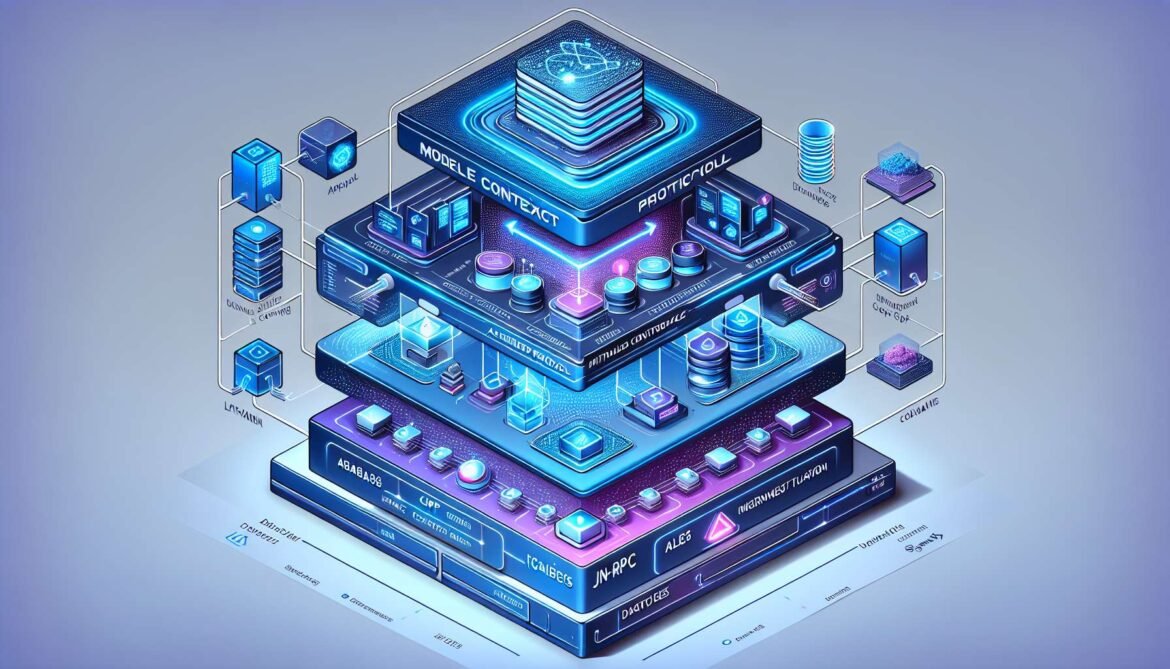
The Model Context Protocol implements a three-tier architecture consisting of hosts, clients, and servers. This design separates concerns while enabling flexible, secure integrations between AI applications and external systems.
At the top tier, the host represents the AI application that users interact with directly. Examples include Claude Desktop, Claude Code, AI-powered IDEs like Cursor or VS Code with Copilot, custom enterprise AI assistants, or agentic systems built with frameworks like LangChain or Semantic Kernel. The host provides the user interface, manages overall application state, and coordinates communication between multiple MCP clients.
The host’s primary responsibility is orchestration. When a user interacts with the AI application, the host determines which external systems need to be queried, manages authentication and authorization for these requests, coordinates multiple concurrent operations, and presents results back to the user in a coherent manner. Critically, the host maintains security boundaries between different MCP servers, ensuring that one server cannot access data or capabilities from another.
The middle tier consists of MCP clients. Each client maintains a one-to-one relationship with a specific MCP server, acting as the communication bridge. The host application creates and manages multiple client instances, with each client handling protocol negotiation during initialization, message framing and request-response correlation, capability discovery to understand what the server offers, and conversion between the host’s internal representation and MCP’s standardized message format.
This architecture isolates servers from each other. An MCP client connected to a GitHub server has no visibility into or interaction with a client connected to a database server. This isolation provides important security benefits and simplifies reasoning about system behavior.
At the bottom tier, MCP servers expose specific capabilities to AI applications. A server is a specialized program that provides access to one or more external systems through MCP’s standardized interface. Servers can expose local resources like files on the user’s machine or Git repositories, remote services accessed through APIs such as Slack, Google Drive, or Notion, databases including PostgreSQL, MongoDB, or Azure SQL, or specialized tools like code execution environments, data transformation pipelines, or custom business logic.
Each server operates independently with focused responsibilities. The GitHub MCP server understands how to search repositories, create issues, and review pull requests, but knows nothing about email or databases. This separation of concerns makes servers easier to develop, test, and maintain.
Here is how these components work together in practice. When a user asks Claude Desktop to “find recent issues assigned to me in the project repository,” the host parses this request and determines that GitHub data is needed. The host instructs its GitHub MCP client to query for relevant issues. The client sends an MCP request message to the GitHub server, which authenticates with GitHub’s API using credentials stored securely on the user’s machine, retrieves the issue data, and formats it according to MCP’s resource schema. The server returns this data to the client, which forwards it to the host. The host provides this context to the AI model, which generates a response. The entire interaction follows MCP’s standardized protocol, making it work consistently across different AI providers and data sources.
graph TB
    subgraph "Host Application"
        H[Host Process]
        UI[User Interface]
        AI[AI Model]
    end

    subgraph "MCP Clients"
        C1[GitHub Client]
        C2[Database Client]
        C3[Slack Client]
    end

    subgraph "MCP Servers"
        S1[GitHub Server]
        S2[PostgreSQL Server]
        S3[Slack Server]
    end

    subgraph "External Systems"
        GH[GitHub API]
        DB[(Database)]
        SL[Slack Workspace]
    end

    UI --> H
    H --> AI
    H --> C1
    H --> C2
    H --> C3

    C1 <--> S1
    C2 <--> S2
    C3 <--> S3

    S1 --> GH
    S2 --> DB
    S3 --> SL
Protocol Foundation: JSON-RPC 2.0 Messaging
MCP builds upon JSON-RPC 2.0, a lightweight remote procedure call protocol that has proven reliability in distributed systems. This choice provides several advantages: JSON-RPC is well-understood with mature implementations in every major programming language, it supports both request-response patterns and asynchronous notifications, the specification is simple and unambiguous, and tooling for debugging and monitoring JSON-RPC systems is widely available.
MCP defines three fundamental message types based on JSON-RPC. Requests are messages sent to initiate an operation, containing a unique ID for correlation, a method name indicating the operation, and optional parameters providing operation-specific data. Every request must receive a corresponding response.
Responses acknowledge requests and provide results or error information. Successful responses include the original request ID and a result object containing operation-specific data. Error responses include the request ID, an error code indicating the failure type, and a human-readable error message with optional additional details.
Notifications are one-way messages that require no response, used for event broadcasting, status updates, and progress reporting. Because notifications do not expect responses, they lack request IDs.
Here is an example of an MCP request to list available resources from a server. The client sends a JSON-RPC request message with method “resources/list” and no parameters. The server processes this request and returns a response containing an array of resource objects, each with a URI identifying the resource, a name for display purposes, an optional description, and an optional MIME type indicating content format.
{
  "jsonrpc": "2.0",
  "id": 1,
  "method": "resources/list"
}

{
  "jsonrpc": "2.0",
  "id": 1,
  "result": {
    "resources": [
      {
        "uri": "file:///home/user/project/README.md",
        "name": "Project README",
        "mimeType": "text/markdown"
      },
      {
        "uri": "github://issues/recent",
        "name": "Recent Issues",
        "description": "Issues assigned to current user"
      }
    ]
  }
}
This JSON-RPC foundation ensures that MCP implementations can leverage existing RPC tooling, libraries, and best practices. Developers familiar with gRPC, REST APIs, or other RPC systems will find MCP’s messaging patterns intuitive.
Transport Mechanisms: Local and Remote Connectivity
MCP supports multiple transport mechanisms to accommodate different deployment scenarios. The protocol specification defines two standard transports with distinct use cases and trade-offs.
Standard Input/Output transport uses stdin and stdout for communication between processes on the same machine. This transport is ideal for local development, command-line tools, and scenarios where the MCP server runs as a subprocess of the host application. Stdio transport offers simplicity with no network configuration required, security through process isolation at the operating system level, and low latency since messages travel through kernel-managed pipes rather than network stacks.
The host application spawns the MCP server as a child process, configuring stdin and stdout as communication channels. Messages are framed using newline delimiters, with each JSON-RPC message followed by a newline character. The host writes requests to the server’s stdin and reads responses from stdout. Error messages and diagnostics are written to stderr, separate from the MCP protocol stream.
HTTP with Server-Sent Events provides remote connectivity, enabling MCP servers to run on different machines or in cloud environments. This transport uses standard HTTP POST requests for client-to-server messages and Server-Sent Events for server-to-client notifications and responses.
SSE is a standardized HTML5 technology that enables servers to push updates to clients over a persistent HTTP connection. Unlike WebSockets which require bidirectional TCP connections, SSE works over standard HTTP, making it easier to deploy through firewalls, proxies, and load balancers. The client establishes an SSE connection to the server’s endpoint and keeps this connection open to receive server-initiated messages. For client-initiated requests, separate HTTP POST requests are sent to the server’s request endpoint.
HTTP transport enables several important deployment patterns. Stateless server operations where multiple server instances handle requests behind a load balancer, session management through HTTP cookies or tokens for multi-tenant scenarios, standard authentication mechanisms like OAuth 2.0 or JWT, and integration with existing API gateways, rate limiting, and monitoring infrastructure.
Choosing between transports depends on deployment requirements. Use stdio transport for local development and testing, desktop applications where servers run locally, command-line tools integrating with IDEs, and scenarios prioritizing simplicity over remote access. Use HTTP with SSE transport for cloud-deployed servers, multi-tenant SaaS applications, enterprise deployments requiring centralized server management, and scenarios requiring standard HTTP security mechanisms.
Both transports carry identical JSON-RPC messages, meaning the same MCP server implementation can support multiple transports with minimal code changes. This flexibility allows starting development with local stdio servers and later transitioning to remote HTTP deployment without rewriting core logic.
Capability Negotiation and Feature Discovery
One of MCP’s most powerful features is its capability-based negotiation system. Unlike traditional APIs with fixed endpoints, MCP enables dynamic discovery of available features during the initialization phase. This design allows servers to advertise their capabilities and clients to adapt their behavior based on what the server supports.
During initialization, after a transport connection is established, the client sends an “initialize” request declaring its own capabilities. The server responds with its capabilities and supported protocol version. Both parties validate that they can communicate effectively, and if negotiation succeeds, the client sends an “initialized” notification to complete the handshake.
Server capabilities indicate which features the server implements. Resources capability shows the server can expose data objects for the AI to read. Tools capability means the server provides functions the AI can execute. Prompts capability indicates the server offers pre-defined prompt templates. Logging capability shows the server can receive and process log messages from the client. Subscription support means the server can notify clients when resources change.
Client capabilities indicate what the server can expect from the client. Sampling capability shows the client supports the server requesting completions from the AI model. Roots capability means the client can expose filesystem paths or other root URIs to the server. Notification handling indicates which notification types the client supports.
Here is a typical capability negotiation sequence. The client initiates with an initialize request declaring it supports sampling and can handle progress notifications. The server responds indicating it provides tools and resources, supports resource subscriptions, and can send progress updates. The client acknowledges with an initialized notification. Both parties now understand what features are available and can use them throughout the session.
{
  "jsonrpc": "2.0",
  "id": 1,
  "method": "initialize",
  "params": {
    "protocolVersion": "2024-11-05",
    "capabilities": {
      "sampling": {},
      "roots": {
        "listChanged": true
      }
    },
    "clientInfo": {
      "name": "ExampleClient",
      "version": "1.0.0"
    }
  }
}

{
  "jsonrpc": "2.0",
  "id": 1,
  "result": {
    "protocolVersion": "2024-11-05",
    "capabilities": {
      "tools": {
        "listChanged": true
      },
      "resources": {
        "subscribe": true,
        "listChanged": true
      }
    },
    "serverInfo": {
      "name": "ExampleServer",
      "version": "1.0.0"
    }
  }
}
This capability-based design provides several advantages. Future protocol extensions can be added without breaking existing implementations. Servers can support optional features based on their specific requirements. Clients can gracefully degrade functionality when connecting to servers with limited capabilities. Both parties have clear visibility into what operations are possible.
Core MCP Primitives: Resources, Tools, and Prompts
MCP defines three primary primitives that servers expose to clients. Understanding these primitives is essential for both implementing servers and building applications that consume them effectively.
Resources represent data or content that the AI model can read. Unlike tools which execute actions, resources are read-only data sources. Each resource is identified by a URI following a scheme appropriate to the resource type. File resources use file:// URIs pointing to local files. Database resources might use custom schemes like postgres://table/users. Web resources can use standard http:// or https:// URIs. Custom schemes enable domain-specific addressing like github://repo/owner/project or confluence://space/PAGE-123.
Resources support subscriptions, allowing clients to receive notifications when resource content changes. This enables real-time updates without constant polling. A client monitoring a configuration file can subscribe to updates and receive notifications when the file is modified. A dashboard tracking database queries can subscribe to result changes and update visualizations automatically.
Tools represent executable functions that modify state or perform actions. While resources are passive data sources, tools are active operations. Tool definitions include a name uniquely identifying the tool, a description explaining what the tool does, and an input schema defining required and optional parameters using JSON Schema format.
When the AI model determines it needs to invoke a tool, it provides parameter values matching the input schema. The client forwards this to the server, which executes the tool and returns results. Tool execution is synchronous from the client’s perspective, though servers can report progress for long-running operations.
Example tools include creating a GitHub issue with title, description, and labels, executing a database query with SQL and optional parameters, sending a Slack message to a channel, or analyzing code with a linting tool. Tools enable AI agents to take actions in the real world, not just consume information.
Prompts are pre-defined message templates that provide structure for interacting with AI models. Servers expose prompts to give users convenient starting points for common tasks. A code review prompt might include instructions for analyzing code quality and a template for providing feedback. A data analysis prompt might provide guidelines for exploring datasets and generating insights. A customer support prompt might include context about company policies and preferred response formats.
Prompts can accept arguments that customize their behavior. A “summarize document” prompt might take a document URI and desired summary length as parameters. An “explain code” prompt might take a code snippet and target audience level. This parameterization makes prompts flexible while maintaining consistency.
graph LR
    subgraph "MCP Primitives"
        R[ResourcesRead-Only Data]
        T[ToolsExecutable Actions]
        P[PromptsTemplates]
    end

    subgraph "Resource Types"
        R --> R1[Files]
        R --> R2[Database Records]
        R --> R3[API Responses]
        R --> R4[Documents]
    end

    subgraph "Tool Examples"
        T --> T1[Create Issue]
        T --> T2[Run Query]
        T --> T3[Send Message]
        T --> T4[Execute Code]
    end

    subgraph "Prompt Categories"
        P --> P1[Code Review]
        P --> P2[Data Analysis]
        P --> P3[Documentation]
        P --> P4[Customer Support]
    end
Lifecycle Management and Session Handling
MCP sessions have a well-defined lifecycle from initialization through normal operation to termination. Understanding this lifecycle is crucial for building reliable server and client implementations.
Session initialization begins when the client establishes a transport connection to the server. For stdio transport, this happens when the host application spawns the server process. For HTTP transport, the client opens an SSE connection. Once connected, the client sends an initialize request with its protocol version and capabilities. The server validates the protocol version, ensuring compatibility, then responds with its own capabilities and server information. If protocol versions are incompatible, the server returns an error and the connection terminates. On successful negotiation, the client sends an initialized notification to signal readiness.
During normal operation, clients and servers exchange messages according to MCP’s protocol specification. The client can discover available resources by calling resources/list, read resource contents with resources/read, subscribe to resource updates using resources/subscribe, discover available tools through tools/list, invoke tools with tools/call, discover available prompts via prompts/list, and retrieve prompt content with prompts/get.
The server can notify clients of resource changes through notifications/resources/updated, send progress updates for long-running operations via notifications/progress, log messages to the client using logging messages, and request the client to perform sampling through sampling/createMessage.
Session termination can occur through normal shutdown, error conditions, or connection failures. For graceful shutdown, the server may send a notification indicating it will shut down, the client closes connections and cleans up resources, and the server process exits. For error conditions, either party can terminate on unrecoverable errors, implementations should log termination reasons, and clients should handle server crashes gracefully.
Best practices for lifecycle management include implementing proper error handling at all stages, providing clear error messages to aid debugging, managing connection timeouts and retries appropriately, cleaning up resources on termination, and maintaining session state consistency.
Security Considerations and Trust Boundaries
MCP’s architecture provides important security benefits, but implementations must address several critical security considerations. The protocol itself does not enforce security measures but enables secure patterns through its design.
Authentication and authorization are currently left to individual implementations. For local stdio servers, operating system process permissions provide baseline security. For remote HTTP servers, implementations should use standard mechanisms like OAuth 2.0 for delegated authorization, JWT tokens for authenticated sessions, API keys for service-to-service communication, or client certificates for mutual TLS authentication. Future protocol revisions may standardize authentication approaches.
Data isolation between servers is a key security feature. The client-host-server architecture ensures that one MCP server cannot access another server’s data or capabilities. Each server communicates only with its dedicated client, which acts as a security boundary. This prevents a malicious or compromised server from affecting other parts of the system.
Credential management requires careful attention. MCP servers should store API keys, database passwords, and other credentials securely, using operating system credential stores, encrypted configuration files, or environment variables rather than hard-coded values. Credentials should never be sent to AI model providers in prompts. The server should authenticate with external systems on the user’s behalf, returning only relevant data to the client.
Tool execution presents security risks that must be addressed. Servers should validate all tool parameters before execution, implement authorization checks to ensure the user has permission for requested operations, provide audit logging of tool invocations, and implement rate limiting to prevent abuse. For high-risk operations like database writes or system commands, servers should require explicit user confirmation.
Research published in April 2025 identified several security concerns with MCP implementations, including prompt injection attacks where malicious input manipulates AI behavior, tool permission issues where combining tools can exfiltrate sensitive files, and lookalike tools that impersonate trusted servers. These findings emphasize the need for robust security practices in MCP deployments.
Enterprise deployments should implement network segmentation with MCP servers in controlled VPCs, comprehensive audit logging of all MCP operations, role-based access control for tool execution, data loss prevention monitoring MCP traffic, and regular security assessments of server implementations. The security model must align with organizational policies and compliance requirements.
Real-World Applications and Adoption
Despite being introduced in November 2024, MCP has seen rapid adoption across the industry. Major AI providers, development tools, and enterprises are integrating MCP support, signaling strong momentum toward standardization.
Anthropic’s Claude Desktop and Claude Code natively support MCP, enabling users to connect Claude to GitHub, Google Drive, Slack, databases, and custom servers. OpenAI announced MCP support for ChatGPT desktop in March 2025, bringing the protocol to millions of users. Google DeepMind integrated MCP into its AI Studio platform, and Microsoft incorporated MCP into Azure AI Foundry in May 2025.
Development tool adoption has been equally impressive. VS Code, Cursor, Windsurf, and Zed all added MCP client support between December 2024 and March 2025. JetBrains announced MCP support for IntelliJ IDEA and other IDEs in their next major release. This enables developers to use natural language to query databases, search code repositories, create issues, and execute other tasks directly from their IDE.
Enterprise use cases span multiple domains. In software development, teams use MCP to connect AI coding assistants to GitHub repositories, CI/CD pipelines, and deployment tools. Customer support systems integrate MCP to access CRM data, knowledge bases, and ticketing systems. Data analysis workflows connect AI to databases, data warehouses, and business intelligence tools. Infrastructure automation platforms use MCP to integrate AI with Kubernetes clusters, monitoring systems, and configuration management.
Moveworks, an enterprise AI platform acquired by ServiceNow for $2.85 billion in 2025, uses MCP-like patterns to orchestrate AI across ServiceNow, Office 365, Slack, and other enterprise systems. While Moveworks built custom integrations before MCP existed, the company benefits from standardization as more systems expose MCP servers.
Community adoption has been strong, with developers creating hundreds of open-source MCP servers. The official registry at modelcontextprotocol.io lists servers for popular services including AWS through Amazon Bedrock integration, Sentry for error tracking and monitoring, Cloudflare for edge computing and CDN management, and numerous database systems, APIs, and development tools. This ecosystem of reusable servers accelerates AI application development.
Comparing MCP to Alternative Approaches
Understanding MCP’s position in the broader landscape of AI integration patterns helps clarify when to use it versus alternative approaches.
OpenAI’s function calling provides similar functionality within OpenAI’s ecosystem. The model can call functions defined in the API request, and the application handles execution and returns results. However, function calling is OpenAI-specific, requiring different implementations for Anthropic, Google, or other providers. MCP provides a provider-agnostic standard that works across AI platforms.
ChatGPT plugins offered marketplace-style extensions for ChatGPT, allowing third parties to build integrations. While innovative, plugins were limited to OpenAI’s platform and lacked the deeper system integration that MCP enables. OpenAI has since deprecated plugins in favor of GPTs and custom actions, which align more closely with MCP’s architectural patterns.
LangChain and similar frameworks provide tools and chains for building AI applications with access to external data. These frameworks complement rather than compete with MCP. LangChain can use MCP servers as tools, combining MCP’s standardized integration with LangChain’s application orchestration capabilities.
The Language Server Protocol inspired MCP’s design. LSP standardized communication between code editors and language analysis tools, enabling features like autocomplete and error checking to work across editors and languages. MCP applies similar architectural principles to AI-data integration, creating a universal protocol that benefits the entire ecosystem.
Traditional REST APIs remain important for direct service-to-service communication. MCP does not replace REST APIs but rather provides a standardized wrapper that makes REST APIs more accessible to AI systems. An MCP server can expose existing REST endpoints through MCP’s resource and tool primitives, adding capability discovery and standardized messaging.
The Road Ahead: MCP Evolution and Future Directions
The Model Context Protocol is actively evolving with input from the broader community. Several areas are under development or consideration for future protocol versions.
Standardized authentication represents a key priority. While current implementations handle authentication separately, future versions will likely define standard patterns for OAuth flows, JWT token management, and credential exchange. This would reduce implementation complexity and improve security consistency.
Multi-tenant architecture support is essential for SaaS applications. Current MCP implementations typically assume single-user scenarios. Enterprise platforms need standard patterns for managing multiple users accessing shared MCP servers with appropriate isolation and resource limits.
Semantic context ranking could enable more intelligent resource selection. Rather than retrieving all potentially relevant resources, the protocol might support ranking and filtering based on relevance to specific queries. This would improve efficiency and reduce token usage.
Toolchain orchestration improvements would facilitate complex multi-tool workflows. Current tool execution is relatively simple, but enterprise scenarios often require coordinating multiple tools with dependencies between steps. Future versions might support transactional workflows, automatic retry logic, and declarative workflow definitions.
IoT integration support would extend MCP to real-time data streams from connected devices. This could enable AI agents to monitor and respond to sensor data, industrial equipment, smart home devices, and other IoT endpoints.
Agent-to-agent communication is an emerging area of interest. Current MCP focuses on AI-to-system integration, but future extensions might support direct communication between multiple AI agents coordinating through MCP, enabling more sophisticated multi-agent architectures.
Conclusion: Building the Foundation for AI Integration
The Model Context Protocol represents a fundamental building block for the next generation of AI applications. By providing a standardized, open protocol for connecting AI systems to external data and tools, MCP addresses the integration bottleneck that has prevented many enterprise AI projects from reaching production.
MCP’s architecture demonstrates thoughtful engineering: the client-host-server model provides security and isolation, JSON-RPC messaging ensures reliability and tool compatibility, multiple transport options support diverse deployment scenarios, capability negotiation enables flexible feature discovery, and the three core primitives (resources, tools, prompts) cover the essential integration patterns.
Rapid industry adoption by major AI providers, development tool vendors, and enterprises validates MCP’s design and utility. The protocol has achieved in months what typically takes years: widespread acceptance as an emerging standard. This momentum suggests MCP will become as fundamental to AI systems as USB and HTTP are to hardware and web systems.
For organizations building AI applications, understanding MCP is essential. Whether you are implementing MCP servers to expose your data to AI systems, building applications that consume MCP services, or making architectural decisions about AI integration, MCP provides proven patterns and a growing ecosystem of tools and implementations.
The next article in this series will provide hands-on guidance for building your first MCP server using Python’s FastMCP framework. You will learn to expose custom data sources, implement tools, and deploy production-ready MCP servers. We will explore practical code examples, testing strategies, and best practices drawn from real-world implementations.
References
- Anthropic – Introducing the Model Context Protocol
- Model Context Protocol Specification (2024-11-05)
- MCP Architecture Documentation
- Wikipedia – Model Context Protocol
- IBM – What is Model Context Protocol (MCP)?
- Shakudo – What is MCP (Model Context Protocol) & How Does it Work?
- DaveAI – Top 10 Model Context Protocol Use Cases: Complete Guide for 2025
- Andreessen Horowitz – A Deep Dive Into MCP and the Future of AI Tooling
- Spacelift – What Is MCP? Model Context Protocol Explained Simply
- The Pragmatic Engineer – MCP Protocol: a new AI dev tools building block