If you have been following AI news in early 2026, you have probably come across OpenClaw. It went from a side project with a few GitHub stars to one of the fastest-growing open-source repositories in history, crossing 200,000 stars by February 2026. And the hype, for once, is backed by something real.
This is Part 1 of an 8-part series that takes you from understanding what OpenClaw is, all the way to building advanced multi-agent workflows and integrating it into your development stack. Whether you are a backend developer, a DevOps engineer, or just someone curious about where autonomous AI is heading, this series is built for you.
What Is OpenClaw?
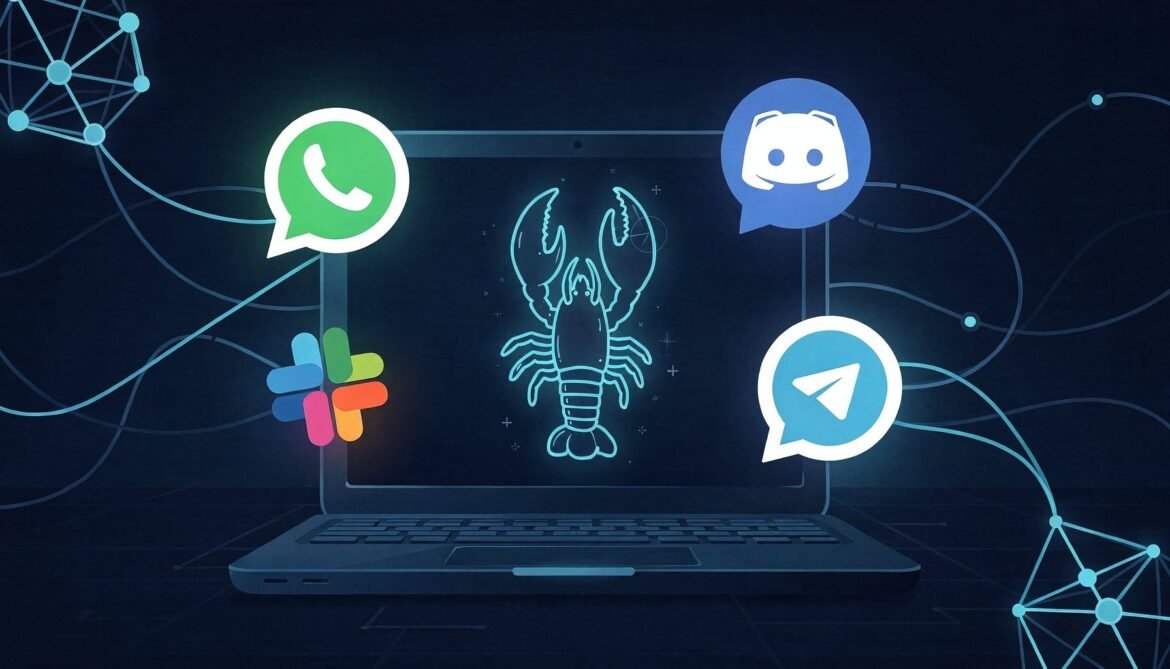
OpenClaw is a free, open-source autonomous AI agent that runs locally on your own machine. Unlike chat interfaces like ChatGPT or Claude.ai, OpenClaw does not just respond to prompts. It acts. It can read and write files, run shell commands, access your email, browse the web, and communicate through messaging platforms you already use, like Telegram, WhatsApp, Discord, Slack, and Signal.
The key distinction is this: OpenClaw is an agent runtime, not a chatbot. It stays running in the background as a daemon, listening for messages, executing tasks, and maintaining persistent memory across sessions. You talk to it through your messaging app of choice, and it gets things done on your machine.
The Story Behind OpenClaw
OpenClaw was originally published in November 2025 by Austrian developer Peter Steinberger, creator of PSPDFKit, under the name Clawdbot. It went viral in late January 2026 after a trademark dispute with Anthropic forced two rapid rebrands: first to Moltbot, then three days later to OpenClaw. Each rename generated fresh press coverage and kept it in headlines for weeks.
By February 14, 2026, Steinberger announced he was joining OpenAI, and the project would move to an independent open-source foundation. The project continues under that foundation today, MIT-licensed and community-driven.
OpenClaw Architecture: How It Actually Works
Before you install anything, it helps to understand the moving parts. OpenClaw has three core architectural layers.
flowchart TD
    User["You (via Telegram / WhatsApp / Discord / Slack)"]
    Gateway["OpenClaw Gateway\n(Node.js Daemon)"]
    LLM["LLM Provider\n(Claude / GPT / DeepSeek / Local)"]
    Tools["Tools Layer\n(File System, Shell, Browser, Email, Webhooks)"]
    Skills["Skills Layer\n(SKILL.md files - ClawHub or custom)"]
    Memory["Memory Layer\n(MEMORY.md + Daily Logs)"]

    User -->|"Message"| Gateway
    Gateway -->|"Routes to agent session"| LLM
    LLM -->|"Decides what to do"| Tools
    LLM -->|"Loads context from"| Skills
    LLM -->|"Reads and writes"| Memory
    Tools -->|"Executes actions"| Gateway
    Gateway -->|"Sends response"| User
The Gateway
The Gateway is the always-on control plane. It is a Node.js process that runs as a system daemon (launchd on macOS, systemd on Linux). It manages incoming messages from connected channels, routes them to agent sessions, dispatches tool calls, and sends responses back. It listens by default on port 18789.
Tools
Tools are the actual capabilities of the agent. They are built-in and determine what OpenClaw can physically do on your machine. Examples include file read and write, shell execution, browser automation, cron scheduling, webhook handling, and camera or screen recording. Tools are the organs. Without the right tool enabled, the agent cannot perform an action even if it knows how to.
Skills
Skills are instruction files (SKILL.md) that teach the agent how to use its tools for specific purposes. A skill for GitHub teaches the agent how to interact with repositories. A skill for Google Workspace teaches it how to read Gmail and write to Google Docs. Skills do not grant new permissions; they provide the context and instructions so the LLM knows what steps to take. Think of them as textbooks, while tools are the hands.
Memory
OpenClaw does not use a traditional database. It maintains memory as Markdown files. A daily log file records what happened during each session. Periodically, important information is promoted to a persistent MEMORY.md file, which the agent loads at the start of each session. This means the longer you use it, the more it knows about you and your preferences without you having to repeat yourself.
How OpenClaw Compares to Other AI Assistants
It is worth being honest about where OpenClaw sits relative to tools you may already know.
quadrantChart
    title AI Assistant Comparison: Autonomy vs Local Control
    x-axis Cloud-hosted --> Self-hosted
    y-axis Reactive (chat only) --> Autonomous (acts independently)
    quadrant-1 Powerful and Private
    quadrant-2 Cloud Agent
    quadrant-3 Simple Chat
    quadrant-4 Local but Passive
    ChatGPT: [0.15, 0.2]
    Claude.ai: [0.2, 0.25]
    GitHub Copilot: [0.1, 0.45]
    OpenClaw: [0.85, 0.9]
    LocalAI: [0.9, 0.3]
    AutoGPT: [0.4, 0.75]
The key differentiator is the combination of autonomy and local control. OpenClaw is not just locally hosted; it is proactive. It can run cron jobs, send you morning briefings, monitor services, and take action without you initiating a conversation every time.
What OpenClaw Can Do: Real Examples
Here are practical things OpenClaw can handle out of the box or with community skills:
- Send you a morning briefing via Telegram summarizing your calendar, unread emails, and top news
- Monitor a GitHub repository and notify you when a PR is opened or a build fails
- Watch a folder and automatically organize files as they arrive
- Draft and send emails on your behalf after you approve the content
- Run shell commands on your machine from your phone via WhatsApp
- Schedule automated backups with version tracking
- Perform deep research using Google Gemini or web browsing skills
- Control Home Assistant smart home devices
- Spawn sub-agents for parallel tasks and coordinate results
The LLM Behind the Agent
OpenClaw is LLM-agnostic. You bring your own API key. Supported providers include Anthropic (Claude), OpenAI (GPT-4o and later), DeepSeek, and local models via LM Studio or Ollama. This matters for cost and privacy. You can run a local model for routine tasks and route complex reasoning to a cloud provider, which keeps costs low and sensitive data off external servers.
A typical setup for developers is to use Claude Sonnet or GPT-4o for the main agent and a faster local model for high-frequency lightweight tasks like file organization or reminders.
Why Developers Should Pay Attention
For software engineers specifically, OpenClaw represents something different from productivity tools. It is a runtime for autonomous agents that you fully control. Consider what that enables:
- You can write custom skills in Markdown that teach the agent your team’s internal workflows
- You can wire it into CI/CD pipelines via webhooks so it monitors builds and opens PRs automatically
- You can deploy it on a VPS and have a 24/7 agent that manages infrastructure tasks
- You can build multi-agent setups where different agents handle different domains, like one for code and one for communication
- All data stays on infrastructure you control, which matters for enterprise and compliance scenarios
The skills system is particularly important for developers. Because skills are just Markdown files with YAML frontmatter, any developer can write one. There are already over 13,000 community skills on ClawHub as of late February 2026, and the ecosystem is growing fast.
Security: What You Need to Know Before You Start
OpenClaw is powerful precisely because it has broad system access. That same power creates real security surface area. Before you run it, understand these risks:
- CVE-2026-25253 (now patched): a one-click remote code execution vulnerability where a malicious web page could leak the Gateway auth token via WebSocket and execute arbitrary commands on the host. Always run the latest version.
- Over 30,000 publicly exposed instances were found by Censys because the default binding (0.0.0.0) exposes the API to the internet when deployed on a VPS without a firewall. Always bind to loopback only.
- Community skills are not audited by default. A malicious skill can perform data exfiltration or prompt injection. Cisco’s AI security research team confirmed this in a published test. Always review skill source code before installing.
- Credentials are stored in plaintext under ~/.openclaw/ by default. Treat this directory carefully.
- Fake OpenClaw installers are circulating on Bing-indexed GitHub repositories. Only install from the official npm package:
npm install -g openclaw@latest
We cover security hardening in depth in Part 6 of this series. For now, the baseline rule is: do not expose the gateway publicly, and read the source of any skill before you install it.
The OpenClaw Ecosystem at a Glance
mindmap
  root((OpenClaw Ecosystem))
    Core
      Gateway Daemon
      Node.js Runtime
      LLM Providers
      Memory System
    Channels
      Telegram
      WhatsApp
      Discord
      Slack
      Signal
      iMessage
      Microsoft Teams
    Skills
      ClawHub Registry
      Bundled Skills
      Custom Workspace Skills
      Plugin Skills
    Tools
      File System
      Shell Execution
      Browser Automation
      Webhooks
      Cron Jobs
      Email Access
    Community
      GitHub 200k+ Stars
      OpenClaw Foundation
      VirusTotal Partnership
What This Series Covers
Here is what you can expect across the full 8-part series:
- Part 1 (this post): What OpenClaw is, how its architecture works, and why developers should care
- Part 2: Installation and first setup – Node.js, onboard wizard, gateway, connecting your first channel
- Part 3: Understanding Tools and Skills – the distinction, bundled skills, and how to browse ClawHub
- Part 4: Building your first custom skill – writing SKILL.md, SOUL.md, MEMORY.md with real examples
- Part 5: Deploying OpenClaw on a VPS or server – Linux, systemd, Cloudflare tunnel, production setup
- Part 6: Security hardening and best practices – CVE mitigations, skill auditing, safe configuration
- Part 7: Multi-agent workflows and automation – cron jobs, agent-to-agent communication, advanced orchestration
- Part 8: OpenClaw for developers – integrating with your stack using Node.js, Azure, webhooks, and CI/CD
Prerequisites for This Series
To follow along with the hands-on parts of this series, you will need:
- Node.js 22 or later installed on your machine
- An API key from at least one LLM provider (Anthropic, OpenAI, or DeepSeek)
- A Telegram account (recommended for the easiest initial setup) or another supported messaging platform
- Basic comfort with the command line
- For server deployment (Part 5): a Linux VPS with SSH access
You do not need prior experience with AI agents or automation frameworks. This series starts from the beginning and builds up progressively.
Final Thoughts
OpenClaw is not a gimmick. It is the clearest example yet of what happens when you combine a capable LLM with local system access, a rich skill ecosystem, and a messaging interface people already use daily. The result is an agent that genuinely feels useful in a way that chat-only tools do not.
That said, it comes with real responsibility. Broad system access and a rapidly growing community skill registry create genuine security risks. This series will not gloss over those. We will give you the honest picture alongside the implementation details.
In Part 2, we install OpenClaw, run the onboard wizard, connect a messaging channel, and send our first message to our agent. See you there.
References
- OpenClaw Official Website – openclaw.ai
- OpenClaw GitHub Repository – github.com/openclaw/openclaw
- OpenClaw – Wikipedia
- OpenClaw Skills Documentation – docs.openclaw.ai
- Peter Steinberger – OpenClaw and OpenAI Announcement
- Valletta Software – OpenClaw Architecture and Security Guide 2026
- DigitalOcean – What Are OpenClaw Skills
- Security Boulevard – Beware of Fake OpenClaw Installers
- Towards AI – OpenClaw Complete Tutorial 2026
- VoltAgent – Awesome OpenClaw Skills Registry (5,400+ curated skills)