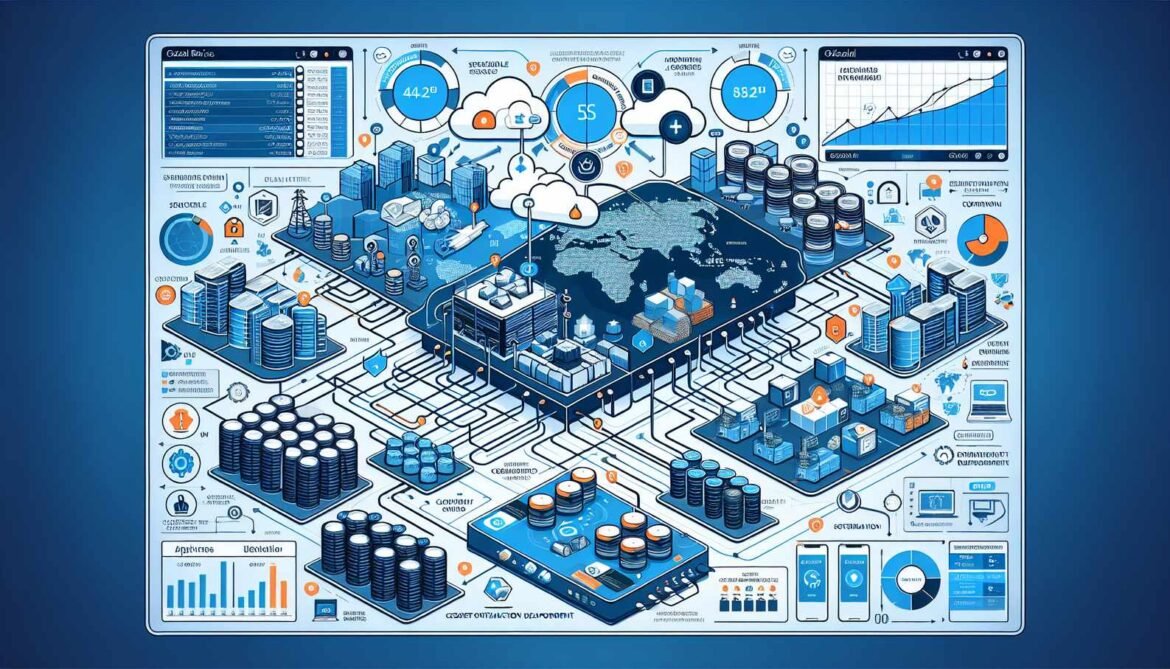
Moving agentic AI systems from development environments to production requires careful attention to hosting infrastructure, scaling strategies, monitoring implementation, and operational practices. This article provides comprehensive guidance for deploying Azure AI Foundry agent systems to production, covering hosting options, performance optimization, cost management, and reliability engineering based on proven practices from enterprise deployments.
Production deployments demand different approaches than development environments. Requirements include high availability ensuring systems remain accessible during failures, automatic scaling handling variable workload demands, comprehensive monitoring detecting issues before they impact users, security hardening protecting against attacks and unauthorized access, and cost optimization managing expenses as usage scales. Azure provides multiple hosting options each suited for different deployment scenarios and requirements.
Azure Hosting Options for Agent Systems
Azure App Service provides the simplest deployment path for agent applications. This fully managed platform handles infrastructure provisioning, automatic scaling, load balancing, and SSL certificate management. App Service supports Python, Node.js, and .NET natively with built-in deployment slots enabling blue-green deployments for zero-downtime updates. The service integrates seamlessly with Azure Monitor, Application Insights, and Key Vault providing comprehensive operational capabilities without complex configuration.
Deploy Python agents to App Service using the Azure CLI or deployment pipelines. Configure application settings mapping to environment variables your agent code reads. Enable Always On preventing application unloading during idle periods. Configure auto-scaling rules based on CPU, memory, or custom metrics ensuring adequate capacity during peak usage. Implement health check endpoints enabling App Service to detect and restart unhealthy instances automatically.
For C# agents, publish compiled binaries to App Service using Visual Studio integration or command-line tools. Configure managed identity enabling agents to authenticate to Azure services without storing credentials. Implement dependency injection patterns compatible with App Service hosting model. Use deployment slots testing changes in staging environments before production promotion.
Node.js agent deployment follows similar patterns with npm package deployment and PM2 process management. Configure environment-specific settings through App Service application settings. Implement graceful shutdown handling ensuring in-flight requests complete before process termination during deployments or scaling operations.
Azure Container Apps provides serverless container hosting with automatic scaling to zero reducing costs during idle periods. This option suits agents with variable workload patterns or microservices architectures requiring independent scaling of different components. Container Apps supports any containerized application regardless of language or framework enabling polyglot architectures mixing Python, Node.js, and C# services.
Containerize agents using Docker defining images with application code, dependencies, and runtime configuration. Push images to Azure Container Registry for secure storage and versioning. Deploy to Container Apps specifying resource limits, scaling rules, and ingress configuration. Implement health probes enabling platform-managed restarts of unhealthy containers.
Azure Kubernetes Service provides maximum control and flexibility for complex agent deployments. AKS suits organizations with existing Kubernetes expertise or requirements for advanced networking, custom scaling logic, or integration with service mesh architectures. The platform enables sophisticated deployment patterns including canary releases, A/B testing, and multi-region active-active configurations.
Deploy agents to AKS using Kubernetes manifests or Helm charts defining deployments, services, ingress routes, and configuration. Implement horizontal pod autoscaling based on custom metrics from agent operations. Configure pod disruption budgets ensuring minimum availability during cluster maintenance. Use Kubernetes secrets or Azure Key Vault integration managing sensitive configuration.
Azure Functions provides event-driven execution for agent workflows triggered by HTTP requests, queue messages, timer schedules, or event grid notifications. This option works well for asynchronous agent operations not requiring immediate responses. Durable Functions extend capabilities with workflow orchestration, state management, and long-running operations suited for multi-agent coordination patterns from Part 4.
Deployment Pipeline Implementation
Automated deployment pipelines ensure consistent, repeatable deployments reducing human error and enabling rapid iteration. Azure DevOps and GitHub Actions provide robust CI/CD capabilities integrating with all Azure hosting options.
Pipeline stages include source control integration triggering builds on code commits, continuous integration compiling code and running unit tests, security scanning checking for vulnerabilities in dependencies and code, artifact generation producing deployable packages or container images, infrastructure provisioning using Terraform or Bicep ensuring consistent environment configuration, application deployment pushing code to target environments, smoke testing verifying basic functionality after deployment, and automated rollback reverting changes if smoke tests fail.
Implement multi-stage pipelines progressing through development, staging, and production environments. Require manual approval gates before production deployments ensuring appropriate review. Use variable groups managing environment-specific configuration without hardcoding values in pipeline definitions.
Infrastructure as code defines Azure resources in version-controlled templates. Terraform provides cloud-agnostic infrastructure definition supporting multi-cloud strategies. Bicep offers Azure-native syntax with strong typing and IntelliSense support. Both approaches enable reproducible infrastructure deployments across environments ensuring development, staging, and production maintain consistent configurations.
Scaling Strategies for Agent Workloads
Agent systems exhibit diverse scaling characteristics requiring thoughtful capacity planning. Interactive agents serving user requests need low latency and consistent availability. Batch processing agents handling document workflows prioritize throughput over response time. Analytical agents performing computationally intensive operations require significant CPU and memory resources.
Horizontal scaling adds more instances handling increased request volumes. Configure auto-scaling rules increasing instance counts when CPU utilization exceeds 70 percent, request queue depth grows beyond threshold values, or custom metrics indicate capacity constraints. Implement scale-in policies removing instances during low-demand periods controlling costs while maintaining minimum instance counts ensuring baseline availability.
Vertical scaling increases resources per instance when workloads are memory or CPU intensive but do not parallelize effectively. Analyze resource utilization patterns identifying bottlenecks. Provision larger instance sizes providing additional capacity. Balance vertical and horizontal scaling achieving optimal price-performance ratios for specific workload characteristics.
Geographic distribution deploys agents across multiple Azure regions providing low latency for global users and disaster recovery capabilities. Use Azure Front Door or Traffic Manager routing requests to nearest healthy region. Replicate data stores across regions maintaining consistency while enabling local access. Implement active-active configurations distributing load across regions or active-passive patterns maintaining hot standbys for failover scenarios.
Request queuing decouples request arrival from processing capacity. Use Azure Service Bus or Queue Storage buffering requests during demand spikes. Scale agent instances based on queue depth rather than direct request load. This pattern prevents request loss during temporary capacity constraints while avoiding over-provisioning for peak loads.
Monitoring and Observability
Comprehensive monitoring provides visibility into agent system behavior, performance, and health enabling proactive issue detection and rapid troubleshooting. Azure Monitor and Application Insights provide unified observability platforms collecting telemetry from agent applications and Azure services.
Application Performance Monitoring tracks request rates, response times, failure rates, and dependency calls. Instrument agent code using Application Insights SDKs automatically capturing HTTP requests, database queries, and external API calls. Analyze performance trends identifying degradations before they impact users. Set up availability tests monitoring agent endpoints from multiple geographic locations detecting regional outages or connectivity issues.
Distributed tracing follows requests across agent boundaries and external services. Assign correlation IDs to incoming requests propagating them through all downstream operations. View complete request traces in Application Insights identifying which agent or service contributes to total latency. Use dependency telemetry optimizing slow operations through caching, parallelization, or architectural changes.
Log aggregation collects structured logs from all agent instances into centralized storage. Use semantic logging emitting structured events with well-defined properties rather than free-form text messages. Query logs across instances and time ranges diagnosing issues and analyzing usage patterns. Implement log retention policies balancing diagnostic needs against storage costs.
Metrics collection tracks quantitative system characteristics. Collect custom metrics specific to agent operations including specialist agent invocation counts, function call durations, token consumption rates, conversation thread counts, and business-specific KPIs like customer satisfaction scores or issue resolution times. Visualize metrics in Azure Monitor dashboards providing real-time operational visibility.
Alerting notifies operations teams when issues require attention. Configure alerts for error rate spikes, response time degradation, resource exhaustion, security events, and custom metric thresholds. Implement alert action groups sending notifications through email, SMS, Teams, or integrating with incident management platforms like PagerDuty or ServiceNow. Tune alert sensitivity avoiding alert fatigue from false positives while ensuring genuine issues trigger timely responses.
Cost Management and Optimization
Production agent systems can generate significant Azure costs requiring active management and optimization. Cost drivers include model inference token consumption, compute resources for agent hosting, storage for conversation threads and files, data transfer between regions or services, and supporting services like databases and caches.
Model selection significantly impacts costs. GPT-4o-mini costs substantially less per token than GPT-4 while providing adequate capabilities for many scenarios. Use smaller models for routine operations reserving larger models for complex reasoning tasks. Implement model routing automatically selecting appropriate models based on request complexity maximizing cost efficiency without sacrificing quality.
Prompt optimization reduces token consumption without impacting functionality. Write concise instructions avoiding unnecessary verbosity. Trim conversation history retaining only relevant context for current requests. Implement response length limits preventing excessively verbose agent outputs. These optimizations directly reduce costs while often improving response quality through increased focus.
Caching prevents redundant computations and API calls. Cache knowledge base query results, frequently accessed data, and function call outputs with appropriate time-to-live values. Implement cache invalidation ensuring agents work with current information when underlying data changes. Measure cache hit rates optimizing cache configurations maximizing reuse.
Resource rightsizing matches provisioned capacity to actual requirements. Monitor resource utilization identifying over-provisioned instances. Adjust instance sizes and counts based on actual demand patterns. Use Azure Cost Management analyzing spending by service and resource identifying optimization opportunities.
Reserved capacity provides significant discounts for predictable workloads. Purchase one-year or three-year reservations for base capacity maintaining auto-scaling capabilities handling variable demand. This hybrid approach combines cost savings from reservations with flexibility from pay-as-you-go pricing.
Security Hardening for Production
Production agent systems require comprehensive security controls protecting against unauthorized access, data breaches, and malicious exploitation. Implement defense in depth with multiple layers of security controls.
Network security isolates agent systems from unauthorized access. Deploy agents in virtual networks with network security groups controlling inbound and outbound traffic. Use Azure Private Link accessing Azure services over private endpoints rather than public internet. Implement Web Application Firewall protecting against common exploits and attacks. Configure DDoS protection preventing availability attacks.
Identity and access management uses Azure Entra ID for authentication and authorization. Implement managed identities eliminating stored credentials. Configure role-based access control granting minimum permissions required for agent operations. Enable multi-factor authentication for administrative access. Audit access attempts detecting unauthorized access patterns.
Data protection encrypts data at rest and in transit. Enable transparent data encryption for databases storing conversation history and business data. Use TLS for all network communication between agents and clients. Implement customer-managed encryption keys providing additional control over encryption operations. Configure data retention policies ensuring compliance with privacy regulations.
Secrets management uses Azure Key Vault storing API keys, connection strings, and certificates. Reference secrets from application code through Key Vault APIs or managed identity integration. Rotate secrets regularly implementing automated rotation where possible. Audit secret access detecting unauthorized retrieval attempts.
Vulnerability management maintains current patch levels for all components. Enable automatic updates for platform-managed services. Implement automated scanning detecting vulnerabilities in application dependencies. Establish processes for rapid patching when critical vulnerabilities are disclosed. Participate in responsible disclosure programs for security issues discovered in your systems.
Disaster Recovery and Business Continuity
Production systems require disaster recovery capabilities ensuring business continuity during regional outages, data corruption, or other catastrophic failures. Define recovery time objectives and recovery point objectives based on business requirements guiding architecture decisions.
Backup strategies protect against data loss. Enable automated backups for databases and storage accounts. Test backup restoration regularly verifying backups are viable and restoration procedures work correctly. Store backups in geo-redundant storage protecting against regional disasters. Implement point-in-time recovery enabling restoration to specific moments before corruption or errors occurred.
Geographic redundancy deploys critical components across multiple Azure regions. Replicate data stores using active geo-replication or global distribution. Deploy agent applications to multiple regions with traffic distribution through global load balancers. Implement health checks automatically failing over to healthy regions when primary regions experience outages.
Chaos engineering proactively tests resilience by injecting failures in controlled environments. Terminate random instances verifying auto-healing restarts them automatically. Inject network latency validating timeout and retry logic. Corrupt data verifying detection and recovery procedures. Build confidence in disaster recovery capabilities through regular testing rather than discovering issues during actual disasters.
What’s Next: Security and Compliance
Part 7 explores comprehensive security and compliance requirements for enterprise agent deployments including role-based access control implementation, data privacy and protection strategies, regulatory compliance approaches for industries like healthcare and finance, audit logging and monitoring, and security testing methodologies ensuring robust protection of sensitive information and operations.