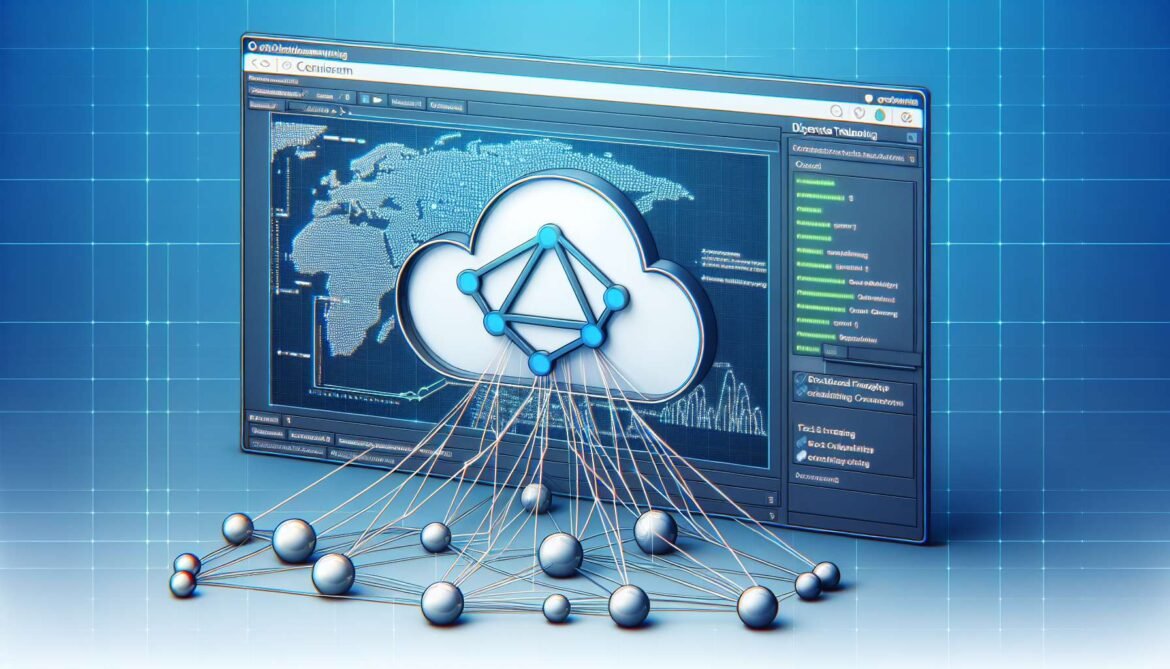
Modern application observability requires comprehensive instrumentation for traces, metrics, and logs. Azure Monitor has fully adopted OpenTelemetry as its standard observability framework for Node.js applications, replacing the legacy Application Insights SDK. This shift brings Node.js developers into alignment with industry-standard observability practices while maintaining seamless integration with Azure’s monitoring ecosystem.
In this guide, you’ll learn how to instrument your Node.js applications using the Azure Monitor OpenTelemetry Distro, configure automatic instrumentation for popular frameworks like Express and Fastify, implement custom spans and metrics, and configure your application for production observability.
Understanding Azure Monitor OpenTelemetry for Node.js
The Azure Monitor OpenTelemetry Distro is Microsoft’s supported distribution of the OpenTelemetry SDK, specifically customized for seamless integration with Azure Monitor Application Insights. Unlike the legacy Application Insights SDK, this approach uses vendor-neutral OpenTelemetry APIs, ensuring your instrumentation remains portable across different observability backends.
The Node.js distro automatically bundles essential instrumentation libraries for common scenarios including HTTP requests, database operations, message queuing systems, and Azure SDK calls. This bundling eliminates the manual dependency management required with raw OpenTelemetry implementations.
Architecture Overview
The following diagram illustrates how OpenTelemetry integrates with your Node.js application and Azure Monitor:
graph TB
    A[Node.js Application] --> B[OpenTelemetry SDK]
    B --> C[Auto Instrumentation]
    B --> D[Manual Instrumentation]
    C --> E[HTTP/HTTPS]
    C --> F[Express/Fastify]
    C --> G[MongoDB/Redis/PostgreSQL]
    C --> H[Azure SDK]
    D --> I[Custom Spans]
    D --> J[Custom Metrics]
    E --> K[Trace Processor]
    F --> K
    G --> K
    H --> K
    I --> K
    J --> L[Metrics Processor]
    K --> M[Azure Monitor Exporter]
    L --> M
    M --> N[Application Insights]
    N --> O[Azure Monitor Portal]

    style A fill:#68217a
    style B fill:#0078d4
    style M fill:#0078d4
    style N fill:#0078d4
    style O fill:#0078d4
Prerequisites and Setup
Before implementing OpenTelemetry instrumentation, ensure you have the following:
- Node.js version 14.17.0 or later (Node.js 18 LTS or 20 LTS recommended)
- An Azure subscription with an Application Insights resource
- Your Application Insights connection string
- Basic understanding of asynchronous Node.js patterns
Creating Application Insights Resource
If you don’t have an Application Insights resource, create one through the Azure Portal or using Azure CLI:
az monitor app-insights component create \
  --app my-nodejs-app \
  --location eastus \
  --resource-group my-resource-group \
  --application-type Node.JS
Retrieve your connection string:
az monitor app-insights component show \
  --app my-nodejs-app \
  --resource-group my-resource-group \
  --query connectionString \
  --output tsv
Installing Dependencies
Install the Azure Monitor OpenTelemetry package, which bundles all necessary OpenTelemetry components:
npm install @azure/monitor-opentelemetryThis single package includes the OpenTelemetry SDK, Azure Monitor exporters, and automatic instrumentation for HTTP, Azure SDK, and common databases. For manual instrumentation capabilities, install the OpenTelemetry API:
npm install @opentelemetry/apiBasic Implementation with Express
The simplest implementation requires calling useAzureMonitor before importing any other modules in your application. This initialization order is critical because OpenTelemetry needs to patch modules before they’re loaded.
Project Structure
Create the following file structure:
project-root/
├── instrumentation.js
├── server.js
├── package.json
└── .env
Environment Configuration
Create a .env file to store your connection string:
APPLICATIONINSIGHTS_CONNECTION_STRING=InstrumentationKey=00000000-0000-0000-0000-000000000000;IngestionEndpoint=https://eastus-8.in.applicationinsights.azure.com/;LiveEndpoint=https://eastus.livediagnostics.monitor.azure.com/
PORT=3000
Instrumentation Setup
Create instrumentation.js to initialize OpenTelemetry:
// instrumentation.js
const { useAzureMonitor } = require("@azure/monitor-opentelemetry");

const options = {
  azureMonitorExporterOptions: {
    connectionString: process.env.APPLICATIONINSIGHTS_CONNECTION_STRING
  },
  // Enable standard metrics collection
  enableStandardMetrics: true,
  // Enable live metrics for real-time monitoring
  enableLiveMetrics: true,
  // Set sampling ratio (1.0 = 100% of traces)
  samplingRatio: 1.0
};

useAzureMonitor(options);

console.log("Azure Monitor OpenTelemetry initialized");
Express Application Implementation
Create server.js with a basic Express application:
// server.js
// CRITICAL: Import instrumentation FIRST
require("./instrumentation");

const express = require("express");
const { trace } = require("@opentelemetry/api");

const app = express();
const PORT = process.env.PORT || 3000;

// Middleware
app.use(express.json());

// Sample routes to demonstrate automatic instrumentation
app.get("/", (req, res) => {
  res.json({
    message: "Hello from OpenTelemetry instrumented app",
    timestamp: new Date().toISOString()
  });
});

app.get("/api/users/:id", async (req, res) => {
  const userId = req.params.id;

  // Simulate async operation
  await new Promise(resolve => setTimeout(resolve, 100));

  res.json({
    userId,
    name: "Sample User",
    email: "user@example.com"
  });
});

app.get("/api/health", (req, res) => {
  res.json({
    status: "healthy",
    uptime: process.uptime()
  });
});

// Error handling
app.use((err, req, res, next) => {
  console.error(err.stack);
  res.status(500).json({ error: "Internal server error" });
});

app.listen(PORT, () => {
  console.log(`Server running on port ${PORT}`);
});
Start the application with the instrumentation loaded:
node server.jsAll HTTP requests to your Express application are now automatically traced and sent to Azure Monitor. Navigate to your Application Insights resource in the Azure Portal to view the telemetry data.
Fastify Framework Integration
Fastify requires additional instrumentation packages because it’s not included in the default auto-instrumentation bundle. Install the Fastify instrumentation library:
npm install @opentelemetry/instrumentation-fastify @opentelemetry/instrumentation-httpEnhanced Instrumentation Configuration
Update instrumentation.js to include Fastify support:
// instrumentation.js
const { useAzureMonitor } = require("@azure/monitor-opentelemetry");
const { registerInstrumentations } = require("@opentelemetry/instrumentation");
const { HttpInstrumentation } = require("@opentelemetry/instrumentation-http");
const { FastifyInstrumentation } = require("@opentelemetry/instrumentation-fastify");
const { trace, metrics } = require("@opentelemetry/api");

// Initialize Azure Monitor
const options = {
  azureMonitorExporterOptions: {
    connectionString: process.env.APPLICATIONINSIGHTS_CONNECTION_STRING
  },
  enableStandardMetrics: true,
  enableLiveMetrics: true,
  samplingRatio: 1.0
};

useAzureMonitor(options);

// Register additional instrumentations
registerInstrumentations({
  tracerProvider: trace.getTracerProvider(),
  meterProvider: metrics.getMeterProvider(),
  instrumentations: [
    new HttpInstrumentation(),
    new FastifyInstrumentation({
      // Add custom request hook for additional context
      requestHook: (span, info) => {
        span.setAttribute('http.route', info.request.routerPath);
        span.setAttribute('http.method', info.request.method);
      }
    })
  ]
});

console.log("Azure Monitor OpenTelemetry with Fastify initialized");
Fastify Application Example
Create a Fastify server with automatic instrumentation:
// fastify-server.js
require("./instrumentation");

const fastify = require("fastify")({ logger: true });
const { trace } = require("@opentelemetry/api");

// Register routes
fastify.get("/", async (request, reply) => {
  return {
    message: "Fastify with OpenTelemetry",
    timestamp: new Date().toISOString()
  };
});

fastify.get("/api/products/:id", async (request, reply) => {
  const productId = request.params.id;

  // Simulate database query
  await new Promise(resolve => setTimeout(resolve, 50));

  return {
    productId,
    name: "Sample Product",
    price: 99.99
  };
});

fastify.post("/api/orders", async (request, reply) => {
  const order = request.body;

  // Simulate order processing
  await new Promise(resolve => setTimeout(resolve, 200));

  return {
    orderId: Math.random().toString(36).substring(7),
    status: "processing",
    ...order
  };
});

// Error handler
fastify.setErrorHandler((error, request, reply) => {
  fastify.log.error(error);
  reply.status(500).send({ error: "Internal Server Error" });
});

// Start server
const start = async () => {
  try {
    await fastify.listen({
      port: process.env.PORT || 3000,
      host: "0.0.0.0"
    });
  } catch (err) {
    fastify.log.error(err);
    process.exit(1);
  }
};

start();
Custom Spans and Manual Instrumentation
While automatic instrumentation covers most HTTP and database operations, you’ll often need custom spans to track business logic, external API calls, or complex computational operations.
Creating Custom Spans
Add custom spans to track specific operations:
// custom-tracing.js
const { trace } = require("@opentelemetry/api");

class OrderService {
  constructor() {
    this.tracer = trace.getTracer("order-service", "1.0.0");
  }

  async processOrder(orderData) {
    // Create a parent span for the entire operation
    return this.tracer.startActiveSpan("processOrder", async (span) => {
      try {
        span.setAttribute("order.id", orderData.id);
        span.setAttribute("order.items", orderData.items.length);
        span.setAttribute("order.total", orderData.total);

        // Validate order
        await this.validateOrder(orderData);

        // Process payment
        const paymentResult = await this.processPayment(orderData);
        span.setAttribute("payment.status", paymentResult.status);

        // Update inventory
        await this.updateInventory(orderData.items);

        span.setStatus({ code: 1 }); // OK status
        return { success: true, orderId: orderData.id };
      } catch (error) {
        span.recordException(error);
        span.setStatus({
          code: 2, // ERROR status
          message: error.message
        });
        throw error;
      } finally {
        span.end();
      }
    });
  }

  async validateOrder(orderData) {
    return this.tracer.startActiveSpan("validateOrder", async (span) => {
      try {
        // Validation logic
        await new Promise(resolve => setTimeout(resolve, 50));

        if (!orderData.items || orderData.items.length === 0) {
          throw new Error("Order must contain items");
        }

        span.setAttribute("validation.result", "passed");
        span.setStatus({ code: 1 });
      } catch (error) {
        span.recordException(error);
        span.setStatus({ code: 2, message: error.message });
        throw error;
      } finally {
        span.end();
      }
    });
  }

  async processPayment(orderData) {
    return this.tracer.startActiveSpan("processPayment", async (span) => {
      try {
        span.setAttribute("payment.method", orderData.paymentMethod);
        span.setAttribute("payment.amount", orderData.total);

        // Simulate payment processing
        await new Promise(resolve => setTimeout(resolve, 300));

        const result = {
          status: "completed",
          transactionId: Math.random().toString(36).substring(7)
        };

        span.setAttribute("payment.transactionId", result.transactionId);
        span.setStatus({ code: 1 });

        return result;
      } catch (error) {
        span.recordException(error);
        span.setStatus({ code: 2, message: error.message });
        throw error;
      } finally {
        span.end();
      }
    });
  }

  async updateInventory(items) {
    return this.tracer.startActiveSpan("updateInventory", async (span) => {
      try {
        span.setAttribute("inventory.items", items.length);

        // Simulate inventory update
        await new Promise(resolve => setTimeout(resolve, 100));

        span.setStatus({ code: 1 });
      } catch (error) {
        span.recordException(error);
        span.setStatus({ code: 2, message: error.message });
        throw error;
      } finally {
        span.end();
      }
    });
  }
}

module.exports = OrderService;
Integration with Express Routes
Use the custom service in your Express routes:
// routes/orders.js
const OrderService = require("../custom-tracing");
const orderService = new OrderService();

app.post("/api/orders", async (req, res) => {
  try {
    const orderData = {
      id: Math.random().toString(36).substring(7),
      items: req.body.items,
      total: req.body.total,
      paymentMethod: req.body.paymentMethod
    };

    const result = await orderService.processOrder(orderData);
    res.json(result);
  } catch (error) {
    res.status(500).json({ error: error.message });
  }
});
Custom Metrics Implementation
Custom metrics track application-specific measurements beyond what automatic instrumentation provides. The OpenTelemetry API offers six metric instruments: Counter, UpDownCounter, Histogram, Observable Counter, Observable UpDownCounter, and Observable Gauge.
Implementing Business Metrics
// metrics.js
const { metrics } = require("@opentelemetry/api");

class ApplicationMetrics {
  constructor() {
    this.meter = metrics.getMeter("application-metrics", "1.0.0");
    this.setupMetrics();
  }

  setupMetrics() {
    // Counter: Monotonically increasing value
    this.orderCounter = this.meter.createCounter("orders.processed", {
      description: "Total number of orders processed",
      unit: "1"
    });

    // Histogram: Value distribution (e.g., latencies, sizes)
    this.orderValueHistogram = this.meter.createHistogram("order.value", {
      description: "Distribution of order values",
      unit: "USD"
    });

    // UpDownCounter: Can increase or decrease
    this.activeUsersCounter = this.meter.createUpDownCounter("users.active", {
      description: "Number of currently active users",
      unit: "1"
    });

    // Observable Gauge: Current value snapshot
    this.meter.createObservableGauge("system.memory.usage", {
      description: "Current memory usage",
      unit: "MB"
    }).addCallback((observableResult) => {
      const used = process.memoryUsage().heapUsed / 1024 / 1024;
      observableResult.observe(used);
    });

    // Observable Counter: Cumulative value
    this.meter.createObservableCounter("process.uptime", {
      description: "Process uptime in seconds",
      unit: "s"
    }).addCallback((observableResult) => {
      observableResult.observe(process.uptime());
    });
  }

  recordOrder(orderValue, status, paymentMethod) {
    // Record order processed
    this.orderCounter.add(1, {
      "order.status": status,
      "payment.method": paymentMethod
    });

    // Record order value
    this.orderValueHistogram.record(orderValue, {
      "order.status": status
    });
  }

  userConnected() {
    this.activeUsersCounter.add(1);
  }

  userDisconnected() {
    this.activeUsersCounter.add(-1);
  }
}

module.exports = new ApplicationMetrics();
Using Metrics in Application
// server-with-metrics.js
require("./instrumentation");

const express = require("express");
const metrics = require("./metrics");

const app = express();
app.use(express.json());

// Track active connections
app.use((req, res, next) => {
  metrics.userConnected();
  res.on("finish", () => {
    metrics.userDisconnected();
  });
  next();
});

app.post("/api/orders", async (req, res) => {
  try {
    const { total, items, paymentMethod } = req.body;

    // Process order...
    const status = "completed";

    // Record metrics
    metrics.recordOrder(total, status, paymentMethod);

    res.json({
      success: true,
      orderId: Math.random().toString(36).substring(7)
    });
  } catch (error) {
    metrics.recordOrder(req.body.total, "failed", req.body.paymentMethod);
    res.status(500).json({ error: error.message });
  }
});

app.listen(3000, () => {
  console.log("Server with custom metrics running on port 3000");
});
Configuration File Approach
For complex configurations, use a JSON configuration file instead of code-based setup. Create applicationinsights.json in your project root:
{
  "connectionString": "${APPLICATIONINSIGHTS_CONNECTION_STRING}",
  "samplingRatio": 0.8,
  "enableStandardMetrics": true,
  "enableLiveMetrics": true,
  "instrumentationOptions": {
    "azureSdk": {
      "enabled": true
    },
    "mongoDb": {
      "enabled": true
    },
    "mySql": {
      "enabled": true
    },
    "postgreSql": {
      "enabled": true
    },
    "redis": {
      "enabled": true
    },
    "http": {
      "enabled": true
    }
  },
  "otlpTraceExporterConfig": {
    "timeoutMillis": 30000
  },
  "otlpMetricExporterConfig": {
    "timeoutMillis": 30000
  },
  "resource": {
    "service.name": "my-nodejs-service",
    "service.namespace": "production",
    "service.instance.id": "${HOSTNAME}"
  }
}
Specify a custom configuration file path using environment variable:
APPLICATIONINSIGHTS_CONFIGURATION_FILE=./config/custom-telemetry.json node server.jsProduction Configuration Best Practices
Production deployments require careful configuration to balance observability with performance and cost.
Sampling Strategy
Implement intelligent sampling to reduce data volume while maintaining visibility into critical operations:
// production-config.js
const { useAzureMonitor } = require("@azure/monitor-opentelemetry");

const isProduction = process.env.NODE_ENV === "production";

const options = {
  azureMonitorExporterOptions: {
    connectionString: process.env.APPLICATIONINSIGHTS_CONNECTION_STRING
  },
  // Production: Sample 20% of traces
  // Development: Sample 100% of traces
  samplingRatio: isProduction ? 0.2 : 1.0,
  enableStandardMetrics: true,
  enableLiveMetrics: isProduction,
  resource: {
    "service.name": process.env.SERVICE_NAME || "nodejs-app",
    "service.namespace": process.env.ENVIRONMENT || "development",
    "service.instance.id": process.env.HOSTNAME || require("os").hostname(),
    "service.version": process.env.APP_VERSION || "1.0.0"
  }
};

useAzureMonitor(options);
Cloud Role Configuration
When running multiple services that send telemetry to the same Application Insights resource, configure cloud role names for proper service identification in Application Map:
// Set cloud role via resource attributes
const options = {
  azureMonitorExporterOptions: {
    connectionString: process.env.APPLICATIONINSIGHTS_CONNECTION_STRING
  },
  resource: {
    "service.name": "order-service",
    "service.namespace": "ecommerce-platform",
    "service.instance.id": process.env.HOSTNAME,
    "deployment.environment": process.env.ENVIRONMENT
  }
};
Error Handling and Resilience
Implement proper error handling to prevent telemetry failures from impacting application functionality:
// resilient-instrumentation.js
const { useAzureMonitor } = require("@azure/monitor-opentelemetry");
const { diag, DiagConsoleLogger, DiagLogLevel } = require("@opentelemetry/api");

// Enable diagnostic logging for troubleshooting
if (process.env.OTEL_DEBUG === "true") {
  diag.setLogger(new DiagConsoleLogger(), DiagLogLevel.DEBUG);
}

try {
  const options = {
    azureMonitorExporterOptions: {
      connectionString: process.env.APPLICATIONINSIGHTS_CONNECTION_STRING,
      // Retry configuration
      retryOptions: {
        maxRetries: 3,
        retryDelayMillis: 1000
      }
    },
    samplingRatio: parseFloat(process.env.SAMPLING_RATIO) || 1.0,
    enableStandardMetrics: true
  };

  useAzureMonitor(options);
  console.log("Telemetry initialized successfully");
} catch (error) {
  console.error("Failed to initialize telemetry:", error);
  // Application continues even if telemetry fails
}
Viewing Telemetry in Azure Portal
After instrumenting your application, telemetry data appears in your Application Insights resource within a few minutes. Access the following features in the Azure Portal:
- Application Map: Visualize service dependencies and call patterns across your distributed system
- Transaction Search: Query individual request traces with complete span hierarchies
- Performance: Analyze operation durations, dependency calls, and identify bottlenecks
- Failures: Track exception rates, failed requests, and error patterns
- Metrics: View custom metrics alongside platform metrics
- Live Metrics: Monitor real-time telemetry streams for debugging
Sample Kusto Query for Custom Metrics
Query custom metrics using Kusto Query Language in Log Analytics:
customMetrics
| where name == "orders.processed"
| where timestamp > ago(1h)
| summarize
    TotalOrders = sum(value),
    AvgOrdersPerMinute = avg(value) by bin(timestamp, 1m),
    OrdersByPaymentMethod = sum(value) by tostring(customDimensions.["payment.method"])
| order by timestamp desc
Common Issues and Troubleshooting
Telemetry Not Appearing
If telemetry doesn’t appear in Azure Portal, verify the following:
- Connection string is correct and includes InstrumentationKey and IngestionEndpoint
- instrumentation.js is imported before all other modules
- Application is generating traffic (automatic instrumentation requires actual requests)
- Network connectivity to Azure Monitor endpoints (check firewall rules)
- Wait 3-5 minutes for initial data ingestion
Enable Diagnostic Logging
const { diag, DiagConsoleLogger, DiagLogLevel } = require("@opentelemetry/api");

diag.setLogger(new DiagConsoleLogger(), DiagLogLevel.DEBUG);
Missing Custom Spans
Ensure you’re properly ending spans and handling async operations:
// WRONG: Span ends before async operation completes
const span = tracer.startSpan("operation");
someAsyncFunction(); // Not awaited
span.end(); // Ends immediately

// CORRECT: Use startActiveSpan for automatic context management
tracer.startActiveSpan("operation", async (span) => {
  try {
    await someAsyncFunction();
    span.setStatus({ code: 1 });
  } finally {
    span.end();
  }
});
Migration from Legacy Application Insights SDK
If you’re migrating from the legacy Application Insights Node.js SDK (version 2.x), the process involves minimal code changes. The Azure Monitor OpenTelemetry Distro automatically captures most telemetry that the legacy SDK provided.
Migration Steps
Remove the old SDK:
npm uninstall applicationinsightsInstall the new distro:
npm install @azure/monitor-opentelemetry @opentelemetry/apiReplace initialization code from this:
const appInsights = require("applicationinsights");
appInsights.setup(connectionString)
  .setAutoCollectRequests(true)
  .setAutoCollectDependencies(true)
  .start();
To this:
const { useAzureMonitor } = require("@azure/monitor-opentelemetry");
useAzureMonitor();
Your existing telemetry will continue flowing to the same Application Insights resource with improved accuracy and performance.
Conclusion
Implementing OpenTelemetry with Azure Monitor for Node.js applications provides production-grade observability with minimal configuration overhead. The Azure Monitor OpenTelemetry Distro handles automatic instrumentation for HTTP requests, database operations, and Azure SDK calls, while the OpenTelemetry API enables custom spans and metrics for business-specific observability.
This approach positions your application for future observability enhancements as the OpenTelemetry ecosystem continues to evolve, while maintaining seamless integration with Azure’s monitoring and analytics capabilities. Start with automatic instrumentation for immediate visibility, then progressively add custom spans and metrics as you identify specific monitoring requirements in your production workloads.
References
- Microsoft Learn – Enable OpenTelemetry in Application Insights
- Microsoft Docs – Azure Monitor OpenTelemetry for JavaScript
- npm – @azure/monitor-opentelemetry Package
- OpenTelemetry – Node.js Getting Started
- GitHub – OpenTelemetry Fastify Instrumentation
- GitHub – Azure Monitor OpenTelemetry Node.js Samples
- Microsoft Learn – Migrating from Application Insights SDK to OpenTelemetry
- Microsoft Learn – Add and Modify OpenTelemetry in Application Insights