In Part 2, we created our first custom Agent Skill and uploaded it to Claude.ai. Now we take the next critical step: integrating Agent Skills with the Claude API for production applications. This guide provides comprehensive implementation patterns across Node.js, Python, and C#, covering everything from basic skill usage to advanced patterns like container reuse, prompt caching, and multi-turn conversations.
Understanding the Skills API Architecture
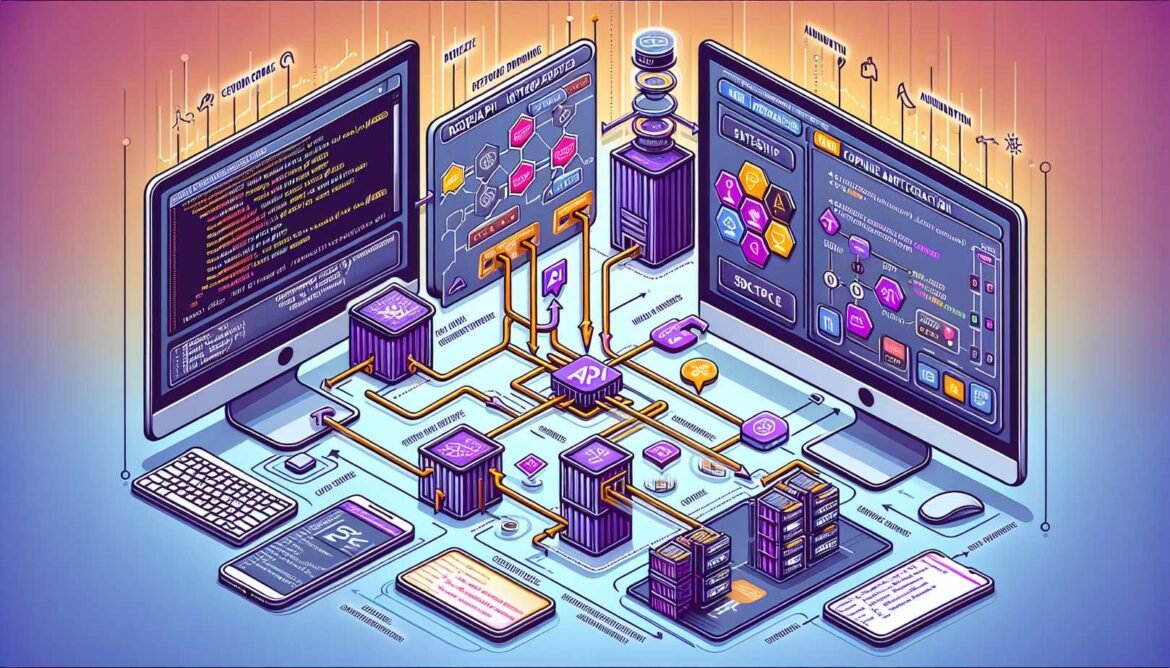
The Claude API supports Agent Skills through a specialized architecture built on three core components: the Messages API for conversations, the Skills API for skill management, and the Code Execution container for skill runtime. Understanding how these components work together is essential for effective integration.
Required Beta Headers
Using Skills via the API requires three beta headers in every request:
code-execution-2025-08-25    # Skills run in code execution container
skills-2025-10-02            # Enable Skills support
prompt-caching-2024-07-31    # Optional but recommended for efficiency
These headers signal to the API that your application requires the beta features necessary for Skills functionality. The code execution header is particularly important because Skills leverage Claude’s VM environment for filesystem access and script execution.
Setting Up Your Development Environment
Before diving into code, ensure your development environment is properly configured with the necessary SDKs and API credentials.
Node.js Setup
Install the Anthropic SDK and configure your API key:
npm install @anthropic-ai/sdk dotenv

# Create .env file
echo "ANTHROPIC_API_KEY=your_api_key_here" > .env
Python Setup
pip install anthropic python-dotenv --break-system-packages

# Create .env file
echo "ANTHROPIC_API_KEY=your_api_key_here" > .env
C# Setup
dotnet add package Anthropic.SDK
dotnet add package DotNetEnv

# Add to appsettings.json
{
  "Anthropic": {
    "ApiKey": "your_api_key_here"
  }
}
Managing Custom Skills via API
The Skills API provides endpoints for creating, listing, retrieving, and managing custom skills programmatically. Custom skills uploaded via the API are shared organization-wide, making them available to all team members.
Creating and Uploading Skills
Here is how to upload a custom skill in each language:
Node.js Implementation
const Anthropic = require('@anthropic-ai/sdk');
const fs = require('fs').promises;
const path = require('path');
require('dotenv').config();

const client = new Anthropic({
    apiKey: process.env.ANTHROPIC_API_KEY
});

async function createCustomSkill() {
    try {
        // Read the SKILL.md file
        const skillPath = path.join(__dirname, 'custom-skills', 'data-analysis', 'SKILL.md');
        const skillContent = await fs.readFile(skillPath, 'utf-8');

        // Create the skill
        const skill = await client.beta.skills.create({
            name: 'data-analysis-assistant',
            description: 'Analyze datasets and generate statistical insights',
            files: [{
                name: 'SKILL.md',
                content: Buffer.from(skillContent).toString('base64'),
                encoding: 'base64'
            }],
            betas: ['skills-2025-10-02']
        });

        console.log('Skill created successfully:');
        console.log(`  ID: ${skill.id}`);
        console.log(`  Name: ${skill.name}`);
        console.log(`  Version: ${skill.version}`);

        return skill;
    } catch (error) {
        console.error('Error creating skill:', error.message);
        throw error;
    }
}

async function listSkills() {
    try {
        // List all custom skills
        const response = await client.beta.skills.list({
            source: 'custom',
            betas: ['skills-2025-10-02']
        });

        console.log('Available custom skills:');
        for (const skill of response.data) {
            console.log(`  - ${skill.id}: ${skill.display_title}`);
            console.log(`    Description: ${skill.description}`);
            console.log(`    Version: ${skill.version}`);
        }

        return response.data;
    } catch (error) {
        console.error('Error listing skills:', error.message);
        throw error;
    }
}

async function getSkillDetails(skillId) {
    try {
        const skill = await client.beta.skills.retrieve(skillId, {
            betas: ['skills-2025-10-02']
        });

        console.log('Skill details:');
        console.log(JSON.stringify(skill, null, 2));

        return skill;
    } catch (error) {
        console.error('Error retrieving skill:', error.message);
        throw error;
    }
}

// Example usage
async function main() {
    // Create a new skill
    const skill = await createCustomSkill();

    // List all skills
    await listSkills();

    // Get specific skill details
    await getSkillDetails(skill.id);
}

main();
Python Implementation
import os
import base64
from pathlib import Path
from anthropic import Anthropic
from dotenv import load_dotenv

load_dotenv()

client = Anthropic(api_key=os.environ.get("ANTHROPIC_API_KEY"))

def create_custom_skill():
    """Create and upload a custom skill"""
    try:
        # Read the SKILL.md file
        skill_path = Path(__file__).parent / 'custom-skills' / 'data-analysis' / 'SKILL.md'

        with open(skill_path, 'r') as f:
            skill_content = f.read()

        # Encode content as base64
        encoded_content = base64.b64encode(skill_content.encode('utf-8')).decode('utf-8')

        # Create the skill
        skill = client.beta.skills.create(
            name='data-analysis-assistant',
            description='Analyze datasets and generate statistical insights',
            files=[{
                'name': 'SKILL.md',
                'content': encoded_content,
                'encoding': 'base64'
            }],
            betas=['skills-2025-10-02']
        )

        print('Skill created successfully:')
        print(f'  ID: {skill.id}')
        print(f'  Name: {skill.name}')
        print(f'  Version: {skill.version}')

        return skill
    except Exception as e:
        print(f'Error creating skill: {e}')
        raise

def list_skills():
    """List all custom skills"""
    try:
        response = client.beta.skills.list(
            source='custom',
            betas=['skills-2025-10-02']
        )

        print('Available custom skills:')
        for skill in response.data:
            print(f'  - {skill.id}: {skill.display_title}')
            print(f'    Description: {skill.description}')
            print(f'    Version: {skill.version}')

        return response.data
    except Exception as e:
        print(f'Error listing skills: {e}')
        raise

def get_skill_details(skill_id: str):
    """Retrieve detailed information about a skill"""
    try:
        skill = client.beta.skills.retrieve(
            skill_id=skill_id,
            betas=['skills-2025-10-02']
        )

        print('Skill details:')
        print(skill)

        return skill
    except Exception as e:
        print(f'Error retrieving skill: {e}')
        raise

def update_skill_version(skill_id: str):
    """Create a new version of an existing skill"""
    try:
        # Read updated SKILL.md content
        skill_path = Path(__file__).parent / 'custom-skills' / 'data-analysis' / 'SKILL.md'

        with open(skill_path, 'r') as f:
            updated_content = f.read()

        encoded_content = base64.b64encode(updated_content.encode('utf-8')).decode('utf-8')

        # Create new version
        new_version = client.beta.skills.versions.create(
            skill_id=skill_id,
            files=[{
                'name': 'SKILL.md',
                'content': encoded_content,
                'encoding': 'base64'
            }],
            betas=['skills-2025-10-02']
        )

        print(f'New version created: {new_version.version}')
        return new_version
    except Exception as e:
        print(f'Error updating skill: {e}')
        raise

if __name__ == '__main__':
    # Create a new skill
    skill = create_custom_skill()

    # List all skills
    list_skills()

    # Get specific skill details
    get_skill_details(skill.id)

    # Update to new version (if needed)
    # update_skill_version(skill.id)
C# Implementation
using System;
using System.IO;
using System.Text;
using System.Threading.Tasks;
using System.Collections.Generic;
using Anthropic.SDK;
using Anthropic.SDK.Skills;
using DotNetEnv;

namespace ClaudeSkillsAPI
{
    public class SkillManager
    {
        private readonly AnthropicClient _client;

        public SkillManager(string apiKey)
        {
            _client = new AnthropicClient(apiKey);
        }

        public async Task<Skill> CreateCustomSkillAsync()
        {
            try
            {
                // Read the SKILL.md file
                var skillPath = Path.Combine(
                    Directory.GetCurrentDirectory(),
                    "custom-skills",
                    "data-analysis",
                    "SKILL.md"
                );

                var skillContent = await File.ReadAllTextAsync(skillPath);
                var encodedContent = Convert.ToBase64String(Encoding.UTF8.GetBytes(skillContent));

                // Create the skill
                var skill = await _client.Beta.Skills.CreateAsync(new SkillCreateRequest
                {
                    Name = "data-analysis-assistant",
                    Description = "Analyze datasets and generate statistical insights",
                    Files = new List<SkillFile>
                    {
                        new SkillFile
                        {
                            Name = "SKILL.md",
                            Content = encodedContent,
                            Encoding = "base64"
                        }
                    },
                    Betas = new[] { "skills-2025-10-02" }
                });

                Console.WriteLine("Skill created successfully:");
                Console.WriteLine($"  ID: {skill.Id}");
                Console.WriteLine($"  Name: {skill.Name}");
                Console.WriteLine($"  Version: {skill.Version}");

                return skill;
            }
            catch (Exception ex)
            {
                Console.WriteLine($"Error creating skill: {ex.Message}");
                throw;
            }
        }

        public async Task<List<Skill>> ListSkillsAsync()
        {
            try
            {
                var response = await _client.Beta.Skills.ListAsync(new SkillListRequest
                {
                    Source = "custom",
                    Betas = new[] { "skills-2025-10-02" }
                });

                Console.WriteLine("Available custom skills:");
                foreach (var skill in response.Data)
                {
                    Console.WriteLine($"  - {skill.Id}: {skill.DisplayTitle}");
                    Console.WriteLine($"    Description: {skill.Description}");
                    Console.WriteLine($"    Version: {skill.Version}");
                }

                return response.Data;
            }
            catch (Exception ex)
            {
                Console.WriteLine($"Error listing skills: {ex.Message}");
                throw;
            }
        }

        public async Task<Skill> GetSkillDetailsAsync(string skillId)
        {
            try
            {
                var skill = await _client.Beta.Skills.RetrieveAsync(skillId, new SkillRetrieveRequest
                {
                    Betas = new[] { "skills-2025-10-02" }
                });

                Console.WriteLine("Skill details:");
                Console.WriteLine($"  ID: {skill.Id}");
                Console.WriteLine($"  Name: {skill.Name}");
                Console.WriteLine($"  Description: {skill.Description}");
                Console.WriteLine($"  Version: {skill.Version}");

                return skill;
            }
            catch (Exception ex)
            {
                Console.WriteLine($"Error retrieving skill: {ex.Message}");
                throw;
            }
        }

        public async Task<SkillVersion> UpdateSkillVersionAsync(string skillId)
        {
            try
            {
                var skillPath = Path.Combine(
                    Directory.GetCurrentDirectory(),
                    "custom-skills",
                    "data-analysis",
                    "SKILL.md"
                );

                var updatedContent = await File.ReadAllTextAsync(skillPath);
                var encodedContent = Convert.ToBase64String(Encoding.UTF8.GetBytes(updatedContent));

                var newVersion = await _client.Beta.Skills.Versions.CreateAsync(
                    skillId,
                    new SkillVersionCreateRequest
                    {
                        Files = new List<SkillFile>
                        {
                            new SkillFile
                            {
                                Name = "SKILL.md",
                                Content = encodedContent,
                                Encoding = "base64"
                            }
                        },
                        Betas = new[] { "skills-2025-10-02" }
                    }
                );

                Console.WriteLine($"New version created: {newVersion.Version}");
                return newVersion;
            }
            catch (Exception ex)
            {
                Console.WriteLine($"Error updating skill: {ex.Message}");
                throw;
            }
        }
    }

    class Program
    {
        static async Task Main(string[] args)
        {
            Env.Load();
            var apiKey = Environment.GetEnvironmentVariable("ANTHROPIC_API_KEY");
            var manager = new SkillManager(apiKey);

            // Create a new skill
            var skill = await manager.CreateCustomSkillAsync();

            // List all skills
            await manager.ListSkillsAsync();

            // Get specific skill details
            await manager.GetSkillDetailsAsync(skill.Id);
        }
    }
}
Using Skills in Messages API
Once your skills are created, you can use them in conversations through the Messages API. Skills are specified in the container parameter along with the code execution tool.
Basic Skill Usage
Node.js: Using Pre-built Skills
async function usePrebuiltSkill() {
    try {
        const response = await client.beta.messages.create({
            model: 'claude-sonnet-4-5-20250929',
            max_tokens: 4096,
            betas: [
                'code-execution-2025-08-25',
                'skills-2025-10-02'
            ],
            container: {
                skills: [
                    {
                        type: 'anthropic',
                        skill_id: 'xlsx',
                        version: 'latest'
                    }
                ]
            },
            messages: [{
                role: 'user',
                content: 'Create a quarterly sales tracking spreadsheet with sample data for Q1 2025'
            }],
            tools: [{
                type: 'code_execution_20250825',
                name: 'code_execution'
            }]
        });

        console.log('Response:', response.content[0].text);

        // Extract and download generated files
        await downloadGeneratedFiles(response);

        return response;
    } catch (error) {
        console.error('Error using skill:', error.message);
        throw error;
    }
}

async function downloadGeneratedFiles(response) {
    for (const block of response.content) {
        if (block.type === 'tool_use' && block.name === 'code_execution') {
            for (const resultBlock of block.content) {
                if (resultBlock.file_id) {
                    // Download using Files API
                    const fileContent = await client.beta.files.download(
                        resultBlock.file_id,
                        { betas: ['files-api-2025-04-14'] }
                    );

                    const filename = resultBlock.filename || 'output.xlsx';
                    await fs.writeFile(filename, fileContent);
                    console.log(`File saved: ${filename}`);
                }
            }
        }
    }
}
Python: Using Custom Skills
def use_custom_skill(skill_id: str, user_query: str):
    """Use a custom skill in a conversation"""
    try:
        response = client.beta.messages.create(
            model='claude-sonnet-4-5-20250929',
            max_tokens=4096,
            betas=[
                'code-execution-2025-08-25',
                'skills-2025-10-02'
            ],
            container={
                'skills': [
                    {
                        'type': 'custom',
                        'skill_id': skill_id,
                        'version': 'latest'
                    }
                ]
            },
            messages=[{
                'role': 'user',
                'content': user_query
            }],
            tools=[{
                'type': 'code_execution_20250825',
                'name': 'code_execution'
            }]
        )

        # Extract text response
        for block in response.content:
            if block.type == 'text':
                print(f'Claude: {block.text}')

        return response
    except Exception as e:
        print(f'Error using skill: {e}')
        raise

def use_multiple_skills(skill_ids: list, user_query: str):
    """Use multiple skills in a single conversation"""
    try:
        skills = [
            {
                'type': 'custom' if skill_id.startswith('skill_') else 'anthropic',
                'skill_id': skill_id,
                'version': 'latest'
            }
            for skill_id in skill_ids
        ]

        response = client.beta.messages.create(
            model='claude-sonnet-4-5-20250929',
            max_tokens=4096,
            betas=[
                'code-execution-2025-08-25',
                'skills-2025-10-02'
            ],
            container={
                'skills': skills
            },
            messages=[{
                'role': 'user',
                'content': user_query
            }],
            tools=[{
                'type': 'code_execution_20250825',
                'name': 'code_execution'
            }]
        )

        return response
    except Exception as e:
        print(f'Error using multiple skills: {e}')
        raise

# Example usage
if __name__ == '__main__':
    # Use single custom skill
    custom_skill_id = 'skill_01AbCdEfGhIjKlMnOpQrStUv'
    use_custom_skill(custom_skill_id, 'Analyze this sales data and create a summary report')

    # Use multiple skills together
    use_multiple_skills(
        ['xlsx', 'pptx', custom_skill_id],
        'Analyze the data and create both a spreadsheet and presentation'
    )
C#: Complete Skill Integration
public class SkillIntegration
{
    private readonly AnthropicClient _client;

    public SkillIntegration(string apiKey)
    {
        _client = new AnthropicClient(apiKey);
    }

    public async Task<MessageResponse> UsePrebuiltSkillAsync(string skillId, string userQuery)
    {
        try
        {
            var request = new MessageRequest
            {
                Model = "claude-sonnet-4-5-20250929",
                MaxTokens = 4096,
                Betas = new[]
                {
                    "code-execution-2025-08-25",
                    "skills-2025-10-02"
                },
                Container = new Container
                {
                    Skills = new[]
                    {
                        new SkillReference
                        {
                            Type = "anthropic",
                            SkillId = skillId,
                            Version = "latest"
                        }
                    }
                },
                Messages = new[]
                {
                    new Message
                    {
                        Role = "user",
                        Content = userQuery
                    }
                },
                Tools = new[]
                {
                    new Tool
                    {
                        Type = "code_execution_20250825",
                        Name = "code_execution"
                    }
                }
            };

            var response = await _client.Messages.CreateAsync(request);

            // Process response
            foreach (var block in response.Content)
            {
                if (block.Type == "text")
                {
                    Console.WriteLine($"Claude: {block.Text}");
                }
            }

            return response;
        }
        catch (Exception ex)
        {
            Console.WriteLine($"Error using skill: {ex.Message}");
            throw;
        }
    }

    public async Task<MessageResponse> UseMultipleSkillsAsync(
        List<string> skillIds,
        string userQuery)
    {
        try
        {
            var skills = skillIds.Select(id => new SkillReference
            {
                Type = id.StartsWith("skill_") ? "custom" : "anthropic",
                SkillId = id,
                Version = "latest"
            }).ToArray();

            var request = new MessageRequest
            {
                Model = "claude-sonnet-4-5-20250929",
                MaxTokens = 4096,
                Betas = new[]
                {
                    "code-execution-2025-08-25",
                    "skills-2025-10-02"
                },
                Container = new Container
                {
                    Skills = skills
                },
                Messages = new[]
                {
                    new Message
                    {
                        Role = "user",
                        Content = userQuery
                    }
                },
                Tools = new[]
                {
                    new Tool
                    {
                        Type = "code_execution_20250825",
                        Name = "code_execution"
                    }
                }
            };

            var response = await _client.Messages.CreateAsync(request);
            return response;
        }
        catch (Exception ex)
        {
            Console.WriteLine($"Error using multiple skills: {ex.Message}");
            throw;
        }
    }

    public async Task DownloadGeneratedFilesAsync(MessageResponse response, string outputDirectory)
    {
        Directory.CreateDirectory(outputDirectory);

        foreach (var block in response.Content)
        {
            if (block.Type == "tool_use" && block.Name == "code_execution")
            {
                foreach (var resultBlock in block.Content)
                {
                    if (!string.IsNullOrEmpty(resultBlock.FileId))
                    {
                        var fileContent = await _client.Beta.Files.DownloadAsync(
                            resultBlock.FileId,
                            new FileDownloadRequest
                            {
                                Betas = new[] { "files-api-2025-04-14" }
                            }
                        );

                        var filename = resultBlock.Filename ?? "output.bin";
                        var filepath = Path.Combine(outputDirectory, filename);

                        await File.WriteAllBytesAsync(filepath, fileContent);
                        Console.WriteLine($"File saved: {filepath}");
                    }
                }
            }
        }
    }
}
Advanced Patterns
Container Reuse for Multi-Turn Conversations
Containers maintain state across multiple requests. Reusing containers enables efficient multi-turn conversations where Claude can reference previous operations.
Python: Multi-Turn Container Pattern
def multi_turn_conversation_with_container():
    """Demonstrate container reuse across multiple turns"""
    messages = []
    container_id = None

    # Turn 1: Create initial analysis
    user_message_1 = "Analyze this sales data and create a summary spreadsheet"
    messages.append({'role': 'user', 'content': user_message_1})

    response1 = client.beta.messages.create(
        model='claude-sonnet-4-5-20250929',
        max_tokens=4096,
        betas=['code-execution-2025-08-25', 'skills-2025-10-02'],
        container={
            'skills': [
                {'type': 'anthropic', 'skill_id': 'xlsx', 'version': 'latest'}
            ]
        },
        messages=messages,
        tools=[{'type': 'code_execution_20250825', 'name': 'code_execution'}]
    )

    # Save container ID for reuse
    container_id = response1.container.id
    messages.append({'role': 'assistant', 'content': response1.content})

    print(f'Turn 1 completed. Container ID: {container_id}')

    # Turn 2: Ask follow-up question using same container
    user_message_2 = "What was the total revenue in Q1?"
    messages.append({'role': 'user', 'content': user_message_2})

    response2 = client.beta.messages.create(
        model='claude-sonnet-4-5-20250929',
        max_tokens=4096,
        betas=['code-execution-2025-08-25', 'skills-2025-10-02'],
        container={
            'id': container_id,  # Reuse existing container
            'skills': [
                {'type': 'anthropic', 'skill_id': 'xlsx', 'version': 'latest'}
            ]
        },
        messages=messages,
        tools=[{'type': 'code_execution_20250825', 'name': 'code_execution'}]
    )

    messages.append({'role': 'assistant', 'content': response2.content})
    print(f'Turn 2 completed using container {container_id}')

    # Turn 3: Add visualization
    user_message_3 = "Create a chart showing monthly trends"
    messages.append({'role': 'user', 'content': user_message_3})

    response3 = client.beta.messages.create(
        model='claude-sonnet-4-5-20250929',
        max_tokens=4096,
        betas=['code-execution-2025-08-25', 'skills-2025-10-02'],
        container={
            'id': container_id,
            'skills': [
                {'type': 'anthropic', 'skill_id': 'xlsx', 'version': 'latest'}
            ]
        },
        messages=messages,
        tools=[{'type': 'code_execution_20250825', 'name': 'code_execution'}]
    )

    print('Multi-turn conversation completed')
    return response3
Handling Long-Running Operations
Some skill operations may require multiple turns to complete. Handle the pause_turn stop reason appropriately:
Node.js: Pause Turn Handling
async function handleLongRunningOperation(skillId, userQuery) {
    const messages = [{ role: 'user', content: userQuery }];
    const maxRetries = 10;
    let containerId = null;

    for (let i = 0; i < maxRetries; i++) {
        const request = {
            model: 'claude-sonnet-4-5-20250929',
            max_tokens: 4096,
            betas: ['code-execution-2025-08-25', 'skills-2025-10-02'],
            container: containerId
                ? { id: containerId, skills: [{ type: 'custom', skill_id: skillId, version: 'latest' }] }
                : { skills: [{ type: 'custom', skill_id: skillId, version: 'latest' }] },
            messages: messages,
            tools: [{ type: 'code_execution_20250825', name: 'code_execution' }]
        };

        const response = await client.beta.messages.create(request);

        // Save container ID from first response
        if (!containerId) {
            containerId = response.container.id;
        }

        // Check stop reason
        if (response.stop_reason !== 'pause_turn') {
            console.log(`Operation completed after ${i + 1} turn(s)`);
            return response;
        }

        // Add assistant response and continue
        messages.push({ role: 'assistant', content: response.content });
        console.log(`Turn ${i + 1}: Continuing operation (pause_turn)...`);
    }

    throw new Error('Operation exceeded maximum retries');
}
Prompt Caching with Skills
Prompt caching significantly reduces costs and latency for repeated skill usage. However, adding or removing skills breaks the cache.
C#: Efficient Caching Strategy
public class CachingStrategy
{
    private readonly AnthropicClient _client;

    public CachingStrategy(string apiKey)
    {
        _client = new AnthropicClient(apiKey);
    }

    public async Task DemonstrateCachingAsync()
    {
        // First request creates cache
        var response1 = await _client.Beta.Messages.CreateAsync(new MessageRequest
        {
            Model = "claude-sonnet-4-5-20250929",
            MaxTokens = 4096,
            Betas = new[]
            {
                "code-execution-2025-08-25",
                "skills-2025-10-02",
                "prompt-caching-2024-07-31"
            },
            Container = new Container
            {
                Skills = new[]
                {
                    new SkillReference
                    {
                        Type = "anthropic",
                        SkillId = "xlsx",
                        Version = "latest"
                    }
                }
            },
            Messages = new[]
            {
                new Message
                {
                    Role = "user",
                    Content = "Analyze sales data"
                }
            },
            Tools = new[]
            {
                new Tool
                {
                    Type = "code_execution_20250825",
                    Name = "code_execution"
                }
            }
        });

        Console.WriteLine($"Cache creation tokens: {response1.Usage.CacheCreationInputTokens}");
        Console.WriteLine($"Cache read tokens: {response1.Usage.CacheReadInputTokens}");

        // Second request reuses cache (same skills)
        var response2 = await _client.Beta.Messages.CreateAsync(new MessageRequest
        {
            Model = "claude-sonnet-4-5-20250929",
            MaxTokens = 4096,
            Betas = new[]
            {
                "code-execution-2025-08-25",
                "skills-2025-10-02",
                "prompt-caching-2024-07-31"
            },
            Container = new Container
            {
                Skills = new[]
                {
                    new SkillReference
                    {
                        Type = "anthropic",
                        SkillId = "xlsx",
                        Version = "latest"
                    }
                }
            },
            Messages = new[]
            {
                new Message
                {
                    Role = "user",
                    Content = "Calculate total revenue"
                }
            },
            Tools = new[]
            {
                new Tool
                {
                    Type = "code_execution_20250825",
                    Name = "code_execution"
                }
            }
        });

        Console.WriteLine($"Cache hit! Read tokens: {response2.Usage.CacheReadInputTokens}");

        // Third request breaks cache (added pptx skill)
        var response3 = await _client.Beta.Messages.CreateAsync(new MessageRequest
        {
            Model = "claude-sonnet-4-5-20250929",
            MaxTokens = 4096,
            Betas = new[]
            {
                "code-execution-2025-08-25",
                "skills-2025-10-02",
                "prompt-caching-2024-07-31"
            },
            Container = new Container
            {
                Skills = new[]
                {
                    new SkillReference
                    {
                        Type = "anthropic",
                        SkillId = "xlsx",
                        Version = "latest"
                    },
                    new SkillReference
                    {
                        Type = "anthropic",
                        SkillId = "pptx",  // Added skill breaks cache
                        Version = "latest"
                    }
                }
            },
            Messages = new[]
            {
                new Message
                {
                    Role = "user",
                    Content = "Create a presentation"
                }
            },
            Tools = new[]
            {
                new Tool
                {
                    Type = "code_execution_20250825",
                    Name = "code_execution"
                }
            }
        });

        Console.WriteLine($"Cache miss (skill changed). Creation tokens: {response3.Usage.CacheCreationInputTokens}");
    }
}
Error Handling and Retry Logic
Production applications require robust error handling for API failures, rate limits, and skill execution errors.
Python: Comprehensive Error Handling
import time
from anthropic import APIError, RateLimitError, APIConnectionError

def use_skill_with_retry(skill_id: str, user_query: str, max_retries: int = 3):
    """Use skill with exponential backoff retry logic"""
    for attempt in range(max_retries):
        try:
            response = client.beta.messages.create(
                model='claude-sonnet-4-5-20250929',
                max_tokens=4096,
                betas=['code-execution-2025-08-25', 'skills-2025-10-02'],
                container={
                    'skills': [
                        {'type': 'custom', 'skill_id': skill_id, 'version': 'latest'}
                    ]
                },
                messages=[{'role': 'user', 'content': user_query}],
                tools=[{'type': 'code_execution_20250825', 'name': 'code_execution'}]
            )
            return response

        except RateLimitError as e:
            if attempt < max_retries - 1:
                wait_time = (2 ** attempt) + (time.time() % 1)
                print(f'Rate limited. Retrying in {wait_time:.2f} seconds...')
                time.sleep(wait_time)
            else:
                print(f'Rate limit exceeded after {max_retries} attempts')
                raise

        except APIConnectionError as e:
            if attempt < max_retries - 1:
                wait_time = (2 ** attempt)
                print(f'Connection error. Retrying in {wait_time} seconds...')
                time.sleep(wait_time)
            else:
                print(f'Connection failed after {max_retries} attempts')
                raise

        except APIError as e:
            print(f'API error: {e.status_code} - {e.message}')
            if e.status_code >= 500 and attempt < max_retries - 1:
                wait_time = (2 ** attempt)
                print(f'Server error. Retrying in {wait_time} seconds...')
                time.sleep(wait_time)
            else:
                raise

        except Exception as e:
            print(f'Unexpected error: {e}')
            raise

    raise Exception(f'Failed after {max_retries} attempts')
Best Practices for Production
- Always specify skill versions explicitly in production rather than using “latest”
- Implement exponential backoff for rate limit and connection errors
- Reuse containers for multi-turn conversations to maintain state
- Monitor cache hit rates to optimize costs
- Set appropriate max_tokens based on expected skill outputs
- Handle pause_turn stop reason for long-running operations
- Log container IDs for debugging and tracing
- Validate skill availability before critical operations
- Implement timeouts for long-running skill executions
- Use organization-wide skills for team consistency
Coming Up Next
You now have comprehensive knowledge of integrating Agent Skills with the Claude API across multiple programming languages. In Part 5, we will explore enterprise deployment and management, including organization-wide skill provisioning, centralized administration, governance frameworks, and team collaboration patterns.
We will cover how administrators can manage skills at scale, implement approval workflows, monitor skill usage across teams, and establish best practices for skill lifecycle management in enterprise environments.
References
- Claude Developer Platform – “Using Agent Skills with the API” (https://platform.claude.com/docs/en/build-with-claude/skills-guide)
- Claude Developer Platform – “Get started with Agent Skills in the API” (https://platform.claude.com/docs/en/agents-and-tools/agent-skills/quickstart)
- Collabnix – “Claude API Integration Guide 2025: Complete Developer Tutorial” (https://collabnix.com/claude-api-integration-guide-2025-complete-developer-tutorial-with-code-examples/)
- Claude Developer Platform – “Agent Skills Overview” (https://platform.claude.com/docs/en/agents-and-tools/agent-skills/overview)
- Claude Code Docs – “Extend Claude with skills” (https://code.claude.com/docs/en/skills)
- GitHub – anthropics/skills – “Public repository for Agent Skills” (https://github.com/anthropics/skills)
- Anthropic Engineering Blog – “Equipping agents for the real world with Agent Skills” (https://www.anthropic.com/engineering/equipping-agents-for-the-real-world-with-agent-skills)
- GitHub – travisvn/awesome-claude-skills – “A curated list of awesome Claude Skills” (https://github.com/travisvn/awesome-claude-skills)