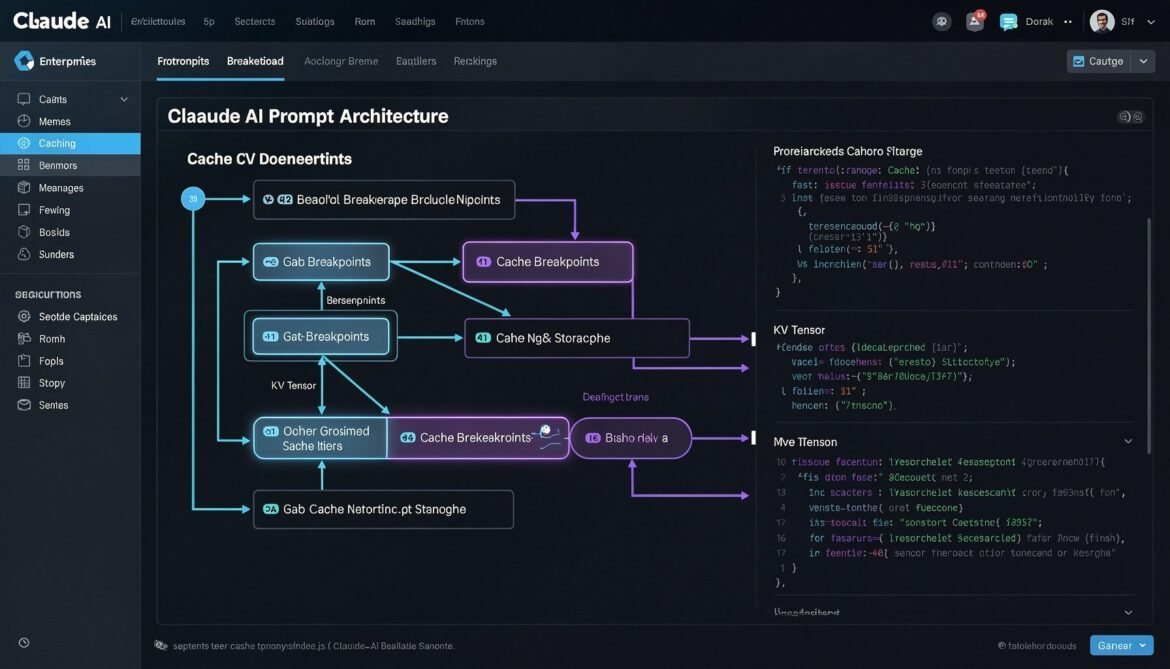
Part 1 of this series established what prompt caching is and why it matters. Now it is time to get into implementation. Claude Sonnet 4.6 takes a developer-first approach to caching: rather than making caching automatic and opaque, Anthropic gives you explicit control through cache_control breakpoints. You decide exactly which portions of your prompt get cached, and you configure the TTL to match your traffic patterns.
This part covers everything you need to ship prompt caching with Claude Sonnet 4.6 in production: how breakpoints work, TTL options, multi-breakpoint strategies, cost accounting, and a complete Node.js implementation you can drop into an existing application.
How Claude Sonnet 4.6 Caching Works
Claude’s caching system operates on a prefix-matching model. When you mark a portion of your prompt with cache_control, Anthropic’s infrastructure stores the KV tensors computed for everything up to that breakpoint. On the next request, if the content up to that breakpoint is byte-for-byte identical, the API returns those tensors from cache instead of recomputing them.
A few rules govern how this works in practice. First, you can set up to four cache breakpoints per request. Second, the cache is checked from the last breakpoint backwards, so the system finds the longest matching cached prefix. Third, the minimum cacheable length is 1,024 tokens for Claude Sonnet 4.6. Content shorter than this threshold will not be cached even if you mark it with cache_control.
The API response includes two new token count fields when caching is active: cache_creation_input_tokens tells you how many tokens were written to cache on this request, and cache_read_input_tokens tells you how many tokens were served from cache. Tracking these fields is essential for measuring your actual cache hit rate and calculating real cost savings.
flowchart TD
    A[Request with cache_control markers] --> B{Prefix match in cache?}
    B -->|Hit| C[Load cached KV tensors]
    B -->|Miss| D[Process full prefix]
    D --> E[Store KV tensors in cache]
    C --> F[Process only new tokens after breakpoint]
    E --> F
    F --> G[Generate response]
    G --> H[Return response + usage stats]
    H --> I[cache_creation_input_tokens\ncache_read_input_tokens\ninput_tokens]

    style C fill:#22c55e,color:#fff
    style D fill:#ef4444,color:#fff
    style I fill:#3b82f6,color:#fff
TTL Options: 5 Minutes vs 1 Hour
Claude Sonnet 4.6 offers two TTL configurations for cached content.
The default TTL is 5 minutes. Each time the cache is hit within that window, the TTL resets, so an active cache entry stays warm as long as requests keep coming. For high-traffic applications, this is usually sufficient and costs the least.
The extended TTL is 1 hour. This is useful for applications with moderate traffic, longer sessions, or workflows where requests arrive in batches with gaps between them. The extended TTL costs more per cache write (roughly 2x the base write cost versus the standard 1.25x), but in sessions where the gap between requests might exceed 5 minutes, it prevents cache misses that would otherwise force a full reprocess.
The right choice depends on your traffic pattern. High-volume real-time applications (chatbots, copilots) benefit most from the default 5-minute TTL. Document analysis tools, batch processing pipelines, or applications where users take time between messages are better served by the 1-hour option.
| TTL Option | Cache Write Cost | Cache Read Cost | Best For |
|---|---|---|---|
| 5 minutes (default) | +25% vs standard input | -90% vs standard input | High-frequency, real-time apps |
| 1 hour (extended) | +100% vs standard input | -90% vs standard input | Moderate traffic, long sessions |
Structuring Your Prompt for Maximum Cache Hits
The golden rule is static content first, dynamic content last. Any content that changes between requests must come after your cache breakpoints, never before. A single character difference anywhere before a breakpoint invalidates the entire cached prefix at that point.
A well-structured prompt for caching follows this order:
- System instructions – role, tone, output format, compliance rules (static, cache this)
- Shared documents or knowledge – product manuals, policy docs, retrieved context that is shared across users (static per document set, cache this)
- Conversation history – prior turns in the current session (grows over time, cache with care)
- Current user message – always dynamic, always last, never cached
flowchart LR
    subgraph Prompt Structure
        direction TB
        A["1. System Prompt\n(static)\n cache_control: ephemeral"]
        B["2. Shared Documents\n(static per session)\n cache_control: ephemeral"]
        C["3. Conversation History\n(grows per turn)\n cache_control: ephemeral"]
        D["4. Current User Message\n(always dynamic)\nNO cache_control"]
        A --> B --> C --> D
    end

    style A fill:#166534,color:#fff
    style B fill:#166534,color:#fff
    style C fill:#854d0e,color:#fff
    style D fill:#991b1b,color:#fff
Node.js Implementation: Basic Prompt Caching
Let us start with the core pattern. Install the Anthropic SDK if you have not already:
npm install @anthropic-ai/sdkHere is a production-ready caching client with full cost tracking:
// claude-cache-client.js
import Anthropic from '@anthropic-ai/sdk';

const client = new Anthropic({
  apiKey: process.env.ANTHROPIC_API_KEY,
});

// Track cumulative cache stats across requests
const cacheStats = {
  totalRequests: 0,
  cacheHits: 0,
  totalInputTokens: 0,
  cacheCreationTokens: 0,
  cacheReadTokens: 0,
  estimatedSavingsUSD: 0,
};

// Pricing for Claude Sonnet 4.6 (per million tokens)
const PRICING = {
  inputPerMillion: 3.0,
  cacheWritePerMillion: 3.75,   // 25% premium
  cacheReadPerMillion: 0.30,    // 90% discount
  outputPerMillion: 15.0,
};

function calculateCost(usage) {
  const inputCost = (usage.input_tokens / 1_000_000) * PRICING.inputPerMillion;
  const cacheWriteCost = (usage.cache_creation_input_tokens / 1_000_000) * PRICING.cacheWritePerMillion;
  const cacheReadCost = (usage.cache_read_input_tokens / 1_000_000) * PRICING.cacheReadPerMillion;
  const outputCost = (usage.output_tokens / 1_000_000) * PRICING.outputPerMillion;

  // What this request would have cost without caching
  const withoutCachingCost =
    ((usage.input_tokens + usage.cache_read_input_tokens) / 1_000_000) * PRICING.inputPerMillion +
    outputCost;

  const actualCost = inputCost + cacheWriteCost + cacheReadCost + outputCost;
  const savings = withoutCachingCost - actualCost;

  return { actualCost, savings, withoutCachingCost };
}

function updateStats(usage) {
  cacheStats.totalRequests++;
  cacheStats.totalInputTokens += usage.input_tokens + usage.cache_read_input_tokens;
  cacheStats.cacheCreationTokens += usage.cache_creation_input_tokens || 0;
  cacheStats.cacheReadTokens += usage.cache_read_input_tokens || 0;

  if (usage.cache_read_input_tokens > 0) {
    cacheStats.cacheHits++;
  }

  const { savings } = calculateCost(usage);
  cacheStats.estimatedSavingsUSD += savings;
}

export async function chatWithCaching({
  systemPrompt,
  sharedDocuments = [],
  conversationHistory = [],
  userMessage,
  extendedTTL = false,
}) {
  const cacheType = extendedTTL ? 'persistent' : 'ephemeral';

  // Build system content with cache breakpoint at the end
  const systemContent = [
    {
      type: 'text',
      text: systemPrompt,
      cache_control: { type: cacheType },
    },
  ];

  // Build messages array
  const messages = [];

  // Add shared documents as first user message if present
  if (sharedDocuments.length > 0) {
    const docContent = sharedDocuments.map((doc, index) => {
      const isLast = index === sharedDocuments.length - 1;
      return {
        type: 'text',
        text: `## Document: ${doc.title}\n\n${doc.content}`,
        // Only mark the last document with cache_control
        ...(isLast && { cache_control: { type: cacheType } }),
      };
    });

    messages.push({
      role: 'user',
      content: [
        ...docContent,
        {
          type: 'text',
          text: 'I have provided the reference documents above. Please confirm you are ready.',
        },
      ],
    });

    messages.push({
      role: 'assistant',
      content: 'I have reviewed all provided documents and am ready to assist.',
    });
  }

  // Add conversation history with cache breakpoint on last assistant turn
  if (conversationHistory.length > 0) {
    const historyMessages = conversationHistory.map((msg, index) => {
      const isLastAssistant =
        msg.role === 'assistant' && index === conversationHistory.length - 1;

      return {
        role: msg.role,
        content: isLastAssistant
          ? [
              {
                type: 'text',
                text: msg.content,
                cache_control: { type: cacheType },
              },
            ]
          : msg.content,
      };
    });

    messages.push(...historyMessages);
  }

  // Add current user message (no cache_control - always dynamic)
  messages.push({
    role: 'user',
    content: userMessage,
  });

  const response = await client.messages.create({
    model: 'claude-sonnet-4-6',
    max_tokens: 2048,
    system: systemContent,
    messages,
  });

  const usage = response.usage;
  updateStats(usage);

  const { actualCost, savings } = calculateCost(usage);

  return {
    content: response.content[0].text,
    usage: {
      inputTokens: usage.input_tokens,
      cacheCreationTokens: usage.cache_creation_input_tokens || 0,
      cacheReadTokens: usage.cache_read_input_tokens || 0,
      outputTokens: usage.output_tokens,
      cacheHit: (usage.cache_read_input_tokens || 0) > 0,
    },
    cost: {
      actualUSD: actualCost,
      savingsUSD: savings,
    },
    cumulativeStats: { ...cacheStats },
  };
}

export function getCacheStats() {
  return {
    ...cacheStats,
    hitRate:
      cacheStats.totalRequests > 0
        ? (cacheStats.cacheHits / cacheStats.totalRequests) * 100
        : 0,
    cacheEfficiency:
      cacheStats.totalInputTokens > 0
        ? (cacheStats.cacheReadTokens / cacheStats.totalInputTokens) * 100
        : 0,
  };
}
Multi-Turn Conversation with Automatic Cache Advancement
One of the most valuable caching patterns is advancing the cache breakpoint as a conversation grows. On each turn, you want the cache to cover everything up to the previous assistant response, so only the new user message needs to be processed fresh.
// conversation-manager.js
import { chatWithCaching } from './claude-cache-client.js';

export class CachedConversation {
  constructor({ systemPrompt, sharedDocuments = [], extendedTTL = false }) {
    this.systemPrompt = systemPrompt;
    this.sharedDocuments = sharedDocuments;
    this.extendedTTL = extendedTTL;
    this.history = [];
    this.totalSavings = 0;
  }

  async send(userMessage) {
    const result = await chatWithCaching({
      systemPrompt: this.systemPrompt,
      sharedDocuments: this.sharedDocuments,
      conversationHistory: this.history,
      userMessage,
      extendedTTL: this.extendedTTL,
    });

    // Append this turn to history for next request
    this.history.push({ role: 'user', content: userMessage });
    this.history.push({ role: 'assistant', content: result.content });

    this.totalSavings += result.cost.savingsUSD;

    return {
      reply: result.content,
      cacheHit: result.usage.cacheHit,
      cacheReadTokens: result.usage.cacheReadTokens,
      turnSavingsUSD: result.cost.savingsUSD,
      totalSavingsUSD: this.totalSavings,
    };
  }

  clearHistory() {
    this.history = [];
  }
}

// Usage example
async function main() {
  const SYSTEM_PROMPT = `You are a senior software architect specialising in cloud-native systems.
You provide precise, production-focused advice.
Always include code examples when explaining technical concepts.
Format responses with clear headings and concise explanations.`;

  const SHARED_DOCS = [
    {
      title: 'Architecture Guidelines v2.3',
      content: `## Microservices Standards
- All services must expose health endpoints at /health and /ready
- Services communicate via gRPC internally, REST externally
- Circuit breakers required for all downstream dependencies
- Distributed tracing via OpenTelemetry is mandatory
## Database Standards
- PostgreSQL for transactional data, Redis for cache/sessions
- All migrations must be backward-compatible
- Read replicas required for services above 1000 RPS`,
    },
  ];

  const conversation = new CachedConversation({
    systemPrompt: SYSTEM_PROMPT,
    sharedDocuments: SHARED_DOCS,
    extendedTTL: false,
  });

  const turns = [
    'How should I structure the authentication service?',
    'What circuit breaker library would you recommend for Node.js?',
    'How do I implement the health endpoints correctly?',
  ];

  for (const message of turns) {
    console.log(`\nUser: ${message}`);
    const result = await conversation.send(message);
    console.log(`Assistant: ${result.reply.substring(0, 150)}...`);
    console.log(`Cache hit: ${result.cacheHit} | Saved: $${result.turnSavingsUSD.toFixed(6)}`);
  }

  console.log(`\nTotal conversation savings: $${conversation.totalSavings.toFixed(4)}`);
}

main().catch(console.error);
RAG Pipeline with Document Caching
RAG is one of the highest-value caching scenarios. If multiple users query the same document set, caching the document content means only the first request per TTL window pays the full processing cost. All subsequent requests read from cache.
sequenceDiagram
    participant U1 as User 1
    participant U2 as User 2
    participant U3 as User 3
    participant API as Claude API
    participant Cache as KV Cache

    U1->>API: System + Docs + Query 1
    API->>Cache: Miss - store doc KV tensors
    API-->>U1: Response (full cost)

    U2->>API: System + Docs + Query 2
    API->>Cache: Hit - load doc KV tensors
    API-->>U2: Response (90% cheaper on doc tokens)

    U3->>API: System + Docs + Query 3
    API->>Cache: Hit - load doc KV tensors
    API-->>U3: Response (90% cheaper on doc tokens)

    Note over Cache: Cache TTL resets on each hit
// rag-cache-handler.js
import Anthropic from '@anthropic-ai/sdk';
const client = new Anthropic({ apiKey: process.env.ANTHROPIC_API_KEY });
export async function queryDocumentsWithCaching({
systemPrompt,
documents,
userQuery,
}) {
// Documents are chunked as separate text blocks.
// cache_control is placed only on the LAST document block.
// This tells Claude to cache everything up to and including
// the last document, covering the system prompt + all docs.
const documentBlocks = documents.map((doc, index) => ({
type: 'text',
text: `\n${doc.content}\n `,
...(index === documents.length - 1 && {
cache_control: { type: 'ephemeral' },
}),
}));
const response = await client.messages.create({
model: 'claude-sonnet-4-6',
max_tokens: 2048,
system: [
{
type: 'text',
text: systemPrompt,
cache_control: { type: 'ephemeral' },
},
],
messages: [
{
role: 'user',
content: [
...documentBlocks,
{
type: 'text',
text: userQuery,
},
],
},
],
});
const usage = response.usage;
const isCacheHit = (usage.cache_read_input_tokens || 0) > 0;
console.log({
cacheHit: isCacheHit,
inputTokens: usage.input_tokens,
cacheCreation: usage.cache_creation_input_tokens || 0,
cacheRead: usage.cache_read_input_tokens || 0,
output: usage.output_tokens,
});
return {
answer: response.content[0].text,
cacheHit: isCacheHit,
usage,
};
}
Multi-Breakpoint Strategy for Long Prompts
Claude Sonnet 4.6 supports up to four cache breakpoints per request. For prompts that combine multiple large static sections, using multiple breakpoints gives the cache system more granular matching targets. If the first section changes but the second does not, the second can still be served from cache.
// multi-breakpoint-example.js
// This pattern is useful when you have:
// 1. A large static system prompt
// 2. A large shared knowledge base
// 3. A per-user context that is stable across a session
// 4. A dynamic query

async function multiBreakpointRequest({
  systemPrompt,        // e.g. 2000 tokens, never changes
  knowledgeBase,       // e.g. 5000 tokens, changes weekly
  userSessionContext,  // e.g. 1000 tokens, changes per user
  userQuery,           // always dynamic
}) {
  return await client.messages.create({
    model: 'claude-sonnet-4-6',
    max_tokens: 2048,
    system: [
      {
        type: 'text',
        text: systemPrompt,
        cache_control: { type: 'ephemeral' }, // Breakpoint 1
      },
    ],
    messages: [
      {
        role: 'user',
        content: [
          {
            type: 'text',
            text: knowledgeBase,
            cache_control: { type: 'ephemeral' }, // Breakpoint 2
          },
          {
            type: 'text',
            text: userSessionContext,
            cache_control: { type: 'ephemeral' }, // Breakpoint 3
          },
          {
            type: 'text',
            text: userQuery,
            // No cache_control - always dynamic
          },
        ],
      },
    ],
  });
}
Monitoring Cache Performance in Production
Shipping caching without monitoring is flying blind. You need to track hit rates, token savings, and actual cost impact to validate that your prompt structure is working and to catch regressions when it breaks.
// cache-monitor.js
export class CacheMonitor {
  constructor() {
    this.metrics = {
      requests: [],
      windowStart: Date.now(),
    };
  }

  record(usage, metadata = {}) {
    const cacheReadTokens = usage.cache_read_input_tokens || 0;
    const cacheCreationTokens = usage.cache_creation_input_tokens || 0;
    const totalInputTokens = usage.input_tokens + cacheReadTokens;

    this.metrics.requests.push({
      timestamp: Date.now(),
      inputTokens: usage.input_tokens,
      cacheReadTokens,
      cacheCreationTokens,
      outputTokens: usage.output_tokens,
      cacheHit: cacheReadTokens > 0,
      cacheEfficiency: totalInputTokens > 0 ? cacheReadTokens / totalInputTokens : 0,
      ...metadata,
    });
  }

  getSummary(windowMinutes = 60) {
    const windowMs = windowMinutes * 60 * 1000;
    const cutoff = Date.now() - windowMs;
    const recent = this.metrics.requests.filter(r => r.timestamp > cutoff);

    if (recent.length === 0) return null;

    const totalRequests = recent.length;
    const cacheHits = recent.filter(r => r.cacheHit).length;
    const totalCacheReadTokens = recent.reduce((s, r) => s + r.cacheReadTokens, 0);
    const totalInputTokens = recent.reduce((s, r) => s + r.inputTokens + r.cacheReadTokens, 0);

    return {
      windowMinutes,
      totalRequests,
      cacheHitRate: ((cacheHits / totalRequests) * 100).toFixed(1) + '%',
      tokenCacheEfficiency: ((totalCacheReadTokens / totalInputTokens) * 100).toFixed(1) + '%',
      totalCacheReadTokens,
      avgCacheReadPerRequest: Math.round(totalCacheReadTokens / totalRequests),
    };
  }

  logSummary() {
    const summary = this.getSummary();
    if (summary) {
      console.log('[Cache Monitor]', JSON.stringify(summary, null, 2));
    }
  }
}

// Attach to your application
export const monitor = new CacheMonitor();

// Log every 5 minutes
setInterval(() => monitor.logSummary(), 5 * 60 * 1000);
Common Mistakes That Kill Cache Hit Rates
These are the most frequent issues that cause caching to silently fail in production.
Dynamic content before cache breakpoints. If your system prompt includes a timestamp, a request ID, or any per-request variable before the cache breakpoint, every request is a cache miss. Audit your system prompt for anything that changes between requests.
JSON serialisation order instability. If you build parts of your prompt by serialising JavaScript objects, key order can differ across runs or environments. Use a deterministic serialiser or always build prompt strings explicitly.
Whitespace or encoding inconsistencies. Trailing spaces, different line endings, or BOM characters will break exact prefix matching. Normalise all prompt strings before sending.
Placing cache_control on every block. You do not need to mark every text block. Place breakpoints only at the boundaries between stable and dynamic content. Unnecessary breakpoints do not cause errors but they do clutter your request and make debugging harder.
Not accounting for the minimum token threshold. If your system prompt is shorter than 1,024 tokens, it will not be cached. Check the token count of your static content before expecting cache hits.
Cost Estimation: When Does Caching Break Even?
Because cache writes cost 25 percent more than standard input, you need enough cache reads to break even. The formula is straightforward.
Let N be the number of requests that hit the same cache entry within one TTL window. Let T be the number of cached tokens. The write cost is 1.25x the standard input cost for T tokens. Each read saves 0.90x the standard input cost for T tokens.
Break-even point: the cache becomes cost-positive after just 2 reads within the TTL window. From the third request onwards, every cache hit saves you 90 percent of the input token cost for the cached portion. For applications with dozens or hundreds of requests per TTL window sharing the same prefix, the savings compound rapidly.
// break-even calculator
function cachingBreakEven({ cachedTokens, requestsPerTTLWindow, inputPricePerMillion }) {
  const standardCostPerToken = inputPricePerMillion / 1_000_000;
  const writeCostPerToken = standardCostPerToken * 1.25;
  const readCostPerToken = standardCostPerToken * 0.10;

  const writeCost = cachedTokens * writeCostPerToken;
  const readCostPerRequest = cachedTokens * readCostPerToken;
  const standardCostPerRequest = cachedTokens * standardCostPerToken;
  const savingsPerRead = standardCostPerRequest - readCostPerRequest;

  const breakEvenRequests = Math.ceil(writeCost / savingsPerRead);
  const netSavings = (requestsPerTTLWindow * savingsPerRead) - writeCost;

  return {
    breakEvenAfterRequests: breakEvenRequests,
    netSavingsPerWindow: netSavings.toFixed(6),
    savingsPercent: ((netSavings / (requestsPerTTLWindow * standardCostPerRequest)) * 100).toFixed(1),
  };
}

// Example: 5000 cached tokens, 50 requests per 5 min window, $3/M input
console.log(cachingBreakEven({
  cachedTokens: 5000,
  requestsPerTTLWindow: 50,
  inputPricePerMillion: 3.0,
}));
// Output: { breakEvenAfterRequests: 2, netSavingsPerWindow: '...' , savingsPercent: '...' }
What Is Next
Part 3 covers prompt caching with GPT-5.4. Unlike Claude, OpenAI’s caching is fully automatic and requires no cache_control markers. The trade-off is less developer control but simpler setup. We will also cover GPT-5.4’s new Tool Search feature, which changes how you structure tool definitions in agent systems, and implement the full pattern in C#.
References
- Anthropic – “Prompt Caching Documentation” (https://docs.anthropic.com/en/docs/build-with-claude/prompt-caching)
- DigitalOcean – “Prompt Caching Explained: OpenAI, Claude, and Gemini” (https://www.digitalocean.com/community/tutorials/prompt-caching-explained)
- PromptHub – “Prompt Caching with OpenAI, Anthropic, and Google Models” (https://www.prompthub.us/blog/prompt-caching-with-openai-anthropic-and-google-models)
- arXiv – “Don’t Break the Cache: Prompt Caching for Long-Horizon Agentic Tasks” (https://arxiv.org/html/2601.06007v1)
- OpenRouter – “Prompt Caching Best Practices” (https://openrouter.ai/docs/guides/best-practices/prompt-caching)