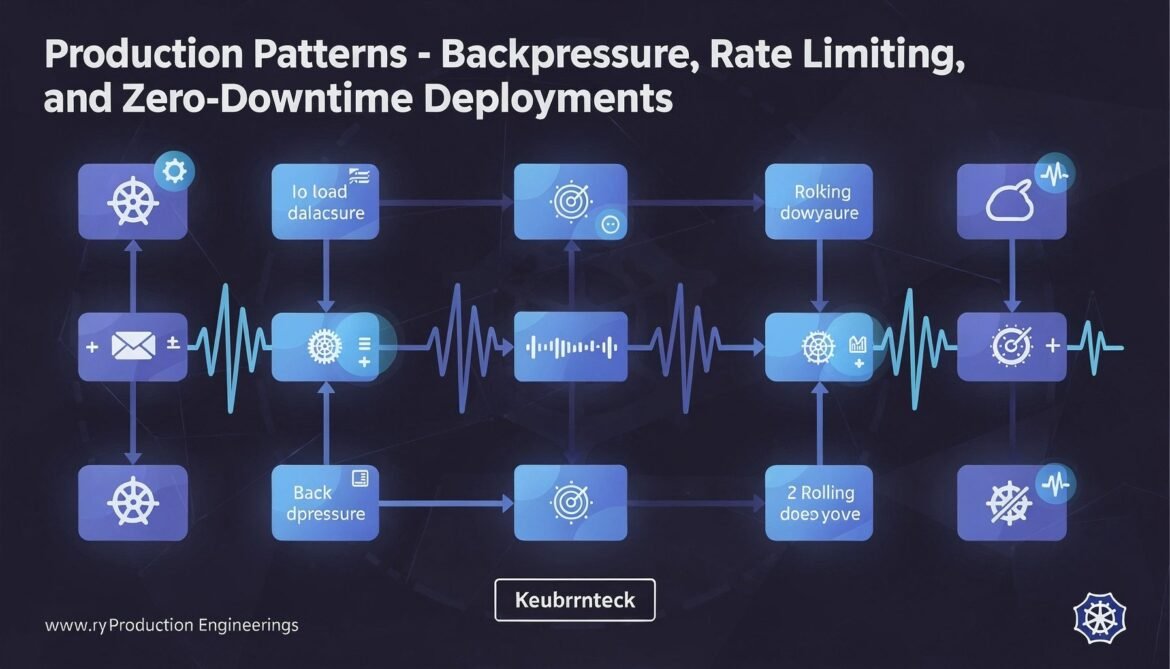
Nine parts of theory, architecture, and individual patterns. This final post assembles them into a production deployment guide. Backpressure to prevent cascade failures. Rate limiting to protect your service. Connection limits to avoid exhausting downstream systems. Health checks for orchestrators. Zero-downtime deploys for continuous delivery. These are the operational patterns that determine whether a Tokio service survives production.
Backpressure: Protecting Your Service
Backpressure is the mechanism that prevents fast producers from overwhelming slow consumers. Without it, a traffic spike causes unbounded task accumulation, memory growth, and eventual OOM. With it, the service degrades gracefully – requests slow down or get rejected at the boundary rather than crashing the process.
use tokio::sync::Semaphore;
use std::sync::Arc;
use axum::{extract::State, response::IntoResponse, http::StatusCode};

// Global concurrency limiter using Tower middleware
use tower::limit::ConcurrencyLimitLayer;

pub fn build_router(state: AppState) -> axum::Router {
    axum::Router::new()
        .route("/api/v1/users", axum::routing::get(list_users))
        .with_state(state)
        // Limit in-flight requests at the HTTP layer
        // Requests beyond the limit receive 503 immediately
        .layer(ConcurrencyLimitLayer::new(1000))
}

// Fine-grained backpressure per resource type
#[derive(Clone)]
pub struct ResourceLimits {
    pub db_permits: Arc,
    pub external_api_permits: Arc,
}

impl ResourceLimits {
    pub fn new() -> Self {
        Self {
            db_permits: Arc::new(Semaphore::new(50)),       // max 50 concurrent DB queries
            external_api_permits: Arc::new(Semaphore::new(20)), // max 20 concurrent external calls
        }
    }
}

async fn handler_with_limits(
    State(state): State,
    State(limits): State,
) -> impl IntoResponse {
    // Acquire permit or fail fast
    let db_permit = match limits.db_permits.try_acquire() {
        Ok(p) => p,
        Err(_) => {
            return (
                StatusCode::SERVICE_UNAVAILABLE,
                "Service at capacity - try again shortly"
            ).into_response();
        }
    };

    let result = fetch_data(&state.db).await;
    drop(db_permit); // return to pool

    match result {
        Ok(data) => axum::Json(data).into_response(),
        Err(e) => (StatusCode::INTERNAL_SERVER_ERROR, e.to_string()).into_response(),
    }
}
Rate Limiting
use tower_governor::{GovernorLayer, GovernorConfigBuilder};
use std::net::SocketAddr;

// Token bucket rate limiting per IP
pub fn rate_limited_router(state: AppState) -> axum::Router {
    let governor_conf = GovernorConfigBuilder::default()
        .per_second(10)        // refill rate: 10 tokens per second
        .burst_size(30)        // burst capacity: up to 30 instant requests
        .finish()
        .unwrap();

    axum::Router::new()
        .route("/api/v1/users", axum::routing::post(create_user))
        .with_state(state)
        .layer(GovernorLayer { config: Arc::new(governor_conf) })
}

// Simple in-process rate limiter using tokio's interval
use std::collections::HashMap;
use tokio::sync::RwLock;
use std::time::{Duration, Instant};

struct RateLimiter {
    limits: RwLock>>,
    window: Duration,
    max_requests: usize,
}

impl RateLimiter {
    fn new(window: Duration, max_requests: usize) -> Self {
        Self {
            limits: RwLock::new(HashMap::new()),
            window,
            max_requests,
        }
    }

    async fn check(&self, key: &str) -> bool {
        let now = Instant::now();
        let mut limits = self.limits.write().await;
        let timestamps = limits.entry(key.to_string()).or_default();

        // Remove entries outside the window
        timestamps.retain(|&t| now.duration_since(t) < self.window);

        if timestamps.len() < self.max_requests {
            timestamps.push(now);
            true
        } else {
            false
        }
    }
}
Connection Limits for Downstream Services
use sqlx::postgres::PgPoolOptions;
use std::time::Duration;

// Database connection pool with production settings
async fn production_db_pool(database_url: &str) -> sqlx::PgPool {
    PgPoolOptions::new()
        .max_connections(20)                        // never exceed 20 connections
        .min_connections(5)                         // keep 5 warm
        .acquire_timeout(Duration::from_secs(3))   // fail fast on exhaustion
        .idle_timeout(Duration::from_secs(600))
        .max_lifetime(Duration::from_secs(1800))
        .connect(database_url)
        .await
        .expect("Failed to connect to database")
}

// HTTP client with connection limits for external APIs
async fn build_http_client() -> reqwest::Client {
    reqwest::Client::builder()
        .pool_max_idle_per_host(10)                // max idle connections per host
        .connection_verbose(false)
        .timeout(Duration::from_secs(30))          // total request timeout
        .connect_timeout(Duration::from_secs(5))   // connection establishment timeout
        .tcp_keepalive(Duration::from_secs(60))
        .build()
        .expect("Failed to build HTTP client")
}
Health Checks for Kubernetes
use axum::{routing::get, Json, http::StatusCode};
use serde::Serialize;

#[derive(Serialize)]
struct HealthStatus {
    status: &'static str,
    database: &'static str,
    version: &'static str,
}

// Liveness: is the process alive and not deadlocked?
async fn liveness() -> StatusCode {
    StatusCode::OK
}

// Readiness: is the service ready to accept traffic?
async fn readiness(State(state): State) -> (StatusCode, Json) {
    let db_ok = sqlx::query("SELECT 1")
        .fetch_one(&state.db)
        .await
        .is_ok();

    if db_ok {
        (StatusCode::OK, Json(HealthStatus {
            status: "ready",
            database: "connected",
            version: env!("CARGO_PKG_VERSION"),
        }))
    } else {
        (StatusCode::SERVICE_UNAVAILABLE, Json(HealthStatus {
            status: "not ready",
            database: "disconnected",
            version: env!("CARGO_PKG_VERSION"),
        }))
    }
}

pub fn health_routes() -> axum::Router {
    axum::Router::new()
        .route("/health/live", get(liveness))
        .route("/health/ready", get(readiness))
}
Zero-Downtime Deployment
sequenceDiagram
    participant LB as Load Balancer
    participant Old as Old Pods
    participant New as New Pods
    participant K8s as Kubernetes

    K8s->>New: Start new pods
    New-->>K8s: /health/live: 200
    New-->>K8s: /health/ready: 503 (warming up)
    Note over New: DB pool warming, migrations running
    New-->>K8s: /health/ready: 200 (ready)
    K8s->>LB: Add new pods to rotation
    LB->>New: Traffic starts flowing
    K8s->>Old: Send SIGTERM
    Old->>Old: Stop accepting new connections\nDrain in-flight requests
    Note over Old: Graceful shutdown timeout (30s)
    Old-->>K8s: Process exits cleanly
    K8s->>LB: Remove old pods
// Complete graceful shutdown with drain period
use tokio::net::TcpListener;
use tokio::signal;
use std::sync::Arc;
use std::sync::atomic::{AtomicBool, Ordering};

#[tokio::main]
async fn main() -> anyhow::Result<()> {
    init_tracing();

    let config = load_config()?;
    let db = production_db_pool(&config.database_url).await;
    let state = AppState { db: db.clone(), config: Arc::new(config.clone()) };

    let app = axum::Router::new()
        .merge(health_routes())
        .nest("/api/v1", api_routes())
        .with_state(state)
        .layer(tower_http::trace::TraceLayer::new_for_http())
        .layer(tower_http::timeout::TimeoutLayer::new(
            std::time::Duration::from_secs(30)
        ));

    let listener = TcpListener::bind(format!("0.0.0.0:{}", config.port)).await?;
    tracing::info!("Listening on port {}", config.port);

    axum::serve(listener, app)
        .with_graceful_shutdown(async {
            // Wait for SIGTERM (Kubernetes) or Ctrl+C (development)
            let ctrl_c = async {
                signal::ctrl_c().await.expect("failed to install Ctrl+C handler");
            };

            #[cfg(unix)]
            let terminate = async {
                signal::unix::signal(signal::unix::SignalKind::terminate())
                    .expect("failed to install SIGTERM handler")
                    .recv()
                    .await;
            };

            #[cfg(not(unix))]
            let terminate = std::future::pending::<()>();

            tokio::select! {
                _ = ctrl_c => tracing::info!("Received Ctrl+C"),
                _ = terminate => tracing::info!("Received SIGTERM"),
            }

            tracing::info!("Shutdown signal received, draining connections");
            // axum::serve will stop accepting new connections and wait
            // for in-flight requests to complete before returning
        })
        .await?;

    // Close database pool after server stops
    db.close().await;
    tracing::info!("Database pool closed, shutdown complete");

    Ok(())
}
Kubernetes Deployment Configuration
apiVersion: apps/v1
kind: Deployment
metadata:
  name: rust-backend
spec:
  replicas: 3
  strategy:
    type: RollingUpdate
    rollingUpdate:
      maxSurge: 1
      maxUnavailable: 0        # never reduce capacity during deploy
  template:
    spec:
      terminationGracePeriodSeconds: 60  # matches your drain timeout
      containers:
        - name: app
          image: your-registry/rust-backend:latest
          ports:
            - containerPort: 8080
          env:
            - name: TOKIO_WORKER_THREADS
              value: "4"
            - name: RUST_LOG
              value: "warn,rust_backend=info"
          livenessProbe:
            httpGet:
              path: /health/live
              port: 8080
            initialDelaySeconds: 5
            periodSeconds: 10
            failureThreshold: 3
          readinessProbe:
            httpGet:
              path: /health/ready
              port: 8080
            initialDelaySeconds: 10
            periodSeconds: 5
            failureThreshold: 3
          resources:
            requests:
              memory: "128Mi"
              cpu: "250m"
            limits:
              memory: "512Mi"
              cpu: "1000m"
Production Checklist
// Runtime configuration
// [ ] Worker threads match CPU count (or tuned for your workload)
// [ ] Blocking thread pool cap set to prevent OS thread exhaustion
// [ ] Thread names set for readable profiles

// Reliability
// [ ] Timeouts on ALL external calls (database, HTTP, queues)
// [ ] Connection pool acquire_timeout prevents infinite queuing
// [ ] Global concurrency limit at HTTP layer
// [ ] Graceful shutdown with SIGTERM handling
// [ ] Readiness probe checks dependencies before accepting traffic

// Observability
// [ ] Structured logging with tracing
// [ ] Request span middleware (TraceLayer)
// [ ] Latency histograms on handlers and DB queries
// [ ] Error rate counters by status code
// [ ] Health endpoints for liveness and readiness

// Safety
// [ ] No blocking calls in async context
// [ ] No std::sync::Mutex held across .await
// [ ] Bounded channels everywhere (not unbounded_channel)
// [ ] Spawned task counts bounded by semaphore or JoinSet limit
// [ ] All error types implement IntoResponse for axum handlers
Series Summary
This series started with futures and poll, moved through Tokio’s scheduler internals, state machine generation, task management, channels, and a complete Axum backend. It covered the error handling and cancellation behaviors that catch developers off guard, the performance pitfalls that degrade production services, the observability tools that make async systems debuggable, and the deployment patterns that keep services stable under load.
Async Rust has a steeper learning curve than most async ecosystems. But the model is consistent – once you understand futures, poll, and the waker mechanism, everything else follows. The investment pays off in services that are genuinely fast, predictably behaved, and resource-efficient in ways that other languages struggle to match.
References
- Tower Middleware Documentation (https://docs.rs/tower/latest/tower/)
- tower-governor Rate Limiting (https://docs.rs/tower-governor/latest/tower_governor/)
- Tokio Documentation – “Graceful Shutdown” (https://tokio.rs/tokio/topics/shutdown)
- Axum Graceful Shutdown Example (https://github.com/tokio-rs/axum/blob/main/examples/graceful-shutdown/src/main.rs)
- Leapcell – “Unraveling Asynchronous Rust with async/await and Tokio” (https://leapcell.io/blog/unraveling-asynchronous-rust-with-async-await-and-tokio)