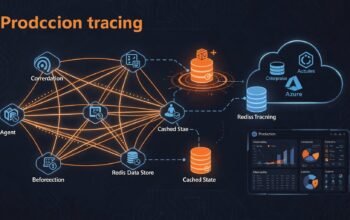
Python developers have access to a streamlined observability experience through the Azure Monitor OpenTelemetry Distro. Unlike traditional Application Insights SDKs that required extensive configuration, the modern OpenTelemetry approach reduces instrumentation to a single function call while providing comprehensive telemetry collection. This simplification makes production-grade observability accessible to Python applications regardless of framework, whether you’re using Flask for traditional WSGI apps or FastAPI for modern async APIs.
This guide demonstrates how to instrument Python applications using the Azure Monitor OpenTelemetry Distro, implement automatic instrumentation for Flask and FastAPI, create custom spans for business logic tracking, configure metrics collection, and prepare applications for production deployment with proper sampling and resource configuration.
Python OpenTelemetry Architecture
The Python OpenTelemetry ecosystem follows the standard OpenTelemetry specification while integrating seamlessly with Python’s native logging infrastructure. The Azure Monitor Distro bundles the OpenTelemetry SDK, Azure Monitor exporters, and commonly-used instrumentation libraries into a single package.
graph TB
    subgraph Python Application
        A[Flask/FastAPI App] --> B[configure_azure_monitor]
    end

    subgraph Azure Monitor Distro
        B --> C[TracerProvider]
        B --> D[MeterProvider]
        B --> E[LoggerProvider]
    end

    subgraph Auto Instrumentation
        F[Flask Instrumentation]
        G[FastAPI Instrumentation]
        H[Requests Instrumentation]
        I[PSYCOPG2 Instrumentation]
        J[Django Instrumentation]
    end

    C --> F
    C --> G
    C --> H
    C --> I
    C --> J

    subgraph Export
        C --> K[Azure Monitor Exporter]
        D --> K
        E --> K
        K --> L[Application Insights]
    end

    style A fill:#68217a
    style B fill:#f2711c
    style L fill:#0078d4
The distro automatically configures providers for traces, metrics, and logs, registers appropriate instrumentations based on detected libraries, and exports telemetry to Azure Monitor using the connection string from your environment or code.
Prerequisites and Environment Setup
Before implementing OpenTelemetry instrumentation, ensure your environment meets these requirements.
- Python 3.7 or later (Python 3.10+ recommended)
- pip package manager
- Virtual environment tool (venv or conda)
- Azure subscription with Application Insights resource
- Application Insights connection string
Creating Virtual Environment
python -m venv venv

# Linux/Mac
source venv/bin/activate

# Windows
venv\Scripts\activate
Installing the Distro
Install the Azure Monitor OpenTelemetry Distro:
pip install azure-monitor-opentelemetryThis single package includes OpenTelemetry SDK, Azure Monitor exporters, and automatic instrumentations for Flask, Django, FastAPI, Requests, PSYCOPG2, PyMongo, MySQL, and Redis.
Flask Application Implementation
Flask is Python’s most popular WSGI framework for building web applications. OpenTelemetry provides automatic instrumentation that requires minimal code changes.
Basic Flask Setup
Install Flask and create a basic application:
pip install flaskCreate app.py with OpenTelemetry configuration:
import os
from flask import Flask, request, jsonify
from azure.monitor.opentelemetry import configure_azure_monitor

# Configure Azure Monitor BEFORE creating Flask app
configure_azure_monitor(
    connection_string=os.environ.get("APPLICATIONINSIGHTS_CONNECTION_STRING")
)

app = Flask(__name__)

@app.route("/")
def home():
    return jsonify({"message": "Hello from Flask with OpenTelemetry"})

@app.route("/api/users/")
def get_user(user_id):
    # Simulated user data
    user = {
        "id": user_id,
        "name": f"User {user_id}",
        "email": f"user{user_id}@example.com"
    }
    return jsonify(user)

@app.route("/api/orders", methods=["POST"])
def create_order():
    data = request.get_json()

    # Simulated order processing
    order = {
        "order_id": "ORD-12345",
        "status": "processing",
        "items": data.get("items", []),
        "total": data.get("total", 0)
    }

    return jsonify(order), 201

if __name__ == "__main__":
    app.run(host="0.0.0.0", port=5000)
The configure_azure_monitor function automatically instruments Flask, capturing all HTTP requests, outgoing requests made via the requests library, and database operations.
Configuration Options
The distro accepts several configuration parameters:
from azure.monitor.opentelemetry import configure_azure_monitor

configure_azure_monitor(
    connection_string=os.environ.get("APPLICATIONINSIGHTS_CONNECTION_STRING"),

    # Disable offline storage for testing
    disable_offline_storage=False,

    # Custom resource attributes
    resource_attributes={
        "service.name": "flask-api",
        "service.namespace": "production",
        "service.version": "1.0.0",
        "deployment.environment": os.environ.get("ENV", "development")
    },

    # Set logging level
    logging_level="INFO",

    # Sampling ratio (0.0 to 1.0)
    sampling_ratio=1.0
)
FastAPI Application Implementation
FastAPI is a modern, high-performance framework built on ASGI. OpenTelemetry supports FastAPI through automatic instrumentation that captures async request handling.
Installing FastAPI Dependencies
pip install fastapi uvicornFastAPI Application with OpenTelemetry
import os
from fastapi import FastAPI, HTTPException
from pydantic import BaseModel
from azure.monitor.opentelemetry import configure_azure_monitor

# Configure OpenTelemetry BEFORE creating FastAPI app
configure_azure_monitor(
    connection_string=os.environ.get("APPLICATIONINSIGHTS_CONNECTION_STRING")
)

app = FastAPI(title="FastAPI with OpenTelemetry")

# Pydantic models
class OrderRequest(BaseModel):
    items: list[str]
    total: float
    customer_id: int

class OrderResponse(BaseModel):
    order_id: str
    status: str
    items: list[str]
    total: float

@app.get("/")
async def root():
    return {"message": "FastAPI with Azure Monitor OpenTelemetry"}

@app.get("/health")
async def health_check():
    return {"status": "healthy"}

@app.get("/api/products/{product_id}")
async def get_product(product_id: int):
    if product_id <= 0:
        raise HTTPException(status_code=400, detail="Invalid product ID")

    # Simulated product data
    product = {
        "id": product_id,
        "name": f"Product {product_id}",
        "price": 99.99
    }
    return product

@app.post("/api/orders", response_model=OrderResponse)
async def create_order(order: OrderRequest):
    # Simulated async order processing
    import asyncio
    await asyncio.sleep(0.1)

    order_response = OrderResponse(
        order_id=f"ORD-{order.customer_id}-001",
        status="processing",
        items=order.items,
        total=order.total
    )

    return order_response

if __name__ == "__main__":
    import uvicorn
    uvicorn.run(app, host="0.0.0.0", port=8000)
Run the FastAPI application:
uvicorn main:app --reload --port 8000Custom Spans for Business Logic
While automatic instrumentation captures HTTP requests and database calls, custom spans track application-specific operations like complex calculations, business rule validation, or multi-step processes.
Creating Custom Spans
import os
from opentelemetry import trace
from azure.monitor.opentelemetry import configure_azure_monitor

configure_azure_monitor(
    connection_string=os.environ.get("APPLICATIONINSIGHTS_CONNECTION_STRING")
)

# Get tracer instance
tracer = trace.get_tracer(__name__)

class OrderProcessor:
    def process_order(self, order_data):
        # Create parent span for entire operation
        with tracer.start_as_current_span("process_order") as span:
            span.set_attribute("order.id", order_data["id"])
            span.set_attribute("order.total", order_data["total"])

            # Validate order
            self.validate_order(order_data)

            # Calculate taxes
            tax_amount = self.calculate_tax(order_data["total"])
            span.set_attribute("order.tax", tax_amount)

            # Process payment
            payment_result = self.process_payment(order_data)

            return {
                "order_id": order_data["id"],
                "total": order_data["total"],
                "tax": tax_amount,
                "payment_status": payment_result
            }

    def validate_order(self, order_data):
        with tracer.start_as_current_span("validate_order") as span:
            # Validation logic
            if not order_data.get("items"):
                span.add_event("validation_failed", {
                    "reason": "no_items"
                })
                raise ValueError("Order must contain items")

            span.set_attribute("items.count", len(order_data["items"]))
            span.add_event("validation_passed")

    def calculate_tax(self, amount):
        with tracer.start_as_current_span("calculate_tax") as span:
            tax_rate = 0.08
            tax_amount = amount * tax_rate

            span.set_attribute("tax.rate", tax_rate)
            span.set_attribute("tax.amount", tax_amount)

            return tax_amount

    def process_payment(self, order_data):
        with tracer.start_as_current_span("process_payment") as span:
            span.set_attribute("payment.method", order_data.get("payment_method", "credit_card"))
            span.set_attribute("payment.amount", order_data["total"])

            try:
                # Simulated payment processing
                import time
                time.sleep(0.1)

                span.add_event("payment_authorized")
                span.set_status(trace.Status(trace.StatusCode.OK))

                return "success"
            except Exception as e:
                span.record_exception(e)
                span.set_status(trace.Status(
                    trace.StatusCode.ERROR,
                    str(e)
                ))
                raise
Using Custom Spans in Flask Routes
from flask import Flask, request, jsonify
from opentelemetry import trace

app = Flask(__name__)
tracer = trace.get_tracer(__name__)
processor = OrderProcessor()

@app.route("/api/orders", methods=["POST"])
def create_order():
    order_data = request.get_json()

    try:
        result = processor.process_order(order_data)
        return jsonify(result), 201
    except ValueError as e:
        return jsonify({"error": str(e)}), 400
    except Exception as e:
        return jsonify({"error": "Internal server error"}), 500
Custom Metrics Implementation
Python's OpenTelemetry Metrics API provides instruments for recording measurements. The Azure Monitor Distro automatically exports these metrics to Application Insights.
Creating Metrics
from opentelemetry import metrics
from azure.monitor.opentelemetry import configure_azure_monitor

configure_azure_monitor(
    connection_string=os.environ.get("APPLICATIONINSIGHTS_CONNECTION_STRING")
)

# Get meter instance
meter = metrics.get_meter(__name__)

# Create metric instruments
order_counter = meter.create_counter(
    name="orders.processed",
    description="Total number of orders processed",
    unit="orders"
)

order_value_histogram = meter.create_histogram(
    name="order.value",
    description="Distribution of order values",
    unit="USD"
)

active_users_gauge = meter.create_up_down_counter(
    name="users.active",
    description="Number of currently active users",
    unit="users"
)

class MetricsService:
    def record_order_processed(self, order_value, order_type):
        # Increment counter with attributes
        order_counter.add(1, {
            "order.type": order_type,
            "order.status": "completed"
        })

        # Record histogram value
        order_value_histogram.record(order_value, {
            "currency": "USD"
        })

    def user_connected(self):
        active_users_gauge.add(1)

    def user_disconnected(self):
        active_users_gauge.add(-1)
Observable Metrics
import psutil
from opentelemetry import metrics

meter = metrics.get_meter(__name__)

def get_cpu_usage():
    return psutil.cpu_percent()

def get_memory_usage():
    return psutil.virtual_memory().percent

# Observable gauge for CPU
cpu_gauge = meter.create_observable_gauge(
    name="system.cpu.usage",
    callbacks=[lambda options: [(get_cpu_usage(), {})]],
    description="Current CPU usage percentage",
    unit="%"
)

# Observable gauge for memory
memory_gauge = meter.create_observable_gauge(
    name="system.memory.usage",
    callbacks=[lambda options: [(get_memory_usage(), {})]],
    description="Current memory usage percentage",
    unit="%"
)
Logging Integration
The Azure Monitor Distro automatically integrates with Python's standard logging module, enriching log entries with trace context.
import logging
from azure.monitor.opentelemetry import configure_azure_monitor

configure_azure_monitor(
    connection_string=os.environ.get("APPLICATIONINSIGHTS_CONNECTION_STRING")
)

# Configure logger
logger = logging.getLogger(__name__)
logger.setLevel(logging.INFO)

@app.route("/api/process")
def process_data():
    logger.info("Processing started")

    try:
        # Your processing logic
        result = perform_calculation()
        logger.info("Processing completed", extra={
            "result_count": len(result),
            "processing_time": 1.23
        })

        return jsonify(result)
    except Exception as e:
        logger.error("Processing failed", exc_info=True, extra={
            "error_type": type(e).__name__
        })
        raise
Production Configuration
Production deployments require careful configuration for performance, cost optimization, and proper resource identification.
Environment-Based Configuration
import os
from azure.monitor.opentelemetry import configure_azure_monitor

# Environment-based settings
is_production = os.environ.get("ENV") == "production"

configure_azure_monitor(
    connection_string=os.environ.get("APPLICATIONINSIGHTS_CONNECTION_STRING"),

    # Resource attributes
    resource_attributes={
        "service.name": "api-service",
        "service.namespace": "ecommerce-platform",
        "service.version": os.environ.get("APP_VERSION", "dev"),
        "service.instance.id": os.environ.get("HOSTNAME", "local"),
        "deployment.environment": os.environ.get("ENV", "development")
    },

    # Production sampling
    sampling_ratio=0.1 if is_production else 1.0,

    # Logging level
    logging_level="WARNING" if is_production else "INFO",

    # Disable offline storage in containerized environments
    disable_offline_storage=os.environ.get("DISABLE_STORAGE") == "true"
)
Filtering Health Checks
Exclude health check endpoints from telemetry to reduce noise and costs:
from opentelemetry.instrumentation.flask import FlaskInstrumentor

def should_exclude(request_env):
    # Exclude health check paths
    excluded_paths = ["/health", "/healthz", "/ready"]
    path = request_env.get("PATH_INFO", "")
    return any(path.startswith(excluded) for excluded in excluded_paths)

FlaskInstrumentor().instrument_app(
    app,
    excluded_urls="/health,/healthz"
)
Database Instrumentation
The distro automatically instruments popular database libraries. Ensure the library is installed and imported for automatic tracking:
import psycopg2
from azure.monitor.opentelemetry import configure_azure_monitor

configure_azure_monitor(
    connection_string=os.environ.get("APPLICATIONINSIGHTS_CONNECTION_STRING")
)

# PostgreSQL operations are automatically traced
conn = psycopg2.connect(
    dbname="mydb",
    user="user",
    password="password",
    host="localhost"
)

cursor = conn.cursor()
cursor.execute("SELECT * FROM users WHERE id = %s", (user_id,))
result = cursor.fetchone()
Supported databases with automatic instrumentation include PostgreSQL (psycopg2), MySQL (mysql-connector), MongoDB (pymongo), and Redis (redis-py).
Viewing Python Telemetry in Azure Portal
After instrumentation, telemetry appears in Application Insights within minutes. Access the Application Map to visualize service dependencies, Performance views to analyze operation durations, and the Failures blade to track exceptions. Custom metrics appear under the Log-based metrics namespace in the Metrics explorer.
Next in the Series
This guide covered Python-specific OpenTelemetry implementation with Flask and FastAPI. The next article explores distributed tracing patterns across microservices, demonstrating how telemetry correlates across service boundaries in complex distributed systems.
References
- Microsoft Learn - Azure Monitor OpenTelemetry Python
- PyPI - azure-monitor-opentelemetry
- GitHub - Azure Monitor OpenTelemetry Python Samples
- OpenTelemetry - Python Documentation
- SigNoz - OpenTelemetry FastAPI Guide
- Uptrace - OpenTelemetry FastAPI Monitoring
- Microsoft Learn - Enable OpenTelemetry in Application Insights