Production RAG systems transform Claude from a general-purpose assistant into a domain expert grounded in your enterprise data. Building reliable, scalable RAG architectures in Azure AI Foundry requires careful attention to document processing, vector search, context management, and quality assurance.
This guide covers the complete journey from ingestion to inference, with production-ready patterns for building RAG systems that deliver accurate, traceable, and cost-effective results.
RAG Architecture in Azure AI Foundry
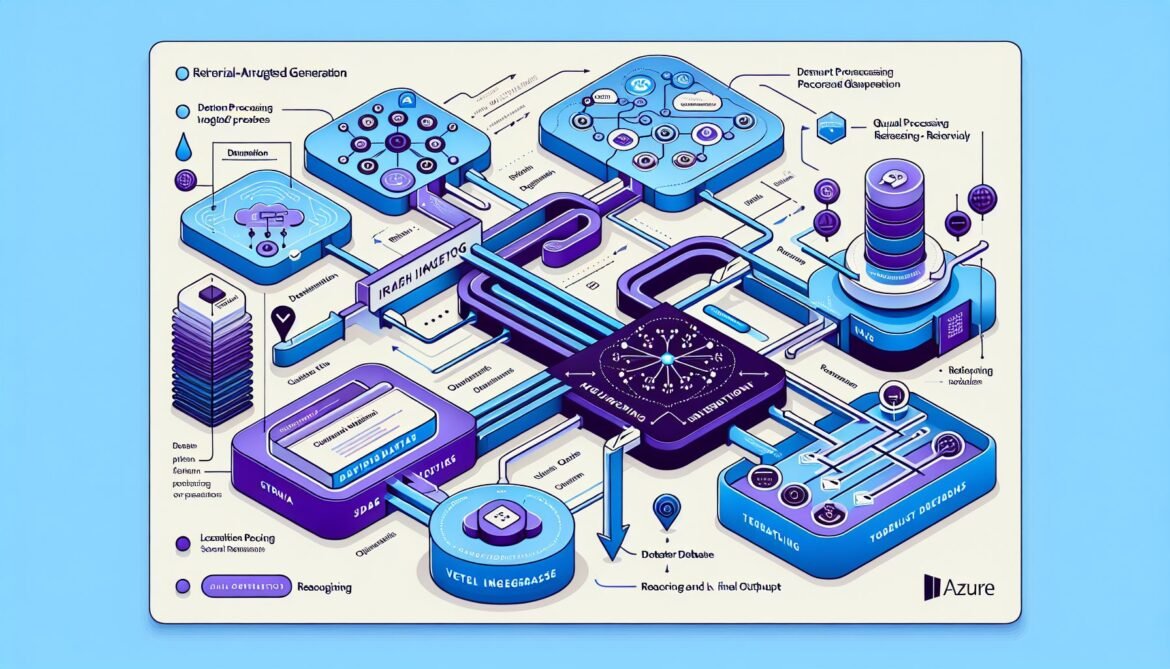
Azure AI Foundry provides Foundry IQ, a comprehensive RAG solution powered by Azure AI Search. It simplifies orchestration while maintaining enterprise-grade security, user permissions, and data classification. The system handles document indexing, vector search, iterative retrieval, and reflection to dynamically improve response quality.
flowchart TB
    subgraph Ingestion[Document Ingestion]
        DOC[Documents]
        PARSE[Parse & Chunk]
        EMBED[Generate Embeddings]
    end

    subgraph Storage[Vector Storage]
        INDEX[Azure AI Search Index]
        META[Metadata Store]
    end

    subgraph Retrieval[Query & Retrieval]
        QUERY[User Query]
        QEMBED[Query Embedding]
        SEARCH[Vector Search]
        RERANK[Rerank Results]
    end

    subgraph Generation[Response Generation]
        CONTEXT[Context Assembly]
        CLAUDE[Claude Model]
        VALIDATE[Validation]
    end

    DOC --> PARSE
    PARSE --> EMBED
    EMBED --> INDEX
    EMBED --> META

    QUERY --> QEMBED
    QEMBED --> SEARCH
    INDEX --> SEARCH
    SEARCH --> RERANK
    META --> RERANK

    RERANK --> CONTEXT
    CONTEXT --> CLAUDE
    CLAUDE --> VALIDATE

    style Ingestion fill:#e3f2fd
    style Storage fill:#f3e5f5
    style Retrieval fill:#e8f5e9
    style Generation fill:#fff3e0
Implementation: Complete RAG System
// Node.js Production RAG Implementation
const { SearchClient, AzureKeyCredential } = require("@azure/search-documents");
const { AnthropicFoundry } = require("@anthropic-ai/foundry-sdk");

class ProductionRAGSystem {
  constructor(config) {
    this.searchClient = new SearchClient(
      config.searchEndpoint,
      config.indexName,
      new AzureKeyCredential(config.searchKey)
    );

    this.claudeClient = new AnthropicFoundry({
      foundryResource: config.foundryResource
    });
  }

  async query(userQuestion, options = {}) {
    // Step 1: Generate query embedding
    const queryEmbedding = await this.getEmbedding(userQuestion);

    // Step 2: Perform hybrid search (vector + keyword)
    const searchResults = await this.searchClient.search(userQuestion, {
      vectorQueries: [{
        kind: "vector",
        vector: queryEmbedding,
        fields: ["contentVector"],
        kNearestNeighborsCount: options.topK || 10
      }],
      select: ["content", "title", "source", "metadata"],
      top: options.topK || 10,
      filter: options.filter
    });

    // Step 3: Rerank and filter results
    const documents = [];
    for await (const result of searchResults.results) {
      if (result.score > options.minScore || 0.7) {
        documents.push({
          content: result.document.content,
          title: result.document.title,
          source: result.document.source,
          score: result.score
        });
      }
    }

    // Step 4: Generate response with Claude
    const response = await this.generateResponse(
      userQuestion,
      documents,
      options
    );

    return {
      answer: response.answer,
      sources: response.sources,
      confidence: response.confidence
    };
  }

  async generateResponse(question, documents, options) {
    const context = this.buildContext(documents);

    const prompt = `You are a helpful assistant answering questions based on provided documents.

<documents>
${context}
</documents>

<question>
${question}
</question>

Instructions:
1. Answer based ONLY on the provided documents
2. If the answer isn't in the documents, say so
3. Cite specific sources using [Source: title]
4. Be concise and accurate

Answer:`;

    const response = await this.claudeClient.messages.create({
      model: "claude-sonnet-4-5",
      max_tokens: 2000,
      thinking: {
        type: "enabled",
        budget_tokens: 5000
      },
      messages: [{
        role: "user",
        content: prompt
      }]
    });

    return this.parseResponse(response, documents);
  }

  buildContext(documents) {
    return documents.map((doc, idx) =>
      `<document index="${idx}" source="${doc.source}">
<title>${doc.title}</title>
<content>${doc.content}</content>
</document>`
    ).join("\n\n");
  }

  parseResponse(response, documents) {
    const answer = response.content[0].text;
    const sources = this.extractCitedSources(answer, documents);

    return {
      answer,
      sources,
      confidence: this.calculateConfidence(response, sources)
    };
  }

  async getEmbedding(text) {
    // Use Azure OpenAI or other embedding service
    // Implementation details omitted for brevity
  }

  extractCitedSources(answer, documents) {
    // Extract and validate source citations
    const citationPattern = /\[Source: ([^\]]+)\]/g;
    const matches = [...answer.matchAll(citationPattern)];

    return matches.map(m => {
      const title = m[1];
      return documents.find(d => d.title === title);
    }).filter(Boolean);
  }

  calculateConfidence(response, sources) {
    // Calculate confidence based on source quality and citation density
    return sources.length > 0 ? Math.min(0.95, sources.length * 0.2 + 0.5) : 0.3;
  }
}

module.exports = { ProductionRAGSystem };
C# Implementation with Foundry IQ
using Azure.AI.Foundry;
using Azure.Search.Documents;
using Azure.Identity;

public class FoundryIQRAGSystem
{
    private readonly SearchClient _searchClient;
    private readonly AnthropicFoundryClient _claudeClient;

    public FoundryIQRAGSystem(string searchEndpoint, string indexName,
                              string foundryResource)
    {
        var credential = new DefaultAzureCredential();

        _searchClient = new SearchClient(
            new Uri(searchEndpoint),
            indexName,
            credential);

        _claudeClient = new AnthropicFoundryClient(
            foundryResource,
            credential);
    }

    public async Task<RAGResponse> QueryAsync(
        string question,
        RAGOptions options = null)
    {
        options ??= new RAGOptions();

        // Retrieve relevant documents
        var documents = await RetrieveDocumentsAsync(question, options);

        // Generate response with citations
        var response = await GenerateResponseAsync(question, documents);

        return new RAGResponse
        {
            Answer = response.Answer,
            Sources = response.Sources,
            Confidence = CalculateConfidence(documents, response)
        };
    }

    private async Task<List<Document>> RetrieveDocumentsAsync(
        string question,
        RAGOptions options)
    {
        var searchOptions = new SearchOptions
        {
            Size = options.TopK,
            Select = { "content", "title", "source", "metadata" },
            Filter = options.Filter
        };

        var results = await _searchClient.SearchAsync<SearchDocument>(
            question,
            searchOptions);

        var documents = new List<Document>();

        await foreach (var result in results.Value.GetResultsAsync())
        {
            if (result.Score >= options.MinScore)
            {
                documents.Add(new Document
                {
                    Content = result.Document["content"].ToString(),
                    Title = result.Document["title"].ToString(),
                    Source = result.Document["source"].ToString(),
                    Score = result.Score ?? 0
                });
            }
        }

        return documents;
    }

    private async Task<ClaudeResponse> GenerateResponseAsync(
        string question,
        List<Document> documents)
    {
        var context = BuildContext(documents);

        var prompt = $@"Answer this question based on the provided documents.

<documents>
{context}
</documents>

<question>
{question}
</question>

Provide a clear answer with source citations.";

        var response = await _claudeClient.CreateMessageAsync(
            model: "claude-sonnet-4-5",
            maxTokens: 2000,
            thinking: new ThinkingConfig
            {
                Type = ThinkingType.Enabled,
                BudgetTokens = 5000
            },
            messages: new[]
            {
                new Message
                {
                    Role = "user",
                    Content = prompt
                }
            });

        return ParseResponse(response.Content[0].Text, documents);
    }

    private string BuildContext(List<Document> documents)
    {
        return string.Join("\n\n", documents.Select((doc, idx) =>
            $@"<document index=""{idx}"" source=""{doc.Source}"">
<title>{doc.Title}</title>
<content>{doc.Content}</content>
</document>"));
    }

    private ClaudeResponse ParseResponse(string answer, List<Document> documents)
    {
        var sources = ExtractCitations(answer, documents);

        return new ClaudeResponse
        {
            Answer = answer,
            Sources = sources
        };
    }

    private List<Document> ExtractCitations(string answer, List<Document> documents)
    {
        // Extract and validate citations
        var citationPattern = new Regex(@"\[Source: ([^\]]+)\]");
        var matches = citationPattern.Matches(answer);

        return matches
            .Select(m => documents.FirstOrDefault(d => d.Title == m.Groups[1].Value))
            .Where(d => d != null)
            .ToList();
    }

    private double CalculateConfidence(List<Document> documents, ClaudeResponse response)
    {
        if (!response.Sources.Any()) return 0.3;

        var avgScore = documents.Where(d => response.Sources.Contains(d))
                                .Average(d => d.Score);
        return Math.Min(0.95, avgScore);
    }
}

public record RAGOptions
{
    public int TopK { get; init; } = 10;
    public double MinScore { get; init; } = 0.7;
    public string Filter { get; init; }
}

public record Document
{
    public string Content { get; init; }
    public string Title { get; init; }
    public string Source { get; init; }
    public double Score { get; init; }
}

public record RAGResponse
{
    public string Answer { get; init; }
    public List<Document> Sources { get; init; }
    public double Confidence { get; init; }
}

public record ClaudeResponse
{
    public string Answer { get; init; }
    public List<Document> Sources { get; init; }
}
Production Best Practices
Document Chunking Strategy
- Chunk size: 512-1024 tokens for optimal retrieval
- Overlap: 10-20% between chunks to maintain context
- Preserve semantic boundaries (paragraphs, sections)
- Include metadata (source, date, author) with each chunk
Hybrid Search Configuration
- Combine vector search (semantic) with keyword search (exact matches)
- Use semantic ranker for better relevance
- Apply filters for permissions and data classification
- Implement result reranking for improved precision
Quality Assurance
- Validate citations against source documents
- Implement confidence scoring for answers
- Monitor for hallucinations with automated testing
- Track retrieval metrics (precision, recall)
- Log queries with no good matches for index improvement
Conclusion
Production RAG systems in Azure AI Foundry combine powerful vector search, intelligent retrieval, and Claude’s reasoning capabilities to deliver accurate, source-grounded responses. Success requires attention to document processing, search configuration, prompt engineering, and continuous quality monitoring.