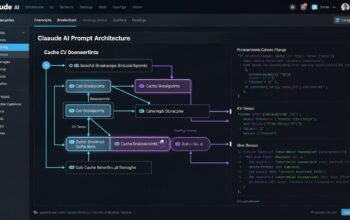
In Part 2, we created a basic Agent Skill with a single SKILL.md file. While this approach works well for simple use cases, production-grade skills often require more sophisticated patterns. This tutorial explores advanced skill development techniques including progressive disclosure with reference files, executable scripts for deterministic operations, and multi-file organization strategies that scale to complex workflows.
Understanding Progressive Disclosure Architecture
Progressive disclosure is the core design principle that makes Agent Skills both powerful and efficient. Like a well-organized manual with a table of contents, specific chapters, and a detailed appendix, skills enable Claude to load information only as needed rather than consuming context upfront.
According to Anthropic’s engineering team, the amount of context that can be bundled into a skill is effectively unbounded because files do not consume tokens until accessed. This architecture operates in three distinct stages.
Stage 1: Metadata Loading (Discovery)
At startup, Claude scans all available skills and loads only the YAML frontmatter (name and description) into its system prompt. This metadata typically consumes around 100 tokens per skill, meaning you can install dozens of skills without overwhelming the context window.
// Stage 1: Lightweight metadata in system prompt
Available Skills:
- pdf-processing: Extract text and tables from PDF files
- code-review: Perform thorough code reviews
- database-query: Generate and optimize SQL queries
// Total: ~300 tokens for all three skills
Stage 2: Full Instructions Loading (Activation)
When a user request matches a skill description, Claude loads the complete SKILL.md file into context. This typically ranges from 2,000 to 5,000 tokens depending on complexity. The instructions provide comprehensive guidance but should remain focused.
Stage 3: On-Demand Resource Access (Execution)
As Claude follows the instructions, it can read reference files, execute scripts, or access assets only when needed. A skill might bundle 50 reference files totaling 100,000 tokens, but if your specific task only needs one file, Claude loads just that single file. The rest remain on the filesystem consuming zero tokens.
Standard Directory Structure for Advanced Skills
Complex skills follow a conventional directory structure that separates different types of content:
advanced-skill/
├── SKILL.md           # Main instructions (always loaded when triggered)
├── scripts/           # Executable code (run, not loaded)
│   ├── analyze.py
│   ├── validate.sh
│   └── transform.js
├── references/        # Documentation (loaded on demand)
│   ├── api-guide.md
│   ├── examples.md
│   └── patterns.md
└── assets/            # Templates and resources
    ├── template.json
    ├── config.yaml
    └── schema.sql
Each directory serves a specific purpose in the progressive disclosure pattern. Let us explore each component with practical examples.
Building a Multi-File Skill: Database Query Assistant
To demonstrate advanced patterns, we will build a comprehensive Database Query Assistant skill that helps developers write, optimize, and validate SQL queries. This skill will include reference files for different database systems, executable scripts for query validation, and templates for common patterns.
Step 1: Create the Directory Structure
database-query-assistant/
├── SKILL.md
├── scripts/
│   ├── validate_query.py
│   ├── explain_plan.py
│   └── optimize_query.py
├── references/
│   ├── postgresql-guide.md
│   ├── mysql-guide.md
│   ├── mssql-guide.md
│   └── optimization-patterns.md
└── assets/
    ├── query-templates.json
    └── performance-checklist.md
Step 2: Write the Main SKILL.md
The SKILL.md file should be concise, pointing to detailed resources rather than including everything inline:
---
name: database-query-assistant
description: Generate, optimize, and validate SQL queries for PostgreSQL, MySQL, and SQL Server. Use when the user asks about SQL queries, database optimization, or query performance analysis.
version: "1.0.0"
license: Apache-2.0
---

# Database Query Assistant

## Purpose
This skill helps you write efficient, optimized SQL queries across different database systems. It provides database-specific guidance, validates query syntax, analyzes performance, and suggests optimizations.

## Workflow

### 1. Identify Database System
First, determine which database system the user is working with:
- PostgreSQL
- MySQL
- SQL Server

If not specified, ask the user.

### 2. Load Database-Specific Guide
Based on the database system, read the appropriate reference file:
- PostgreSQL: `references/postgresql-guide.md`
- MySQL: `references/mysql-guide.md`
- SQL Server: `references/mssql-guide.md`

These guides contain syntax specifics, best practices, and common pitfalls.

### 3. Generate or Review Query
Based on the user request:
- Generate new queries following best practices
- Review existing queries for issues
- Suggest optimizations for slow queries

### 4. Validate Query Syntax
Use the validation script to check syntax:
```bash
python scripts/validate_query.py --query "SELECT * FROM users" --database postgresql
```

The script returns:
- Syntax validation results
- Potential SQL injection risks
- Performance warnings

### 5. Analyze Performance
For optimization requests, use the explain plan script:
```bash
python scripts/explain_plan.py --query "SELECT * FROM orders WHERE date > '2024-01-01'"
```

This provides:
- Estimated execution plan
- Index usage analysis
- Optimization suggestions

### 6. Apply Optimization Patterns
Reference the optimization patterns guide when needed:
```bash
cat references/optimization-patterns.md
```

This contains proven patterns for:
- Index optimization
- Query restructuring
- Subquery optimization
- Join optimization

## Output Format

Structure your response as:

### Query
```sql
-- Your generated or optimized query
```

### Explanation
Brief description of what the query does and why it is structured this way.

### Performance Notes
- Index recommendations
- Potential bottlenecks
- Estimated complexity

### Alternatives
If applicable, show alternative approaches with trade-offs.

## Common Query Templates

Load templates from `assets/query-templates.json` for:
- CRUD operations
- Aggregations and grouping
- Complex joins
- Window functions
- Recursive queries

## Limitations

- Cannot execute queries against actual databases
- Query validation is static analysis, not runtime testing
- Performance estimates are based on query structure, not actual data distribution
- Some database-specific features may not be fully covered

## When NOT to Use This Skill

- For database schema design (use general architecture guidance)
- For database administration tasks (use specific DBA tools)
- For ORM-specific queries (reference the ORM documentation)
Step 3: Create Reference Files
Reference files contain detailed information loaded on demand. Here is an example PostgreSQL guide:
// references/postgresql-guide.md

# PostgreSQL Query Guide

## Syntax Specifics

### String Concatenation
PostgreSQL uses `||` operator:
```sql
SELECT first_name || ' ' || last_name AS full_name FROM users;
```

### Case-Insensitive Comparison
Use ILIKE for case-insensitive pattern matching:
```sql
SELECT * FROM products WHERE name ILIKE '%phone%';
```

### JSON Operations
PostgreSQL has excellent JSON support:
```sql
-- Extract JSON field
SELECT data->>'name' FROM documents;

-- Query JSON array
SELECT * FROM logs WHERE tags @> '["error"]'::jsonb;
```

## PostgreSQL-Specific Features

### RETURNING Clause
Get inserted/updated values without separate SELECT:
```sql
INSERT INTO users (name, email)
VALUES ('John Doe', 'john@example.com')
RETURNING id, created_at;
```

### CTEs (Common Table Expressions)
Use WITH for complex queries:
```sql
WITH recent_orders AS (
    SELECT * FROM orders
    WHERE created_at > NOW() - INTERVAL '30 days'
)
SELECT customer_id, COUNT(*)
FROM recent_orders
GROUP BY customer_id;
```

### Window Functions
Powerful for analytics:
```sql
SELECT
    name,
    salary,
    AVG(salary) OVER (PARTITION BY department) as dept_avg,
    RANK() OVER (ORDER BY salary DESC) as salary_rank
FROM employees;
```

## Performance Best Practices

### Index Usage
1. Create indexes on frequently queried columns
2. Use partial indexes for subset queries
3. Consider multi-column indexes for complex WHERE clauses

Example:
```sql
-- Partial index
CREATE INDEX idx_active_users ON users(email) WHERE active = true;

-- Multi-column index
CREATE INDEX idx_order_lookup ON orders(customer_id, created_at);
```

### Query Optimization
1. Use EXPLAIN ANALYZE to understand query plans
2. Avoid SELECT * in production
3. Use EXISTS instead of IN for subqueries
4. Limit result sets with appropriate WHERE clauses

### Common Pitfalls
1. N+1 query problem - use JOINs or batch queries
2. Missing indexes on foreign keys
3. Not using connection pooling
4. Inefficient use of LIKE with leading wildcards
Step 4: Create Executable Scripts
Scripts provide deterministic operations that are more efficient than having Claude generate equivalent code. Here is a query validation script in Python:
#!/usr/bin/env python3
# scripts/validate_query.py

import argparse
import re
import sys

class QueryValidator:
    def __init__(self, database_type):
        self.database_type = database_type
        self.errors = []
        self.warnings = []

    def validate(self, query):
        """Validate SQL query syntax and security"""
        self.check_sql_injection_risks(query)
        self.check_syntax_issues(query)
        self.check_performance_issues(query)

        return {
            'valid': len(self.errors) == 0,
            'errors': self.errors,
            'warnings': self.warnings
        }

    def check_sql_injection_risks(self, query):
        """Check for common SQL injection patterns"""
        # Check for string concatenation with variables
        if re.search(r'\+\s*["\']|["\'].*\+', query):
            self.errors.append(
                "Potential SQL injection: String concatenation detected. "
                "Use parameterized queries instead."
            )

        # Check for unescaped user input patterns
        dangerous_patterns = [
            (r'WHERE\s+\w+\s*=\s*["\'].*\$.*["\']',
             "Variable interpolation in WHERE clause"),
            (r'["\'].*\{\{.*\}\}.*["\']',
             "Template variable in string literal"),
        ]

        for pattern, message in dangerous_patterns:
            if re.search(pattern, query, re.IGNORECASE):
                self.errors.append(f"Potential SQL injection: {message}")

    def check_syntax_issues(self, query):
        """Check for common syntax mistakes"""
        # Check for missing semicolon (if multiple statements)
        statements = query.split(';')
        if len([s for s in statements if s.strip()]) > 1:
            if not query.strip().endswith(';'):
                self.warnings.append(
                    "Multiple statements detected but query does not end with semicolon"
                )

        # Check for SELECT *
        if re.search(r'SELECT\s+\*', query, re.IGNORECASE):
            self.warnings.append(
                "Using SELECT * can impact performance. "
                "Specify only needed columns."
            )

    def check_performance_issues(self, query):
        """Check for common performance problems"""
        # Check for LIKE with leading wildcard
        if re.search(r"LIKE\s+['\"]%", query, re.IGNORECASE):
            self.warnings.append(
                "Leading wildcard in LIKE prevents index usage. "
                "Consider full-text search or different approach."
            )

        # Check for functions on indexed columns in WHERE
        if re.search(r'WHERE\s+\w+\([^)]+\)\s*=', query, re.IGNORECASE):
            self.warnings.append(
                "Function on column in WHERE clause prevents index usage. "
                "Consider computed column or index on expression."
            )

        # Check for NOT IN with subquery
        if re.search(r'NOT\s+IN\s*\(SELECT', query, re.IGNORECASE):
            self.warnings.append(
                "NOT IN with subquery can be slow. "
                "Consider using NOT EXISTS or LEFT JOIN instead."
            )

def main():
    parser = argparse.ArgumentParser(
        description='Validate SQL query syntax and security'
    )
    parser.add_argument('--query', required=True, help='SQL query to validate')
    parser.add_argument(
        '--database',
        choices=['postgresql', 'mysql', 'mssql'],
        default='postgresql',
        help='Database type'
    )

    args = parser.parse_args()

    validator = QueryValidator(args.database)
    result = validator.validate(args.query)

    print(f"\nValidation Results for {args.database.upper()}:")
    print("=" * 50)

    if result['valid']:
        print("✓ Query validation passed")
    else:
        print("✗ Query validation failed")

    if result['errors']:
        print("\nErrors:")
        for error in result['errors']:
            print(f"  - {error}")

    if result['warnings']:
        print("\nWarnings:")
        for warning in result['warnings']:
            print(f"  - {warning}")

    sys.exit(0 if result['valid'] else 1)

if __name__ == '__main__':
    main()
A companion script for query optimization in Node.js:
#!/usr/bin/env node
// scripts/optimize_query.js

const fs = require('fs');
const path = require('path');

class QueryOptimizer {
    constructor(databaseType) {
        this.databaseType = databaseType;
        this.suggestions = [];
    }

    optimize(query) {
        this.analyzeSelectClause(query);
        this.analyzeJoins(query);
        this.analyzeWhereClause(query);
        this.analyzeSubqueries(query);

        return {
            originalQuery: query,
            suggestions: this.suggestions,
            optimizedQuery: this.generateOptimizedQuery(query)
        };
    }

    analyzeSelectClause(query) {
        const selectMatch = query.match(/SELECT\s+(.*?)\s+FROM/is);
        if (!selectMatch) return;

        const selectClause = selectMatch[1];

        if (selectClause.trim() === '*') {
            this.suggestions.push({
                type: 'performance',
                severity: 'medium',
                message: 'Replace SELECT * with specific column names',
                reason: 'Reduces data transfer and improves query clarity'
            });
        }

        // Check for computed columns that could be indexed
        if (selectClause.match(/[A-Z_]+\(/)) {
            this.suggestions.push({
                type: 'optimization',
                severity: 'low',
                message: 'Consider creating computed/generated columns for complex expressions',
                reason: 'Allows indexing of computed values'
            });
        }
    }

    analyzeJoins(query) {
        const joinMatches = query.match(/JOIN\s+\w+\s+ON\s+([^WHERE|JOIN|ORDER|GROUP]+)/gi);
        if (!joinMatches) return;

        joinMatches.forEach(join => {
            // Check for join conditions without indexes
            if (join.match(/ON\s+\w+\.\w+\s*=\s*\w+\.\w+/i)) {
                this.suggestions.push({
                    type: 'performance',
                    severity: 'high',
                    message: 'Ensure join columns are indexed',
                    reason: 'Dramatically improves join performance'
                });
            }

            // Check for cross joins (missing ON clause)
            if (!join.match(/ON/i)) {
                this.suggestions.push({
                    type: 'correctness',
                    severity: 'high',
                    message: 'Missing ON clause may result in cross join',
                    reason: 'Produces cartesian product, likely unintended'
                });
            }
        });
    }

    analyzeWhereClause(query) {
        const whereMatch = query.match(/WHERE\s+(.*?)(?:GROUP|ORDER|LIMIT|$)/is);
        if (!whereMatch) return;

        const whereClause = whereMatch[1];

        // Check for OR conditions (may prevent index usage)
        if (whereClause.match(/\s+OR\s+/i)) {
            this.suggestions.push({
                type: 'optimization',
                severity: 'medium',
                message: 'OR conditions may prevent index usage',
                reason: 'Consider UNION or IN clause instead',
                example: 'WHERE id IN (1, 2, 3) instead of WHERE id = 1 OR id = 2 OR id = 3'
            });
        }

        // Check for functions on columns
        if (whereClause.match(/\w+\([^)]*\w+\.\w+[^)]*\)\s*[=<>]/i)) {
            this.suggestions.push({
                type: 'performance',
                severity: 'high',
                message: 'Functions on columns prevent index usage',
                reason: 'Indexes cannot be used when columns are wrapped in functions',
                example: 'Use WHERE date_column >= DATE instead of WHERE YEAR(date_column) = 2024'
            });
        }
    }

    analyzeSubqueries(query) {
        // Check for correlated subqueries
        const subqueryMatches = query.match(/\(\s*SELECT[^)]+\)/gi);
        if (!subqueryMatches) return;

        subqueryMatches.forEach(subquery => {
            if (subquery.match(/WHERE.*=\s*\w+\.\w+/i)) {
                this.suggestions.push({
                    type: 'performance',
                    severity: 'high',
                    message: 'Correlated subquery detected',
                    reason: 'Executes once per row, very slow on large datasets',
                    solution: 'Convert to JOIN or use window functions'
                });
            }
        });
    }

    generateOptimizedQuery(query) {
        let optimized = query;

        // Replace SELECT * with column placeholder
        optimized = optimized.replace(/SELECT\s+\*/i, 'SELECT /* specify columns */');

        return optimized;
    }
}

// CLI interface
if (require.main === module) {
    const args = process.argv.slice(2);
    if (args.length < 2 || args[0] !== '--query') {
        console.error('Usage: optimize_query.js --query "SELECT * FROM users"');
        process.exit(1);
    }

    const query = args[1];
    const database = args[3] || 'postgresql';

    const optimizer = new QueryOptimizer(database);
    const result = optimizer.optimize(query);

    console.log('\n' + '='.repeat(60));
    console.log('Query Optimization Analysis');
    console.log('='.repeat(60) + '\n');

    console.log('Original Query:');
    console.log(result.originalQuery);
    console.log('\n');

    if (result.suggestions.length > 0) {
        console.log('Optimization Suggestions:\n');
        result.suggestions.forEach((suggestion, index) => {
            console.log(`${index + 1}. [${suggestion.severity.toUpperCase()}] ${suggestion.message}`);
            console.log(`   Reason: ${suggestion.reason}`);
            if (suggestion.example) {
                console.log(`   Example: ${suggestion.example}`);
            }
            if (suggestion.solution) {
                console.log(`   Solution: ${suggestion.solution}`);
            }
            console.log('');
        });
    } else {
        console.log('No optimization suggestions found.');
    }

    console.log('Suggested Optimized Query:');
    console.log(result.optimizedQuery);
    console.log('');
}

module.exports = QueryOptimizer;
Step 5: Create Asset Files
Assets provide templates and configuration that Claude can use directly:
// assets/query-templates.json
{
  "crud": {
    "select_basic": {
      "description": "Basic SELECT query",
      "template": "SELECT {columns} FROM {table} WHERE {condition};",
      "example": "SELECT id, name, email FROM users WHERE active = true;"
    },
    "insert": {
      "description": "Insert single record",
      "template": "INSERT INTO {table} ({columns}) VALUES ({values}) RETURNING *;",
      "example": "INSERT INTO users (name, email) VALUES ('John', 'john@example.com') RETURNING *;"
    },
    "update": {
      "description": "Update records",
      "template": "UPDATE {table} SET {assignments} WHERE {condition} RETURNING *;",
      "example": "UPDATE users SET email = 'new@example.com' WHERE id = 1 RETURNING *;"
    },
    "delete": {
      "description": "Delete records",
      "template": "DELETE FROM {table} WHERE {condition} RETURNING *;",
      "example": "DELETE FROM users WHERE inactive_days > 365 RETURNING id;"
    }
  },
  "aggregations": {
    "group_by": {
      "description": "Aggregation with grouping",
      "template": "SELECT {group_columns}, {aggregates} FROM {table} GROUP BY {group_columns} HAVING {condition};",
      "example": "SELECT department, COUNT(*) as employee_count FROM employees GROUP BY department HAVING COUNT(*) > 5;"
    },
    "window_function": {
      "description": "Window function for analytics",
      "template": "SELECT {columns}, {window_function} OVER (PARTITION BY {partition} ORDER BY {order}) FROM {table};",
      "example": "SELECT name, salary, RANK() OVER (PARTITION BY department ORDER BY salary DESC) as rank FROM employees;"
    }
  },
  "joins": {
    "inner_join": {
      "description": "Inner join between tables",
      "template": "SELECT {columns} FROM {table1} INNER JOIN {table2} ON {join_condition};",
      "example": "SELECT u.name, o.total FROM users u INNER JOIN orders o ON u.id = o.user_id;"
    },
    "left_join": {
      "description": "Left outer join",
      "template": "SELECT {columns} FROM {table1} LEFT JOIN {table2} ON {join_condition};",
      "example": "SELECT u.name, COUNT(o.id) FROM users u LEFT JOIN orders o ON u.id = o.user_id GROUP BY u.id;"
    }
  },
  "advanced": {
    "cte": {
      "description": "Common Table Expression",
      "template": "WITH {cte_name} AS (SELECT {columns} FROM {table} WHERE {condition}) SELECT * FROM {cte_name};",
      "example": "WITH active_users AS (SELECT * FROM users WHERE active = true) SELECT COUNT(*) FROM active_users;"
    },
    "recursive_cte": {
      "description": "Recursive CTE for hierarchical data",
      "template": "WITH RECURSIVE {cte_name} AS ({base_query} UNION ALL {recursive_query}) SELECT * FROM {cte_name};",
      "example": "WITH RECURSIVE org_chart AS (SELECT id, name, manager_id FROM employees WHERE manager_id IS NULL UNION ALL SELECT e.id, e.name, e.manager_id FROM employees e JOIN org_chart o ON e.manager_id = o.id) SELECT * FROM org_chart;"
    }
  }
}
Testing the Multi-File Skill
Package your skill directory and test it with various scenarios:
// Test 1: Basic query generation
"Generate a PostgreSQL query to find all users who registered in the last 30 days"

// Test 2: Query optimization
"Optimize this query: SELECT * FROM orders WHERE YEAR(created_at) = 2024"

// Test 3: Security review
"Review this query for SQL injection: SELECT * FROM users WHERE id = '" + userId + "'"

// Test 4: Performance analysis
"Why is this query slow: SELECT * FROM products WHERE name LIKE '%phone%'"
Claude should automatically load the appropriate reference files and execute scripts as needed based on your requests.
Best Practices for Multi-File Skills
Keep SKILL.md Under 500 Lines
According to Anthropic’s best practices, if your SKILL.md exceeds 500 lines, split content into separate reference files. The main file should serve as a table of contents pointing to detailed materials.
Use Descriptive File Names
Name files to indicate their content clearly. Use postgresql-guide.md instead of doc2.md. Claude navigates your skill directory like a filesystem, and descriptive names improve discoverability.
Reference Files Explicitly
In your SKILL.md, explicitly tell Claude which files to read and when:
// Good: Explicit reference with context
For PostgreSQL-specific features, read `references/postgresql-guide.md`

// Bad: Implicit expectation
Claude should know about PostgreSQL features
Make Scripts Self-Contained
Scripts should handle dependencies gracefully and provide clear error messages. Include usage instructions in comments.
Organize by Domain or Feature
Structure directories by domain rather than file type when dealing with related content:
// Better organization
references/
├── databases/
│   ├── postgresql.md
│   ├── mysql.md
│   └── mssql.md
├── optimization/
│   ├── indexes.md
│   └── query-plans.md
└── security/
    ├── injection-prevention.md
    └── access-control.md
Performance Considerations
Understanding how progressive disclosure affects performance helps you design efficient skills.
Token Consumption Pattern
Startup:
- 50 skills × 100 tokens = 5,000 tokens (all skill metadata)

Skill Activation:
- SKILL.md: 3,000 tokens (main instructions)

On-Demand Access:
- Reference file 1: 2,000 tokens
- Script output: 500 tokens
- Template: 300 tokens

Total: 10,800 tokens vs. 150,000+ if everything loaded upfront
Script Efficiency Benefits
When Claude runs a Python script, only the output enters the context window. The script code itself never loads into context. This makes scripts far more efficient than having Claude generate equivalent code on the fly.
// Without script: ~2,000 tokens
Claude writes validation code inline, then executes it

// With script: ~200 tokens
Claude runs pre-written script, only output loads

Efficiency gain: 10x reduction in token usage
Advanced Pattern: Context Forking in Claude Code
Claude Code extends the Agent Skills standard with advanced features like context forking. The context fork pattern allows skills to run in isolated subagent environments:
---
name: deep-research
description: Research a topic thoroughly using isolated exploration
context: fork
agent: Explore
---

Research $ARGUMENTS thoroughly:
1. Find relevant files using Glob and Grep
2. Read and analyze the code
3. Summarize findings with specific file references

Results are summarized and returned to your main conversation
This pattern is useful when you want skills to execute independently without access to your conversation history, providing clean separation for focused tasks.
Next Steps
You now understand how to build sophisticated multi-file skills using progressive disclosure patterns. In Part 4, we will explore comprehensive API integration across Node.js, Python, and C# including skill versioning, organization-wide deployment, and production monitoring patterns.
The techniques covered today enable you to create production-grade skills that scale to complex workflows while maintaining excellent performance through intelligent resource loading. Coming up, we will implement complete API workflows with error handling, retry logic, and best practices for enterprise deployments.
References
- Claude Code Docs – “Extend Claude with skills” (https://code.claude.com/docs/en/skills)
- Claude Developer Platform – “Agent Skills Overview” (https://platform.claude.com/docs/en/agents-and-tools/agent-skills/overview)
- Lee Han Chung – “Claude Agent Skills: A First Principles Deep Dive” (https://leehanchung.github.io/blogs/2025/10/26/claude-skills-deep-dive/)
- Anthropic Engineering – “Equipping agents for the real world with Agent Skills” (https://www.anthropic.com/engineering/equipping-agents-for-the-real-world-with-agent-skills)
- Claude Developer Platform – “Skill authoring best practices” (https://platform.claude.com/docs/en/agents-and-tools/agent-skills/best-practices)
- TechTalks – “What to know about Claude Skills (and why it’s a big deal)” (https://bdtechtalks.substack.com/p/what-to-know-about-claude-skills)
- VS Code Documentation – “Use Agent Skills in VS Code” (https://code.visualstudio.com/docs/copilot/customization/agent-skills)
- GitHub – travisvn/awesome-claude-skills – “A curated list of awesome Claude Skills” (https://github.com/travisvn/awesome-claude-skills)