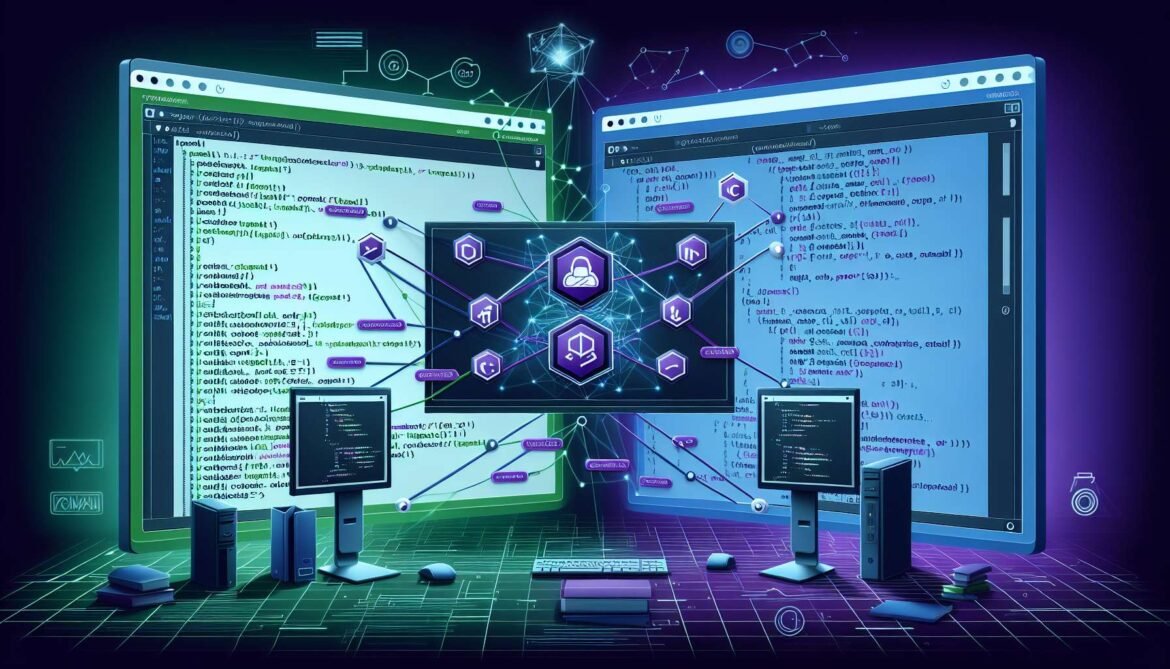
The Model Context Protocol’s true power emerges when you understand how the same architectural patterns translate across different programming languages and ecosystems. This comprehensive guide explores implementing MCP servers in both Node.js with TypeScript and C# with .NET, demonstrating how platform-specific idioms map to MCP’s universal concepts. By understanding multiple implementations, you gain flexibility in choosing the right technology stack for your requirements.
Python developers building with FastMCP benefit from decorator-based simplicity. Node.js developers leverage JavaScript’s async ecosystem and npm’s vast package library. C# developers tap into .NET’s performance, type safety, and enterprise integration capabilities. Each platform brings distinct advantages while maintaining protocol compatibility. An MCP server built in Node.js communicates seamlessly with clients written in Python or C#, and vice versa.
This guide provides production-ready examples in both languages, covering environment setup, implementing tools and resources, handling errors, testing strategies, and deployment patterns. The code examples demonstrate real-world patterns used by companies like Microsoft, GitHub, and AWS in their official MCP servers.
Part 1: Building MCP Servers with Node.js and TypeScript
Setting Up the TypeScript Environment
Node.js with TypeScript provides excellent developer experience through strong typing, modern async/await patterns, and comprehensive tooling. The official MCP TypeScript SDK offers first-class support with extensive documentation and examples.
Begin by creating a new project directory and initializing npm. The package.json configuration specifies ES modules, TypeScript compilation, and the MCP SDK dependency.
# Create project directory
mkdir weather-mcp-server
cd weather-mcp-server

# Initialize npm project
npm init -y

# Install dependencies
npm install @modelcontextprotocol/sdk zod
npm install -D typescript @types/node

# Create TypeScript configuration
npx tsc --init

# Create source directory
mkdir src
touch src/index.ts
Configure your package.json for ES modules and proper build scripts. This configuration ensures the server works correctly with stdio transport and is executable from command line.
{
  "name": "weather-mcp-server",
  "version": "1.0.0",
  "type": "module",
  "bin": {
    "weather-server": "./build/index.js"
  },
  "scripts": {
    "build": "tsc && chmod +x build/index.js",
    "dev": "tsc --watch",
    "start": "node build/index.js",
    "inspector": "npx @modelcontextprotocol/inspector build/index.js"
  },
  "dependencies": {
    "@modelcontextprotocol/sdk": "^1.0.0",
    "zod": "^3.24.0"
  },
  "devDependencies": {
    "@types/node": "^20.0.0",
    "typescript": "^5.3.0"
  }
}
Update your tsconfig.json with appropriate compiler options for Node.js ES modules. These settings ensure compatibility with modern JavaScript features while maintaining type safety.
{
  "compilerOptions": {
    "target": "ES2022",
    "module": "Node16",
    "moduleResolution": "Node16",
    "outDir": "./build",
    "rootDir": "./src",
    "strict": true,
    "esModuleInterop": true,
    "skipLibCheck": true,
    "forceConsistentCasingInFileNames": true
  },
  "include": ["src/**/*"],
  "exclude": ["node_modules"]
}
Implementing a Node.js MCP Server
The TypeScript MCP SDK provides a Server class that handles protocol details. You define request handlers for tools, resources, and prompts. This example creates a weather server with both static configuration and dynamic data retrieval.
#!/usr/bin/env node
import { Server } from "@modelcontextprotocol/sdk/server/index.js";
import { StdioServerTransport } from "@modelcontextprotocol/sdk/server/stdio.js";
import {
  CallToolRequestSchema,
  ErrorCode,
  ListToolsRequestSchema,
  McpError,
  ListResourcesRequestSchema,
  ReadResourceRequestSchema,
} from "@modelcontextprotocol/sdk/types.js";
import { z } from "zod";

// Weather data store (in production, fetch from API)
interface WeatherData {
  temperature: number;
  condition: string;
  humidity: number;
  location: string;
}

const weatherCache = new Map();

// Seed with sample data
weatherCache.set("seattle", {
  temperature: 65,
  condition: "Partly Cloudy",
  humidity: 70,
  location: "Seattle, WA"
});

weatherCache.set("new-york", {
  temperature: 72,
  condition: "Sunny",
  humidity: 60,
  location: "New York, NY"
});

// Create MCP server
const server = new Server(
  {
    name: "weather-server",
    version: "1.0.0",
  },
  {
    capabilities: {
      tools: {},
      resources: {},
    },
  }
);

// List available tools
server.setRequestHandler(ListToolsRequestSchema, async () => {
  return {
    tools: [
      {
        name: "get_weather",
        description: "Get current weather for a location",
        inputSchema: {
          type: "object",
          properties: {
            location: {
              type: "string",
              description: "City name (e.g., 'seattle', 'new-york')",
            },
          },
          required: ["location"],
        },
      },
      {
        name: "set_weather",
        description: "Update weather data for a location",
        inputSchema: {
          type: "object",
          properties: {
            location: { type: "string" },
            temperature: { type: "number" },
            condition: { type: "string" },
            humidity: { type: "number" },
          },
          required: ["location", "temperature", "condition"],
        },
      },
    ],
  };
});

// Handle tool calls
server.setRequestHandler(CallToolRequestSchema, async (request) => {
  const { name, arguments: args } = request.params;

  if (name === "get_weather") {
    const location = args?.location?.toLowerCase();

    if (!location) {
      throw new McpError(
        ErrorCode.InvalidParams,
        "Location parameter is required"
      );
    }

    const weather = weatherCache.get(location);

    if (!weather) {
      throw new McpError(
        ErrorCode.InvalidParams,
        `Weather data not available for ${location}`
      );
    }

    return {
      content: [
        {
          type: "text",
          text: JSON.stringify(weather, null, 2),
        },
      ],
    };
  }

  if (name === "set_weather") {
    const { location, temperature, condition, humidity = 0 } = args as any;

    const weatherData: WeatherData = {
      temperature,
      condition,
      humidity,
      location: location,
    };

    weatherCache.set(location.toLowerCase(), weatherData);

    return {
      content: [
        {
          type: "text",
          text: `Weather updated for ${location}`,
        },
      ],
    };
  }

  throw new McpError(ErrorCode.MethodNotFound, `Unknown tool: ${name}`);
});

// List available resources
server.setRequestHandler(ListResourcesRequestSchema, async () => {
  return {
    resources: [
      {
        uri: "weather://locations",
        name: "Available Locations",
        description: "List of all locations with weather data",
        mimeType: "application/json",
      },
    ],
  };
});

// Read resource content
server.setRequestHandler(ReadResourceRequestSchema, async (request) => {
  const { uri } = request.params;

  if (uri === "weather://locations") {
    const locations = Array.from(weatherCache.entries()).map(([key, data]) => ({
      id: key,
      ...data,
    }));

    return {
      contents: [
        {
          uri,
          mimeType: "application/json",
          text: JSON.stringify(locations, null, 2),
        },
      ],
    };
  }

  throw new McpError(ErrorCode.InvalidParams, `Unknown resource: ${uri}`);
});

// Start server
async function main() {
  const transport = new StdioServerTransport();
  await server.connect(transport);
  console.error("Weather MCP Server running on stdio");
}

main().catch((error) => {
  console.error("Server error:", error);
  process.exit(1);
});
Build and test your server using the provided scripts. The inspector provides visual feedback during development.
# Build the TypeScript code
npm run build

# Test with MCP Inspector
npm run inspector

# The inspector opens at http://localhost:5173
Part 2: Building MCP Servers with C# and .NET
Setting Up the .NET Environment
The official C# MCP SDK, developed in collaboration with Microsoft, brings MCP to the .NET ecosystem with full support for async/await, dependency injection, and ASP.NET Core integration. The SDK leverages .NET’s performance and type safety while providing familiar patterns for .NET developers.
Create a new console application and add the MCP SDK package. The SDK requires .NET 8.0 or later for optimal performance and modern language features.
# Create new console application
dotnet new console -n WeatherMcpServer
cd WeatherMcpServer

# Add MCP SDK package (preview)
dotnet add package ModelContextProtocol --prerelease

# Add hosting extensions for dependency injection
dotnet add package Microsoft.Extensions.Hosting

# Create Program.cs if not exists
Implementing a C# MCP Server
The C# SDK uses a builder pattern similar to ASP.NET Core, making it familiar to .NET developers. Define your server configuration, register tools and resources, and let the SDK handle protocol details.
using ModelContextProtocol;
using ModelContextProtocol.Protocol;
using ModelContextProtocol.Server;
using System.Text.Json;

// Weather data model
record WeatherData(
    double Temperature,
    string Condition,
    double Humidity,
    string Location
);

// In-memory weather storage
var weatherCache = new Dictionary
{
    ["seattle"] = new(65, "Partly Cloudy", 70, "Seattle, WA"),
    ["new-york"] = new(72, "Sunny", 60, "New York, NY")
};

// Create MCP server options
var options = new McpServerOptions
{
    ServerInfo = new Implementation
    {
        Name = "weather-server",
        Version = "1.0.0"
    },

    Handlers = new McpServerHandlers
    {
        // List available tools
        ListToolsHandler = (request, cancellationToken) =>
        {
            var tools = new List
            {
                new()
                {
                    Name = "get_weather",
                    Description = "Get current weather for a location",
                    InputSchema = JsonSerializer.Deserialize("""
                        {
                            "type": "object",
                            "properties": {
                                "location": {
                                    "type": "string",
                                    "description": "City name (e.g., 'seattle', 'new-york')"
                                }
                            },
                            "required": ["location"]
                        }
                        """)
                },
                new()
                {
                    Name = "set_weather",
                    Description = "Update weather data for a location",
                    InputSchema = JsonSerializer.Deserialize("""
                        {
                            "type": "object",
                            "properties": {
                                "location": { "type": "string" },
                                "temperature": { "type": "number" },
                                "condition": { "type": "string" },
                                "humidity": { "type": "number" }
                            },
                            "required": ["location", "temperature", "condition"]
                        }
                        """)
                }
            };

            return ValueTask.FromResult(new ListToolsResult { Tools = tools });
        },

        // Handle tool execution
        CallToolHandler = (request, cancellationToken) =>
        {
            if (request.Params?.Name == "get_weather")
            {
                if (request.Params.Arguments?.TryGetValue("location", out var locationValue) is not true)
                {
                    throw new McpProtocolException(
                        "Location parameter is required",
                        McpErrorCode.InvalidParams
                    );
                }

                var location = locationValue.ToString()!.ToLower();

                if (!weatherCache.TryGetValue(location, out var weather))
                {
                    throw new McpProtocolException(
                        $"Weather data not available for {location}",
                        McpErrorCode.InvalidParams
                    );
                }

                return ValueTask.FromResult(new CallToolResult
                {
                    Content = [
                        new TextContent
                        {
                            Text = JsonSerializer.Serialize(weather, new JsonSerializerOptions
                            {
                                WriteIndented = true
                            })
                        }
                    ]
                });
            }

            if (request.Params?.Name == "set_weather")
            {
                var args = request.Params.Arguments ?? throw new McpProtocolException(
                    "Arguments are required",
                    McpErrorCode.InvalidParams
                );

                var location = args["location"].ToString()!.ToLower();
                var temperature = args["temperature"].GetDouble();
                var condition = args["condition"].ToString()!;
                var humidity = args.TryGetValue("humidity", out var h) ? h.GetDouble() : 0;

                var weatherData = new WeatherData(temperature, condition, humidity, location);
                weatherCache[location] = weatherData;

                return ValueTask.FromResult(new CallToolResult
                {
                    Content = [
                        new TextContent { Text = $"Weather updated for {location}" }
                    ]
                });
            }

            throw new McpProtocolException(
                $"Unknown tool: {request.Params?.Name}",
                McpErrorCode.MethodNotFound
            );
        },

        // List available resources
        ListResourcesHandler = (request, cancellationToken) =>
        {
            var resources = new List
            {
                new()
                {
                    Uri = "weather://locations",
                    Name = "Available Locations",
                    Description = "List of all locations with weather data",
                    MimeType = "application/json"
                }
            };

            return ValueTask.FromResult(new ListResourcesResult { Resources = resources });
        },

        // Read resource content
        ReadResourceHandler = (request, cancellationToken) =>
        {
            if (request.Params?.Uri == "weather://locations")
            {
                var locations = weatherCache.Select(kvp => new
                {
                    id = kvp.Key,
                    kvp.Value.Temperature,
                    kvp.Value.Condition,
                    kvp.Value.Humidity,
                    kvp.Value.Location
                });

                return ValueTask.FromResult(new ReadResourceResult
                {
                    Contents = [
                        new ResourceContents
                        {
                            Uri = request.Params.Uri,
                            MimeType = "application/json",
                            Text = JsonSerializer.Serialize(locations, new JsonSerializerOptions
                            {
                                WriteIndented = true
                            })
                        }
                    ]
                });
            }

            throw new McpProtocolException(
                $"Unknown resource: {request.Params?.Uri}",
                McpErrorCode.InvalidParams
            );
        }
    }
};

// Run the server
await McpServer.RunAsync(options);
Console.Error.WriteLine("Weather MCP Server running on stdio");
Build and run your C# server. The .NET SDK handles stdio transport automatically.
# Build the project
dotnet build

# Run the server
dotnet run

# Test with MCP Inspector
npx @modelcontextprotocol/inspector dotnet run
graph TB
subgraph "Node.js Implementation"
N1[TypeScript SDK]
N2[Server Class]
N3[Request Handlers]
N4[Stdio Transport]
end
subgraph "C# Implementation"
C1[.NET SDK]
C2[McpServerOptions]
C3[Handler Delegates]
C4[Stdio Transport]
end
subgraph "Shared Concepts"
S1[Tools]
S2[Resources]
S3[Prompts]
S4[MCP Protocol]
end
N1 --> N2
N2 --> N3
N3 --> N4
C1 --> C2
C2 --> C3
C3 --> C4
N3 --> S1
N3 --> S2
N3 --> S3
N4 --> S4
C3 --> S1
C3 --> S2
C3 --> S3
C4 --> S4Comparing Implementation Patterns
While Node.js and C# implement MCP servers differently, the core concepts remain consistent. Understanding these parallels helps you choose the appropriate platform and translate patterns between languages.
TypeScript uses class-based server instantiation with method chaining for request handlers. C# uses a builder pattern with delegates for handlers. Both approaches provide type safety and compile-time verification. TypeScript leverages structural typing and union types, while C# uses nominal typing and interfaces.
Error handling differs slightly between platforms. TypeScript throws McpError exceptions with error codes. C# throws McpProtocolException with error codes. Both map to the same JSON-RPC error responses at the protocol level.
Async patterns are similar. TypeScript uses Promise-based async/await. C# uses Task-based async/await with ValueTask for synchronous code paths. Both provide cancellation token support for long-running operations.
Package management differs by ecosystem. Node.js uses npm with package.json. C# uses NuGet with csproj files. Both support versioning, dependency resolution, and package publication to public registries.
Production Deployment Patterns
Production deployments require considerations beyond local development. Both platforms support multiple deployment strategies with different trade-offs.
For Node.js servers, package as npm modules for easy distribution. Use process managers like PM2 for production reliability. Deploy to serverless platforms like AWS Lambda or Azure Functions. Containerize with Docker for consistent environments across development and production.
# Package for npm distribution
npm pack

# Install globally
npm install -g ./weather-mcp-server-1.0.0.tgz

# Run as global command
weather-server

# Docker deployment
FROM node:20-alpine
WORKDIR /app
COPY package*.json ./
RUN npm ci --only=production
COPY build ./build
CMD ["node", "build/index.js"]
For C# servers, publish as self-contained executables for easy deployment. Use IIS or Kestrel for web hosting. Deploy to Azure App Service or Container Apps. Package as NuGet tools for command-line distribution.
# Publish self-contained executable
dotnet publish -c Release -r win-x64 --self-contained

# Create NuGet package
dotnet pack -c Release

# Docker deployment
FROM mcr.microsoft.com/dotnet/runtime:8.0
WORKDIR /app
COPY bin/Release/net8.0/publish .
ENTRYPOINT ["dotnet", "WeatherMcpServer.dll"]
Testing Strategies Across Platforms
Comprehensive testing ensures server reliability regardless of implementation language. Both platforms support unit testing, integration testing, and end-to-end testing patterns.
Node.js testing typically uses Jest, Mocha, or Vitest. Create test files alongside source code. Mock stdio transport for unit tests. Use the MCP Inspector for manual testing.
C# testing uses xUnit, NUnit, or MSTest. Create separate test projects. Use dependency injection for testability. Mock handlers for unit tests. Use the MCP Inspector for manual validation.
Conclusion and Technology Selection
Choosing between Node.js and C# for MCP server implementation depends on multiple factors including existing expertise, deployment infrastructure, performance requirements, and ecosystem alignment.
Choose Node.js when your team has JavaScript expertise, you need rapid prototyping and iteration, you leverage npm ecosystem extensively, or you deploy to serverless platforms. Node.js excels at I/O-bound operations and provides excellent async performance.
Choose C# when your team has .NET expertise, you require maximum type safety and compile-time verification, you integrate with existing .NET systems, or you need maximum performance for CPU-intensive operations. C# excels at structured enterprise development with strong tooling support.
Both platforms produce fully compatible MCP servers. The protocol ensures interoperability regardless of implementation language. Servers built in one language work seamlessly with clients built in another. This flexibility allows teams to choose the best tool for each component.
The next article explores enterprise integration patterns for MCP servers, covering authentication, authorization, monitoring, scaling, and security best practices applicable to any implementation language.
References
- MCP TypeScript SDK – Official Repository
- MCP C# SDK – Official Repository
- FreeCodeCamp – How to Build a Custom MCP Server with TypeScript
- Microsoft – Build a Model Context Protocol Server in C#
- Microsoft Learn – Build a TypeScript MCP Server using Azure Container Apps
- Microsoft Learn – Create a Minimal MCP Server and Publish to NuGet
- DEV Community – How to Build MCP Servers with TypeScript SDK
- Ottorino Bruni – How to Build an MCP Server in C# and .NET
- Awesome .NET MCP – Curated Resources
- Snyk – How to Build an MCP Server in Node.js