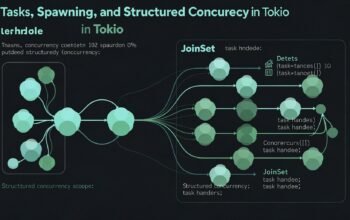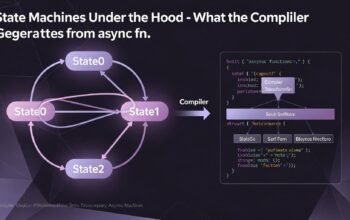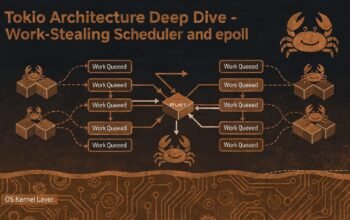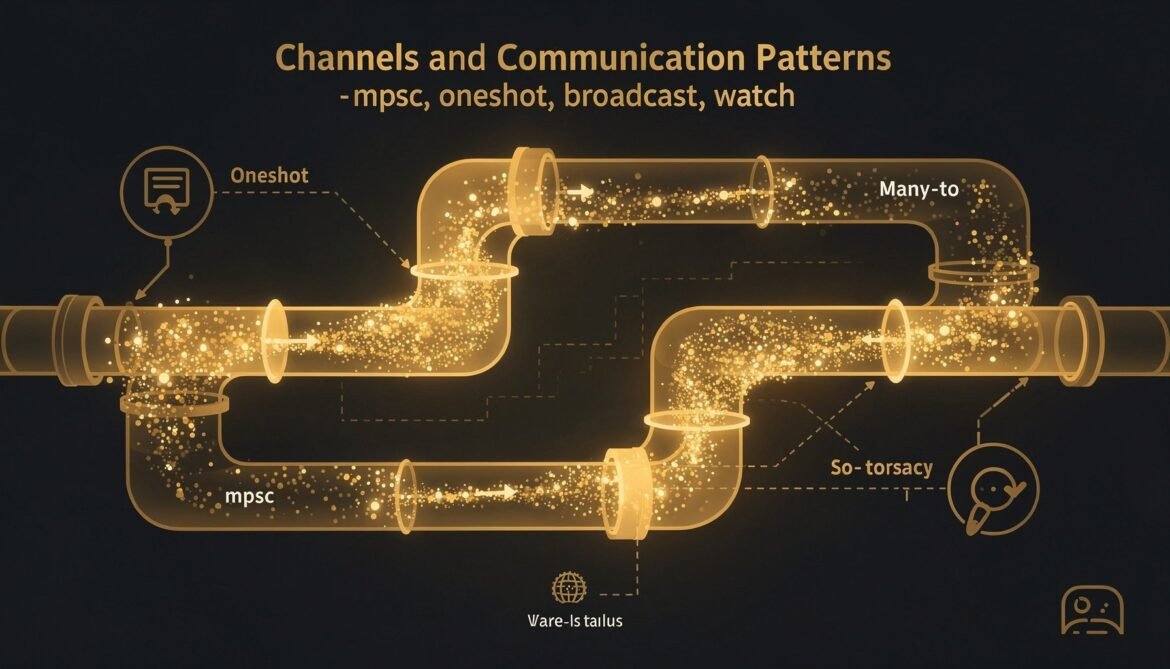
Spawned tasks cannot share references directly – they are 'static and may run on any thread. Communication between tasks happens through channels. Tokio provides four distinct channel types, each designed for a specific communication pattern. Picking the wrong one is a common source of bugs and performance issues.
The Four Channel Types
flowchart TD
    A[Need inter-task communication?] --> B{How many senders?}
    B -->|One sender, one receiver| C[oneshot\nSingle value, fire-and-forget]
    B -->|Many senders, one receiver| D[mpsc\nWork queue, command pattern]
    B -->|One sender, many receivers| E{Need history?}
    E -->|No - just latest value| F[watch\nConfig updates, state sync]
    E -->|Yes - all messages| G[broadcast\nEvent fan-out, pub/sub]
mpsc: Multi-Producer Single-Consumer
mpsc is the workhorse channel. Multiple producers send messages, one consumer processes them in order. Use it for work queues, command channels, and aggregating results from many tasks.
use tokio::sync::mpsc;

#[tokio::main]
async fn main() {
    // Bounded channel - backpressure when buffer is full
    let (tx, mut rx) = mpsc::channel::(32);

    // Spawn multiple producers
    for i in 0..5 {
        let tx = tx.clone(); // clone the sender for each producer
        tokio::spawn(async move {
            for j in 0..10 {
                // send() awaits if buffer is full - provides backpressure
                tx.send(format!("producer-{} message-{}", i, j)).await.unwrap();
            }
            // tx dropped here - one less sender
        });
    }

    // Drop original sender so receiver knows when all producers are done
    drop(tx);

    // Consumer processes all messages
    while let Some(msg) = rx.recv().await {
        println!("{}", msg);
    }
    // recv() returns None when all senders are dropped - clean shutdown
}

// Unbounded channel - no backpressure, can grow without limit
// Use only when you are certain production rate is bounded
let (tx, mut rx) = mpsc::unbounded_channel::();
// tx.send() is synchronous - never blocks, never awaits
tx.send(String::from("hello")).unwrap();
Prefer bounded channels in production. The buffer size acts as backpressure – when producers send faster than the consumer can process, send().await suspends the producer instead of growing memory unboundedly. Choose buffer size based on how much burst you want to absorb before applying backpressure.
oneshot: Single Value Response
oneshot sends exactly one value from one sender to one receiver. Use it for request-response patterns, task results, and shutdown signals.
use tokio::sync::oneshot;

// Request-response pattern using mpsc + oneshot
#[derive(Debug)]
enum Command {
    Get { key: String, response: oneshot::Sender> },
    Set { key: String, value: String },
}

async fn actor_pattern() {
    let (cmd_tx, mut cmd_rx) = mpsc::channel::(32);

    // The "actor" - owns state, processes commands sequentially
    let actor = tokio::spawn(async move {
        let mut store: std::collections::HashMap = Default::default();

        while let Some(cmd) = cmd_rx.recv().await {
            match cmd {
                Command::Set { key, value } => {
                    store.insert(key, value);
                }
                Command::Get { key, response } => {
                    let value = store.get(&key).cloned();
                    let _ = response.send(value); // ignore if receiver dropped
                }
            }
        }
    });

    // Callers use oneshot for each request
    let (resp_tx, resp_rx) = oneshot::channel();
    cmd_tx.send(Command::Set {
        key: String::from("name"),
        value: String::from("Alice"),
    }).await.unwrap();

    cmd_tx.send(Command::Get {
        key: String::from("name"),
        response: resp_tx,
    }).await.unwrap();

    let result = resp_rx.await.unwrap();
    println!("Got: {:?}", result); // Got: Some("Alice")

    drop(cmd_tx);
    actor.await.unwrap();
}
broadcast: Fan-Out to Multiple Receivers
broadcast sends each message to all active receivers. Use it for event systems, notifications, and pub/sub patterns where all subscribers should see every message.
use tokio::sync::broadcast;

#[tokio::main]
async fn main() {
    // Buffer holds last N messages for late subscribers
    let (tx, _) = broadcast::channel::(16);

    // Each subscriber gets its own receiver by calling subscribe()
    let mut rx1 = tx.subscribe();
    let mut rx2 = tx.subscribe();

    let tx_clone = tx.clone();
    tokio::spawn(async move {
        for i in 0..5 {
            tx_clone.send(format!("event-{}", i)).unwrap();
            tokio::time::sleep(std::time::Duration::from_millis(10)).await;
        }
    });

    // Both receivers see all messages
    tokio::join!(
        async {
            while let Ok(msg) = rx1.recv().await {
                println!("rx1: {}", msg);
            }
        },
        async {
            while let Ok(msg) = rx2.recv().await {
                println!("rx2: {}", msg);
            }
        }
    );
}

// Important: broadcast::Receiver::recv() returns Err(RecvError::Lagged(n))
// if the receiver falls behind and messages were dropped from the buffer
// Always handle the Lagged case in production code:
async fn handle_broadcast(mut rx: broadcast::Receiver) {
    loop {
        match rx.recv().await {
            Ok(msg) => process(msg).await,
            Err(broadcast::error::RecvError::Lagged(n)) => {
                eprintln!("Missed {} messages - receiver too slow", n);
                // Decide: continue, reset, or abort
            }
            Err(broadcast::error::RecvError::Closed) => break,
        }
    }
}
watch: Latest-Value State Synchronization
watch holds one value. Receivers can check the current value at any time or wait for the next change. Intermediate values are not guaranteed – if the sender updates rapidly, receivers may only see the latest. Use it for configuration, feature flags, shutdown signals, and state synchronization.
use tokio::sync::watch;

#[derive(Clone, Debug, PartialEq)]
struct Config {
    max_connections: u32,
    timeout_ms: u64,
    debug_mode: bool,
}

async fn watch_pattern() {
    let initial = Config {
        max_connections: 100,
        timeout_ms: 5000,
        debug_mode: false,
    };

    let (config_tx, config_rx) = watch::channel(initial);

    // Spawn workers that react to config changes
    for worker_id in 0..3 {
        let mut config_rx = config_rx.clone();
        tokio::spawn(async move {
            loop {
                // Wait for a change (or use borrow() to read current value)
                if config_rx.changed().await.is_err() {
                    break; // sender dropped
                }
                let config = config_rx.borrow().clone();
                println!(
                    "Worker {}: config updated - max_conn={}",
                    worker_id, config.max_connections
                );
            }
        });
    }

    // Update config - all workers notified
    tokio::time::sleep(std::time::Duration::from_millis(100)).await;
    config_tx.send(Config {
        max_connections: 200,
        timeout_ms: 3000,
        debug_mode: true,
    }).unwrap();

    tokio::time::sleep(std::time::Duration::from_millis(100)).await;
}

// Graceful shutdown pattern using watch
async fn shutdown_signal() -> watch::Receiver {
    let (tx, rx) = watch::channel(false);

    tokio::spawn(async move {
        tokio::signal::ctrl_c().await.expect("failed to listen for ctrl-c");
        tx.send(true).unwrap();
    });

    rx
}

async fn worker_with_shutdown(mut shutdown: watch::Receiver) {
    loop {
        tokio::select! {
            _ = shutdown.changed() => {
                if *shutdown.borrow() {
                    println!("Shutdown signal received, cleaning up");
                    break;
                }
            }
            _ = do_work() => {}
        }
    }
}
Choosing the Right Channel
// Decision guide:

// Request-response, one answer expected:
let (tx, rx) = oneshot::channel::();

// Task queue, work distribution, aggregation:
let (tx, rx) = mpsc::channel::(buffer_size);

// Fan-out, every subscriber sees every message:
let (tx, _rx) = broadcast::channel::(buffer_size);
let subscriber_rx = tx.subscribe(); // each subscriber calls this

// Shared state, observers only need latest value:
let (tx, rx) = watch::channel::(initial_state);
Channel Patterns for Backend Services
The Actor Pattern
An actor owns its state exclusively. Callers communicate via mpsc commands with oneshot response channels. No mutexes needed – the actor processes one command at a time, so state access is naturally sequential.
The Pipeline Pattern
// Stage 1: fetch -> Stage 2: parse -> Stage 3: store
async fn pipeline() {
    let (fetch_tx, mut fetch_rx) = mpsc::channel::(32);
    let (parse_tx, mut parse_rx) = mpsc::channel::(32);

    // Stage 1: fetcher
    tokio::spawn(async move {
        for url in urls() {
            let data = fetch(url).await;
            fetch_tx.send(data).await.unwrap();
        }
    });

    // Stage 2: parser
    tokio::spawn(async move {
        while let Some(raw) = fetch_rx.recv().await {
            let parsed = parse(raw).await;
            parse_tx.send(parsed).await.unwrap();
        }
    });

    // Stage 3: storage (in main task)
    while let Some(data) = parse_rx.recv().await {
        store(data).await;
    }
}
What Comes Next
With tasks and channels covered, Part 6 puts it all together in a real backend service using Axum – connection pooling, middleware, routing, graceful shutdown, and the production patterns that make Tokio-based services reliable under load.
References
- Tokio Documentation – “Synchronization Primitives” (https://docs.rs/tokio/latest/tokio/sync/index.html)
- Tokio Tutorial – “Channels” (https://tokio.rs/tokio/tutorial/channels)
- Tokio Documentation – “mpsc channel” (https://docs.rs/tokio/latest/tokio/sync/mpsc/index.html)
- Tokio Documentation – “broadcast channel” (https://docs.rs/tokio/latest/tokio/sync/broadcast/index.html)
- Tokio Documentation – “watch channel” (https://docs.rs/tokio/latest/tokio/sync/watch/index.html)